



Feature Highlights
All Features & Screenshots
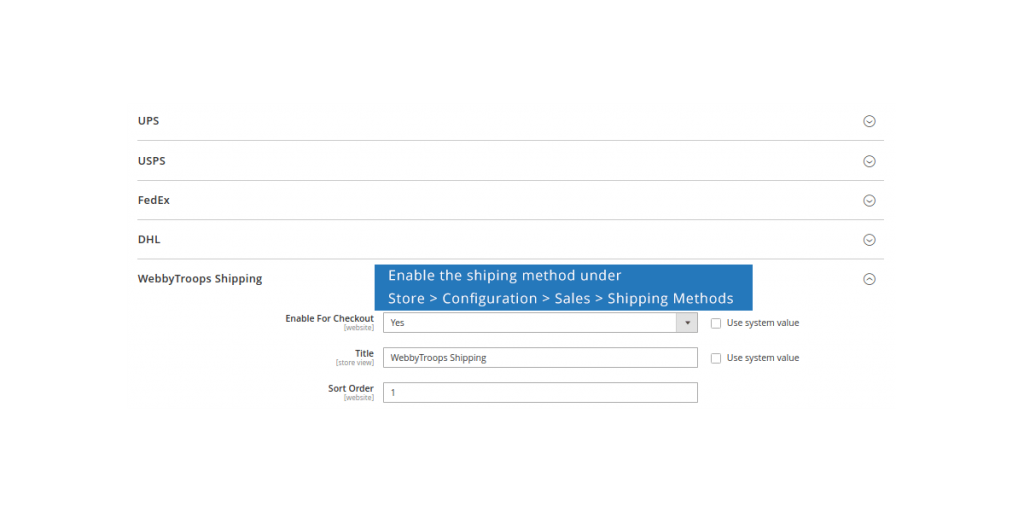
Enable option easily with store configuration.
The setting for enabling this solution is available under Store > Configuration > Sales > Shipping Methods > WebbyTroops Shipping. From here, you can configure and manage the shipping method, including enabling or disabling it, setting up specific rules, and customizing options as per your business needs. This allows full control over how the WebbyTroops Shipping method is displayed and applied during checkout.
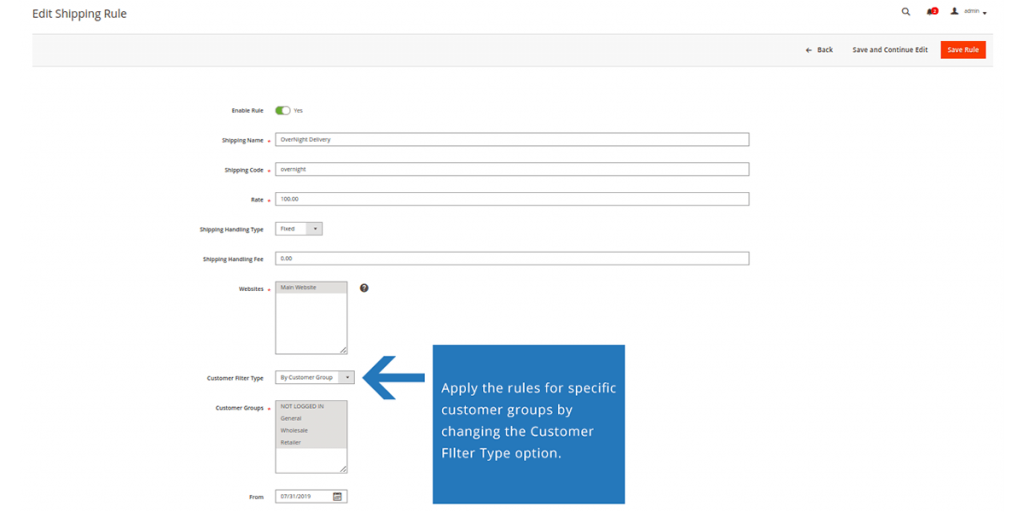
Enable shipping rule for specific customers
By clicking on Add New Shipping Rule, you can create a new rule tailored to your requirements. In the form, you can choose specific customers and customer groups for which the rule should apply. This ensures that the shipping conditions are targeted and only visible to the selected customers or groups, allowing better control and flexibility in managing shipping options.
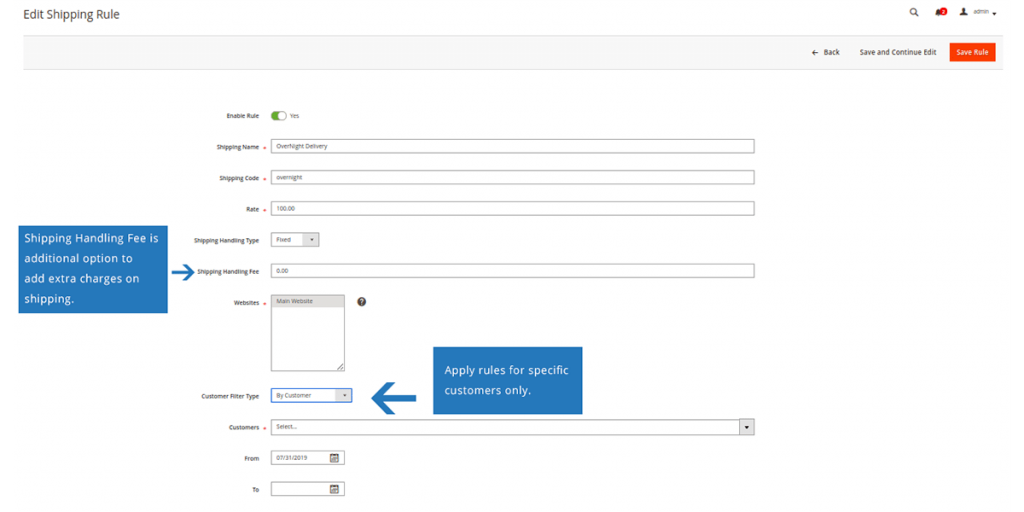
Add an additional fee, and also make it customer specific
The Shipping Handling Fee option allows you to add extra charges on top of the shipping cost. This feature is useful for covering additional expenses such as packaging or special handling. You can also configure it for specific customers, ensuring that the extra fee is applied only where needed.
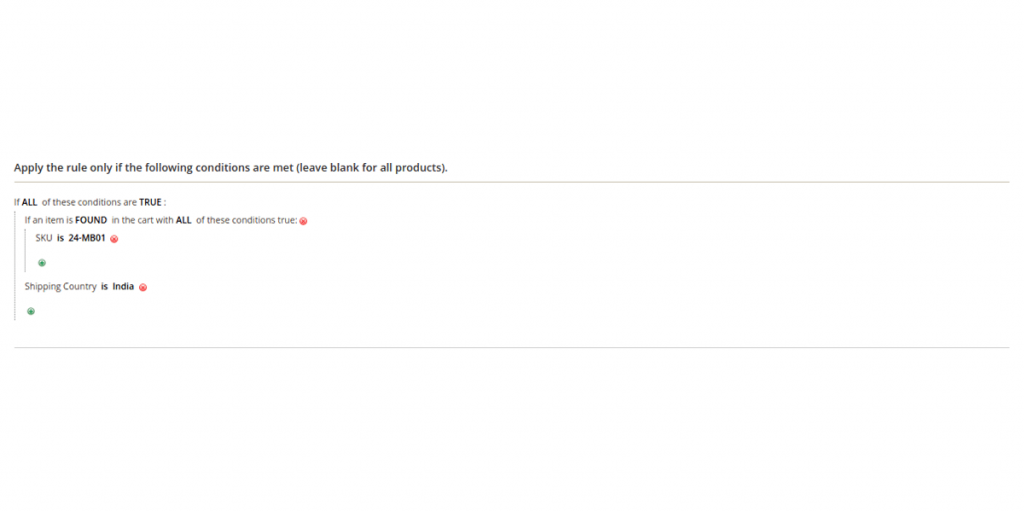
Set shipping rule for cart specific
Expand the Condition tab to define product-specific conditions for the rule. These conditions determine when the shipping rule will be applied during shipping cost calculation. You can set criteria based on product attributes, categories, or other parameters to ensure the rule applies only to the intended products.
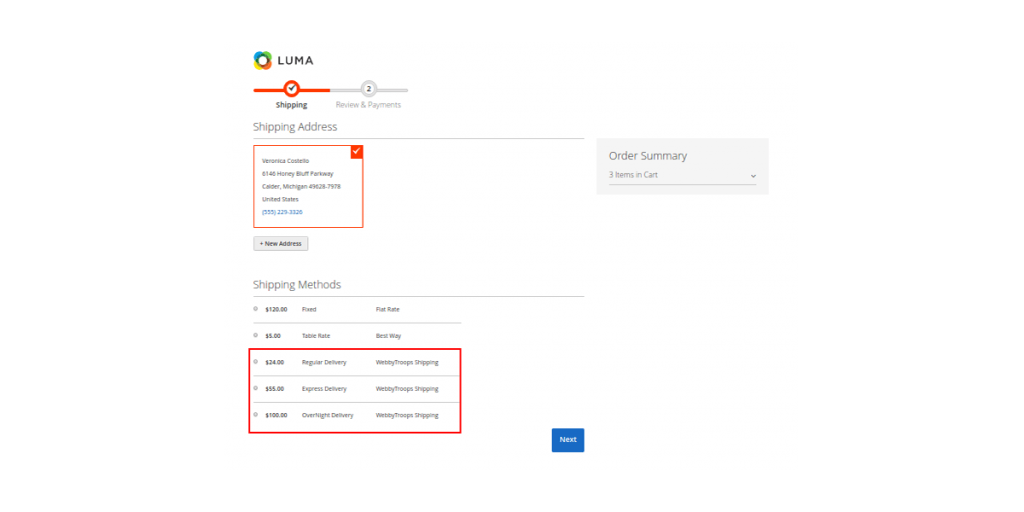
Shipping method on frontend
Once the shipping method is configured with the desired shipping rule in the backend, it will be available for customers on the frontend during checkout. The method will be displayed along with the applicable shipping charges, ensuring customers can easily select it as a shipping option based on the rules you have set.
Description
With the Make My Shipping Rule extension, you can easily create shipping rules without altering the other shipping methods. This enables you to create your own shipping method and add the number of shipping rule as you wish with the price that you decide. The rule you create can be either individual where you need to just provide shipping price or the combination of several conditions. Addition to this, it enables you to charge the shipping handling fee that can be either in percent or fixed amount of the shipping rate.
This extension has easy settings and configurations that enable you to create a simple rule or a complex rule including the combination of product attributes or shipping cart attributes. What about the condition related to the customer? Yes, the extension is flexible enough for you to create shipping rules based on customer group, even for the specific customer.
How It Will Be Useful:
Sometimes we are looking for a solution where we wish to have a shipping method where we can add our own custom shipping rate based on some specific conditions. These conditions can be specific to store, customer, customer group, product attribute, shopping cart, and country. Here it comes in the scenario to fulfill your requirements.
Support & Discussion:
We are continuously working on enhancing and updating this module and will have updates in the future. For support or questions, please contact us at any time: [email protected].