


Feature Highlights
All Features & Screenshots
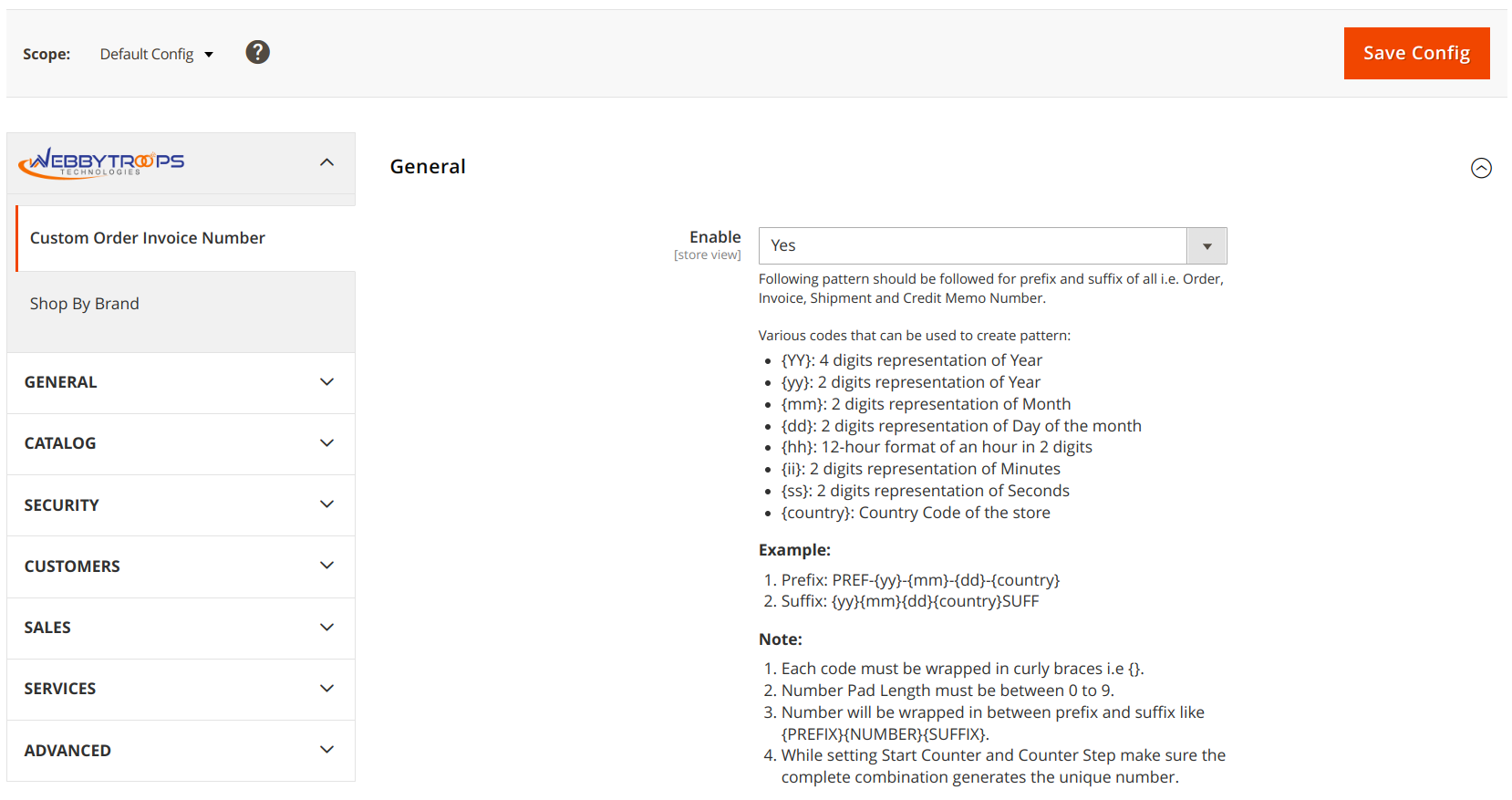
Enable option easily with store configuration.
To configure the custom order invoice number, navigate to the Custom Order Invoice Number section located under Stores > Configuration > WebbyTroops. From this section, you can manage settings related to invoice numbering, such as applying custom formats or sequences. This helps in maintaining a more organized and business-specific invoice numbering system.
Custom Order and Invoice Number
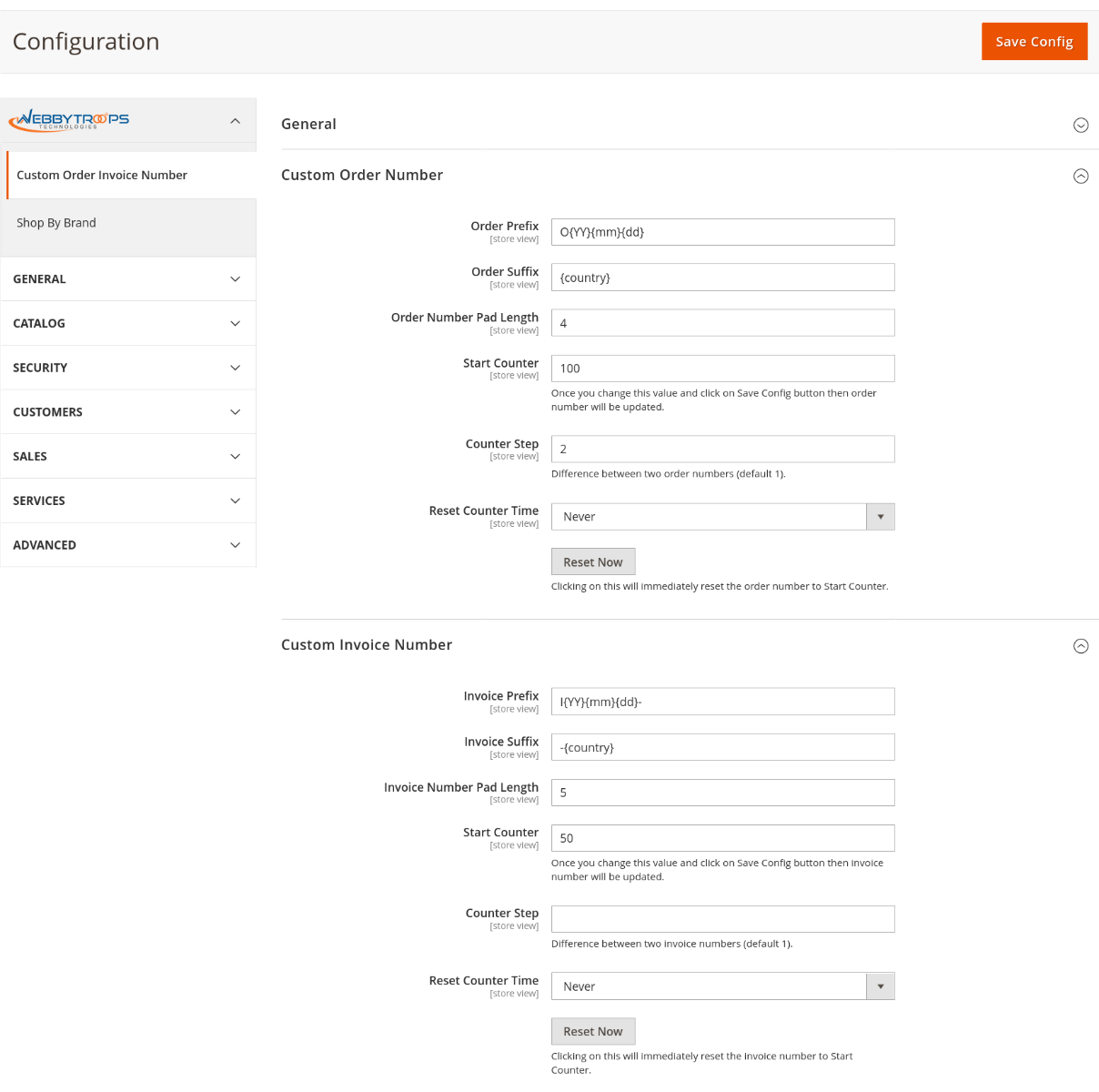
This feature allows you to create a custom format for the order and invoice number. You can add a prefix and suffix using the codes. Additionally, you can adjust the padding length of the main number to control how many digits it contains. The final order number will be generated in the format {PREFIX}{NUMBER}{SUFFIX}
Custom Shipment and CreditMemo Number
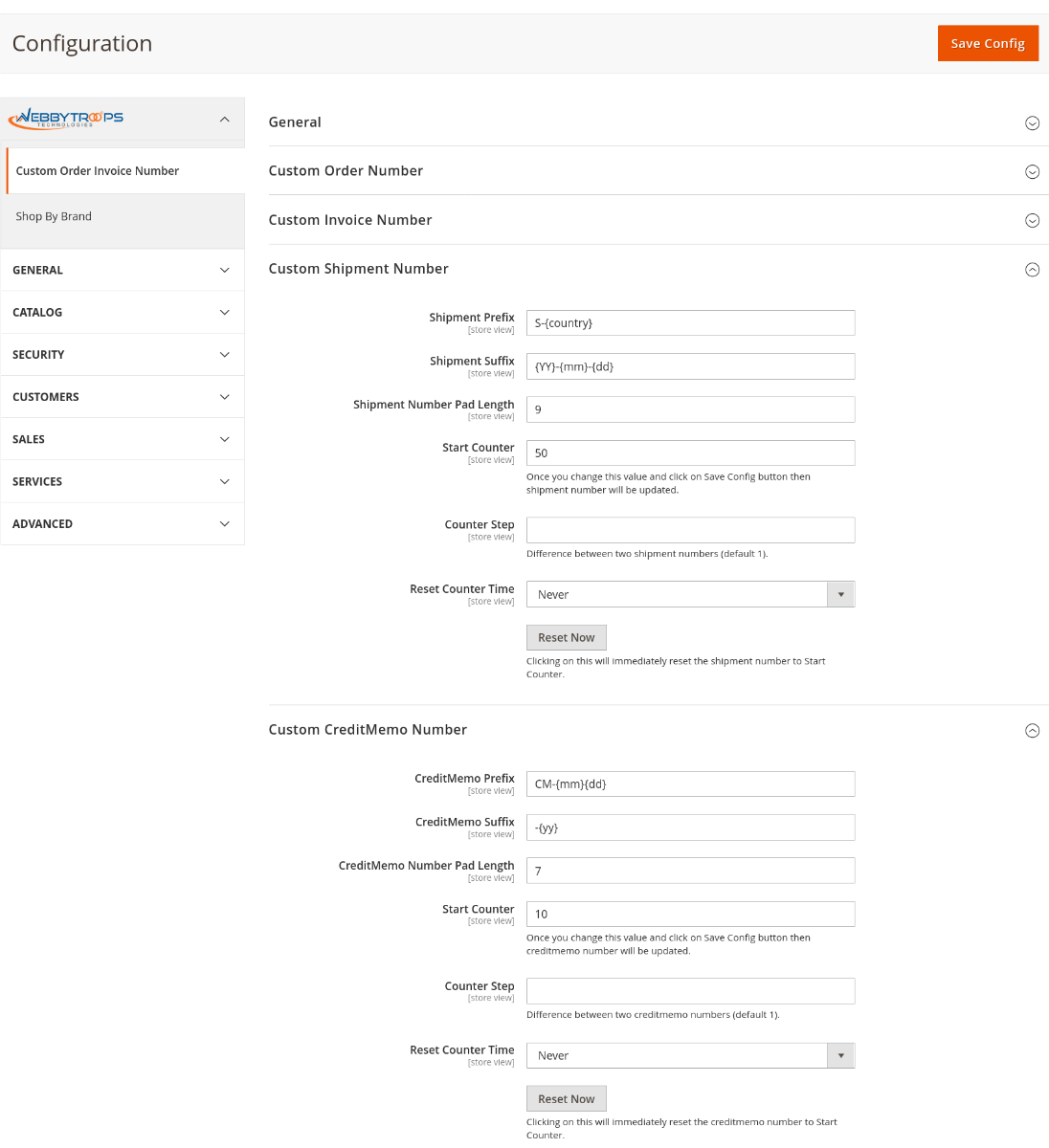
This feature allows you to create a custom format for the shipment and credit memo number. You can add a prefix and suffix using the codes. Additionally, you can adjust the padding length of the main number to control how many digits it contains. The final order number will be generated in the format {PREFIX}{NUMBER}{SUFFIX}.
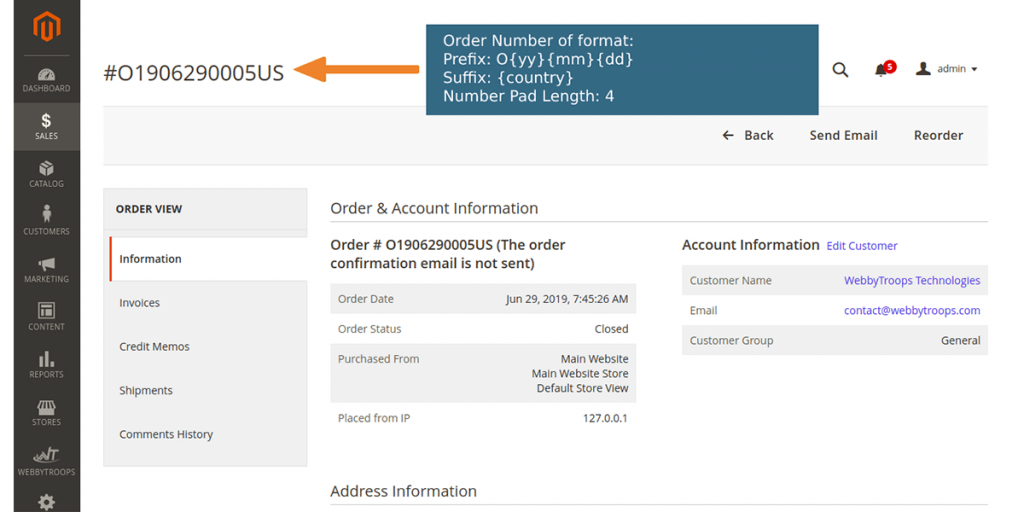
How to show order with prefix
With this configuration, the order number format will start with the prefix O{yy}{mm}{dd}, where the date is added in year, month, and day format, followed by a 4-digit padded sequence number, and ending with the country code or name as the suffix.
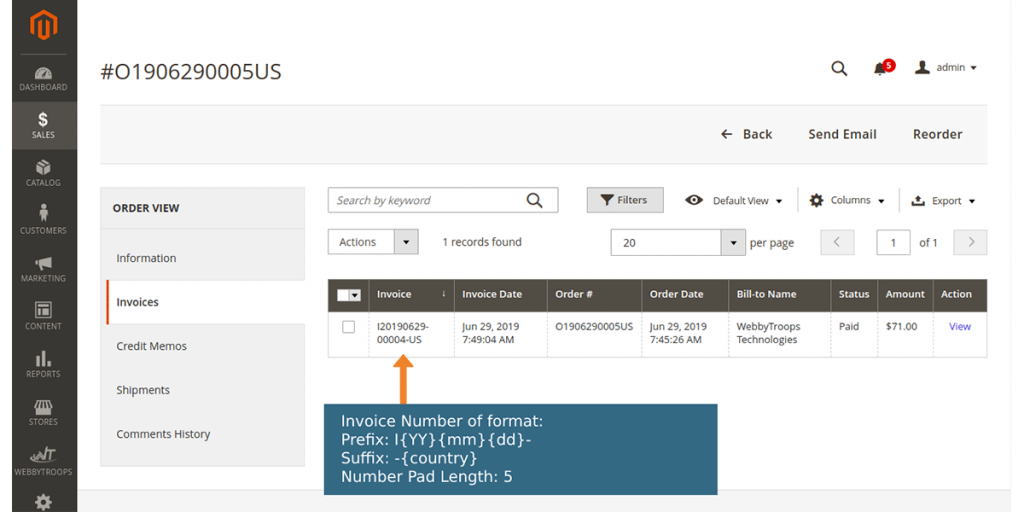
How to show invoice with prefix
With this configuration, the order number format will start with the prefix I{yy}{mm}{dd}, where the date is added in year, month, and day format, followed by a 5-digit padded sequence number, and ending with the country code or name as the suffix.
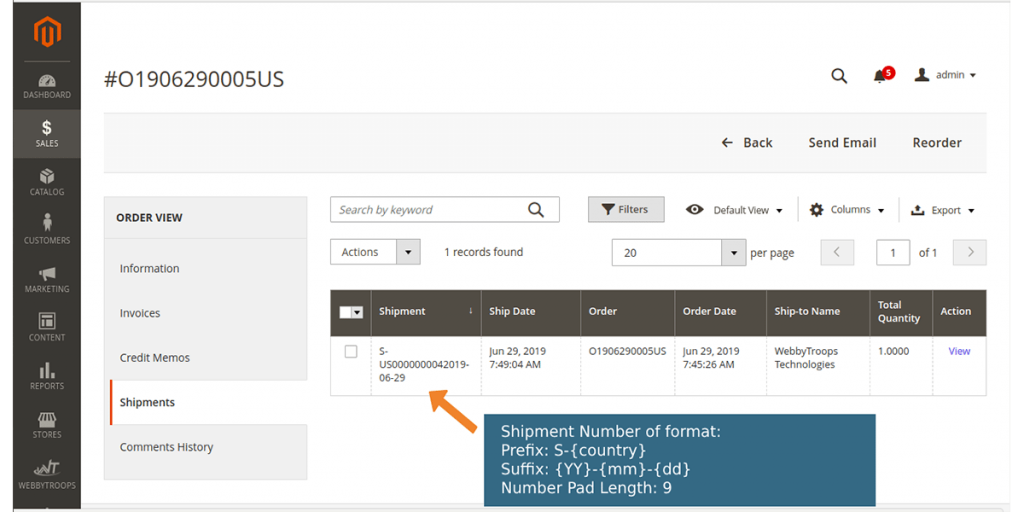
How to Show Shipment with prefix
With this configuration, the order number format will start with the prefix S-{yy}{mm}{dd}, where the date is added in year, month, and day format, followed by a 9-digit padded sequence number, and ending with the country code or name as the suffix.
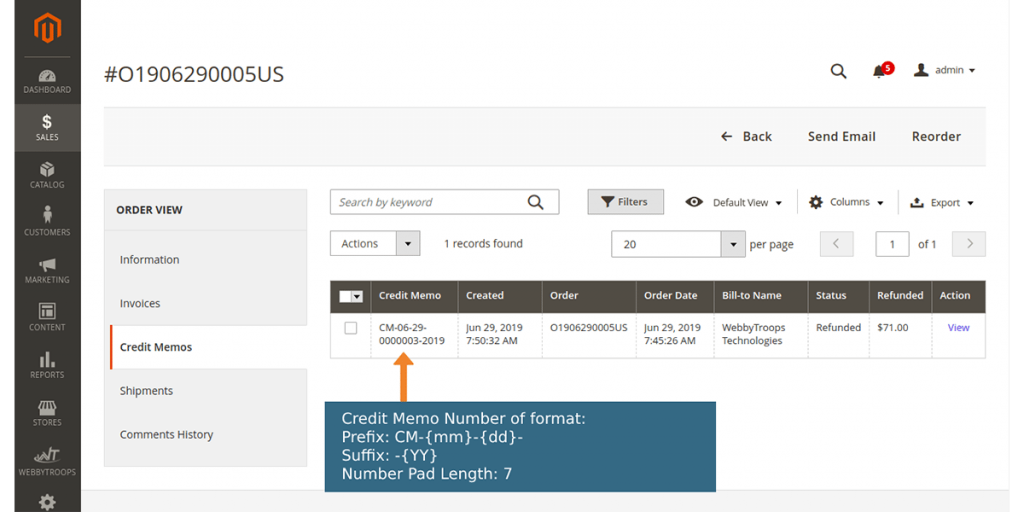
How to show Creditmemo with prefix
With this configuration, the order number format will start with the prefix CM-{yy}{mm}{dd}, where the date is added in year, month, and day format, followed by a 7-digit padded sequence number, and ending with the country code or name as the suffix.
Description
Custom Order Invoice Number module for Magento 2 provides a flexible way to manage the format of different Sales entities like Order Number, Invoice Number, Shipment Number and Credit Memo Number from the backend. Prefix and Suffix can be added for all these numbers. Some predefined codes can be used to create Prefix and Suffix format to use day, month, year, time or country code of the store. Any custom string can also be added into the prefix and suffix. Also, the padding length of the main number can be changed from the backend configuration.
You can also reset the counter for order/invoice/shipment/creditmemo number or you can define a period at which the counter will be reset automatically like Every Day/Every Week/Every Month/Every Year.
Example: If a client wants to manage Order Number, Invoice Number, Shipment Number, and Credit Memo Number then this module provides the flexibility to create a format for these numbers in the required way from Magento backend.
Benefits:
- Customize Order Number, Invoice Number, Shipment Number, and Credit Memo Number.
- Various variables to be used in Prefix and Suffix for the day, month, year, time and country code of the store.
- Use any combination of letters, numbers, date or time to create custom Prefix and Suffix.
- Set the custom padding length for Order Number, Invoice Number, Shipment Number, and Credit Memo Number.
- Set separate Prefix, Suffix and Number padding length for all these numbers.
- Reset numbers manually or at any predefined interval.
- Simple installation and easy to configure from Magento backend.
Support & Discussion:
We are continuously working on enhancing and updating this module and will have updates in the future. For support or questions, please contact us at any time: [email protected].