
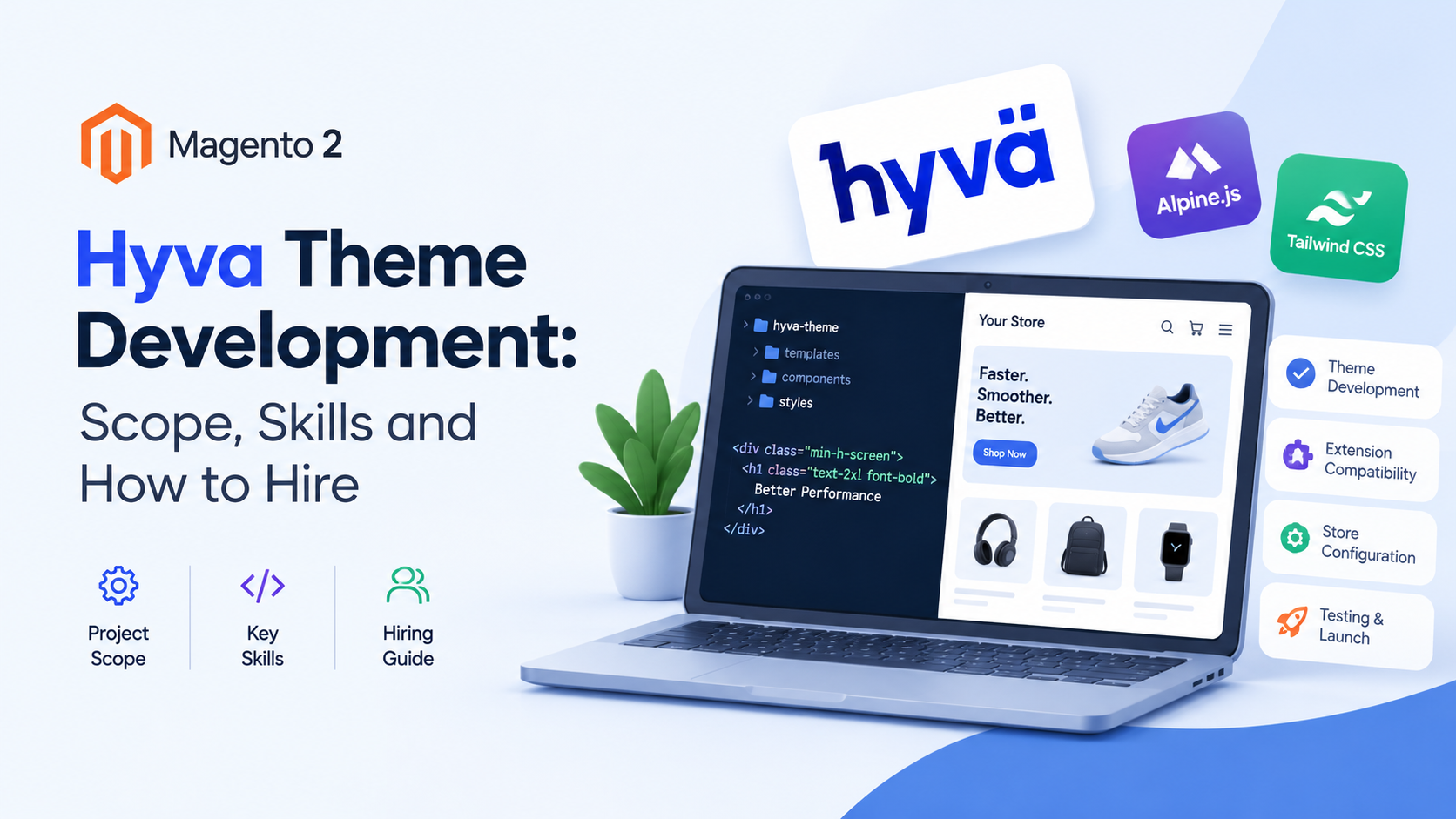
Hyva Theme Development: Scope, Skills and How to Hire
Hyva theme development means building or adapting a Magento 2 storefront on Hyvä's front-end stack, which uses Alpine.js and Tailwind CSS instead of Luma's older tooling. A typical project covers the theme itself, compatibility work for your extensions, and store configuration. Here's what that includes, what skills matter, and how to vet a developer.
Key takeaways
- Hyvä's own documentation lists the current requirements: specific Magento 2.4.x patch versions or higher, PHP 8.1 to 8.4, and Node.js 20 or later for the Tailwind compiler on development machines.
- Hyvä replaces parts of Luma's front-end stack. Luma relies on RequireJS and KnockoutJS, while Hyvä builds on Alpine.js and Tailwind CSS.
- Extensions are a separate line item. A module built for Luma generally needs Hyvä compatibility work before it renders properly, and Hyvä maintains a compatibility module tracker.
- Hyvä runs an official certification program with two levels, and each certificate belongs to an individual developer, not to an agency.
- Hyvä lists partner agencies in Platinum, Gold and Silver tiers on its partner page.
- Nothing here gives you a price or a timeline. Those depend on your store, and we couldn't verify figures we'd trust.
What is Hyva theme development?
It's the work of building, customizing or adapting a Magento 2 storefront theme on Hyvä. Hyvä is a front-end theme and tooling layer for Magento that uses Tailwind CSS for styling and Alpine.js for interactivity. Developers build templates, styles and small scripts on that stack rather than on Luma's default front-end tooling.
Hyvä's getting-started documentation describes the theme as something you install onto a Magento 2 store through Composer, then activate in the admin. Developers usually don't edit the default theme directly. Instead, they build a child theme on top of it, which is how Hyvä's documentation points people who want to customize.
If you want a high-level view of why merchants choose Hyvä, our Hyvä vs Luma performance and cost comparison is the place to start. This guide is different. It's about the development work itself: what it includes, who can do it, and how to judge the people offering to do it.
What does a Hyvä project include?
A Hyvä project usually has four parts: preparing the store and environment, building the theme and any custom components, making extensions compatible, and testing and launching. Hyvä's documentation covers the first part in detail, and its compatibility module documentation covers the third.
Let's take them one at a time, using what Hyvä's own docs say.
1. Environment and store preparation
Hyvä's documentation lists minimum system requirements. The store needs Magento 2.4.4-p9, 2.4.5-p8, 2.4.6-p7, 2.4.7-p1 or a later version, PHP 8.1, 8.2, 8.3 or 8.4, and a free Hyvä Packagist key for installation. The documentation adds that as of 2026, Hyvä requires PHP 8.1 or higher, so a store still on PHP 7.4 has to upgrade first.
Development machines also need Node.js 20.0.0 or later, because Tailwind CSS uses Node to compile. Hyvä recommends building the Tailwind bundle on a development or staging instance rather than on production.
That requirement list matters to your budget and schedule. If your store is on an older Magento or PHP version, the first piece of work may be an upgrade, not a theme. Our Magento development team handles upgrades as part of broader store work.
2. Installation and required configuration
Hyvä is distributed through a private Packagist repository, and installation uses Composer with the key you get from your Hyvä account. After installation, you run Magento's setup upgrade and activate the theme under Content, Design, Configuration in the admin.
The documentation includes several configuration steps that people miss. Here are the ones it calls out:
- Set a theme at the website level. If you set the Hyvä theme only at the store or store view level while the website is set to no theme, Hyvä's docs warn this causes storefront issues. It doesn't matter which theme the website has, as long as one is set.
- Turn off the legacy Magento captcha. Hyvä doesn't support it. It supports three Google reCAPTCHA types that Magento provides: v3 invisible, v2 invisible, and v2 "I'm not a robot."
- Turn off Magento's built-in minification and bundling for Hyvä store views. The docs say those settings don't benefit Hyvä and can cause overhead and side effects. If you also run Luma store views, keep them on for those.
- Enable the required GraphQL modules. Hyvä uses parts of Magento's GraphQL API, and the documentation lists the modules it needs, including catalog, customer, quote, sales, review, swatches and wishlist modules. Stores that used Luma often have unused GraphQL modules disabled.
The GraphQL point deserves attention. A store that's been tuned over the years may have modules switched off for good reasons, and switching them back on is a deliberate decision. If you'd like a refresher on how GraphQL and REST differ for Magento, see our REST API vs GraphQL guide.
3. Theme and component development
This is the part people picture when they hear "theme development": templates, styles, layout changes and interactive components. On Hyvä, styling is done with Tailwind CSS and interactivity with Alpine.js.
Hyvä's compatibility documentation lists the skills it expects, which gives a clear picture of the day-to-day work: Magento 2 front-end development, PHP, JavaScript, git, Hyvä theme installation and setup, Alpine.js basics and Tailwind CSS basics. It also suggests helpful tools, such as Alpine.js developer tools for the browser and IDE plugins for Alpine.js and Tailwind CSS.
4. Extension compatibility
This is the part budgets often underestimate. Hyvä's documentation has a whole section on making Magento modules compatible with Hyvä, and it runs a compatibility module tracker where you can see which modules have compatibility modules available and what state they're in.
We'll cover that in its own section below, because it's where many projects gain or lose time.
5. Testing and launch
Hyvä's documentation describes verifying the install by deploy mode. In developer mode the theme should appear on the storefront immediately, though a cache flush may be needed. In production mode, you need to deploy static content before the theme shows. It also says never to run a store in default mode.
Beyond that, testing is project-specific: checkout, payments, forms, search, account pages and every extension that touches the storefront. We'd add a rehearsal on staging before any launch, but that's our advice, not a statement from Hyvä's docs.
What skills does a Hyvä developer need?
A Hyvä developer needs solid Magento 2 front-end knowledge plus working skill in Tailwind CSS and Alpine.js. PHP and JavaScript matter, and so does git. Hyvä's documentation lists exactly those prerequisites for compatibility work, and they're a fair checklist for theme work too.
Here's how we'd translate that list into questions you can ask a candidate. The questions are our suggestions, built from Hyvä's documented prerequisites.
- Magento 2 front end. Can they explain how layout XML and templates work in Magento, and how a child theme inherits from a parent?
- Tailwind CSS. Can they describe how Tailwind is compiled in a Hyvä project, and where they'd run the build?
- Alpine.js. Can they show a small component they've built, and explain how it replaces something that would have been a larger script in an older theme?
- PHP and GraphQL. Do they understand which GraphQL modules a Hyvä store needs, and what happens if one's disabled?
- Git and workflow. Do they use branches, reviews and a staging environment?
- Luma comparison. Do they keep a Luma reference view when checking how a module behaves?
That last point comes straight from Hyvä's compatibility guide, which recommends setting up a second store view on Luma next to the Hyvä one, so you can check exactly how a module works in Luma while making it work in Hyvä.
A developer who can answer all of these in plain language is likely to cope. One who can't, or who answers in buzzwords, may be learning on your project.
How does Hyvä certification work?
Hyvä runs a certification program with two levels: Associate Developer and Professional Developer. The exams are taken online and are proctored. Hyvä's documentation says the certification is tied to an individual, not to an agency, and that it doesn't expire but shows the year you passed.
Here's what we verified from Hyvä's documentation and its shop and blog listings:
- Associate level. It requires existing Magento experience in relevant front-end areas. No Hyvä project experience is needed.
- Professional level. It also requires Magento experience in relevant front-end areas, and Hyvä project experience is required. A Credly listing describes the Professional level as requiring full-stack Magento experience in two or more Hyvä projects.
- Format. Exams are delivered through an online testing provider, Kryterion, using its Webassessor platform, and are described as both AI- and human-proctored. Hyvä's FAQ says Linux isn't supported for taking the exam.
- Professional exam details. A Hyvä blog post dated 26 November 2025 lists 60 questions, 90 minutes, a 70 percent passing score and a price of €200 excluding VAT. Hyvä's shop listing showed a price range of €200 to €250, and a retake listing showed €100 excluding VAT. Prices can change, so check Hyvä's own page.
- Proof. Successful candidates get a PDF certificate and a Credly badge, and can link the badge to their Hyvä account.
What certification tells you, and what it doesn't
A certificate shows that a person passed a proctored exam on a given date. It's a reasonable filter. It doesn't tell you how they handle your store's quirks, how they communicate, or how good their code review is.
Because certificates belong to individuals, ask who would actually work on your project and whether those named people hold the certification. An agency's claim that it has certified developers doesn't guarantee the person assigned to you is one of them.
What are Hyvä compatibility modules, and why do they matter?
A compatibility module is a separate package that makes a Magento extension work on a Hyvä storefront. Extensions built for Luma generally ship templates and scripts for Luma's front-end stack. Hyvä's documentation describes compatibility modules as the way to make those modules work with Hyvä, and it runs a tracker listing which ones exist and their status.
Hyvä's docs describe two related jobs. You can create a full compatibility module for an existing extension, or you can make your own module compatible with both themes. In the second case, the documentation says you register your module for inclusion in a configuration file called hyva-themes.json, so the theme can find and import the CSS your module needs. It also says the templates and scripts have to work with both Luma and Hyvä, and that you can load Hyvä-specific logic through layout files whose handles start with hyva_, so Luma ignores them.
What this means for your budget
Every extension that changes what customers see is a question mark. For each one, you need to know whether a compatibility module already exists, whether the extension vendor supports Hyvä directly, or whether someone has to write the compatibility work.
Here's a simple way to handle it:
- List every extension that affects the storefront. Include sliders, brand pages, filters, checkout extras and account widgets.
- Check each against Hyvä's compatibility tracker. Note whether a compatible version exists.
- Ask each vendor. Some state Hyvä support on their own pages.
- Mark the gaps. Decide whether to replace the extension, commission the compatibility work, or drop the feature.
- Ask your developer to quote the gaps separately. That keeps the main theme estimate honest.
If you use WebbyTroops' own Magento 2 extensions, such as the banners or shop-by-brand modules, we haven't confirmed Hyvä compatibility for them in this research, so check the relevant product page or ask the team directly.
The license question
Hyvä's documentation notes that contributing compatibility modules requires a commercial Hyvä license for access to its GitLab, while some other projects, such as Hyvä's React checkout and admin, are open source on GitHub. Separately, a post on our site dated 10 November 2025 says Hyvä's theme and compatibility modules were becoming open source, available on GitHub and Packagist with free Composer keys. Those statements describe different things, and the details may have changed, so read our post on Hyvä going open source and Hyvä's current pages before assuming anything about licensing.
How do you choose a Hyvä theme development partner?
Check three things: who will do the work, how they handle extensions, and what they'll commit to in writing. Hyvä lists partner agencies in Platinum, Gold and Silver tiers on its partner page, which is a useful starting list, but the tier alone doesn't tell you whether a team suits your project.
The partner page describes its agencies in their own words, and those descriptions are self-reported. We can't verify their claims, and neither can you from the page alone, so use it to build a shortlist, not to make the final call.
Here's a due-diligence list you can use. It's our suggestion, built around what Hyvä's documentation tells us matters.
Ask about people
- Who will work on my project? Get names, not a team label.
- Do those people hold Hyvä certifications? Ask to see the Credly badge or certificate, given Hyvä says certificates belong to individuals.
- What's their Magento experience outside Hyvä? Hyvä's own exam levels assume Magento front-end experience first.
Ask about process
- How will you handle my extensions? Expect a line-by-line answer based on the compatibility tracker and vendor support.
- Will you build a child theme? Hyvä's documentation points to child themes for customization.
- Where will you build and test? Hyvä recommends building Tailwind on development or staging, not production.
- What will you check at launch? Ask about checkout, payments, forms, search and every touched extension.
Ask about the store itself
- Is my Magento and PHP version supported? Compare against Hyvä's requirements.
- Which GraphQL modules are enabled on my store? Check against Hyvä's required list.
- What happens to my captcha and minification settings? Hyvä's docs say the legacy captcha isn't supported and recommend turning off built-in minification for Hyvä store views.
Ask about the contract
- What's in scope and what's extra? Theme work, extension compatibility and post-launch fixes should be separate lines.
- What happens after launch? Decide who looks after the theme when Magento or Hyvä release updates. Our application support and maintenance service exists for that stage.
- What do you need from us? Content, design decisions and test time all affect delivery.
Notice that none of these questions involve price or timeline. We couldn't verify figures we'd stand behind, and Hyvä's documentation doesn't give any. Get quotes in writing, compare what's included, and be cautious about any estimate that doesn't name its assumptions.
Common mistakes in Hyvä projects
Most early trouble in a Hyvä project traces back to a short list of avoidable slips. Several come straight from warnings in Hyvä's documentation, and the rest are practical points we'd add.
- Setting the theme only at store view level. Hyvä's docs say this causes storefront issues unless a theme is also set at the website level.
- Leaving the legacy captcha on. Hyvä doesn't support it, so forms can misbehave until you switch to a supported reCAPTCHA type.
- Keeping Magento's minification and bundling on for Hyvä views. The docs say they don't help and can cause side effects.
- Forgetting the GraphQL modules. A store tuned for Luma may have some of the required modules disabled.
- Building Tailwind on production. Hyvä recommends doing it on a development or staging instance.
- Running an old PHP version. Hyvä's docs say PHP 7.4 is no longer supported, so the upgrade has to come first.
- Treating extensions as an afterthought. Every storefront extension needs a compatibility answer before you can promise a launch date.
- Choosing on price alone. A low quote that doesn't list extension work or post-launch support usually hides those costs somewhere else.
- Assuming an agency's certification covers the person assigned to you. Hyvä says certificates belong to individuals.
- Skipping a staging rehearsal. Checkout, payments and forms deserve a full run-through before any store goes live.
None of these is exotic. A careful developer will raise most of them in the first conversation, and that alone is a good test of who you're talking to.
What does a Hyvä agency page usually leave out?
Most agency pages and listicles describe benefits and list services. After reading the current search results, a few useful details are often missing.
Extension compatibility. Many pages talk about speed and design, but the extension question is where projects gain or lose time.
Environment requirements. Node.js for Tailwind, PHP and Magento versions, and required GraphQL modules can change the scope of a project before any theme work starts.
Who is certified. Hyvä says certification belongs to people. Pages that talk about a "certified agency" without naming people leave a gap.
Configuration steps. Setting a theme on the website level, turning off the legacy captcha and disabling built-in minification are small steps that cause real confusion when missed.
Licensing details. The open-source announcement and Hyvä's documentation on compatibility modules describe different pieces, and merchants can find it hard to tell what applies to them.
If you want a developer or team who'll cover those points up front, that's a fair reason to prefer one candidate over another.
Hyvä or something else?
Hyvä isn't the only way to modernize a Magento storefront. If you're weighing it against a fully headless approach, our comparison of Hyvä vs PWA Studio explains how the two paths differ.
The main question is whether you want to stay on Magento's server-rendered theme model with a lighter front-end stack, or move to a separate front-end application that talks to Magento only through APIs. Those are different projects with different skills, budgets and maintenance needs. We won't claim one is better for every store. The right answer depends on your team, your catalog and your plans.
If you're partway through that decision, it may help to write down three things first: which extensions you can't live without, who will maintain the front end after launch, and whether any customers or staff depend on features the current theme provides.
Conclusion
Good Hyva theme development starts before any design work. Check your Magento and PHP versions, list every storefront extension, and confirm which ones have Hyvä compatibility. Then choose people, not just a team name, and ask for named developers with proof of certification.
If you'd like help, WebbyTroops offers Hyvä theme development. Whoever you choose, get the scope, the extension work and the post-launch support written down before you start.
Last verified: 30 September 2026. Hyvä's requirements, prices and partner listings change, so check Hyvä's own pages before you commit.
Download The Free E-book & Launch Your Brand Strategically

Download The Free E-book & Launch Your Brand Strategically
Frequently Asked Questions
Share this post



