

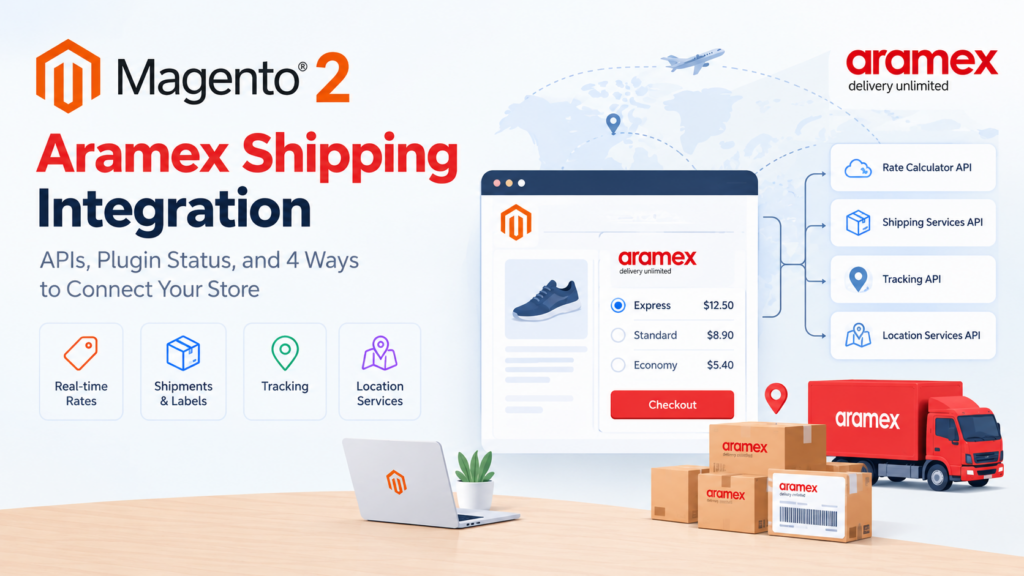
A Magento 2 Aramex shipping integration connects your store to Aramex’s rate, shipping, tracking and location APIs so checkout quotes real rates and the admin can create shipments and labels. You have four routes: Aramex’s own plugin, its newer fulfilment portal, a third-party extension, or a custom carrier module. The right one depends on your Magento version.
Key takeaways
- Aramex publishes four APIs: shipment tracking, rate calculator, shipping services and location services.
- Aramex’s own Magento 2 plugin on GitHub has not received a commit since February 2023, and its last compatibility work targeted Magento 2.4.5.
- Adobe Commerce 2.4.9 is tested with PHP 8.5. A plugin built for the 2.4.5 era will not drop onto a current store unchanged.
- Aramex’s newer fulfilment portal lists Magento among supported platforms and requires an Aramex Business Account plus account-manager registration.
- A rate integration and a label integration are separate pieces of work. Scope both or you’ll ship half a project.
If you’re planning a Magento 2 Aramex shipping integration, the first thing worth knowing is that the obvious route — Aramex’s own Magento plugin — is not in the state most articles imply. That’s not a reason to avoid Aramex. It’s a reason to pick your route deliberately instead of running composer require and hoping.
This guide covers what Aramex actually publishes, the real condition of each option as of today’s date, and how to scope the work so you don’t discover the gaps in production.
What is a Magento 2 Aramex shipping integration, exactly?
It’s usually four separate capabilities, and stores routinely buy one while needing all four.
Rating. The shopper enters an address, and checkout shows a real Aramex price for that address, weight and service type, rather than a flat rate you guessed.
Shipment creation. An admin converts an order into an Aramex shipment, which returns an AWB (air waybill) number.
Label generation. The AWB becomes a printable label in the format your warehouse needs.
Tracking. The AWB’s status flows back into the order so the customer and your support team can see where the parcel is.
Some products do all four. Many do rating only, or shipment creation only. Before you evaluate anything, decide which of the four you need on day one and which can wait, because that single decision changes the cost of this project more than any other.
If you only need a rough price shown at checkout and you ship a predictable mix of parcels, you may not need a live integration at all — table rates against weight bands will do it, and our guide to the Magento 2 shipping rule extension covers rule-based rates.
Which Aramex APIs are available for a Magento 2 Aramex shipping integration?
Aramex’s developer centre publishes four API families:
| API | What it does | Used for |
|---|---|---|
| Rate calculator API | Returns a price for a given shipment | Checkout rating |
| Shipping services API | Creates shipments, generates labels, requests and cancels pickups | Fulfilment |
| Shipment tracking API | Real-time shipment status updates | Order tracking |
| Location services API | Address and service point lookups | Address validation, pickup points |
Aramex also publishes a user manual and sample code alongside these. The practical point for scoping is that rating and fulfilment are genuinely different APIs — so “we integrated Aramex” from a developer could mean either, and you should ask which.
What’s the status of the official Aramex Magento 2 plugin?
This is the part most guides skip, and it’s the part that will decide your project.
Aramex maintains a public GitHub repository, aramexapps/magento2shipping. It’s real, it’s theirs, and it contains a working Magento 2 module. It also has 86 commits, 3 stars and 6 forks, and its commit history tells a clear story:
- 21 February 2023 — the most recent commit: “changed version number to 1.2.0”
- 16 January 2023 — a COD fix, version 1.1.11
- 6 January 2023 — “Make compatible with magento 2.4.5”
- 19 December 2022 — bulk shipment changes
- 11 November 2021 — return shipment functionality fix
Nothing since February 2023. The last compatibility work in that history targets Magento 2.4.5.
Now put that against where Magento is. Adobe’s current system requirements list Adobe Commerce 2.4.9 as tested with PHP 8.5. 2.4.8 runs on PHP 8.4 and 8.3. 2.4.7 on 8.3 and 8.2. 2.4.6 on 8.2 and 8.1. Magento 2.4.5 — the version that plugin was last made compatible with — sits on PHP 8.1.
So if you’re on a supported, current Magento, the official plugin is three to four minor releases and several PHP major versions behind its last compatibility work. It may still install. It may need patching. It will not be a five-minute job, and nobody is obliged to fix it for you.
This isn’t a criticism of Aramex so much as a fact you need before you plan. Carrier-published ecommerce plugins across the industry tend to be built for a launch and maintained reactively, and Aramex appears to have shifted its attention to the fulfilment portal described next.
What are your four integration routes?
| Route | Best when | Watch out for |
|---|---|---|
| Aramex GitHub plugin | You’re on an older Magento line and have a developer to patch it | Last commit Feb 2023; targets 2.4.5; you own all future fixes |
| Aramex fulfilment portal | You want Aramex to own the integration and you’ll work through an account manager | Requires an Aramex Business Account and account-manager registration; check Magento support for your version |
| Third-party extension | You want a maintained product with current-version compatibility | Confirm the vendor’s latest release date and tested Magento version; check current pricing on their own site |
| Custom carrier module | Your rate logic or fulfilment flow is specific to your business | You maintain it across every Magento upgrade |
Several third-party vendors publish Aramex extensions for Magento 2, including listings on the Adobe Commerce Marketplace. We’re deliberately not reproducing feature lists or prices here — those change, and the only reliable source is the vendor’s own page. What we’d check on any of them is the same three things: the date of the latest release, the Magento versions explicitly named as tested, and whether rating and shipment creation are both included or sold separately.
How do you get Aramex credentials and an account set up?
Aramex’s documented flow for its fulfilment portal runs in six steps:
- Sign up for an Aramex Business Account. You need this before connecting any store.
- Install the app or extension from your platform’s marketplace.
- Contact your account manager to complete registration on the portal.
- Connect your store by authorising access with your Aramex business account details and syncing order data.
- Configure settings through the setup wizard — shipping zones, carriers, payment gateways and so on.
- Start shipping: submit orders, print labels, track shipments and manage returns from the dashboard.
Step 3 is the one that catches technical teams out. There’s a human in the loop. You cannot self-serve your way to production credentials the way you can with some payment gateways, and the lead time on that step is outside your control. Start it early.
Aramex’s platform list for the portal includes WooCommerce, Magento, Shopify, PrestaShop and OpenCart, with Zid and Salla marked as coming soon. Aramex also states the portal has a test mode, which matters for the testing section below.
How does rate calculation work in checkout?
Whichever route you pick, the mechanics inside Magento are the same. Your carrier is registered as a shipping method, and during rate collection Magento asks it for a price for the current quote. Your code builds a request from the destination address, the cart weight and your account details, calls the Aramex rate calculator, and returns one or more rate objects that render as checkout options.
Three things decide whether this feels good or terrible to shoppers.
Weight data quality. Aramex prices on weight and, for bulky items, volumetric weight. If your products have no weight attribute, or have placeholder weights, every quote will be wrong. This is the single most common cause of “the integration is broken” tickets, and it isn’t an integration problem at all. Audit weights before you start.
Timeout handling. A live rate call is a network request inside checkout. Decide now what happens when Aramex is slow or unreachable: fall back to a flat rate, or show no Aramex option at all. Both are defensible. Having no plan is not — the default outcome is a checkout that hangs.
Caching. Identical quote parameters shouldn’t trigger a fresh API call on every cart refresh. Without caching, a shopper adjusting quantities can generate a dozen calls in a minute, which hurts both your rate limits and your checkout timings.
How do you handle labels, pickups and tracking?
Shipment creation is where most of the business value sits, because it’s the part that saves warehouse time.
The flow is: admin creates a shipment against an order, your module calls the Aramex shipping services API with sender, receiver, parcel and service details, Aramex returns an AWB number and label data, you store the AWB against the Magento shipment and attach the tracking number so it appears in the customer’s account and shipment email.
Pickup requests are a separate call in the same API family — you can create and cancel them — and they’re worth wiring up if your volume justifies it, because it removes a manual step from the daily warehouse routine.
For tracking, you have a choice. Polling the tracking API on a schedule is simpler to build and fine at modest volumes. Pushing customers to Aramex’s own tracking page is simpler still but loses the branded experience. At higher volumes, polling every open shipment gets expensive and you’ll want to be selective about which shipments you poll and how often.
Bulk operations matter more than they sound. That commit history shows Aramex added bulk shipment handling in late 2022, which tells you the single-shipment flow wasn’t enough for real warehouses. If you’re shipping more than a few dozen orders a day, confirm your chosen route handles mass shipment creation from the order grid.
How should you handle cash on delivery?
COD is a first-class requirement across the Gulf, Levant and South Asia, which is exactly where Aramex is strongest. It is also where integrations get subtly wrong.
The amount Aramex must collect has to be passed on the shipment, and it has to match what the customer actually owes after discounts, taxes and shipping. If your store applies a cart price rule after the shipment payload is built, the collectable amount and the order total diverge, and reconciliation becomes somebody’s monthly misery.
Aramex’s fulfilment portal states it supports COD orders including displaying collectable amounts and delivery confirmation. The GitHub plugin’s history includes a COD fix in January 2023, which again tells you this area has historically needed attention.
Our guidance: treat COD reconciliation as a reporting requirement from day one, not an afterthought. You want a report that matches Aramex’s settlement against your orders, and you want it before your first settlement, not after a disputed one.
What breaks most often in Aramex integrations?
Missing or wrong product weights. Covered above, and genuinely the top cause.
Address format mismatches. Aramex expects structured address data. Magento’s address fields are flexible and frequently filled inconsistently by customers. Cities with multiple spellings and missing area fields cause rejected shipments at creation time, long after checkout succeeded.
Account number and scope confusion. Multi-store setups need the right Aramex account per store or website. The historical commits in the official plugin include several fixes about reading settings and calculating rates based on store ID, which is a reasonable signal that this area is fiddly.
Service type assumptions. Domestic and international services have different codes and different required fields. An integration tested only on domestic orders will fail the first time someone orders from abroad.
Silent rate failures. If the rate call fails and your code returns no error, the Aramex option simply doesn’t appear and nobody notices for a week. Log rate failures explicitly and alert on them.
How do you test an Aramex integration safely?
Aramex states that its commerce platform includes a test mode, which is the right place to start. Beyond that, the test plan that actually catches problems looks like this:
- Quote a domestic address, an international address, and an address in a remote area, and confirm all three return sensible prices.
- Quote a cart with a zero-weight product in it, and confirm the behaviour is deliberate rather than accidental.
- Quote a cart that exceeds any weight threshold your service tiers have.
- Simulate an API timeout and confirm checkout degrades the way you decided it should.
- Create a shipment, print the label, and have someone in the warehouse confirm it scans.
- Create a COD shipment and check the collectable amount against the order total to the cent.
- Cancel a pickup request and confirm the state in both systems agrees.
- Create a return shipment, if returns are in scope.
Run this on a staging environment that mirrors production’s Magento and PHP versions. A rate integration that works on 2.4.6 and PHP 8.1 tells you nothing about 2.4.9 and PHP 8.5.
Build or buy: how do you decide?
Buy a third-party extension when your requirements are standard — live rates, shipment creation, labels, tracking — and a vendor demonstrably supports your Magento version. You’re buying maintenance, which is the expensive part.
Use the Aramex portal route when you’d rather the carrier owned the integration and you have an account manager relationship worth leaning on. The trade-off is less control over the storefront experience.
Build custom when your requirements genuinely aren’t standard: rates derived from your own fulfilment rules, multi-warehouse dispatch logic, or an order flow that doesn’t map to the stock model. Our view on where that threshold sits is in Magento extension development: when do you need it.
Patch the official GitHub plugin only when you’re on an older Magento line, you have developers who will own it, and you’ve accepted that no upstream fixes are coming. It’s a legitimate choice for a store on 2.4.5 or 2.4.6 that isn’t upgrading soon — and if that describes you, note that 2.4.6 is on extended support through 30 August 2027 with a security-only period after that, so there’s a clock on this plan. Our Magento 2.4.6 end-of-life upgrade guide covers the timeline.
What do most guides on this miss?
They present the official plugin as current. It isn’t, and a two-minute look at the commit history shows it. Any guide recommending it without mentioning the February 2023 cut-off is working from memory rather than checking.
They skip the account-manager step. The documented Aramex onboarding flow has a human approval in the middle. Project plans that assume self-service credentials slip by weeks.
They treat rating and fulfilment as one task. They’re different APIs with different failure modes, and a store can genuinely want one without the other.
They never mention weight data. The most common reason an Aramex integration produces wrong prices has nothing to do with Aramex. It’s a catalogue problem, and it should be audited before any code is written.
How do volumetric weight and service types change your rates?
Two variables do most of the damage to rate accuracy, and neither is obvious from an API spec.
Volumetric weight. Couriers charge on whichever is greater: actual weight or volumetric weight, which is derived from the parcel’s dimensions. A pillow and a brick can weigh the same on your scales and cost very different amounts to ship. If your Magento catalogue stores weight but not dimensions — and most do, because dimensions aren’t a default Magento attribute — your rate requests are describing a parcel that doesn’t exist.
The fix is not glamorous. Add length, width and height attributes, populate them, and decide how your module derives parcel dimensions from a multi-item cart. That last part is a genuine design decision: do you sum volumes, assume a single box per order, or model a real packing algorithm? Summing volumes is the usual compromise. A packing algorithm is more accurate and considerably more work, and it’s only worth it if you ship a lot of mixed baskets.
Service types. Aramex, like every international carrier, exposes several products: domestic express, international express, economy, document versus parcel. These carry different codes and different required fields. An integration that hard-codes one service type works fine until the first order that doesn’t fit it.
The practical approach is to decide which services you actually sell, map each to a Magento shipping method option, and make the mapping configurable rather than compiled in. You will change your mind about which services to offer at least once, and you don’t want that to be a code deployment.
What should multi-store and multi-country stores watch for?
If you run more than one website, store view or country from a single Magento installation, Aramex gets more complicated in three specific ways.
Account scoping. Each website may ship from a different origin under a different Aramex account number. Your configuration needs to resolve the correct account per scope at rate time, not globally. The official plugin’s commit history includes several fixes specifically about reading settings and calculating rates based on store ID, which is a fair signal that this is easy to get wrong.
Currency. The rate API returns a price in a currency. Your store displays prices in its own. If those differ, somebody has to convert, and the conversion has to use the same rate Magento uses elsewhere or your shipping line will disagree with the rest of the order by small, infuriating amounts.
Origin address. Rates depend on where the parcel starts. A multi-warehouse store that always sends the same origin to Aramex will quote the wrong price for roughly half its orders. If you dispatch from more than one location, origin selection has to happen before rating, which usually means your inventory logic and your shipping logic need to talk to each other.
Regulatory fields. International shipments need customs data: commodity descriptions, HS codes, declared values. These are per-product attributes you probably don’t have yet. If cross-border is in scope, scope the catalogue work alongside the integration work. For Gulf stores there are related compliance considerations covered in our UAE e-invoicing compliance guide.
Glossary
AWB (air waybill) — the shipment’s unique identifier with the carrier. Returned on shipment creation and used for tracking.
Rate collection — the process Magento runs to ask every enabled shipping method for a price for the current quote.
Volumetric weight — a weight derived from parcel dimensions. Carriers charge on this or actual weight, whichever is higher.
Service type — the specific carrier product being bought, such as domestic express or international economy. Each has its own code and required fields.
COD — cash on delivery. The carrier collects payment from the customer on your behalf and settles with you later.
Pickup request — an instruction to the carrier to collect parcels from your location, created and cancelled through the shipping services API.
Frequently asked questions
Is there an official Aramex extension for Magento 2?
Aramex publishes a Magento 2 shipping module on GitHub under aramexapps/magento2shipping. Its most recent commit is dated February 2023, and its last compatibility work targeted Magento 2.4.5, so expect to do your own work to run it on a current release.
Will the Aramex Magento plugin work on Magento 2.4.9?
Not without changes, based on its history. Adobe Commerce 2.4.9 is tested with PHP 8.5, while the plugin’s last compatibility commit targeted 2.4.5, which runs on PHP 8.1.
Which Aramex API do I need for checkout prices?
The rate calculator API. Shipment creation and labels use the shipping services API, which is separate.
Do I need an Aramex account before I can start development?
Yes. Aramex’s documented flow starts with signing up for an Aramex Business Account, and completing portal registration involves contacting your account manager.
Can I test an Aramex integration without shipping real parcels?
Aramex states its commerce platform has a test mode. Use it, and run your full test plan on a staging environment matching your production Magento and PHP versions.
Does Aramex support cash on delivery through Magento?
Aramex’s fulfilment portal states it handles COD orders, including displaying collectable amounts and delivery confirmation. The critical detail on your side is making sure the collectable amount matches the final order total after all discounts.
How do I handle Aramex being down during checkout?
Decide in advance: fall back to a flat rate, or hide the Aramex option. Build the timeout handling deliberately and log every failure, because silent rate failures are easy to miss.
Is a third-party Aramex extension better than the official one?
Often, for currency reasons rather than quality. Check the vendor’s latest release date and the Magento versions they name as tested, and check current pricing on their own site rather than a third-party listing.
Where to go from here
Start with two checks that cost you nothing. First, open the GitHub repository and look at the commit dates yourself — it takes a minute and it will tell you more than any vendor page. Second, audit your product weights, because that determines whether live rating will work at all.
Then pick your route based on your Magento version and how much maintenance you want to own. A store on a current release is almost always better served by a maintained third-party extension or the Aramex portal than by patching a plugin last touched in early 2023.
If you want help scoping it, our Magento development team handles carrier integrations as a defined piece of work with the rating and fulfilment sides scoped separately, which is usually where the surprises live. You can also get in touch for a straight answer on whether your requirements need custom work at all. If shipping is one part of a larger platform question, our Magento store health guide is a useful wider check.