

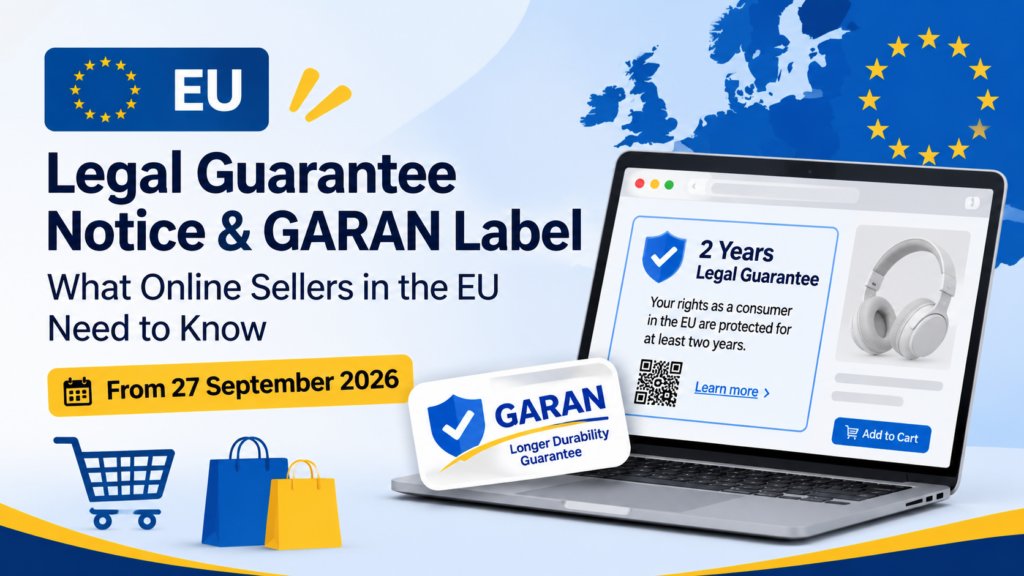
The EU legal guarantee notice is a standard, non-editable notice that sellers of consumer goods in the EU must show consumers, reminding them they have at least two years of legal guarantee protection. The rules apply from 27 September 2026. If a producer offers a qualifying longer durability guarantee, the separate GARAN label applies too. This guide explains both and how to add them to a Shopify store.
This is general information from official EU sources, not legal advice. For your own situation, check with a lawyer or your national consumer authority.
Key takeaways
- The harmonised notice is mandatory for sellers of consumer goods in the EU. Its design and content are fixed by Commission Implementing Regulation (EU) 2025/1960, and it can’t be edited.
- The GARAN label is for producers who voluntarily offer a commercial guarantee of durability that is free, covers the whole good and lasts more than two years. When those conditions are met, using the label is mandatory.
- Online, both the notice and the label must be in colour. The label may use a nested display that expands on first click or roll-over.
- Sellers must show which products carry a GARAN label. Producers must give sellers the information.
- We couldn’t find a Shopify help page on this topic, so check your admin and app listings for any built-in support before you build anything custom.
What is the EU legal guarantee notice?
The EU legal guarantee notice, also called the harmonised notice, is a standard notice that reminds consumers of their legal guarantee of conformity. Every consumer in the EU has at least two years of legal guarantee protection for consumer goods. National law can make that period longer. The notice sits at the point of sale, including online stores.
According to the EU’s Your Europe portal, the notice covers five things: the variable length of the legal guarantee period depending on the EU country, common situations where consumers can use their rights, the solutions the seller should provide, practical steps consumers can take to seek redress, and a link to further information.
This notice comes from a chain of EU rules. Directive 2011/83/EU on consumer rights, as amended by Directive (EU) 2024/825, creates the duty. Commission Implementing Regulation (EU) 2025/1960, dated 25 September 2025 and published in the Official Journal on 2 October 2025, sets the design and content of the notice and the label.
We read the regulation on EUR-Lex and the guidance on Your Europe on 29 October 2026. The Your Europe page said “Last checked: 05/10/2026” when we read it.
If you run a Shopify store and want a team to handle the technical side, see our Shopify development services page.
Who has to show the EU legal guarantee notice, and since when?
Sellers of consumer goods in the EU must show the harmonised notice. The regulation states that it applies from 27 September 2026, the same date Member States must apply the national measures transposing Directive (EU) 2024/825. If your store sells consumer goods to consumers in the EU, assume the notice applies to you and confirm the details.
Your Europe puts it this way: if you are a seller of consumer goods in the EU, you must inform consumers of their rights through the mandatory harmonised notice. It applies in shops and online.
What we couldn’t confirm
Two questions come up often, and we can’t answer them from the official pages we read.
- Non-EU stores selling to EU shoppers. The Your Europe page speaks of sellers of consumer goods in the EU. Some app listings and compliance sites say the rules reach stores outside the EU that sell to EU consumers. We didn’t find an official statement on this, so ask a lawyer if it applies to you.
- Penalties. National law adds the enforcement layer, and we didn’t verify any penalty amounts. Don’t rely on figures you see elsewhere without a primary source.
What does the harmonised notice say, and what can’t you change?
A harmonised notice has fixed design and content. You can’t edit any of its elements. It includes a scannable QR code that leads to the legal guarantee section of the Your Europe portal in the consumer’s language. It exists in all EU languages. You may show it in a format the rules allow, but you can’t redesign it.
Annex I of the regulation sets out the rules for the notice. Key points:
- No edits. None of the elements of the harmonised notice can be edited.
- QR code. The QR code leads to the dedicated language section on the legal guarantee of conformity on the Your Europe portal, and it must be scannable under normal lighting conditions with a standard mobile device.
- Colour online. For distance contracts concluded through an online interface, the notice must be in colour (RGB).
- Size in shops. In a physical shop, the notice can be colour or black and white, and the minimum size is A4.
- Reference colours. The regulation lists reference colours: a blue (Pantone Reflex Blue C, hex #003399), a yellow, black and white.
Your Europe also points sellers to practical guidelines and to downloadable high-resolution vector files of the notice in all EU languages. Use those official files, not a copy someone redrew.
What the notice reminds consumers about
In the regulation’s words, the notice should remind consumers of common situations where they can invoke their rights, and of the remedies available when goods aren’t in conformity. Your Europe’s consumer guarantees page explains the underlying rights. Consumers can ask a seller to repair or replace a faulty product, reduce the price, or cancel the contract and be reimbursed. In most countries there’s a “hierarchy of remedies,” so the consumer first asks for repair or replacement.
That page also says online buyers have a 14-day right to return or cancel, and that national law may require longer guarantees than two years.
What is the GARAN label and when is it mandatory?
The GARAN label is the EU’s harmonised label for a commercial guarantee of durability. A producer who offers a free guarantee that covers the entire good and lasts more than two years must use it. Sellers must then clearly show which products carry the label. A guarantee that covers only part of a product can’t use the label.
Your Europe sets three conditions. The guarantee must be:
- At no additional cost to the consumer.
- Covering the entire good.
- Of a duration of more than two years.
If a producer’s guarantee meets all three, using the GARAN label is mandatory. The regulation adds that the producer must make that information available to the trader, who must then tell consumers about the guarantee’s existence and duration, while reminding them they also have the legal guarantee.
What the label looks like
Per Annex II of the regulation and the Your Europe page, the label has a fixed design:
- The “GARAN” title.
- A tick-mark symbol indicating durability.
- A calendar symbol for years.
- A visual reminder of the legal guarantee of conformity.
- A QR code to information about the label.
- The phrase “producer guarantee in years” at the bottom, in all official EU languages.
Producers edit only three elements: the number of years, the brand or trademark, and the model identifier. The font is Inter. Online, the label must be in colour and may use a nested display that appears in full on the first mouse click, mouse roll-over or tactile expansion.
What else producers must provide
Your Europe says the producer must also list the exact terms of the guarantee in a commercial guarantee statement. It includes a clear statement that the consumer has a legal right to free solutions from the seller for faulty goods and that this right isn’t affected, the producer’s name and address, how the consumer uses the guarantee, which goods are covered and the conditions. The statement must reach the consumer in a durable form, such as a paper notice or email, no later than when the goods are delivered.
Seller versus producer
This split matters for a Shopify merchant:
| Role | Notice | Label |
|---|---|---|
| Seller of consumer goods | Must display the harmonised notice | Must clearly show which products carry a GARAN label |
| Producer offering a qualifying durability guarantee | Applies if they also sell to consumers | Must use the GARAN label and give the seller the information |
| Seller that is also the producer | Both | Both, if the guarantee qualifies |
If you sell products made by other brands, you need your suppliers to tell you which products have a qualifying guarantee. If you make your own products and offer a long free guarantee, the label duty falls on you.
How do you add the EU legal guarantee notice to Shopify?
There are three realistic routes: use an app from the Shopify App Store, add the official notice to your theme with a developer, or combine both. Whatever you pick, use the official files, show the notice in colour, keep the QR code scannable and place it where shoppers see it before they buy.
We searched for a Shopify help page on this and didn’t find one. Search results did show several Shopify App Store listings built for the notice and the label. One describes displaying the notice and label on product pages and managing label information with metafields. Another says it’s designed for both EU and non-EU shops. We haven’t tested any app, and we’re not recommending one. Read each listing, check the reviews and test on a development theme first.
Route 1: an app
An app is the quickest route for a small store. When you compare apps, check:
- Official assets. Does it use the official notice and label, unedited, in colour, with a working QR code?
- Languages. Does it show the notice in the shopper’s language for each EU market you sell in?
- Placement. Can it show the notice on product pages, in the cart and at checkout?
- Label data. Can you set the GARAN years, brand and model identifier per product?
- Theme compatibility. Does it work with your theme, or does it require a custom install step?
- Page weight. Does it add scripts that slow the store? Our post on Shopify speed optimization covers how to check.
- Support and updates. Is it maintained as rules and guidance change?
Route 2: a theme change by a developer
A developer can add the official notice to your theme as a section or snippet, store GARAN data in product metafields, and display the label on products that qualify. This route gives you control over layout and speed. It costs developer time, and it needs testing across the templates where the notice appears.
Shopify’s own theme tools, including metafields and sections, support this approach. Our Shopify development services guide explains what theme work involves and how to scope it.
Route 3: mix both
Many stores use an app for the label data and a small theme change for placement. Decide who owns the data, who owns the layout and who checks it after theme updates.
A step-by-step plan
- Confirm you’re in scope. Do you sell consumer goods to consumers in the EU? Ask a lawyer about edge cases.
- Download the official files. Use the notice files in the languages you need from the EU resources Your Europe links to.
- List your markets and languages. Decide which language each market sees.
- Choose a route. App, theme change or both.
- Decide placement. Product pages and checkout are our suggestion. See the next section.
- Identify GARAN products. Ask suppliers which products have a qualifying guarantee. Record years, brand and model identifier for each.
- Build or install on a development theme. Don’t edit the live theme first.
- Test. Check colour, size, the QR code, languages and mobile layouts.
- Publish and monitor. Re-test after theme and app updates.
- Document. Keep a record of what you display and where, and when you last checked it.
Where should the notice appear on your Shopify store?
Official guidance says the notice must be displayed prominently, and it gives an example for e-commerce: a general reminder on your website. The regulation also says the reminder must reach the consumer before they’re bound by a contract or offer. Our suggestion is to place it on product pages and keep it visible through cart and checkout.
Your Europe lists examples of prominent display, such as a wall poster, next to the checkout counter, or “a general reminder on your website if you run an e-commerce site.” The regulation’s recitals say the reminder must be provided before the consumer is bound by a contract or corresponding offer.
Those two statements leave room for different layouts. Whether a general footer link is enough, or a notice on every product page is safer, is a legal question. We can’t settle it from the sources we read. Our practical suggestion, which isn’t legal advice, is to make the notice hard to miss:
- Product pages. Place the notice near the buy button or in a clearly labeled tab or section that doesn’t hide behind several clicks.
- Cart and checkout. Repeat it, or link to it, before payment.
- GARAN products. Show the label clearly on product pages for those items, with a nested display if you use one.
- Site-wide. Keep a footer link to a page with the full notice as a backup.
What should developers check before launch?
Developers should check colour, size, the QR code, language, placement, performance and ongoing maintenance. The notice and label can’t be altered, so most bugs come from layout, caching and translation, not from the content itself.
Use this checklist:
- Colour. Online display must be in colour. Make sure dark mode, filters or theme styles don’t turn it grey.
- No edits. Don’t crop, recolour, restyle or rewrite any element.
- QR code. Confirm it scans on a phone under normal lighting at the size you display it. If a mobile layout shrinks the image, the code can stop scanning.
- Language. Match the notice language to the shopper’s market, using Shopify Markets or your translation setup.
- Label data. For GARAN, check years, brand and model identifier per product. Don’t show the label on products that don’t qualify.
- Nested display. If you use the label’s nested format, confirm the full label appears on first click, roll-over or tap.
- Caching. Make sure cached pages don’t show the wrong language or an old label.
- Speed. Use optimized image sizes and avoid heavy scripts. Test load time on mobile.
- Accessibility. Add meaningful alt text and keep the notice readable. (This is our suggestion, not a requirement we found in the sources.)
- Maintenance. Re-check after theme and app updates, and review the official guidance every few months.
If you sell across several countries, our post on international selling with Shopify covers markets and localization. For stores that have outgrown their theme, see the signs your Shopify store needs custom development.
What mistakes should you avoid with the EU legal guarantee notice?
Common mistakes include redrawing the notice, showing it in black and white online, hiding it where shoppers won’t see it, using the GARAN label on products that don’t qualify and forgetting to keep it working after theme updates. All of them are avoidable with a short test plan.
- Editing the notice. None of its elements can be edited.
- Black and white online. Online display must be in colour.
- A broken QR code. If it doesn’t scan, the notice isn’t doing its job.
- Wrong language. An English notice for a shopper in another market defeats the point.
- Using GARAN loosely. The label is for guarantees that are free, cover the whole good and run more than two years. A part-only guarantee can’t use it.
- Treating it as a one-off. Themes and apps change. Retest after updates.
- Copying a competitor’s wording. The wording is fixed, so use the official files.
- Ignoring suppliers. For products you resell, you need guarantee details from the producer.
- Assuming it’s only a design task. It’s a legal display duty that happens to need design work.
What’s still unclear about the EU legal guarantee notice?
Several practical questions aren’t settled by the official pages we read: how far the rules reach for stores outside the EU, whether a general website reminder is enough compared with product-page placement, what penalties apply in each country, and how Shopify itself supports the notice. Check each with a lawyer or the relevant authority.
Here’s our list of open questions, as of 29 October 2026:
- Scope for non-EU stores. Not stated on the Your Europe page we read.
- Placement standard. The official examples include a general website reminder, while the regulation’s recitals say the reminder must come before the consumer is bound.
- Enforcement. National law adds enforcement, and we didn’t verify penalties.
- Shopify’s own tooling. We found no Shopify help page, only App Store listings in search results.
- Country differences. The legal guarantee period varies by country, and Your Europe links to country-specific information.
What do most guides on the EU legal guarantee notice miss?
Many guides explain what the notice is and list apps. What’s often missing is a clear split between the notice and the label, who has which duty, and what’s still undecided. From search results in October 2026, the first page included Shopify App Store listings, compliance sites and law-firm pieces. We haven’t read each one in full, so we don’t say what any single page leaves out.
We built this guide around three angles:
- Seller versus producer. The notice is a seller duty. The label is a producer’s voluntary guarantee that becomes mandatory to show once it qualifies.
- Official sources first. The regulation text and Your Europe guidance come before any third-party summary.
- Open questions stated plainly. We list what we couldn’t confirm, so you know where to ask a professional.
EU legal guarantee notice glossary
- Legal guarantee of conformity: The consumer’s EU-law right to a remedy if goods don’t conform to the contract, with a minimum duration of two years.
- Harmonised notice: The standard notice reminding consumers of the legal guarantee.
- Commercial guarantee of durability: A voluntary producer guarantee that goods keep their functions and performance through normal use for a stated period.
- GARAN label: The harmonised label for a qualifying commercial guarantee of durability.
- Commercial guarantee statement: The document listing the exact terms of a commercial guarantee.
- Implementing Regulation (EU) 2025/1960: The Commission regulation that sets the design and content of the notice and the label.
- Directive 2011/83/EU: The EU’s consumer rights directive, which creates the duty to show the notice and label.
- Directive (EU) 2024/825: The directive that amended it, with national measures applying from 27 September 2026.
- Your Europe: The EU’s portal for citizens and businesses, which the QR codes lead to.
- Metafield: A Shopify custom data field, often used to store product-level information.
Frequently asked questions
What is the EU legal guarantee notice?
It’s a standard notice that reminds consumers they have a legal guarantee of at least two years for consumer goods in the EU. Sellers must display it prominently, including online. Its design and content are fixed by Commission Implementing Regulation (EU) 2025/1960 and can’t be edited.
When does the EU legal guarantee notice become mandatory?
It applies from 27 September 2026. That’s also the date from which Member States must apply the national measures transposing Directive (EU) 2024/825. Check your national rules if you sell in a specific country.
What is the GARAN label?
It’s the EU’s harmonised label for a commercial guarantee of durability. It shows the guarantee length in years, the brand or trademark and the model identifier. A producer must use it if the guarantee is free, covers the whole good and lasts more than two years.
Do I need the GARAN label on every product?
No. Only products with a qualifying producer guarantee of durability carry it. If a producer offers no such guarantee, there’s no label for that product. The notice, by contrast, is a duty for sellers of consumer goods.
Can I edit or redesign the notice or label?
No for the notice, and mostly no for the label. None of the notice’s elements can be edited. On the label, only the years, brand or trademark and model identifier are editable. The font, title, symbols and QR code are fixed.
Does Shopify add the notice automatically?
We couldn’t confirm that. We didn’t find a Shopify help page on it. Search results show several Shopify App Store apps that handle the notice and label. Check your Shopify admin and the app listings, and test before you rely on any of them.
Does the notice have to be in colour online?
Yes. The regulation says that for distance contracts concluded through an online interface, the notice and the label must be in colour. In physical shops, either colour or black and white is allowed.
Do these rules apply to stores outside the EU?
We couldn’t confirm that from the official pages we read. Your Europe addresses sellers of consumer goods in the EU. Some third-party sources say the rules reach stores that sell to EU shoppers. Ask a lawyer about your situation.
Next steps
Start with three actions. Decide whether you’re in scope. Download the official notice in the languages you need. Pick a route, app or theme change, and test it on a development theme.
If you want a developer to handle the build, our ecommerce development services team can scope it, or you can contact us with your markets and theme details. We can build and test the display. We can’t give legal advice, so check scope questions with a lawyer.