

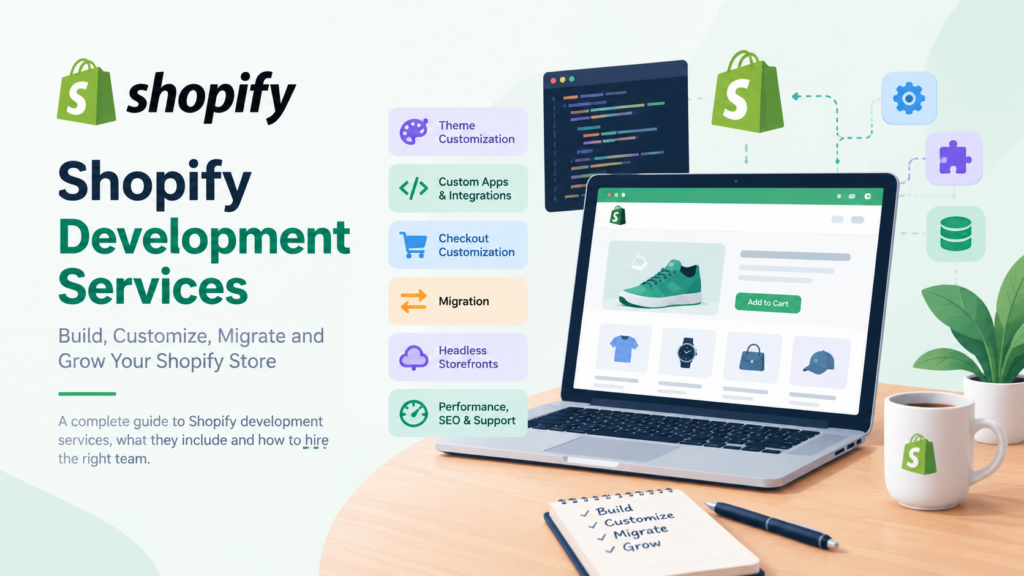
Shopify development services cover the technical work needed to build, extend, migrate and maintain a Shopify store: theme builds, custom apps, checkout changes, third-party integrations, store migrations, headless storefronts and ongoing fixes. What you actually need depends on your Shopify plan and your goals. This guide explains each service, what it does, and how to hire for it.
Key takeaways
- Shopify development services fall into a few clear groups: store build, theme work, apps and integrations, checkout, migration, headless builds, and support.
- Your Shopify plan limits what a developer can build. Full checkout customization and custom apps using Shopify Functions need the Plus plan.
- Most stores don’t need headless. A well-built Liquid theme plus the right apps covers a lot of ground.
- A migration is more than a CSV import. Import order, URL redirects and test orders decide whether it goes smoothly.
- Hire against a written scope, not an hourly guess. Ask for work samples, a named process and a clear handover.
What are Shopify development services?
Shopify development services are paid technical work on a Shopify store, done by a developer, freelancer or agency. They include building or redesigning a store, customizing a theme, writing custom apps and integrations, changing checkout, moving a store from another platform, and keeping the store fast and fixed after launch.
That sounds broad because it is. Two businesses can both say they need “Shopify development” and mean completely different jobs. One wants a few theme edits. The other needs a custom discount rule, an ERP connection and a new checkout step. The cost, the timeline and the skills needed differ a lot between those two.
This guide is written for store owners, marketing leads and founders who need to scope that work before they talk to anyone. It’s based on Shopify’s own developer documentation, help center and pricing page, which we read in October 2026. Where a detail depends on your region or plan, we say so.
If you’d rather talk to a team than read, our Shopify development service page shows how we work.
What do Shopify development services include?
A typical Shopify development services engagement is built from some mix of the services below. Shopify’s own partner directory lists more than 30 services, and its most popular ones are store build or redesign, theme customization, custom app integrations, troubleshooting, website audit and optimization strategy, and product and collection setup. Those six give you a good mental map.
Store build or redesign
This is the starting point for a new store or a major refresh. Shopify describes the range as running from a basic theme setup to fully custom solutions. A basic build might mean picking a theme, loading products, and setting up shipping, taxes and payments. A custom build means a theme designed and coded around your brand, your catalog structure and the way you sell.
A good developer asks about your catalog size, your variants, your markets and how your team will edit content before they open a code editor. If nobody asks, that’s worth noticing.
Theme customization and development
Themes control how your store looks and how it behaves in the browser. Shopify’s theme documentation says themes are built with Liquid, Shopify’s templating language, along with HTML, CSS, JavaScript and JSON. Theme work ranges from small design changes to building a theme from scratch.
Customization usually means changing an existing theme: new page layouts, custom sections, product page features, a mega menu, different filtering. Theme development means building the theme itself, often starting from Shopify’s Skeleton theme. We cover the details in a dedicated section below.
Custom apps and integrations
Some features can’t be done with theme code alone. Shopify’s directory describes custom app integrations as adding features that require custom code, a custom-built app, or a connection to other systems. Typical examples include syncing orders to an ERP, pushing customer data to a CRM, connecting a warehouse, or building an internal tool for your staff.
You can often buy an app from the Shopify App Store instead of building one. A good developer will tell you when that’s the cheaper route, even though it means less work for them.
Checkout customization
Checkout is where plan limits matter most. Shopify’s documentation says checkout UI extensions that render on the information, shipping and payment steps are available only to stores on the Plus plan. Extensions that appear after purchase, on the Thank you and Order status pages, are available on all plans except Shopify Starter.
In practice, that means a store on a lower plan can still get post-purchase work, such as a survey after checkout. A store that wants a custom field in the middle of checkout needs Plus. A developer who doesn’t check your plan before quoting this work hasn’t done their homework.
Store migration
Migration moves your store from another platform to Shopify. It covers products, customers, historical orders, gift cards, blogs and pages, and it also covers the less visible parts: URL redirects, domain changes and testing. We walk through this in its own section, since it’s where many projects go wrong.
Headless storefronts
A headless build separates the storefront from Shopify’s theme layer. Shopify’s Hydrogen documentation describes it as one way to build a headless storefront, working with frameworks such as Next.js, React Router, Nuxt, Astro and SvelteKit. It gives you more control over the front end, and it also gives you more to build and maintain. There’s a full section on when this is worth it.
Performance, SEO and audits
Many stores hire developers to fix an existing site instead of building a new one. An audit looks at speed, theme code, app bloat, structured data, redirects and duplicate content. Our own posts on Shopify speed optimization and fixing Shopify duplicate content cover the common problems.
Troubleshooting and ongoing support
Broken cart behavior, a checkout error after an app update, a theme that fell apart on mobile. Shopify lists troubleshooting as its own popular service. Ongoing support is usually sold as a retainer or a block of hours, and it keeps small problems from turning into lost sales.
Which Shopify plan changes what a developer can build?
Your Shopify plan sets the ceiling for development work. Basic, Grow and Advanced allow theme work, public apps and post-purchase extensions. Plus adds full checkout customization, custom apps using Shopify Function APIs, higher API limits and up to 25 headless storefronts. Check the table against your plan before you scope anything.
The table below comes from Shopify’s pricing page (India version, read on 28 October 2026) and its developer documentation. Prices and limits change and vary by region, so check the current page for your country before you budget.
| What you want built | Basic | Grow | Advanced | Plus |
|---|---|---|---|---|
| Monthly price, paid yearly (India page) | ₹1,800 | ₹6,700 | ₹27,100 | From ₹1,75,000 |
| Theme customization | Yes | Yes | Yes | Yes |
| Custom apps using Shopify APIs | Limited data access | Full data access | Full data access | Full data access |
| Checkout customization | Limited | Limited | Limited | Full |
| API rate limits | Standard | Standard | Up to 2x on select APIs | Up to 10x on select APIs |
| Headless storefronts | 1 | 1 | 1 | 25 |
| B2B catalogs | Up to 3 | Up to 3 | Up to 3 | Unlimited |
Two details are worth pausing on. First, Shopify’s Functions documentation says stores on any plan can use public apps that contain functions, but only Plus stores can use custom apps that contain Shopify Function APIs. So if you want a custom discount rule written just for you, that’s a Plus feature. If you can use an App Store app that already does it, any plan works.
Second, the pricing page lists “Build headless storefronts” as 1 for Basic, Grow and Advanced, and 25 for Plus. Most single-brand stores need one storefront, so that limit rarely bites. It starts to matter for large brands running many regional or brand-specific storefronts.
If you’re not sure which plan fits, make that call before you hire anyone. A developer can’t give you an honest quote for checkout work until the plan is known.
How does a Shopify development project run?
A Shopify development services project usually follows six stages: discovery, scope and quote, design, build, testing, and launch with handover. Each stage should produce something you can read or review. If a team can’t show you what each stage delivers, the process is probably informal.
1. Discovery
The developer learns what you sell, who buys, how orders flow and what’s broken today. They’ll ask for access to your current store or platform, your product data, your analytics and any apps you rely on. Expect questions about markets, currencies, shipping rules and who edits what.
2. Scope and quote
The output here is a written scope: a list of what will be built, what won’t, and what you need to supply. A short scope is fine for a small job. A larger one should list pages, templates, integrations, and how each will be accepted as done.
3. Design
For a custom build, this means layouts for the key templates: home, collection, product, cart and any custom pages. For a theme customization, it may be a short mock-up of the changes. You should see and approve this before code starts, because changing a design after the build is expensive.
4. Build
The developer builds the theme or app on a development store or an unpublished theme copy, not on your live store. Shopify’s theme tooling supports this. The documentation lists Shopify CLI for initializing, previewing, testing and sharing themes locally, a GitHub integration for managing theme code from the Shopify admin, and Theme Check, which catches errors and enforces best practices as you code.
Ask whether your developer uses version control. If they edit the live theme directly, a single mistake goes straight to customers.
5. Testing
Testing covers more than “does it look right.” Shopify’s own migration guide recommends placing test orders: a successful transaction, a failed one, a refund, a cancelled order, and a fulfilled and partially fulfilled order. As you create and fulfill those orders, you’ll also see the customer emails each action triggers, and you can edit those templates from the Notifications page.
Add your own checks on top: mobile layouts, key browsers, page speed, and every integration.
6. Launch and handover
Launch is a checklist, not a moment. It includes the domain, redirects, payment settings, tax settings, analytics, and a rollback plan. Handover should include a short document on what was built, where the code lives, and how to make routine changes. Without it, you’re locked to the developer.
What should a Shopify theme developer actually do?
A Shopify theme developer builds and edits the storefront layer: templates, sections, snippets, styles and scripts. They work in Liquid, HTML, CSS, JavaScript and JSON, and they structure the theme so your team can edit content without code. A good theme developer also keeps the theme fast and compatible with apps.
Here’s what that looks like day to day.
Liquid and the theme structure
Shopify’s documentation describes a theme as a modular set of template files, building blocks and assets. Liquid loads dynamic content, such as product data, into those templates, and metafields extend what a template can show. If you’ve ever seen a custom field on a product page, such as a care instruction or a size guide, that’s often a metafield rendered through Liquid.
Online Store 2.0 and sections everywhere
Shopify’s documentation includes a guide on migrating a theme to Online Store 2.0. According to that page, the migration lets you add and remove sections from any template, and it prepares your theme for app blocks.
For you as the store owner, this matters because it decides how much your marketing team can change without a developer. A theme that’s built around sections lets your team rearrange a landing page from the theme editor. An older theme may force a developer ticket for every layout change. If your theme is old, ask whether it uses this architecture before you commit to building on it.
Theme APIs
The same documentation lists two APIs that make themes more dynamic. The Ajax API lets a theme interact with Shopify’s endpoints, and the Section rendering API updates page content without reloading the whole page. A developer might use them for a cart drawer, a quick-add button or live filtering.
Speed
Each app, script and font adds weight. A developer’s job includes saying no to features that slow the store for little gain. We go deeper on this in our guide to Shopify speed optimization.
When custom theme work is worth it
Custom theme work is worth it when your catalog, your brand or your buying flow doesn’t fit a ready-made theme. It’s less worth it when a free or paid theme from the Theme Store covers 90 percent of what you need and the rest is a few edits. Shopify’s help center notes that you can try up to 19 paid themes before buying, which is a cheap way to find out.
Not sure whether you’ve outgrown your theme? Our post on signs your Shopify store needs custom development is a useful checklist.
How do custom apps, Shopify Functions and checkout extensions work?
Custom apps add features that live outside your theme. Shopify Functions change backend logic, such as discounts, payment options and delivery options. Checkout UI extensions add elements to checkout. Together they handle most of the “special rules” a store needs without hacking Shopify’s core.
Custom apps
A custom app connects your store to something else or adds an admin tool. Shopify’s pricing page shows custom app building with limited data access on Basic and full data access on Grow, Advanced and Plus. A developer building an app should tell you which API scopes it needs and why.
Shopify Functions
Shopify’s documentation says Functions let developers customize the backend logic of Shopify. Here’s how the documentation describes the flow: you define a GraphQL input query to select the data you need, such as cart line product data or metafields. Your function logic runs on that input. The function output is a JSON document describing the operations Shopify should carry out.
Functions can be written in any language that compiles to a WebAssembly module meeting Shopify’s requirements, with templates and client libraries available for Rust and JavaScript. The documentation says Shopify strongly recommends Rust for performance, so your function doesn’t fail with large carts.
Shopify’s tutorials cover use cases like these:
- A new discount type.
- Hiding a payment option at checkout.
- Renaming a delivery option.
- Server-side validation that blocks checkout when cart line quantities exceed a limit.
- Customized bundles that sell grouped products as a single unit.
- Fulfillment constraints and local pickup options.
Remember the plan rule: custom apps that contain Function APIs are for Plus stores only. Public App Store apps containing functions work on any plan.
Checkout UI extensions
Shopify’s checkout documentation lists tutorials for pre-purchase offers, custom banners, custom fields (for example, delivery instructions), client-side validation, a custom header and footer, and address autocomplete. The Plus restriction applies to extensions on the information, shipping and payment steps.
Here’s a hypothetical example, labelled as such. Say a store sells fragile gifts and wants a “gift message” field at checkout. If the store is on Plus, a developer can build that as a checkout UI extension. If the store is on Advanced, the developer would need a different approach, such as a cart-page field, or a post-purchase option. Same goal, different route, because of the plan.
Build or buy?
Before commissioning a custom app, check the App Store. The right question for any feature is: does a maintained app already do 90 percent of this? An app has a monthly cost, and custom work has a build cost plus maintenance. Compare both over a year, not just the first invoice.
When does a headless Shopify build make sense?
A headless build makes sense when your front-end needs go beyond what a Liquid theme can do well, and you have the team to maintain a separate codebase. For most stores, a good theme is faster to launch and cheaper to run. Headless is a trade: more freedom, more responsibility.
What Hydrogen is, and what it isn’t
Shopify’s Hydrogen documentation (version 2026-10 at the time we read it) says Hydrogen handles the parts of a storefront that are specific to Shopify and easy to get wrong: the cart, variant selection, collection filtering, analytics and the routes that apps and checkout depend on. It works with frameworks that run server code, including Next.js, React Router, Nuxt, Astro and SvelteKit.
A Hydrogen storefront has three layers. Your framework owns routing, rendering, data loading and UI. Hydrogen owns the Shopify-specific logic. Shopify provides the Storefront API, the Customer Account API and checkout.
What stays your job
The documentation is clear about what Hydrogen doesn’t do. It doesn’t ship a component library, so UI and design system are yours. Page routes and rendering strategy are yours. Session storage for signed-in customers is yours. Account pages are yours. SEO, including meta tags, Open Graph tags and structured data, is yours, rendered with your framework’s metadata tools. And checkout stays on Shopify.
That SEO point deserves attention. On a theme, a lot of the SEO plumbing is already in place. On a headless build, someone has to build and test it. Ask any headless developer how they handle titles, canonicals, structured data, sitemaps and redirects before you sign.
Templates and hosting
Shopify describes two starting templates: React Router 7 in framework mode, deployed to Oxygen, and Vercel’s Next.js 16 template with the App Router, deployed to Vercel. Other frameworks, such as Astro, SvelteKit and SolidStart, use the core directly.
A simple decision test
Go headless if most of these are true: you have a front-end team or a long-term partner, your design needs can’t be met by sections and app blocks, and you accept paying to maintain a separate app. Stay on a theme if you mostly need speed to market, easy editing for your marketing team, and lower running costs.
If you’re weighing Shopify against other platforms before deciding, our comparison of Shopify, Magento and Bagisto may help.
What does a Shopify migration include?
A Shopify migration moves your products, customers, historical orders, gift cards, blogs and pages to a new Shopify store, then covers payments, shipping, taxes, domain and redirects. Shopify’s own guide has 11 steps. The data import is step one, and the steps after it are where stores often lose rankings or orders.
Step one is data, and order matters
Shopify’s migration guide lists the data you might move: products, customers, historical orders, gift cards, certificates and store credits, blogs, and pages such as shipping policy, contact and about. It also lists the methods, from simplest to most technical:
- Copy and paste content by hand.
- Export to CSV files and import them.
- Use a migration app from the App Store, such as Store Migration.
- Hire a Shopify Partner to run the migration.
- Build a custom migration using the Shopify API.
The guide gives a clear rule on order. Import products first, then customers, then historical orders, so orders can connect to the right products and customers. It also warns that any staff member set to receive new order notifications, including the account owner, gets an email for each imported order. Turn those notifications off before an order import and back on afterwards.
The guide shows a worked contrast: individual pages like a shipping policy can be copied and pasted, but a catalog of 250 products likely needs a CSV file or an app.
Check the data after import
Shopify’s guide lists common problems. Imported products may be hidden until you make them available to sales channels. Details can be missing from the product description. A product missing a variant option won’t import successfully, and in that case you’d add the product manually. Details like price, weight and inventory affect your business if they’re wrong, so check them one by one on a sample, and every one on your best sellers.
Domain and redirects
This is the part people forget. The guide notes that Shopify’s link structure differs from other platforms, so old links to specific pages likely won’t load. Its example: a page at example.com/policies/shipping-policy might become example.com/pages/shipping-policy. The guide recommends setting up URL redirects before you transfer the domain, and you can import redirects with a CSV file. After launch, test your most visited old URLs and confirm each lands on the right new page.
Shopify also generates a sitemap.xml file automatically for products, collections, pages and blog posts, and you can submit it to Google Search Console. The guide says indexing can take anywhere from a few days to a few weeks, and Google doesn’t guarantee a timeline.
Test orders before launch
Place test orders for a successful payment, a failed one, a refund and a cancellation. Do it before you point the domain. It’s much cheaper to find a broken payment setup on a test order than on a real customer’s.
Where Magento stores fit in
Shopify’s migration guide lists platforms with dedicated migration guides: Amazon, Clover, Etsy, eBay, GoDaddy, Lightspeed, Square, Squarespace, Wix and WooCommerce. Magento isn’t on that list. If you’re moving from Magento, the general steps still apply, but your catalog structure, customer data and custom extensions may need more planning, and that’s usually where a development partner earns their fee. We’ve written about this in our post on migrating from Magento to Shopify.
What affects the cost of Shopify development services?
The cost of Shopify development services depends on scope, complexity, the number of integrations, your plan, and who does the work. There’s no single honest price list. A few theme edits and a multi-market custom build with ERP integration sit at opposite ends. Get quotes against the same written scope.
We’re deliberately not quoting typical price ranges in this guide. Ranges published online come from different regions, project types and agencies, and we couldn’t verify any of them against a primary source. What we can do is show you what moves the number.
Scope drivers
- Number of unique templates. Each custom page layout adds design and build time.
- Catalog complexity. Many variants, bundles, subscriptions or custom product options need more logic.
- Integrations. An ERP, CRM, warehouse or marketplace connection often costs more than the visible design work.
- Checkout changes. These may require the Plus plan, which changes your running cost as well as the build cost.
- Migration size. More products, customers and orders means more data cleanup and checking.
- Markets and languages. Selling in several countries adds currency, tax, translation and domain decisions.
- Content work. Who writes and loads the content? If the developer does it, that’s more hours.
Running costs people forget
Subscription cost of your Shopify plan, paid themes, app subscriptions, and ongoing support all repeat every month or year. The pricing page also notes that third-party payment provider fees differ by plan. It lists 2% on Basic, 1% on Grow, 0.6% on Advanced and 0.2% on Plus for third-party payment providers. If you use a payment provider that isn’t Shopify Payments, that difference may matter more than a development quote.
How to compare quotes
Ask each quote to break out design, build, integrations, content, testing, launch and handover. If one quote is much lower, check what it leaves out. If one is much higher, ask what it includes that others don’t. The cheapest quote with a vague scope tends to become the most expensive one.
How do you choose a Shopify development partner?
Choose a Shopify development partner by checking their work samples, their process, their experience with your kind of store, and how they handle plan limits, handover and support. Shopify’s partner directory suggests refining by price, location and services, then checking reviews, work samples and certifications.
Shopify’s directory describes how it works in three steps: browse, evaluate, then contact and collaborate. It also notes that partners listed in the directory work independently, and that they’re tiered by experience and proven success on Shopify, with Select, Plus, Premier and Platinum tiers. A tier is one signal, not a guarantee of fit.
Questions worth asking
- Can you show me stores like mine? Look for similar catalog size, similar markets and similar integrations, not just good-looking homepages.
- Who will actually do the work? Know whether it’s the person you met, a team, or a subcontractor.
- How do you handle development and testing? You want a development theme or store, version control and a test plan.
- Which plan does this scope need? A good partner flags Plus-only features early.
- What happens after launch? Ask about warranty for bugs, support hours and response times.
- What do I own at the end? Code, theme files, app source and documentation should be yours.
- How will you handle SEO? Redirects, titles, structured data and page speed should be part of the answer.
If you’re also comparing agencies for other platforms, our post on how to choose a Magento development company uses a similar approach to vetting.
Freelancer, agency or in-house?
A freelancer works well for a clear, bounded task: a custom section, a bug fix, a small integration. An agency suits projects that need design, development, project management and testing together. An in-house developer makes sense when you have continuous work. Many stores use a mix: an agency for the big build, then a retainer or a freelancer for routine changes.
What mistakes do Shopify projects run into?
The most common mistakes are an unclear scope, skipping the plan check, building on the live theme, ignoring redirects during migration, and adding apps without checking speed. All of them are avoidable, and most come from skipping a conversation at the start rather than from technical difficulty.
- Scoping by feature name. “Add a wishlist” can mean a button or a full account feature. Write down the behavior.
- Not checking the plan. Quoting a checkout feature that needs Plus, then discovering it late, resets the project.
- Editing the live theme. Work on a copy, test, then publish.
- Importing orders without muting notifications. Shopify’s guide specifically warns about order emails going to staff.
- Forgetting redirects. Old URLs that land on error pages cost traffic and trust.
- Stacking apps. Every app can add scripts. Review what’s installed before and after.
- No handover. If only one person understands the code, you’re stuck when they leave.
- Treating launch as the finish line. Stores need monitoring, updates and small fixes after go-live.
What do most Shopify development guides miss?
Most guides on this topic read like agency service pages. From the search results we reviewed in October 2026, the first page is mainly agency pages, Shopify’s own partner directory and a few listicles. What tends to be left out is the plan-dependence of the work, the build-or-buy decision, the order of operations in a migration, and who owns what after launch.
We should be honest about the limits of that observation. We read the search results page and Shopify’s official documentation. We didn’t read every agency page in full, so we’re not claiming what any specific competitor includes or omits. The four gaps below are simply the angles we chose to cover in this guide.
- Plan limits shape scope. Checkout and custom Functions depend on Plus. Many guides list services without saying which plan they need.
- Build versus buy. An App Store app often beats custom code. A guide written to sell development hours won’t say that loudly.
- Sequence in migration. Import order, order-notification emails and redirects are specific and checkable, and they prevent real problems.
- Ownership and handover. Who holds the code, who maintains it and how changes get made after launch.
Shopify development glossary
- Liquid: Shopify’s templating language, used to load dynamic content into theme templates.
- Online Store 2.0: Theme architecture that lets you add and remove sections on any template and supports app blocks.
- Section: A reusable block of theme content you can add, remove and reorder in the theme editor.
- Metafield: A custom data field attached to products, collections or other objects, often used to show extra information on the storefront.
- Shopify CLI: The command-line tool for creating and previewing apps, themes and headless storefronts.
- Shopify Functions: Backend customizations that Shopify runs during the customer journey, such as discounts and delivery options.
- Checkout UI extension: An app-built element that appears at a defined point in checkout.
- Hydrogen: Shopify’s toolkit for building headless storefronts with frameworks like Next.js and React Router.
- Storefront API: The API a custom storefront uses to read products and manage the cart.
- Headless: A setup where the front end is built separately from Shopify’s theme layer.
- Shopify Partner: A professional or agency that works on Shopify stores. Shopify’s directory lists tiers: Select, Plus, Premier and Platinum.
Frequently asked questions
What are Shopify development services?
They’re paid technical services on a Shopify store: building or redesigning a store, customizing a theme, building apps and integrations, changing checkout, migrating from another platform, and fixing or maintaining the store. The right mix depends on your goals and your Shopify plan.
Do I need Shopify Plus to get custom development?
No. Theme work, public apps and post-purchase extensions work on other plans. Shopify’s documentation says full checkout step customization and custom apps containing Function APIs need Plus. Check the current plan details before you scope work.
How long does a Shopify development project take?
It depends on scope, and we couldn’t verify a standard timeline from a primary source, so we won’t give one. Ask a developer for a timeline tied to your written scope, with milestones for design, build, testing and launch.
Should I choose a theme build or a headless build?
For most stores, a theme build is simpler and cheaper to run. Headless suits teams with front-end skills that need control beyond what sections and app blocks give them. With Hydrogen, UI, routing, session handling and SEO are your responsibility.
Can I migrate to Shopify without losing SEO?
You can reduce the risk. Set up URL redirects for your important pages before transferring the domain, check them after launch, set unique meta descriptions and submit your sitemap to Google Search Console. Shopify can’t guarantee how long indexing takes.
Is it better to use an app or custom development?
Check the App Store first. If a maintained app covers most of what you need, it’s usually the simpler route. Choose custom development when your rule is specific, when an app adds too much weight, or when you need an integration that no app covers.
How do I find a trustworthy Shopify developer?
Use Shopify’s partner directory to filter by services, price and location, then check reviews, work samples and certifications. Ask for examples of stores like yours, a written scope, and clear answers on testing, handover and support.
Next steps
Start with three decisions: your Shopify plan, your scope in writing, and whether you’re building, migrating or fixing. Once those are clear, quotes become comparable and conversations get shorter.
If you want a second opinion on scope, our ecommerce development services team can review your plan, or you can contact us with a short brief. Moving from another platform? Our guide to Shopify versus WooCommerce covers the comparison.