

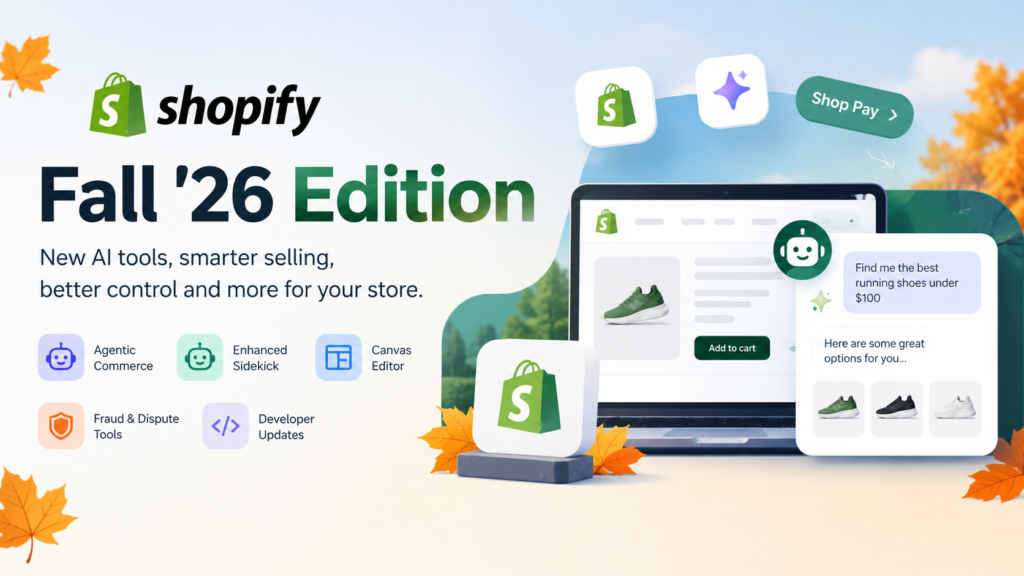
The Shopify Fall ’26 Edition is Shopify’s autumn 2026 product release, published on its Editions site at the end of October. It centers on selling through AI agents, a more capable Sidekick, a whole-store Canvas editor, new fraud and dispute tools, and a long list of developer changes. Some items are live; many are marked “rolling out soon” or “coming soon.”
Key takeaways
- The headline theme is agentic commerce: shoppers buying through AI chats and agents, with Shop Pay and Shopify Catalog behind it.
- Sidekick, Shopify’s built-in assistant, gets more technical tasks, bulk edits and store recommendations tested by simulation.
- Online store editing moves to Canvas, and scheduled “rollouts” bundle theme, checkout, catalog and discount changes.
- For developers, two dates and rules matter: apps can no longer create or update script tags, and apps must move to expiring tokens before January 2027 to stay listed.
- Many features carry a status label such as early access, beta, rolling out soon or coming soon. Check each one before you plan around it.
What is the Shopify Fall ’26 Edition?
The Shopify Fall ’26 Edition is the latest in Shopify’s seasonal Editions releases, listed on the Editions site next to Spring ’26, Winter ’26 and Summer ’25. The theme is “Exponential” and the line “Everything new for non-linear growth.” It groups updates into 11 sections, from Agentic to Developer.
Those sections are Agentic, Sidekick, Online, Merchandising, Retail, Payments, Operations, Shop, Marketing, Fulfillment and Developer. That’s a lot of ground, so this guide picks out what matters most if you run a store, or build and maintain one for clients.
We read Shopify’s Fall ’26 page in full on 29 October 2026. Everything below comes from that page unless we say otherwise. We haven’t tested the features, and we don’t claim to have. Where Shopify marks something as not yet available, we say so.
If you’re planning store work around these changes, our Shopify development services page explains how we scope that kind of project, and our Shopify development services guide covers what to ask for.
What’s new in the Shopify Fall ’26 Edition for agentic commerce?
Shopify’s agentic updates let AI agents discover products, recommend them and check out with Shop Pay. Shopify says its catalog of over a billion products can be discovered across AI channels, and that Shop Pay is available in agents like Muse, Claude Duet, Grok Bot and Instinct. Merchants also get tools to control what agents say about their business.
Agentic commerce is the biggest theme in this edition, and it’s worth reading slowly. The ideas aren’t new, since we covered the protocol side in our post on the Agentic Commerce Protocol. What’s new is the amount of merchant-facing tooling.
Selling inside AI channels
Shopify describes several routes for reaching shoppers in AI tools:
- Shop skill for any agent. The page says you can give ChatGPT, Claude or other agents a file called shop.md so they can find products, make personalized recommendations and check out with Shop Pay. The page says anyone can customize the skill.
- Shop Pay in more agents. Customers can discover products, approve purchases and check out with Shop Pay in Muse, Claude Duet, Grok Bot and Instinct. It adds that purchases are supported by Mastercard and Visa, and soon Amex.
- Google Search and Gemini. You can also sell in Google Search, including AI Mode, and in the Gemini app, with checkout powered by Shopify. Shoppers buy in the chat and you manage orders in the admin.
- Markdowns in agent results. You can give AI shopping agents your compare-at price through Shopify Catalog, so agents can show when a product is marked down with no extra setup.
- Catalog eligibility. A new view shows whether your store is eligible for Shopify Catalog and what to change to qualify.
Managing your store from AI assistants
The edition also describes connectors that let you run a store from an assistant you already use. These include Grok, Google Gemini, Meta’s Muse and Microsoft Copilot, plus a Shopify extension pinned in the ChatGPT sidebar. Shopify also lists Canvas design in agents such as ChatGPT and Claude.
Two merchant-side items stand out:
- Product sourcing in agents. You can describe what you want to sell in ChatGPT or Claude and import products from other sellers into your store using Shopify Collective.
- Digital products in agents. You can give a digital file to an agent and have it create a product in the admin with fulfillment, pricing and a shareable link.
Control over what agents say
One item deserves more attention than it gets. Shopify lists “Your business details in AI channels,” which lets you review and approve the facts shared with agents, including policies and FAQs, and get suggestions for improving that content. If agents are going to describe your store, the policies and FAQs they read matter. Treat that content as part of your sales copy.
What does Sidekick do in the Fall ’26 Edition?
Sidekick is Shopify’s built-in AI assistant. In Fall ’26 it handles more technical tasks, stages several changes at once, writes code, searches the internet and remembers context. Shopify also says it can propose store improvements tested through simulation, then let you choose which to apply.
Here’s what Shopify lists for Sidekick:
- Technical tasks. Complex workflows, multiple staged changes, computing, coding and web search, with memory across conversations.
- Tested recommendations. Proposed improvements identified and tested by Sidekick using SimGym, a simulation tool. You review them and choose what to apply.
- Bulk edits. You approve a plan once, then Sidekick applies several changes, such as editing descriptions across every product in a collection.
- Draft orders. Sidekick can create or edit draft orders, and you review highlighted changes before saving or discarding.
- Pricing and payments help. Product-level pricing recommendations from Shopify Smart Pricing models, plus answers on payouts, chargebacks and Shopify Payments verification.
- Checkout customization. Help building and optimizing customizations in the checkout and accounts editor and the Checkout Blocks app.
- Theme knowledge. Markdown files teach Sidekick how your theme is built and save your design preferences.
By Shopify’s count, daily Sidekick sessions have grown 4.2x year over year. That’s a company claim, not an independent measure.
A practical note: AI-written bulk edits to product descriptions touch your SEO. If you use that feature, review the output before you apply it. A sloppy bulk rewrite can flatten product pages into near-duplicates, which is a problem we cover in our post on fixing Shopify duplicate content.
What changes in the online store: Canvas, rollouts and languages?
The online store section introduces Canvas, a single view for designing your whole store, and a clearer “rollouts” setup that bundles theme, checkout, catalog and discount changes into one scheduled launch. It also adds right-to-left language support and better search suggestions. These changes affect how merchants edit and launch changes day to day.
Canvas
Shopify describes Canvas as a way to design your entire store in one view, zoom into any detail and work with Sidekick to turn ideas into a custom design. It cites launches from no theme to a live store 20% faster with Canvas. That figure is Shopify’s.
Canvas runs on a new theme architecture, described in the Developer section. The new way to edit online stores is built on it.
Rollouts
Rollouts let you create and schedule launches, events or experiments that include your theme, checkout configuration, catalogs and discounts together. Shopify says you can launch scheduled changes or A/B tests across headless builds, Shopify POS, Google Shopping and the Shop app. You can also schedule price and publishing changes as catalogs, roll them out across markets, and have them roll back automatically when a promotion ends.
For a store that runs sales, this is probably the most practical item in the section. A promotion normally involves a theme banner, a discount, a price change and sometimes a checkout tweak. Rollouts put those in one plan.
Other online store items
- Smarter storefront agent. Shoppers can get personalized recommendations, start checkout from the chat and reach staff through Shopify Inbox. Shopify says customers signed in with Shop convert up to 1.5x higher in Inbox chats.
- Shop sign-in outside Shopify. Businesses not on Shopify can add Shop sign-in to any store.
- Search suggestions. Shopify says add-to-carts from search improved by 8%.
- Right-to-left languages. You can launch your online store in Arabic, Hebrew or Urdu.
- Translate & Adapt. Every edit to your store stays current across translated versions.
- B2B search. With the Algolia app, B2B customers see only products from their catalog at their negotiated price.
If you sell internationally, see our post on international selling with Shopify for the wider setup questions.
What’s new in payments and checkout?
The payments section focuses on fraud and disputes, taxes, and local payment methods. Shopify Protect blocks high-risk payments before authorization and writes dispute responses. Checkout gets custom fields, a tiled payment layout and other changes, though several are labeled “rolling out soon” or “coming soon.”
Fraud and disputes
Shopify calls this “Stopping fraud across stores with Shopify Protect” and says the features are rolling out soon. The list includes:
- Automatically blocking high-risk orders before payment is authorized at checkout.
- An orders page view that shows which factors raised an order’s risk level.
- Custom fraud rules built on risk signals you choose, backtested against past orders, with alerts when performance drifts.
- AI-generated responses for every chargeback, specific to the customer’s bank, your store context and the reason code.
- Automatic carrier proof of delivery attached to “not received” disputes.
- Chargeback protection extended to orders not on Shop Pay. Shopify marks this coming soon.
Shopify also claims it wins 60% more “product not received” disputes with Shopify Protect. Again, that’s the company’s claim.
Tax, markets and prices
- Shopify Tax managed for you. For businesses new to the platform, Shopify calculates tax at checkout, collects it and remits it to each state across the US.
- Managed Markets. Offer international pricing that includes guaranteed duties and taxes, with flat shipping rates. Shopify cites 50% higher international conversion for brands using it.
- Multi-source tax. US taxes are calculated from the location each order ships from, so rates stay accurate when you fulfill from several locations.
Payment methods
Shopify lists more local methods with Shopify Payments, including Alipay, WeChat Pay, Satispay, Scalapay and GrabPay, with MB WAY and OXXO available for online payments. It also lists multi-currency payouts in Australia, France, Singapore and Hong Kong for Advanced and Plus plans, and pre-tax HSA and FSA payments in Shop Pay (coming soon, US only). Our overview of Shopify Payments covers the basics if you’re new to it.
Checkout editor changes
Shopify lists these checkout changes:
- Custom fields. Text inputs, date pickers, check boxes and choice lists for delivery instructions, gift messages and other info. Rolling out soon.
- Tiled payment methods. A modern tiled design replaces radio buttons. Rolling out soon.
- Thank you page animation. An animated transition to order confirmation. Rolling out soon.
- Stacked form layout. A tighter layout that reduces scrolling and makes field errors easier to see. Coming soon.
- Apple Pay by QR code. Customers can pay with Apple Pay in Chrome, Edge, Firefox and other browsers by scanning a QR code with an iPhone. Coming soon.
If you run a custom checkout today, the custom fields item is the one to watch. A field that once needed a developer may become an editor setting. Check your plan and the final rollout before you retire any custom work.
What about POS, merchandising, marketing and fulfillment?
These sections are long lists of smaller improvements. In brief: POS gets better customer recognition and staff controls, merchandising gets product data mapping by channel and multi-source collections, marketing adds new ad channels and WhatsApp tools, and fulfillment adds carrier and returns updates by market. Here are the items most likely to matter.
Merchandising
- Product data mapping by channel. Customize and map product data for each sales channel from the admin, with every channel kept current as the catalog changes.
- Multi-source collections. Combine products, apps or variants into one collection, reuse it and power operations with it.
- Variants on the product page. Edit product and variant details on one page with bulk controls.
- More barcodes. Up to 20 barcodes per variant, with format validation.
- Digital products. An improved Shopify Digital Products app and a way to sell access to things like templates and bookings.
Retail
The retail section lists expanded in-store customer recognition, scheduled stock counts in POS, recent carts saved across devices, a POS activity log by staff name, and bulk staff account management by CSV. It also lists local delivery as a shipping option at checkout and AI agents that can point shoppers to your nearest retail location.
Marketing
Campaign Autopilot runs AI-powered campaigns across channels such as Microsoft Advertising and Snapchat, with X Ads coming soon. Other items include WhatsApp marketing consent at checkout, WhatsApp abandonment messages, a pre-built Black Friday email campaign in Shopify Messaging, and a ChatGPT Ads app for advertising in chats.
Fulfillment
The fulfillment section lists a Shop Promise badge that it says helps products rank higher in the Shop app and Shopify Catalog. It also lists DHL Express labels in more markets, per-variant package dimensions, return and cancellation rules by market, and native stock counts you can schedule by store.
Operations
The admin gets a complete refresh, rolling out soon to all pages. Other items include passkey sign-in, an admin-wide search, automatically generated store policies, new analytics features such as annotations and smart bot filtering, and several Shopify Flow improvements. The page also lists 13 additional supported languages.
What does the Fall ’26 Edition mean for developers?
For developers, Fall ’26 brings agent-facing APIs, a refreshed Dev Dashboard, a new theme architecture and tighter app rules. Two changes carry deadlines or hard rules: script tags are no longer allowed for apps, and apps must adopt expiring tokens before January 2027 to stay listed on the Shopify App Store.
This is where agencies and in-house teams should spend their time. Shopify’s Developer section is long, so here it is by theme.
Hard rules and deadlines
- Script tags. Apps can no longer create or update script tags and must move to theme app extensions or web pixels. If an app you maintain, or a client app, still relies on script tags, schedule that work.
- Expiring tokens. Shopify says to migrate to expiring tokens before January 2027 so your app stays listed on the Shopify App Store. It adds that you can use client credentials to get access tokens yourself.
- Unique app names. App names must be unique and recognizable.
- IP restrictions. You can restrict which IP addresses can make API calls for each app.
Agentic building blocks
- One MCP for shopping. Shopify describes a single MCP that adds shopping to any agent or app, including Shop sign-in, product search across Shopify Catalog and checkout with Shop Pay.
- WebMCP tools. Stores can register structured tools that let agents discover products, create carts and guide shoppers through checkout.
- Catalog API. More filters and product details, search across products not on Shopify (in beta), personalized results for shoppers who sign in with Shop, and a commission model that Shopify marks as early access.
- Universal Commerce Protocol. A /buy endpoint for cart and checkout permalinks, an /ask endpoint that answers questions about a store from facts the business publishes, and a way for agents to surface retail locations.
- Checkout Kit. An updated kit to embed Shopify’s checkout in web, native mobile and agentic experiences.
Platform primitives
- Polaris. 14 new component APIs on the Polaris CDN, with semantic versioning so you can choose when to move.
- App events in analytics. Apps can send events to Shopify so businesses see app activity next to store data. Apps can also write annotations to analytics with the GraphQL Admin API.
- Admin API. Query purchase orders and line items, and see which resources are part of an active rollout with webhooks for changes.
- Functions. Delivery customizations built with Shopify Functions can read metafields attached to delivery options. Reading metaobjects per checkout is marked coming soon.
- Frameworks. New packages for building apps in Python or PHP.
- POS extensions. A Printing API, persistent background extensions and a Storage API.
Tooling and distribution
- Dev Dashboard. A redesigned dashboard for building, monitoring and managing apps and stores, with billing and payouts in the same place. Listing submission, pricing and app ads from the dashboard are coming soon.
- CLI for agents. Shopify CLI is optimized for non-interactive input and output, and agents can create, list and delete dev stores from the CLI.
- Revenue. Shopify says developers earn from subscription revenue and online GMV for every business they bring to Shopify, on all plans, for four years.
- App pricing. Private plans for enterprise deals, a built-in tool to move subscriptions from the Billing API to Shopify App Pricing, and capability requirements per plan.
- Security. An app security check workflow using the AI Toolkit, and review checks that tie App Store reviews to shop trust, identity and app activity.
Storefronts
- New theme architecture. Shopify says you compose pages in Liquid with blocks, typed contracts and partial updates, guide agents with markdown files, and get Tailwind styling built in. The new editing experience is built on it.
- Faster pages. It also says it delivers only the CSS each page uses.
- Hydrogen. Production-ready stores with customer accounts, predictive search, built-in agent skills and one-click deploys to Vercel. Vercel Shop, a Next.js template, is built on the new Hydrogen SDK.
If you’re deciding between a theme and a headless storefront, our explanation of when headless makes sense is in the Shopify development services guide. For speed work on an existing theme, see our post on Shopify speed optimization.
What should you do now?
Start with a short audit, not a rebuild. Check apps for script-tag use, review your policy and FAQ content, and list which Fall ’26 features apply to your plan and region. Then decide what to adopt now, and what to watch until it’s fully rolled out.
Here’s a simple order of work.
- Check for script tags. List every installed and custom app. Flag any that still create or update script tags. Plan a move to theme app extensions or web pixels.
- Check app token handling. If you build or maintain apps, confirm the plan for expiring tokens before January 2027.
- Review your agent-facing content. Read your store policies and FAQs as an AI shopping agent would. Fix anything vague or out of date, since the edition adds ways to approve what gets shared with agents.
- Check Catalog eligibility. Use Shopify’s eligibility view to see whether your store qualifies and what to change.
- Map features to status. Make a list with three columns: live now, rolling out soon, coming soon. Only plan launches around the first column.
- Decide on custom checkout work. If you’ve paid for custom checkout fields, wait for the rollout details before you retire them or build more.
- Test bulk AI edits on a small collection first. Review the output before approving it across a catalog.
- Talk to your developer. Share this list and agree what’s in scope. If you don’t have a developer, our ecommerce development services team can review your plan.
If you’re still choosing a platform, our comparison of Shopify, Magento and Bagisto is a good starting point.
What’s still unclear about the Fall ’26 Edition?
Shopify’s page labels many features “rolling out soon,” “coming soon,” “early access” or “beta,” but it doesn’t give a date per item. It also doesn’t state, item by item, which plans or regions get each feature. Until Shopify publishes that detail, treat every unlabeled item as something to confirm in your own admin.
Here’s what we couldn’t confirm from the page:
- Dates. Exact rollout dates for “rolling out soon” and “coming soon” items.
- Plan limits. Which features need Advanced or Plus. The page names a few, such as multi-currency payouts for Advanced and Plus and organization-level POS roles for Plus, but not all.
- Regions. Many items name specific countries, such as US-only or UK-only features. Others don’t say.
- Pricing. What Shopify will charge for add-ons and apps in the edition.
- Real results. The performance figures on the page are Shopify’s own claims. We haven’t seen independent measurements.
What do most Fall ’26 Edition write-ups miss?
Most early coverage lists features in the order Shopify does. What’s often missing is a ranking by effort and risk, the status of each feature, and the developer rules with deadlines. We reviewed competitor blog headlines in October 2026, but we haven’t read every write-up in full, so we can’t say what each one omits.
We chose three angles for this guide, because they’re easy to check and useful to act on:
- Status first. Each feature’s label (live, rolling out soon, coming soon, early access, beta) decides whether you can plan around it.
- Rules with deadlines. The script tag rule and the expiring-token deadline can break an app listing, so they come before any new feature.
- Effort and ownership. For each feature, who has to do work: the merchant, a developer or nobody.
Shopify Fall ’26 Edition glossary
- Agentic commerce: Shopping where an AI agent helps discover, compare or buy products for a shopper.
- Shop Pay: Shopify’s accelerated checkout and wallet, which the edition extends into more AI agents.
- Shopify Catalog: A catalog of products that AI shopping experiences can search. Shopify says it spans over a billion products.
- Sidekick: Shopify’s built-in AI assistant for store management.
- SimGym: The simulation tool Shopify says it uses to test Sidekick’s recommendations.
- Canvas: The whole-store design view in the new online store editor.
- Rollout: A scheduled bundle of theme, checkout, catalog and discount changes.
- MCP: Model Context Protocol, a way for AI tools to connect to external services. Shopify offers one MCP for shopping in agents.
- WebMCP: Structured tools that an online store registers so agents can work with it in the browser.
- Universal Commerce Protocol: The protocol behind Shopify’s /buy and /ask endpoints for agents.
- Script tag: A way for older apps to inject code into a storefront. Fall ’26 stops apps from creating or updating them.
- Theme app extension: The replacement route for adding app features to a theme.
- Web pixel: A sandboxed way to run tracking code on a storefront.
- Hydrogen: Shopify’s toolkit for headless storefronts.
Frequently asked questions
When was the Shopify Fall ’26 Edition released?
Shopify published it on its Editions site at the end of October 2026. The page doesn’t give one release date for everything. Many features are labeled rolling out soon or coming soon, so check your admin for what’s live.
What is the main theme of the Shopify Fall ’26 Edition?
Agentic commerce. Shopify focuses on AI agents that discover products and check out with Shop Pay, plus Sidekick improvements, a Canvas editor, fraud and dispute tools and developer APIs. Shopify calls the edition “Exponential.”
Do I need Shopify Plus for the Fall ’26 features?
Not for all of them. Shopify names a few plan limits, such as multi-currency payouts for Advanced and Plus, and organization-level POS roles for Plus. Most items don’t state a plan, so check the help doc for each feature before you plan around it.
What changes for Shopify app developers?
Apps can no longer create or update script tags and must use theme app extensions or web pixels. Apps must adopt expiring tokens before January 2027 to stay listed on the Shopify App Store. Shopify also adds a refreshed Dev Dashboard and new APIs.
What is Canvas in Shopify?
Canvas is a view for designing your whole online store at once. You can zoom into details and work with Sidekick to produce a custom design. Shopify says it’s built on a new theme architecture and that it speeds up getting from no theme to a launched store by 20%.
Does the Fall ’26 Edition change how my store appears in AI shopping tools?
It adds controls. Shopify lists a way to review and approve the business details shared with agents, such as policies and FAQs, and a Catalog eligibility view. It also lists selling in Google AI Mode and Gemini. Availability varies, so check your admin.
Should I rebuild my theme because of Fall ’26?
Not automatically. Shopify’s new theme architecture and Canvas matter, but the page doesn’t say that existing themes stop working. Audit first, then decide. A development partner can tell you what to change for your store and what can wait.
Next steps
Pick one place to start: script tags if you run apps, agent-facing content if you run a store, or the status list if you plan campaigns. Then revisit the page as features roll out.
If you’d like help auditing a store against the Fall ’26 changes, you can contact us with a short note about your setup, or read how we approach Shopify development services.