

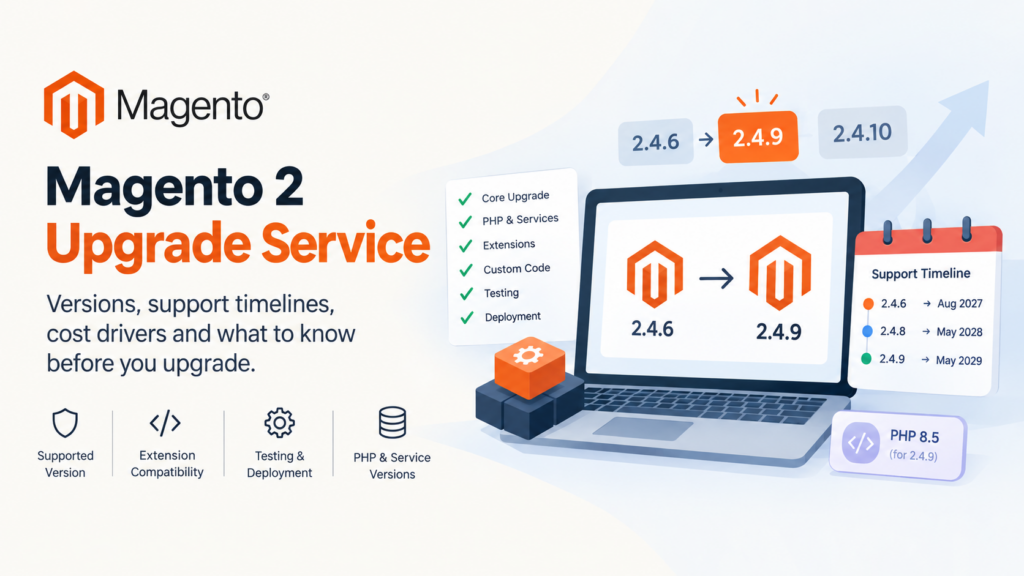
A Magento 2 upgrade service moves your store from its current version to a supported one, covering the core upgrade, PHP and service versions, extension compatibility, custom code, testing and deployment. Cost is driven almost entirely by how much custom code and how many third-party extensions you run — not by which version you’re moving to.
Key takeaways
- Regular support for 2.4.6 ended on 11 August 2026. Extended support runs to 31 August 2027, with additional security fixes to 31 May 2028.
- 2.4.9 was released on 12 May 2026 and is supported until 31 May 2029 — the longest runway available today.
- 2.4.10-alpha1 appeared on 13 October 2026, so the next line is already in motion.
- A Magento version upgrade is usually a PHP upgrade too. 2.4.9 is tested on PHP 8.5; 2.4.6 ran on 8.2 and 8.1.
- Extension count and custom code volume drive the quote. The version number barely matters.
“How much is a Magento 2 upgrade service?” is a reasonable question with an unreasonable answer, which is that nobody can tell you without looking at your extension list. Two stores on the same version, moving to the same target, can differ by a factor of five in effort depending on what’s installed and how much of it was customised.
What you can know before you talk to anyone is your deadline, your realistic target version, and what should be in scope. This guide covers those, then how to read a quote so you can compare two of them meaningfully.
All version and support dates below come from Adobe’s released-versions documentation, verified on the date at the bottom of this page.
What is a Magento 2 upgrade service?
It’s a scoped engagement that takes a store from one Magento version to another and leaves it working. The core composer update is a small part of it. The work is everything the version change breaks.
In practice it covers the Magento core upgrade, the PHP version change that usually accompanies it, updating or replacing third-party extensions, fixing custom code against changed APIs, bringing infrastructure services into a supported combination, regression testing, and the deployment itself.
What it is not: a redesign, a replatform, or a performance project. Those are frequently bundled into the same conversation because the store is already being disturbed, and bundling them is sometimes sensible — but they’re separate work with separate risk, and they should be separate lines in a quote.
If your actual question is whether to upgrade at all or buy more time, that’s a different decision and we’ve covered it in extended support vs upgrading.
What is your actual deadline?
This is the part most stores get wrong, usually in the direction of thinking they have more time than they do. Here’s where every supported line stands.
| Release line | Regular support ends | Extended support | Security fixes until |
|---|---|---|---|
| 2.4.10 | Not yet set | — | — |
| 2.4.9 | 31 May 2029 | — | — |
| 2.4.8 | 31 May 2028 | — | — |
| 2.4.7 | 31 May 2027 | 31 May 2028 | — |
| 2.4.6 | Ended 11 Aug 2026 | 31 Aug 2027 | 31 May 2028 |
| 2.4.5 | Ended 12 Aug 2025 | Ended 11 Aug 2026 | 31 May 2027 |
| 2.4.4 | Ended 12 Apr 2025 | Ended 14 Apr 2026 | 31 May 2027 |
| 2.4.0–2.4.3 | Ended 28 Nov 2022 | — | — |
| 2.3 | Ended 8 Sep 2022 | — | — |
Read your row, not the general advice.
On 2.4.6: regular support has already ended. You’re in extended support until 31 August 2027, and additional security fixes run to 31 May 2028. You have time, but it’s a planning horizon, not a comfortable one — and extended support is an Adobe Commerce provision, which matters if you’re on Open Source.
On 2.4.5 or 2.4.4: both regular and extended support have ended. You’re on security fixes only, until 31 May 2027 for both lines. This should be in your current financial year’s plan.
On 2.4.0–2.4.3, or any 2.3: support ended years ago. There is no patch path. This is urgent, and the conversation is really about whether you’re upgrading or replatforming.
Adobe also notes it offers a one-year support extension at no additional cost for customers on 2.4.4 and 2.4.5 — worth confirming against your own contract rather than assuming either way.
Our 2.4.6 end-of-life upgrade guide goes deeper on that specific line.
Which version should you upgrade to?
For almost everyone right now, 2.4.9.
It was released on 12 May 2026 and its regular support runs to 31 May 2029, which is the longest runway on offer. Upgrading to 2.4.8 instead buys you support only until 31 May 2028 — roughly a year less — for very nearly the same effort, since the hard part is your extensions and custom code either way.
The argument for 2.4.8 is extension readiness. If a business-critical extension has no 2.4.9-compatible release and no timeline, 2.4.8 is a defensible intermediate step. Treat it as a deliberate decision with a review date, not a default.
2.4.10 is not a target yet. 2.4.10-alpha1 was released on 13 October 2026 and no end-of-support date has been set for the line. Alpha releases are for extension developers and integrators to test against, not for production stores. It’s useful to you as a signal — the next line is coming, so a store landing on 2.4.9 now is well placed — rather than as a destination.
What changed in the current line is covered in our 2.4.9 release post.
Why is this really a PHP upgrade?
Because the version combinations are fixed, and moving Magento moves everything underneath it.
2.4.9 is tested with PHP 8.5. 2.4.8 runs on PHP 8.4 and 8.3. 2.4.7 on 8.3 and 8.2. 2.4.6 on 8.2 and 8.1. So a 2.4.6 store heading to 2.4.9 is crossing several PHP major versions in one move.
It isn’t only PHP. Adobe publishes tested combinations across the stack — for 2.4.9 that includes Composer 2.10, OpenSearch 3, MariaDB 12.3 or 11.8, RabbitMQ 4.3, Valkey 9 and nginx 1.30 — and states that it supports only the listed combinations. Where your versions don’t match, behaviour may differ from what Adobe can reproduce, and support may ask you to align your environment before investigating an issue.
The practical consequence for scoping: every line of custom code and every extension has to be valid on the new PHP version, and your hosting has to offer the matching service versions. A quote that doesn’t mention PHP or infrastructure has not looked at the job. Our PHP 8.5 readiness post covers the code-level side.
What should a Magento 2 upgrade service include?
Use this as a scope checklist when comparing proposals.
Audit and inventory. A list of every installed extension with its current and target version, every custom module, and every core override. Without this, any estimate is a guess.
Environment provisioning. A staging environment on the target Magento, PHP and service versions. Not “staging as it is today with a newer Magento”.
Core upgrade. The composer work and database schema updates.
Extension remediation. For each extension: update, replace, remove, or fork and fix. This is usually the largest single line, and the proposal should say which of those four applies to each one.
Custom code remediation. Deprecated and removed APIs, PHP syntax and behaviour changes, anything relying on libraries that moved.
Theme compatibility. Less disruptive on Hyvä than on Luma, but still in scope.
Regression testing. A defined test pass covering checkout, payment, shipping, tax, search, account and admin workflows, run on the target stack.
Deployment plan. Including the maintenance window, the rollback path, and who is available during the release.
Post-launch support window. A defined period after go-live where fixes are included rather than billed as new work.
Anything missing from a quote isn’t free — it’s a change request later.
What actually drives the cost?
In rough order of impact.
Number of third-party extensions. Each one is a compatibility question, and some will have no compatible version, which turns into replace-or-rebuild work. Twenty extensions is a materially different project from five.
Volume and quality of custom code. Code written against stable public APIs upgrades cheaply. Code that overrode core classes, or patched vendor files directly, does not.
Version distance. 2.4.8 to 2.4.9 is small. 2.3 to 2.4.9 is large, because you’re crossing several PHP majors and a long accumulation of API changes.
Integrations. ERP, PIM, POS, payment and shipping connectors each need verification against the new version, and the ones you don’t control set their own timelines.
Theme. A heavily customised Luma theme costs more to bring forward than a Hyvä one.
Data volume. Mainly affects how long test runs and migrations take, which affects elapsed time more than effort.
Your availability. Projects stall waiting for someone on the client side to test checkout or approve a window. This is real cost, and it’s the one you control.
Notice what isn’t on the list: the target version number. Going to 2.4.9 rather than 2.4.8 adds very little, which is why choosing the shorter-runway version to “save effort” rarely makes sense.
How long does an upgrade take?
Honestly: it depends on the inventory, and anyone giving you a number before seeing it is quoting a template.
What’s more useful is the shape. A typical engagement runs audit, then environment setup, then core upgrade, then the long tail of extension and custom code fixes, then a testing pass, then deployment. The audit is fast. The extension tail is the unpredictable part, because one extension with no compatible release can add more time than the entire core upgrade.
Two things compress the timeline reliably. Reducing your extension count before you start — most stores carry several they no longer use — and having a named person available to test business workflows promptly. Two things extend it: discovering mid-project that an integration vendor can’t support the new version, and waiting on decisions about replacing an extension nobody wants to own.
Ask any prospective partner to express the timeline as stages with exit criteria rather than a single number. “Audit complete when every extension has a named disposition” is checkable. “Four weeks” is not.
How should the upgrade be sequenced?
The sequence that reduces risk looks like this.
Audit first, decide second. Produce the full inventory before committing to a target version, because the inventory may change the target.
Clean before you climb. Remove unused extensions and dead custom code. Every item you delete is an item you don’t pay to migrate and don’t test. This is the highest-return hour in the whole project.
Upgrade in one move, not several. Stepping 2.4.6 → 2.4.7 → 2.4.8 → 2.4.9 sounds safer and generally isn’t. You test and deploy four times, and intermediate versions have their own issues you’d otherwise never meet. Go to the target.
Fix forward on a branch. All remediation on a branch against the target stack, with the live store untouched until deployment.
Test on the real stack. A test pass on the old PHP version proves nothing about the new one.
Deploy with a rollback. File rollback via release directories, a verified database restore path with a known duration, and agreement in advance on what triggers a rollback.
Hold a support window. Keep the team available for a defined period afterwards. Issues that survive testing tend to surface within the first few days of real traffic.
How do you compare quotes?
Three quotes for “a Magento 2 upgrade service” will differ in price mostly because they differ in scope. Normalise them before comparing.
Does it name your extensions? A proposal that lists your actual extensions with a disposition each has done the audit. One that says “extension compatibility” as a line item has not, and its number is a placeholder.
Does it name the target PHP and service versions? If not, the infrastructure work is unscoped.
What’s the testing scope? “Testing” can mean a developer clicking through checkout once, or a documented regression pass. These are different products at the same name.
Who tests the business workflows? Usually you. Make sure that’s stated, because it’s your time and it’s on the critical path.
What’s the rollback plan? If there isn’t one, the price doesn’t include the thing you most want at 2am on release night.
What happens to extensions with no compatible version? The honest answer is “we’ll tell you during the audit and price it then”. An answer that implies everything will just work is a warning sign.
What’s included after go-live, and for how long?
The cheapest quote is frequently the one that has scoped the least. That’s not dishonest in itself, but you’re the one who finds out.
What should you prepare before asking for a quote?
You can do most of the audit’s input yourself in an afternoon, and it makes every quote you receive more accurate.
- Your current Magento version and edition, exactly, including patch level
- Current PHP, database, search and cache versions
- A list of installed third-party extensions with versions
- A list of custom modules, with a note on what each does
- Your integrations, and who owns each one
- Your theme — Luma, Hyvä, or custom — and roughly how customised
- Monthly order volume and catalogue size
- Your hosting arrangement and who can change server configuration
- Any hard date constraints, such as a peak trading period to avoid
Handing that to three agencies will get you three comparable quotes instead of three estimates. Our store health guide covers how to assemble it.
What goes wrong?
An extension with no upgrade path. Discovered late, it becomes replace-or-rebuild under time pressure. Front-load this in the audit.
Core files patched directly. Changes made straight into vendor directories vanish on upgrade, silently, and nobody remembers they existed until the behaviour they provided disappears.
Hosting that can’t supply the versions. Especially on older managed plans. Confirm before scoping, not after.
Testing only the happy path. Checkout works with a card and a domestic address. It’s the discount code, the gift card, the international tax rule or the one shipping method configured in 2021 that breaks.
Upgrading during peak. Self-inflicted and genuinely common. Pick a quiet window.
Treating the upgrade as finished at go-live. Issues surface with real traffic and real data. Budget attention for the week after.
Does any of this differ for Magento Open Source?
Yes, in one way that matters a great deal to the deadline table above.
Extended support is an Adobe Commerce provision. Adobe’s own released-versions page notes that the one-year support extension at no additional cost applies to Adobe Commerce customers on 2.4.4 and 2.4.5, and the lifecycle policy is where extended-support end dates live. If you run Magento Open Source, the generous-looking extended window on your release line may not be yours to use, and your effective deadline is the end of regular support rather than the end of extended support.
The practical effect: a 2.4.6 Adobe Commerce store is planning towards August 2027. A 2.4.6 Open Source store should be planning towards the regular support date that already passed in August 2026. Same version, materially different urgency.
Confirm which you’re on before you plan. It’s a question of licensing, not of the codebase, and it’s easy to get wrong in an organisation where nobody has looked at the contract in three years.
When is an upgrade the wrong answer?
Occasionally the honest recommendation is not to upgrade.
If the store is several lines behind, carries heavy custom code written against old APIs, and the business has outgrown the architecture anyway, the remediation cost can approach the cost of a rebuild — and a rebuild leaves you with something you want rather than an old store on a new version. That’s a genuine comparison worth running rather than assuming upgrade is always cheaper.
Equally, if the real problem is that the store is slow, or the checkout converts badly, or the catalogue is unmanageable, upgrading will not fix any of those. It will put you on a supported version with the same problems. Worth doing for the security position, but don’t let it be sold as a performance project.
The signals that point to replatform rather than upgrade: more custom modules than you can list from memory, integrations nobody currently maintains, a theme that fights every change, and a roadmap the current architecture keeps blocking. If two or three of those are true, get both numbers before committing. Our migration services page covers that side of the comparison.
What do most guides on this topic miss?
They don’t give you your deadline. The dates are published and they differ per release line. A guide that says “upgrade soon” without telling a 2.4.5 store that its extended support ended in August 2026 isn’t helping.
They treat the target version as a cost driver. It barely is. Extensions and custom code are, which is why “we’ll go to 2.4.8 because 2.4.9 is a bigger jump” usually costs you a year of support for almost no saving.
They ignore the full stack. Adobe supports tested combinations, not just a PHP version. Search, database, cache and queue versions are part of the job.
They present stepwise upgrades as safer. Going through intermediate versions multiplies deployments and introduces problems unique to versions you don’t intend to stay on.
Glossary
Regular support — the period Adobe provides standard fixes and security patches for a release line.
Extended support — an additional period, for Adobe Commerce customers, after regular support ends.
Security-only period — a final window where security fixes are provided but functional fixes are not.
Patch version — an incremental release within a line, such as 2.4.7-p10.
Alpha release — a pre-release for developers and integrators to test against. Not for production.
Remediation — the work of making extensions and custom code valid on the new version.
Regression pass — a structured test of existing functionality to confirm the upgrade didn’t break it.
Frequently asked questions
How much does a Magento 2 upgrade service cost?
It’s driven by your extension count and custom code volume rather than the version you’re moving to, so a credible number requires an audit first. Be wary of a fixed price offered before anyone has seen your extension list.
Which Magento version should I upgrade to in 2026?
2.4.9 for most stores. It was released on 12 May 2026 and is supported until 31 May 2029, versus 31 May 2028 for 2.4.8, for broadly similar effort.
Is Magento 2.4.6 still supported?
Regular support ended on 11 August 2026. Extended support runs to 31 August 2027 and additional security fixes to 31 May 2028.
Should I upgrade to 2.4.10?
Not yet. Only 2.4.10-alpha1 exists, released 13 October 2026, and no support end date has been set. Alpha releases are for testing, not production.
Do I need to upgrade PHP as well?
Almost certainly. 2.4.9 is tested with PHP 8.5, while 2.4.6 ran on PHP 8.2 and 8.1. The PHP change is usually what makes extension and custom code remediation necessary.
Can I upgrade straight from 2.4.5 to 2.4.9?
Yes, and going directly is generally preferable to stepping through intermediate versions, which multiplies testing and deployment without reducing risk.
How long will the upgrade take?
It depends on the inventory. Ask for stages with exit criteria rather than a single figure, and expect the extension remediation stage to be the variable one.
What if an extension has no compatible version?
You replace it, rebuild the functionality, or drop it. Finding out which during the audit rather than mid-project is the main reason the audit is worth paying for.
Where to go from here
Start with your row in the support table. That tells you whether this is a this-quarter problem or a next-year one, and it’s the only part of the decision you can make without help.
Then do the free half of the audit: list your extensions, your custom modules and your integrations. That single document is what turns vague quotes into comparable ones, and it frequently shortens the project, because the first thing it reveals is how much you’re carrying that nobody uses any more.
If you’d like the audit done properly, our Magento development team runs it as a standalone piece of work with a fixed scope, so you get the inventory and the disposition list whether or not you go ahead with us. You can also hire Magento developers to run the upgrade alongside your own team, or get in touch if you want a straight answer on how urgent your version really is.
Last verified: 16 October 2026