

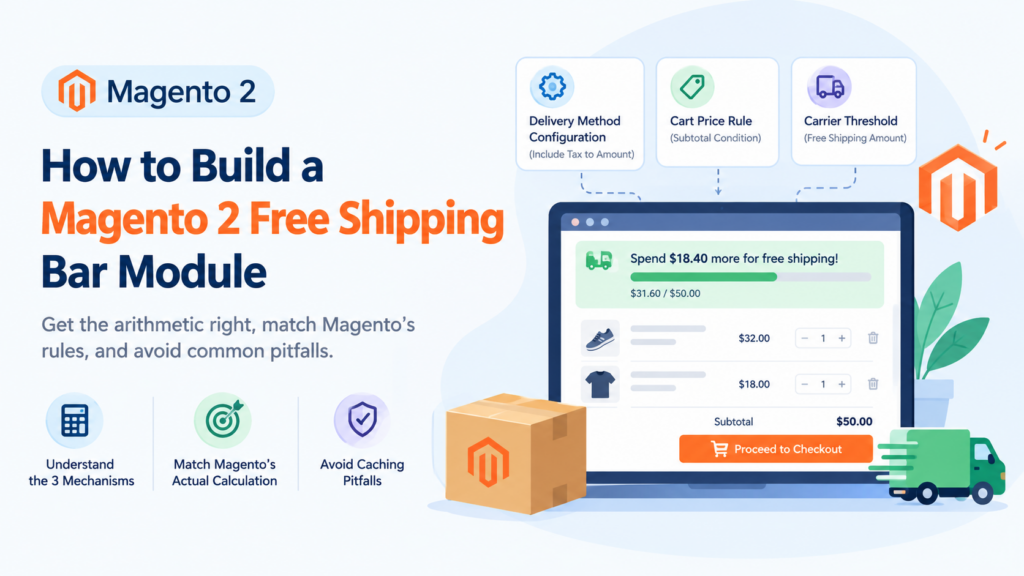
A Magento 2 free shipping bar module shows shoppers how much more they need to spend to qualify for free shipping, usually as a progress bar in the cart or header. The hard part isn’t the bar. It’s making its arithmetic match the rule Magento applies at checkout, because Magento has three mechanisms that count different numbers.
Key takeaways
- Magento has three free shipping mechanisms: the delivery method configuration, cart price rules, and carrier-level thresholds. They don’t all count the same total.
- The configuration setting takes precedence over a cart price rule when both apply to the same order.
- The configuration’s Include Tax to Amount option changes the qualifying total to Subtotal + Tax − Discount, while a cart price rule’s Subtotal condition does not include tax.
- A bar that counts a different number from the live rule will promise free shipping it can’t deliver. That’s worse than having no bar.
- Full page cache means the bar cannot be rendered as a normal cached block. It has to read customer data on the client.
A Magento 2 free shipping bar module is one of those features that looks like a fifteen-minute job and regularly turns into a week. The visual part genuinely is simple — a progress bar and a line of text. The part that eats the week is working out which number the bar should count, and then discovering that Magento’s answer depends on which of three mechanisms is actually live on your store.
This guide covers the arithmetic first, because that’s what breaks, then the build-versus-buy decision, then the caching problem that catches people who build it themselves.
What is a Magento 2 free shipping bar module?
It’s a storefront component that compares the current cart total against your free shipping threshold and shows the gap. Typical forms:
- A sticky header strip: “Spend 18.40 more for free shipping”
- A progress bar in the mini-cart, filling as the basket grows
- A line in the cart page summary, near the totals
- A success state once the threshold is crossed: “You’ve qualified for free shipping”
The commercial logic is straightforward. Shipping cost is a visible, late-arriving expense, and a shopper who’s 10 short of a threshold has an obvious reason to add another item. The bar converts a vague promise in your footer into a specific, actionable number at the moment it matters.
That’s the theory. Whether it works on your store is an empirical question, which brings us to the next section.
Does a free shipping bar actually increase conversions?
Let’s be careful here, because this topic attracts invented statistics.
What’s well documented is that cart abandonment is high and that checkout experience matters. Baymard Institute, which has tracked the figure for 14 years, puts the average documented online shopping cart abandonment rate at 70.22%, calculated across 50 separate studies. Their checkout usability research benchmarks 344 top-grossing US and EU ecommerce sites against 110+ cart and checkout guidelines, and finds 65% of sites perform “mediocre” or worse, 35% “decent” or better, and only 2% “good” — with none reaching a “perfect” experience. They estimate the average site has 32 unique improvements available in its checkout flow.
What we will not tell you is that a free shipping bar produces a specific percentage uplift. We don’t have that data for your store, nobody has it for your store, and the figures circulating in blog posts on this topic are generally untraceable. A progress bar is one of those 32 possible improvements, not a magic number.
What we’d say from a design standpoint is narrower and more defensible: a threshold the shopper can see and act on is better than one buried in a shipping policy page, and specificity (“add 18.40”) gives a clearer next action than a general claim (“free shipping over 50”). Whether that moves your average order value enough to justify the work is something you measure, and the measurement section below covers how.
If conversion work is the actual goal, it’s worth reading our pieces on trust signals above the fold and reducing bounce rate in Magento 2 alongside this, because a progress bar on a slow, untrustworthy checkout won’t save it.
How does Magento decide if an order qualifies for free shipping?
This is the section that matters. Magento has three mechanisms, and they are not interchangeable.
Mechanism one: the delivery method configuration. Under Stores > Configuration > Sales > Delivery Methods > Free Shipping, there’s a Minimum Order Amount field. There’s also an Include Tax to Amount setting with two documented behaviours:
- Yes — the qualifying amount is calculated as Subtotal + Tax − Discount
- No — the qualifying amount is calculated as Subtotal − Discount
Mechanism two: a cart price rule. Under Marketing > Promotions > Cart Price Rules, the documented setup for a threshold promotion uses a condition on the Cart Attribute “Subtotal” with “equals or greater than” and your threshold value. In Actions, Apply is set to “Percent of product price discount”, Apply to Shipping Amount to Yes, and Free Shipping to “For matching items only”.
Mechanism three: carrier-level thresholds. Individual carrier configurations have their own settings — a Free Method dropdown, an Enable Free Shipping Threshold toggle, and a Free Shipping Amount Threshold value.
Side by side:
| Mechanism | Where it lives | What it counts | Scope |
|---|---|---|---|
| Delivery method configuration | Stores > Configuration > Sales > Delivery Methods > Free Shipping | Subtotal + Tax − Discount, or Subtotal − Discount, per the Include Tax to Amount setting | Global to the configuration scope; takes precedence over cart rules |
| Cart price rule | Marketing > Promotions > Cart Price Rules | The Cart Attribute used in the condition, commonly Subtotal | Per website, customer group, date window, coupon |
| Carrier-level threshold | The individual carrier’s section under Delivery Methods | The carrier’s own threshold value | That carrier’s methods only |
Now the three rules that make this difficult.
Precedence. If both the configuration and a cart price rule could apply to the same order, the configuration setting takes precedence over the cart rule. Your carefully segmented customer-group promotion will be silently overridden by a global config value.
Different totals. The configuration can include tax. A cart price rule’s Subtotal condition is a subtotal — it is not the tax-inclusive figure. Two mechanisms, two numbers, same stated threshold.
Cron. Price rules are processed along with other system rules, and the frequency depends on your cron configuration. A rule can look active in the admin and not yet be live.
There’s also a documented technique worth knowing: to use free shipping with table rates, Adobe suggests setting the Minimum Order Amount so high it’s never met, which keeps the configuration from firing and leaves a price rule in control. If someone has done that on your store, the configuration field contains a meaningless number and the real threshold lives elsewhere entirely.
Which number should the bar count?
Work it out in this order. Don’t skip to the code.
Step 1: find out which mechanism is live. Check all three places. On an inherited store, it’s common to find two configured and only one actually governing behaviour.
Step 2: read the exact setting. If it’s the configuration, note the Include Tax to Amount value. If it’s a cart price rule, note the condition attribute — Subtotal is the common one, but the rule may use something else entirely.
Step 3: write the formula down in plain language. For example: “Qualifying total = cart subtotal, excluding tax, after discounts.” That sentence is your specification.
Step 4: build the bar to that formula. Not to “the cart total”. Not to “grand total”. To the formula.
Step 5: test at the boundary. Build a cart that lands exactly on the threshold, one cent under, and one cent over. Apply a discount code and check all three again. If the bar says “qualified” and checkout charges shipping, you’ve found the mismatch before your customers did.
This sounds laborious. It takes about twenty minutes and it’s the difference between a working feature and a support queue.
How do you build one yourself?
The implementation differs sharply by frontend, and the caching constraint drives both.
The caching problem. Magento serves cached pages through full page cache. Cart contents are per-customer, so they cannot be baked into a cached page. Anything cart-dependent has to be delivered as private content, loaded client-side after the cached HTML arrives.
This means you cannot simply render the bar in a PHTML template using the quote. It will cache the first visitor’s cart and show it to everyone — a bug that passes local testing perfectly and only appears once caching is enabled, which is to say, in production.
On Luma. The established route is the customer data mechanism. You register a section that exposes the figures the bar needs — qualifying total and threshold — and your component subscribes to it. The section invalidates when the cart changes, the browser refetches, and the bar updates. The arithmetic belongs on the server inside that section, not in JavaScript, so there’s one source of truth.
On Hyvä. You have Alpine.js and the cart data it already loads, so the component is considerably smaller. The same constraint applies: the figures must come from private content, not from cached markup. Hyvä’s lighter stack makes this a genuinely small piece of work when the threshold logic is already pinned down. Our Hyvä theme development guide covers the wider pattern, and if you’re having it built, Hyvä theme customisation is the service that covers this kind of component.
What to expose, in both cases: the qualifying total under your formula, the threshold, the remaining amount, and a boolean for the qualified state. Compute all of them server-side. The frontend’s job is presentation only.
Should you build or buy?
Build when your threshold logic is simple and settled, you’re on Hyvä, or you want exact control over placement and copy. For a single global threshold on a Hyvä store, building is often faster than evaluating modules, and you avoid a dependency on a component that touches every page.
Buy when you have multiple thresholds by customer group, website or region, you want admin-configurable copy and styling without a deployment, or you don’t have frontend capacity. A module that handles multi-threshold logic correctly is doing real work and is worth paying for.
Don’t buy on the assumption that a module will work out your threshold logic for you. Most read a value you type into their own configuration field. If that value disagrees with your actual free shipping rule, the module will faithfully display the wrong number. Deciding the formula is your job either way.
What should you look for in a module?
- Does it read the real rule, or its own setting? Ask directly. Modules that mirror a configured number are fine, as long as you know that’s what you’re buying.
- Does it handle tax the way your rule does? If your configuration includes tax and the module counts subtotal, every borderline cart is wrong.
- Is it private-content aware? If a demo shows the bar rendering in cached HTML, it will leak cart data between visitors.
- Does it support multiple thresholds? Only matters if you need it, but retrofitting is painful.
- Is it compatible with your theme? Luma modules frequently don’t work on Hyvä, and vice versa. Ask about your exact setup.
- Current version support? Adobe Commerce 2.4.9 is tested with PHP 8.5, 2.4.8 with PHP 8.4 and 8.3. Check the vendor’s latest release date against that, not just their compatibility badge.
Where should the bar appear?
Placement is a genuine decision, not a default.
Mini-cart is the highest-value position. The shopper has just added something and is deciding whether to continue. This is the moment the number is most actionable.
Cart page is the second. It’s where people review before committing, and where the gap between “nearly free shipping” and “paying for shipping” becomes concrete.
Sticky header gives maximum visibility and maximum annoyance risk. It works when your threshold is central to your proposition. It irritates when it follows people around a site they’re browsing casually. If you use it, make it dismissible.
Product page is defensible for high-ticket single items where one more unit crosses the line, and usually noise otherwise.
Checkout is arguably too late — by then the shopper has decided — but a qualified-state confirmation can still reduce last-second doubt.
Our mobile UX audit guidance is relevant here, because a header strip that costs 60 pixels of vertical space on desktop can cost a quarter of the first screen on a phone.
How does the bar affect performance and caching?
Three things to watch.
Private content requests. The bar adds data to a request the storefront already makes, so in itself it’s cheap. It becomes expensive if it triggers additional round trips on every cart change, or if a module fetches its own data separately instead of using the existing mechanism.
Layout shift. The bar arrives after the cached HTML, so it appears a moment later. If nothing reserves space for it, the page jumps. Reserve the height. This is a Core Web Vitals issue, and our performance optimization playbook covers why that metric is worth protecting.
Cache invalidation volume. Adding a new customer data section that invalidates on every cart action increases the frequency of private content refreshes. On a busy store, check that the section is only invalidating when it genuinely needs to.
What are the most common mistakes?
The bar counts the grand total. Grand total includes shipping. The shopper sees “qualified”, the shipping line then disappears, the grand total drops below the threshold, and the bar flips back. It oscillates, and it looks broken because it is.
Discounts aren’t handled. Both documented configuration formulas subtract discounts. A bar that ignores a coupon will over-promise on every discounted cart.
No empty-cart state. “Spend 50.00 more for free shipping” on an empty cart is technically correct and reads as a demand. Hide it or soften it.
Currency formatting is hard-coded. Multi-currency stores need the figure formatted per store view.
The threshold is duplicated in three places. Config, module setting, and hard-coded banner copy. They drift. Pick one source and reference it.
It promises free shipping the rule won’t honour. The worst outcome, and the reason the boundary testing above matters. A shopper who adds an item to qualify and then sees a shipping charge at checkout has been actively misled, and that’s a refund request and a lost customer rather than a minor bug.
Accessibility and copy
The bar is usually a progress indicator, so give it the right semantics: a meaningful text alternative that states the remaining amount, not just a decorative filled div. Screen reader users need the number, not the bar.
Announce updates politely rather than assertively — a live region that interrupts on every quantity change is hostile.
On copy, specific beats generic. “Add 12.60 for free delivery” outperforms “Spend more for free shipping” for the simple reason that it tells the reader what to do. Use your actual delivery wording — if your customers say “delivery” and your site says “shipping”, pick one. And make the qualified state unambiguous: “Free delivery applied” rather than a bar that’s merely full.
How do you measure whether it worked?
Decide this before you build, because retrofitting measurement is how features end up permanent on no evidence.
Reasonable approach: compare average order value and cart-to-checkout progression for sessions before and after, ideally as a proper split test rather than a before-and-after, since seasonality will otherwise dominate your numbers. Watch the distribution of order values around the threshold — if the bar is working, you should see a bunching effect just above it.
Also watch the other direction. A threshold that’s too high relative to your average basket can discourage rather than motivate. If orders just below the threshold are abandoning more than before, the bar is telling people they’re failing, and the threshold is the thing to change.
Run it long enough to clear a full business cycle, and check it again before peak season — our Black Friday readiness checklist covers what else to verify at that point.
What do most guides on this miss?
They treat it as a frontend widget. It’s a rules problem wearing a frontend costume. The CSS is the easy part.
They never mention the precedence rule. The configuration overriding cart price rules is documented behaviour, and it silently defeats segmented thresholds.
They ignore tax. Include Tax to Amount is one dropdown that changes which carts qualify, and almost no article on free shipping bars mentions it exists.
They skip full page cache entirely. A bar built without private content works perfectly in development and leaks cart data in production. It’s the single most consequential implementation detail and it’s routinely omitted.
A worked example: tracing the formula on a real store
Here’s the exercise in practice, using a composite of setups we see regularly.
A store advertises “free delivery over 50”. The merchandiser set Minimum Order Amount to 50 in the Free Shipping configuration two years ago. A marketer later added a cart price rule granting free shipping to the Trade customer group over 35. A developer then installed a bar module and typed 50 into its settings field.
Trace what actually happens.
A retail customer with a 52 subtotal: the configuration applies. If Include Tax to Amount is set to Yes, the qualifying figure is Subtotal + Tax − Discount, so with 20% tax a 44 subtotal already qualifies at 52.80. The bar, counting subtotal only, still shows “spend 6.00 more”. The customer adds an item they didn’t need. Mildly lucky for the store, actively misleading for the customer.
A retail customer with a 45 subtotal and a 10 discount code: qualifying figure is 35 plus tax under the same setting. The bar, which ignores the discount entirely, shows 45 and declares them qualified. Checkout charges shipping. Support ticket.
A Trade customer with a 40 subtotal: their cart price rule should grant free shipping at 35. But the configuration also applies to this order and takes precedence over the cart rule, so the 50 threshold governs. The segmentation does nothing. Nobody notices for a year because Trade customers rarely order under 50 anyway.
Three bugs, one store, and not a line of broken code anywhere. Every component is doing exactly what it was configured to do. This is why the formula exercise comes before the build.
The fix in this case is to pick one mechanism. If segmentation matters, move everything to cart price rules and neutralise the configuration using Adobe’s documented technique of setting Minimum Order Amount so high it’s never met. If it doesn’t, delete the cart rule and keep the configuration. Then point the bar at whichever one survived.
How should you set the threshold itself?
The technical work is neutral on this, but it’s the question merchants actually care about, so it’s worth being direct.
The threshold is a margin decision. Set it meaningfully above your average order value and you’re asking most shoppers to do something they won’t do; set it below and you’re giving away shipping on orders that were happening anyway. The usual starting point is somewhere above your current average order value but within reach of a single additional typical item — if your average basket is 40 and your typical item is 15, a threshold of 50 is reachable and 90 is not.
Two refinements worth considering. First, your real shipping cost varies by destination, so a single global threshold subsidises distant customers using the margin from nearby ones. Whether that’s acceptable depends on your geography. Second, free shipping funded by raising product prices is a different commercial strategy from free shipping funded by margin, and the two produce different competitive positions. Our piece on how coupons and offers affect the business covers the wider promotional trade-off.
Whatever you pick, revisit it. A threshold set against a 2024 basket size and a 2024 carrier contract is probably wrong now.
Glossary
Qualifying total — the figure Magento compares against your threshold. Which figure that is depends on which mechanism is live.
Private content — per-customer data loaded client-side after a cached page arrives, so that caching and personalisation can coexist.
Customer data section — the Magento mechanism that delivers private content and invalidates when relevant actions occur.
Full page cache — the layer that serves whole cached pages to visitors, and the reason cart data can’t be rendered server-side into them.
Cart price rule — a conditional promotion that can grant free shipping, found under Marketing > Promotions.
Grand total — the order total including shipping. Not the right number for a free shipping bar.
Frequently asked questions
Does Magento 2 have a free shipping bar built in?
No. Magento handles the free shipping rule but has no native progress indicator. The bar is either custom work or a module.
Should the bar include tax in its total?
Only if your live rule does. The Free Shipping configuration’s Include Tax to Amount setting determines this: Yes means Subtotal + Tax − Discount, No means Subtotal − Discount. A cart price rule condition on Subtotal does not include tax.
Why does my free shipping bar show a different threshold from checkout?
Almost always because the bar reads a value typed into a module setting while checkout applies a different mechanism. Check the configuration, any cart price rules, and the carrier-level threshold.
Why isn’t my cart price rule threshold being used?
If the Free Shipping configuration also applies, it takes precedence over the cart rule. Also check that cron has processed the rule, since price rules are processed with other system rules.
Can I render the bar in a template?
Not with cart data. Full page cache will serve one visitor’s figures to everyone. Use the customer data / private content mechanism instead.
Is building one on Hyvä easier than on Luma?
Generally yes, because Alpine and the existing cart data make the component smaller. The private content constraint applies equally to both.
Can I have different thresholds for different customer groups?
Yes, via cart price rules — but be aware of the precedence rule, and your bar will need to resolve which threshold applies to the current customer rather than reading one global value.
How high should the threshold be?
That’s a margin decision rather than a technical one. Set it against your average order value and your actual shipping cost, and watch for abandonment increasing just below the line, which is the signal it’s set too high.
Where to go from here
Do the five-step formula exercise first. Find which mechanism is live, read the exact setting, write the formula in a sentence, and test at the boundary. Most of the pain in this feature comes from skipping that and building against an assumption.
Once the formula is settled, the build is small — genuinely small on Hyvä — and the buy decision comes down to whether you need multiple thresholds and admin-side configurability.
If you want it built properly, including the private content handling that keeps it out of the page cache, our Magento development team can scope and build it, frontend included. If the wider goal is conversion rather than this one component, get in touch and we’ll look at the checkout as a whole first.