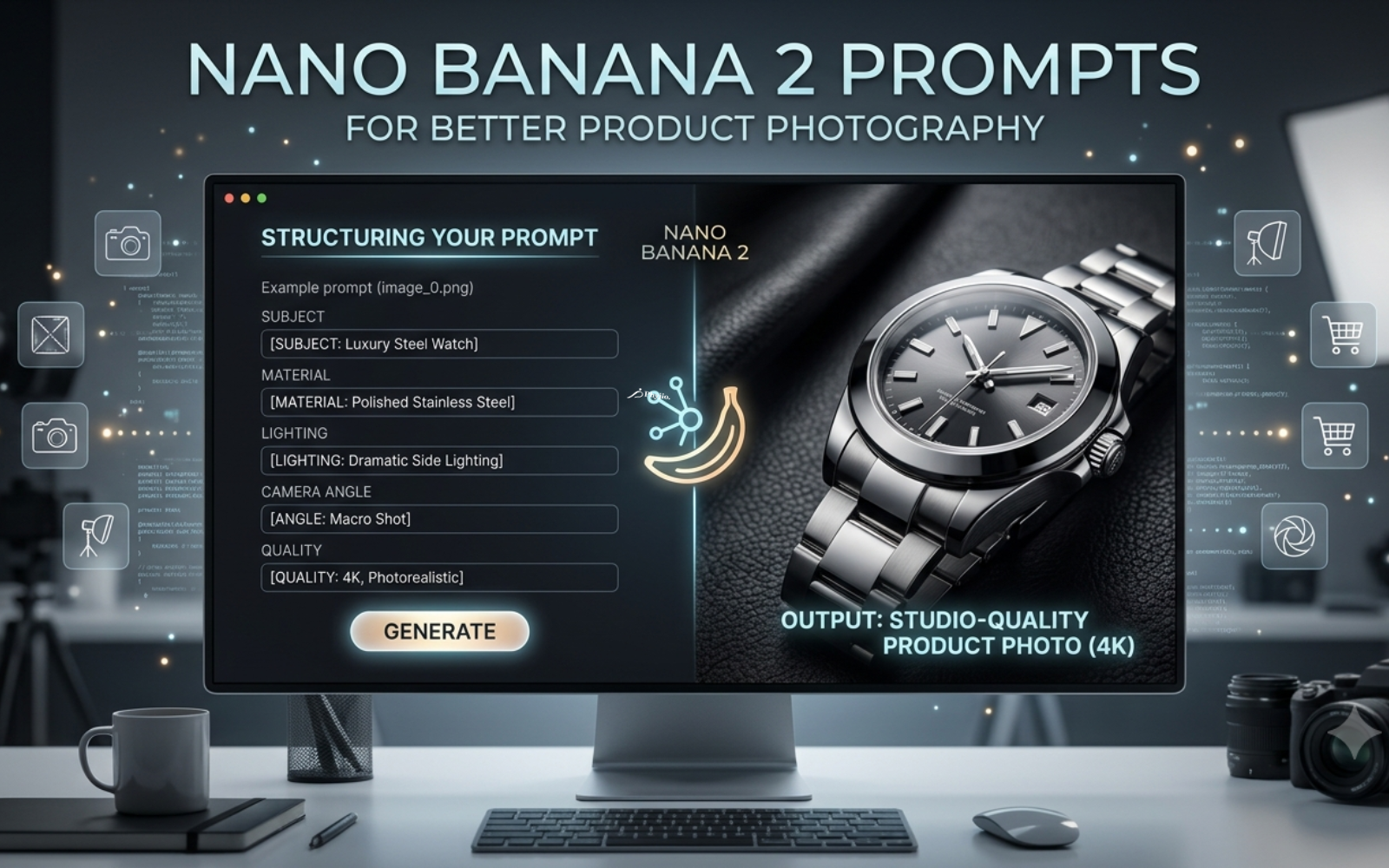
How to Use Nano Banana 2 Prompts for Better Product Photography
TL;DR
Nano Banana 2 is Google's image model (Gemini 3.1 Flash Image) known for consistent subjects, sharp text rendering, and native 4K output. Better product photos come from prompts that specify subject, material, lighting, camera angle, background, and mood in a fixed order. Vague prompts produce generic results; structured prompts produce catalog-ready images.
What Are Nano Banana 2 Prompts?
A Nano Banana 2 prompt is a written instruction that tells the model exactly what product to render, how it should look, and where it sits — covering material, lighting, camera angle, and environment in one pass. The more precisely a prompt defines these variables, the closer the output matches a real studio shoot.
Nano Banana 2 is Google DeepMind's follow-up to the original Nano Banana and Nano Banana Pro models. It combines Gemini Flash speed with Pro-level image quality, supports resolutions up to native 4K, and keeps a subject consistent across multiple generated images — a feature that matters for product catalogs where every angle needs to match.
Why Prompt Quality Matters
Prompt wording directly controls:
- Realism — vague prompts default to generic, plastic-looking renders
- Lighting accuracy — naming a lighting style (softbox, cinematic, natural window light) changes shadow direction and highlight intensity
- Brand consistency — reused wording keeps colors and backgrounds uniform across a product line
- Composition — camera angle and focal length terms decide whether a shot looks like a hero image or a lifestyle scene
How Nano Banana 2 Handles Product Photography Prompts
The model reads a prompt, reasons over it (it supports adjustable "thinking levels" for more complex requests), then renders the scene while trying to keep the product's shape, label, and proportions intact. Because it follows multi-layered instructions more strictly than earlier models, a prompt that lists subject, environment, and lighting separately tends to render more accurately than a single run-on sentence.
Anatomy of a High-Quality Prompt
| Element | Purpose | Example |
|---|---|---|
| Subject | What the product is | "matte black wireless earbuds case" |
| Material | Surface and texture | "brushed aluminum, soft-touch finish" |
| Lighting | Shadow and highlight behavior | "softbox studio lighting, subtle reflection" |
| Camera angle | Viewing perspective | "45-degree angle, eye-level" |
| Focal length / lens | Depth and distortion | "85mm lens, shallow depth of field" |
| Environment | Background setting | "seamless white background" |
| Mood | Emotional tone | "clean, premium, minimal" |
| Rendering quality | Output fidelity | "photorealistic, 4K, sharp focus" |
| Aspect ratio | Output shape | "1:1 for Amazon listing" |
| Negative prompt | What to exclude | "no text, no watermark, no clutter" |
Prompt Templates by Category
Ecommerce / Amazon white background: "[Product] on a seamless white background, studio softbox lighting, front-facing angle, sharp focus, photorealistic, 4K, no shadows on background, square aspect ratio."
Lifestyle / Shopify: "[Product] placed on a wooden table near a window, natural morning light, shallow depth of field, warm tones, lifestyle photography, 4K."
Luxury / jewelry: "[Product] on black velvet, dramatic side lighting, macro lens, high-contrast reflections, cinematic mood, ultra-detailed."
Cosmetics: "[Product] bottle with soft gradient background, diffused studio light, subtle reflection on surface, clean minimalist composition, 4K."
Electronics: "[Product] on a matte gray surface, cool-toned studio lighting, 45-degree angle, sharp edges, tech-editorial style."
Fashion / apparel: "Model wearing [product], neutral studio backdrop, editorial lighting, full-body shot, natural pose, photorealistic."
Food: "[Dish] on a rustic wooden table, natural side lighting, steam visible, shallow depth of field, appetizing color grading."
Furniture: "[Product] in a modern living room setting, soft ambient light, wide-angle lens, neutral color palette, interior photography style."
Ready-to-Use Prompt Examples
- "Ceramic coffee mug, matte white finish, on a marble countertop, soft morning light, top-down angle, 4K photorealistic."
- "Running shoe, side profile, floating on white background, dynamic studio lighting, sharp detail on sole texture."
- "Perfume bottle, glass reflections, dark gradient background, dramatic rim lighting, luxury advertising style."
- "Leather handbag, hero shot, neutral beige backdrop, soft diffused light, 45-degree angle, commercial photography."
- "Smartwatch on wrist, close-up macro shot, cool lighting, shallow depth of field, tech product photography."
- "Skincare jar, open lid showing texture, soft pastel background, natural light, minimalist composition."
- "Wireless headphones, floating product shot, gradient blue background, studio lighting, reflective surface."
- "Wine bottle and glass, warm ambient lighting, wooden table, lifestyle photography, shallow focus."
- "Sneaker pair, dynamic angle, colorful gradient background, high-energy advertising style, sharp detail."
- "Wooden chair, Scandinavian interior setting, natural daylight, wide shot, neutral tones, interior design style."
Before vs. After
Weak prompt: "A nice photo of a watch." Optimized prompt: "Luxury steel watch, macro shot on black velvet, dramatic side lighting, reflective dial, 4K photorealistic, no background clutter."
The first prompt leaves lighting, angle, and background to chance. The second locks in every variable that affects how buyers perceive quality.
Common Prompt Mistakes
- Vague wording — "make it look good" gives the model no direction
- Missing lighting terms — leads to flat, inconsistent shadows
- Inconsistent backgrounds across a catalog — always reuse the same background phrase for a product line
- Overloading a single prompt — listing too many unrelated details confuses composition; keep to one clear scene
- Unrealistic requests — asking for physically impossible reflections or lighting can distort the product's actual shape
Best Practices Checklist
- Name the subject and material first
- Specify lighting style explicitly
- Include camera angle and lens/focal length
- Define the background or environment
- Add a mood or style descriptor
- Set aspect ratio to match the platform (1:1 for Amazon, 4:5 for Instagram)
- Add a negative prompt to exclude text, watermarks, or clutter
- Reuse the same phrasing across a product line for consistency
Nano Banana 2 vs. Other AI Image Generators
| Model | Realism | Speed | Prompt Flexibility | Commercial Use | Ecommerce Fit |
|---|---|---|---|---|---|
| Nano Banana 2 | High | Fast | High, strict instruction-following | Yes | Strong |
| Midjourney | Very high (stylized) | Moderate | Moderate | Yes | Moderate |
| Flux | High | Fast | High | Yes | Strong |
| GPT Image | High | Moderate | High | Yes | Moderate |
| Adobe Firefly | High | Moderate | Moderate | Yes (enterprise-friendly) | Strong |
| Stable Diffusion | Variable | Fast (self-hosted) | High (with fine-tuning) | Yes | Variable |
Simple Workflow
- Draft the product description (subject + material)
- Add lighting and camera details
- Set background and mood
- Generate and review for consistency
- Adjust negative prompts if artifacts appear
- Export at the aspect ratio needed for the platform
FAQs
What is Nano Banana 2 used for?
It's used to generate and edit photorealistic images, including product photography, marketing visuals, and localized ad creative.
Do Nano Banana 2 prompts need to be long?
Not necessarily — clarity matters more than length. A short, structured prompt outperforms a long, vague one.
Can Nano Banana 2 keep a product consistent across multiple shots?
Yes, subject consistency across generated images is one of its core strengths.
Is Nano Banana 2 suitable for Amazon or Shopify listings?
Yes, especially for white-background hero shots and lifestyle images, provided the output meets each platform's image guidelines.
Conclusion
Strong Nano Banana 2 prompts follow a repeatable structure: subject, material, lighting, angle, background, mood, and quality. Start from the templates above, adjust for your product category, and reuse consistent phrasing across a catalog to keep every listing on-brand.
Tags
Categories
Download The Free E-book & Launch Your Brand Strategically

Download The Free E-book & Launch Your Brand Strategically
Share this post




Related Posts
-
 How AI Is Transforming eCommerce Stores in 202602 June 2026| Posted in Latest News| Admin| 355