
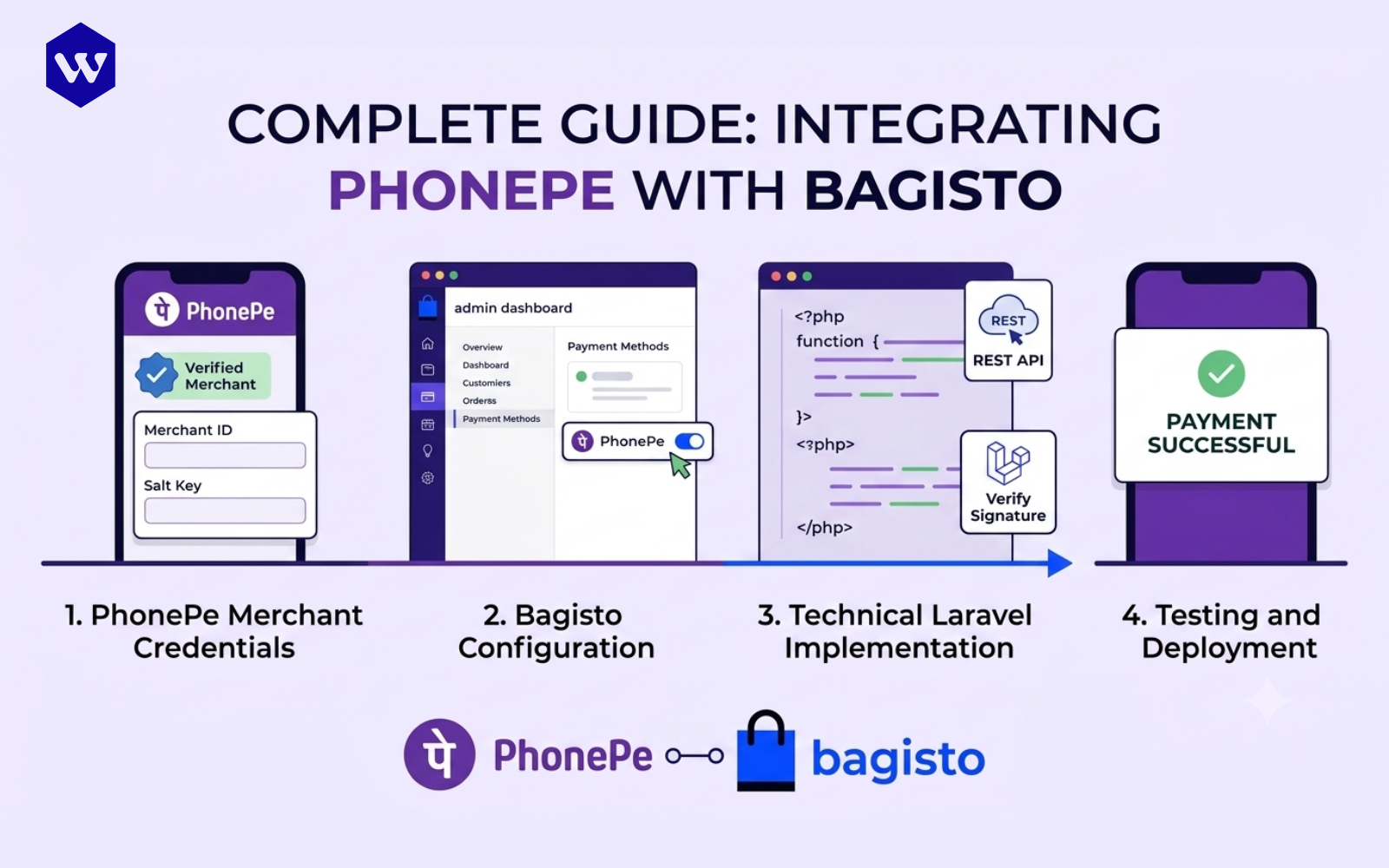
How to Integrate PhonePe Payment Gateway in Bagisto
08 July 2026

How to Integrate PhonePe Payment Gateway in Bagisto (Step-by-Step Guide)

In the rapidly expanding Indian digital commerce ecosystem, providing a frictionless checkout experience is a foundational requirement for conversion rate optimization. PhonePe has established itself as a market leader, processing billions of UPI transactions monthly with industry-leading success rates. For enterprise store owners utilizing Bagisto—an open-source eCommerce framework built on top of Laravel—integrating PhonePe natively keeps your customers within a highly reliable transaction funnel.

This comprehensive guide walks you through building a custom PhonePe payment module for Bagisto from scratch. Whether you are an eCommerce architect or a Laravel developer, this tutorial provides the exact code implementations, architectural designs, and security paradigms required to successfully deploy a production-ready PhonePe payment gateway.

TL;DR Summary

  • Goal: Bridge Bagisto's checkout system with PhonePe's REST API.
  • Authentication Mechanism: High-security SHA256 signature validation utilizing a Merchant ID, Salt Key, and Salt Index.
  • Core Endpoints: Uses /pg/v1/pay for initiation and /pg/v1/status/{merchantId}/{merchantTransactionId} for server-to-server transaction verification.
  • Key Deliverable: A reliable, secure checkout workflow handling webhooks, merchant state updates, and precise fallback mechanisms for dropped checkouts.

What is PhonePe Payment Gateway?

The PhonePe Payment Gateway is an enterprise-grade online payment aggregation solution managed by PhonePe Business. It enables web applications to accept payments across multiple channels, including the Unified Payments Interface (UPI), credit/debit cards, net banking, and digital wallets. Operating on top of a highly resilient, low-latency microservices architecture, it minimizes transaction drop-offs by dynamically routing traffic across multiple banking routes.

Why Integrate PhonePe with Bagisto?

Integrating PhonePe into your Bagisto store yields significant competitive advantages for businesses targeting Indian consumers:

  • Dominant UPI Market Share: Taps directly into India’s largest UPI user base, minimizing checkout friction.
  • Modular Architecture: Bagisto's decoupled payment system allows you to extend native payment wrappers smoothly without editing core files.
  • Financial Efficiency: Competitive transaction pricing models relative to traditional aggregators.
  • Robust Security Infrastructure: Fully compliant with PCI DSS regulations, utilizing automated HTTPS webhooks and cryptographic checksums.

Comparison Frameworks

To contextualize the implementation, review these infrastructural and architectural matrices:

PhonePe vs Razorpay vs Cashfree in Bagisto

Feature PhonePe Payment Gateway Razorpay Cashfree
Primary Strength UPI Ecosystem Supremacy & Success Rates Massive International Card Support Instant Settlements & Vendor Payouts
Integration Complexity Moderate (Custom Laravel Wrapper) Low (Pre-built extensions available) Moderate (API-driven custom modules)
Authentication Type SHA256 Signature + Base64 Payload API Key & Secret Key Client ID & Client Secret
Webhook Reliability High (Retry mechanisms over 24 hours) High (Configurable via Dashboard) High (Immediate execution logs)

Sandbox vs Production Environment

Parametric Dimension Sandbox (UAT Environment) Production (Live Environment)
Base URL https://api-preprod.phonepe.com/apis/hermes https://api.phonepe.com/apis/hermes
Merchant ID (MID) Mock credentials provided by PhonePe (e.g., PGWMTTEST) Live unique identifier from PhonePe Dashboard
Salt Key & Index Test strings for hashing validation Cryptographic strings generated via live merchant console
Transaction Value Virtual test currency Real financial capital transfers

Hosted Checkout vs Custom Checkout

Feature Attribute PhonePe Hosted Page Checkout Custom/Seamless Server-to-Server Checkout
User Experience User redirects to a secure PhonePe payment screen. User enters payment data natively on the Bagisto store.
PCI DSS Scope Minimal (Handled entirely by PhonePe servers). High (Requires intense infrastructure auditing).
Implementation Effort Low to Moderate (Highly recommended). High (Complex API payloads for cards/net banking).
Security Risk Profile Low (Isolated environment). High (Surface area exposed to application layer).

Prerequisites Before Integration

Before initializing code generation within your Laravel environment, ensure you satisfy the following ecosystem prerequisites:

  1. PhonePe Merchant Account: An active dashboard profile inside the PhonePe Business portal.
  2. API Credentials: A verified Merchant ID (MID), Salt Key, and Salt Index extracted from the integration panel.
  3. Bagisto Instance: A stable installation of Bagisto (v2.0.0 or higher preferred) up and running.
  4. Server Environment: Secure routing enabled over HTTPS (PhonePe will reject non-SSL callback URLs in production).
  5. PHP Requirements: PHP ext-curl and ext-json enabled for execution of API calls.

Understanding PhonePe Payment Flow

Understanding the structural flow of transactional tokenization is critical to debugging. The application coordinates state transitions according to this lifecycle pattern:

[Customer Checkout] ---> [Bagisto Generates Order & Payload] 
                             |
                             v
                 [SHA256 Header Computed] 
                             |
                             v
               [Redirected to PhonePe Page] ---> (Customer Pays)
                             |
                             +------------------------+
                             |                        |
                             v                        v
                [Async Webhook/Callback]     [User Redirect Route]
                             |                        |
                             v                        v
                 [Validate SHA256 Header]    [Verify Status API Check]
                             |                        |
                             +-----------+------------+
                                         |
                                         v
                            [Update Bagisto Invoice]

Step-by-Step PhonePe Integration in Bagisto

Step 1: Create a Custom Payment Method Configuration

First, we must notify Bagisto's core config engine about our new payment module. Create a custom configuration file at your package level or append directly to the global configuration structure.

Create config/paymentmethods.php or map it inside your custom service provider registration wrapper:

<span class="hljs-meta"><!--?php</span-->

<span class="hljs-keyword">return</span> [
    <span class="hljs-string">'phonepe'</span> =&gt; [
        <span class="hljs-string">'code'</span>        =&gt; <span class="hljs-string">'phonepe'</span>,
        <span class="hljs-string">'title'</span>       =&gt; <span class="hljs-string">'PhonePe Payment Gateway'</span>,
        <span class="hljs-string">'description'</span> =&gt; <span class="hljs-string">'Secure UPI, Cards, and NetBanking via PhonePe'</span>,
        <span class="hljs-string">'class'</span>       =&gt; <span class="hljs-string">'App\Payments\PhonePe'</span>,
        <span class="hljs-string">'active'</span>      =&gt; <span class="hljs-literal">true</span>,
        <span class="hljs-string">'sort'</span>        =&gt; <span class="hljs-number">1</span>,
    ],
];
</span>

Step 2: Configure PhonePe Credentials

Map your integration credentials securely into your application layer. Append the following structural keys into your enterprise .env file:

PHONEPE_ENVIRONMENT=sandbox
PHONEPE_MERCHANT_ID=PGWMTTEST
PHONEPE_SALT_KEY=099eb0cd-02cf-4e2a-8aca-3e6c6aff0399
PHONEPE_SALT_INDEX=1
PHONEPE_CALLBACK_URL="https://yourdomain.com/phonepe/callback"
PHONEPE_REDIRECT_URL="https://yourdomain.com/phonepe/redirect"

Next, add an operational configuration array inside config/services.php:

<span class="hljs-string">'phonepe'</span> =&gt; [
    <span class="hljs-string">'env'</span>         =&gt; env(<span class="hljs-string">'PHONEPE_ENVIRONMENT'</span>, <span class="hljs-string">'sandbox'</span>),
    <span class="hljs-string">'merchant_id'</span> =&gt; env(<span class="hljs-string">'PHONEPE_MERCHANT_ID'</span>),
    <span class="hljs-string">'salt_key'</span>    =&gt; env(<span class="hljs-string">'PHONEPE_SALT_KEY'</span>),
    <span class="hljs-string">'salt_index'</span>  =&gt; env(<span class="hljs-string">'PHONEPE_SALT_INDEX'</span>),
    <span class="hljs-string">'callback_url'</span>=&gt; env(<span class="hljs-string">'PHONEPE_CALLBACK_URL'</span>),
    <span class="hljs-string">'redirect_url'</span>=&gt; env(<span class="hljs-string">'PHONEPE_REDIRECT_URL'</span>),
    <span class="hljs-string">'base_url'</span>    =&gt; env(<span class="hljs-string">'PHONEPE_ENVIRONMENT'</span>) === <span class="hljs-string">'production'</span> 
                        ? <span class="hljs-string">'https://api.phonepe.com/apis/hermes'</span> 
                        : <span class="hljs-string">'https://api-preprod.phonepe.com/apis/hermes'</span>,
],

Step 3: Implement the Core Bagisto Payment Driver Class

Create your operational payment class at app/Payments/PhonePe.php. This class must inherit from Webkul\Payment\Payment\Payment and handle form configurations or system-level redirect targets.

<span class="hljs-meta"><!--?php</span-->

<span class="hljs-keyword">namespace</span> <span class="hljs-title">App</span>\<span class="hljs-title">Payments</span>;

<span class="hljs-keyword">use</span> <span class="hljs-title">Webkul</span>\<span class="hljs-title">Payment</span>\<span class="hljs-title">Payment</span>\<span class="hljs-title">Payment</span>;

<span class="hljs-class"><span class="hljs-keyword">class</span> <span class="hljs-title">PhonePe</span> <span class="hljs-keyword">extends</span> <span class="hljs-title">Payment</span>
</span>{
    <span class="hljs-keyword">protected</span> <span class="hljs-variable">$code</span> = <span class="hljs-string">'phonepe'</span>;

    <span class="hljs-keyword">public</span> <span class="hljs-function"><span class="hljs-keyword">function</span> <span class="hljs-title">getRedirectUrl</span>()
    </span>{
        <span class="hljs-keyword">return</span> route(<span class="hljs-string">'phonepe.process'</span>);
    }
}
</span>

Step 4: Write the Routing Architecture

Create the interface points for customer redirection, processing, and transaction callback verification inside routes/web.php:

<span class="hljs-meta"><!--?php</span-->

<span class="hljs-keyword">use</span> <span class="hljs-title">Illuminate</span>\<span class="hljs-title">Support</span>\<span class="hljs-title">Facades</span>\<span class="hljs-title">Route</span>;
<span class="hljs-keyword">use</span> <span class="hljs-title">App</span>\<span class="hljs-title">Http</span>\<span class="hljs-title">Controllers</span>\<span class="hljs-title">PhonePeController</span>;

Route::group([<span class="hljs-string">'middleware'</span> =&gt; [<span class="hljs-string">'web'</span>]], <span class="hljs-function"><span class="hljs-keyword">function</span> () </span>{
    Route::get(<span class="hljs-string">'/phonepe/process'</span>, [PhonePeController::class, <span class="hljs-string">'processOrder'</span>])-&gt;name(<span class="hljs-string">'phonepe.process'</span>);
    Route::post(<span class="hljs-string">'/phonepe/redirect'</span>, [PhonePeController::class, <span class="hljs-string">'handleRedirect'</span>])-&gt;name(<span class="hljs-string">'phonepe.redirect'</span>);
});

<span class="hljs-comment">// Disable CSRF protection for this endpoint in App\Http\Middleware\VerifyCsrfToken</span>
Route::post(<span class="hljs-string">'/phonepe/callback'</span>, [PhonePeController::class, <span class="hljs-string">'handleCallback'</span>])-&gt;name(<span class="hljs-string">'phonepe.callback'</span>);
</span>

Step 5: Implement PhonePe Service Class (Signature Generation & API Calls)

To keep your code clean and separation of concerns intact, isolate the payload compilation, Base64 encoding, and SHA256 checksum logic inside an unified service file: app/Services/PhonePeService.php.

<span class="hljs-meta"><!--?php</span-->

<span class="hljs-keyword">namespace</span> <span class="hljs-title">App</span>\<span class="hljs-title">Services</span>;

<span class="hljs-keyword">use</span> <span class="hljs-title">Illuminate</span>\<span class="hljs-title">Support</span>\<span class="hljs-title">Facades</span>\<span class="hljs-title">Http</span>;
<span class="hljs-keyword">use</span> <span class="hljs-title">Illuminate</span>\<span class="hljs-title">Support</span>\<span class="hljs-title">Facades</span>\<span class="hljs-title">Log</span>;

<span class="hljs-class"><span class="hljs-keyword">class</span> <span class="hljs-title">PhonePeService</span>
</span>{
    <span class="hljs-keyword">protected</span> <span class="hljs-variable">$config</span>;

    <span class="hljs-keyword">public</span> <span class="hljs-function"><span class="hljs-keyword">function</span> <span class="hljs-title">__construct</span>()
    </span>{
        <span class="hljs-keyword">$this</span>-&gt;config = config(<span class="hljs-string">'services.phonepe'</span>);
    }

    <span class="hljs-comment">/**
     * Compute SHA256 validation signature for request headers.
     */</span>
    <span class="hljs-keyword">public</span> <span class="hljs-function"><span class="hljs-keyword">function</span> <span class="hljs-title">generateSignature</span>(<span class="hljs-params"><span class="hljs-variable">$base64Payload</span>, <span class="hljs-variable">$endpoint</span></span>)
    </span>{
        <span class="hljs-variable">$stringToHash</span> = <span class="hljs-variable">$base64Payload</span> . <span class="hljs-variable">$endpoint</span> . <span class="hljs-keyword">$this</span>-&gt;config[<span class="hljs-string">'salt_key'</span>];
        <span class="hljs-variable">$sha256</span> = hash(<span class="hljs-string">'sha256'</span>, <span class="hljs-variable">$stringToHash</span>);
        <span class="hljs-keyword">return</span> <span class="hljs-variable">$sha256</span> . <span class="hljs-string">'###'</span> . <span class="hljs-keyword">$this</span>-&gt;config[<span class="hljs-string">'salt_index'</span>];
    }

    <span class="hljs-comment">/**
     * Post payment payload initiation request to PhonePe endpoint.
     */</span>
    <span class="hljs-keyword">public</span> <span class="hljs-function"><span class="hljs-keyword">function</span> <span class="hljs-title">initiatePayment</span>(<span class="hljs-params"><span class="hljs-variable">$orderData</span></span>)
    </span>{
        <span class="hljs-variable">$endpoint</span> = <span class="hljs-string">'/pg/v1/pay'</span>;
        
        <span class="hljs-variable">$payload</span> = [
            <span class="hljs-string">'merchantId'</span>            =&gt; <span class="hljs-keyword">$this</span>-&gt;config[<span class="hljs-string">'merchant_id'</span>],
            <span class="hljs-string">'merchantTransactionId'</span> =&gt; <span class="hljs-variable">$orderData</span>[<span class="hljs-string">'transaction_id'</span>],
            <span class="hljs-string">'merchantUserId'</span>        =&gt; <span class="hljs-string">'USR_'</span> . <span class="hljs-variable">$orderData</span>[<span class="hljs-string">'customer_id'</span>],
            <span class="hljs-string">'amount'</span>                =&gt; <span class="hljs-variable">$orderData</span>[<span class="hljs-string">'amount'</span>] * <span class="hljs-number">100</span>, <span class="hljs-comment">// Value passed in paisa</span>
            <span class="hljs-string">'redirectUrl'</span>           =&gt; <span class="hljs-keyword">$this</span>-&gt;config[<span class="hljs-string">'redirect_url'</span>],
            <span class="hljs-string">'redirectMode'</span>          =&gt; <span class="hljs-string">'POST'</span>,
            <span class="hljs-string">'callbackUrl'</span>           =&gt; <span class="hljs-keyword">$this</span>-&gt;config[<span class="hljs-string">'callback_url'</span>],
            <span class="hljs-string">'paymentInstrument'</span>     =&gt; [<span class="hljs-string">'type'</span> =&gt; <span class="hljs-string">'PAY_PAGE'</span>],
        ];

        <span class="hljs-variable">$base64Payload</span> = base64_encode(json_encode(<span class="hljs-variable">$payload</span>));
        <span class="hljs-variable">$xVerifyHeader</span> = <span class="hljs-keyword">$this</span>-&gt;generateSignature(<span class="hljs-variable">$base64Payload</span>, <span class="hljs-variable">$endpoint</span>);

        <span class="hljs-variable">$response</span> = Http::withHeaders([
            <span class="hljs-string">'Content-Type'</span> =&gt; <span class="hljs-string">'application/json'</span>,
            <span class="hljs-string">'X-VERIFY'</span>     =&gt; <span class="hljs-variable">$xVerifyHeader</span>,
        ])-&gt;post(<span class="hljs-keyword">$this</span>-&gt;config[<span class="hljs-string">'base_url'</span>] . <span class="hljs-variable">$endpoint</span>, [
            <span class="hljs-string">'request'</span> =&gt; <span class="hljs-variable">$base64Payload</span>
        ]);

        <span class="hljs-keyword">return</span> <span class="hljs-variable">$response</span>-&gt;json();
    }

    <span class="hljs-comment">/**
     * Check transaction status directly via Server-to-Server status API loop.
     */</span>
    <span class="hljs-keyword">public</span> <span class="hljs-function"><span class="hljs-keyword">function</span> <span class="hljs-title">verifyTransaction</span>(<span class="hljs-params"><span class="hljs-variable">$merchantTransactionId</span></span>)
    </span>{
        <span class="hljs-variable">$endpoint</span> = <span class="hljs-string">"/pg/v1/status/<span class="hljs-subst">{$this-&gt;config['merchant_id']}</span>/<span class="hljs-subst">{$merchantTransactionId}</span>"</span>;
        <span class="hljs-variable">$xVerifyHeader</span> = <span class="hljs-keyword">$this</span>-&gt;generateSignature(<span class="hljs-string">''</span>, <span class="hljs-variable">$endpoint</span>);

        <span class="hljs-variable">$response</span> = Http::withHeaders([
            <span class="hljs-string">'Content-Type'</span> =&gt; <span class="hljs-string">'application/json'</span>,
            <span class="hljs-string">'X-VERIFY'</span>     =&gt; <span class="hljs-variable">$xVerifyHeader</span>,
            <span class="hljs-string">'X-MERCHANT-ID'</span>=&gt; <span class="hljs-keyword">$this</span>-&gt;config[<span class="hljs-string">'merchant_id'</span>]
        ])-&gt;get(<span class="hljs-keyword">$this</span>-&gt;config[<span class="hljs-string">'base_url'</span>] . <span class="hljs-variable">$endpoint</span>);

        <span class="hljs-keyword">return</span> <span class="hljs-variable">$response</span>-&gt;json();
    }
}
</span>

Step 6: Create the Integration Controller

Create app/Http/Controllers/PhonePeController.php. This acts as your traffic controller, orchestrating checkouts, parsing incoming server arrays, and invoking the order update repositories built into Bagisto.

<span class="hljs-meta"><!--?php</span-->

<span class="hljs-keyword">namespace</span> <span class="hljs-title">App</span>\<span class="hljs-title">Http</span>\<span class="hljs-title">Controllers</span>;

<span class="hljs-keyword">use</span> <span class="hljs-title">Illuminate</span>\<span class="hljs-title">Http</span>\<span class="hljs-title">Request</span>;
<span class="hljs-keyword">use</span> <span class="hljs-title">Illuminate</span>\<span class="hljs-title">Support</span>\<span class="hljs-title">Facades</span>\<span class="hljs-title">Log</span>;
<span class="hljs-keyword">use</span> <span class="hljs-title">Webkul</span>\<span class="hljs-title">Checkout</span>\<span class="hljs-title">Facades</span>\<span class="hljs-title">Cart</span>;
<span class="hljs-keyword">use</span> <span class="hljs-title">Webkul</span>\<span class="hljs-title">Sales</span>\<span class="hljs-title">Repositories</span>\<span class="hljs-title">OrderRepository</span>;
<span class="hljs-keyword">use</span> <span class="hljs-title">Webkul</span>\<span class="hljs-title">Sales</span>\<span class="hljs-title">Repositories</span>\<span class="hljs-title">InvoiceRepository</span>;
<span class="hljs-keyword">use</span> <span class="hljs-title">App</span>\<span class="hljs-title">Services</span>\<span class="hljs-title">PhonePeService</span>;

<span class="hljs-class"><span class="hljs-keyword">class</span> <span class="hljs-title">PhonePeController</span> <span class="hljs-keyword">extends</span> <span class="hljs-title">Controller</span>
</span>{
    <span class="hljs-keyword">protected</span> <span class="hljs-variable">$phonePeService</span>;
    <span class="hljs-keyword">protected</span> <span class="hljs-variable">$orderRepository</span>;
    <span class="hljs-keyword">protected</span> <span class="hljs-variable">$invoiceRepository</span>;

    <span class="hljs-keyword">public</span> <span class="hljs-function"><span class="hljs-keyword">function</span> <span class="hljs-title">__construct</span>(<span class="hljs-params">
        PhonePeService <span class="hljs-variable">$phonePeService</span>,
        OrderRepository <span class="hljs-variable">$orderRepository</span>,
        InvoiceRepository <span class="hljs-variable">$invoiceRepository</span>
    </span>) </span>{
        <span class="hljs-keyword">$this</span>-&gt;phonePeService = <span class="hljs-variable">$phonePeService</span>;
        <span class="hljs-keyword">$this</span>-&gt;orderRepository = <span class="hljs-variable">$orderRepository</span>;
        <span class="hljs-keyword">$this</span>-&gt;invoiceRepository = <span class="hljs-variable">$invoiceRepository</span>;
    }

    <span class="hljs-comment">/**
     * Process checkout form, map dynamic models, initialize PhonePe endpoint redirection.
     */</span>
    <span class="hljs-keyword">public</span> <span class="hljs-function"><span class="hljs-keyword">function</span> <span class="hljs-title">processOrder</span>()
    </span>{
        <span class="hljs-variable">$cart</span> = Cart::getCart();
        
        <span class="hljs-comment">// Convert cart checkout model into an immutable final order</span>
        <span class="hljs-variable">$order</span> = <span class="hljs-keyword">$this</span>-&gt;orderRepository-&gt;create(Cart::prepareDataForOrder());
        Cart::deactivateCart();

        <span class="hljs-variable">$orderData</span> = [
            <span class="hljs-string">'transaction_id'</span> =&gt; <span class="hljs-string">'TXN_'</span> . <span class="hljs-variable">$order</span>-&gt;id . <span class="hljs-string">'_'</span> . time(),
            <span class="hljs-string">'customer_id'</span>    =&gt; <span class="hljs-variable">$order</span>-&gt;customer_id ?? <span class="hljs-string">'GUEST'</span>,
            <span class="hljs-string">'amount'</span>         =&gt; <span class="hljs-variable">$order</span>-&gt;grand_total,
        ];

        <span class="hljs-comment">// Store generated internal ID reference mapping </span>
        <span class="hljs-variable">$order</span>-&gt;setAttribute(<span class="hljs-string">'phonepe_transaction_id'</span>, <span class="hljs-variable">$orderData</span>[<span class="hljs-string">'transaction_id'</span>]);
        <span class="hljs-variable">$order</span>-&gt;save();

        <span class="hljs-variable">$result</span> = <span class="hljs-keyword">$this</span>-&gt;phonePeService-&gt;initiatePayment(<span class="hljs-variable">$orderData</span>);

        <span class="hljs-keyword">if</span> (<span class="hljs-keyword">isset</span>(<span class="hljs-variable">$result</span>[<span class="hljs-string">'success'</span>]) &amp;&amp; <span class="hljs-variable">$result</span>[<span class="hljs-string">'success'</span>] === <span class="hljs-literal">true</span>) {
            <span class="hljs-variable">$redirectUrl</span> = <span class="hljs-variable">$result</span>[<span class="hljs-string">'data'</span>][<span class="hljs-string">'instrumentResponse'</span>][<span class="hljs-string">'redirectInfo'</span>][<span class="hljs-string">'url'</span>];
            <span class="hljs-keyword">return</span> redirect()-&gt;away(<span class="hljs-variable">$redirectUrl</span>);
        }

        Log::error(<span class="hljs-string">'PhonePe Initiation Failure Data: '</span>, <span class="hljs-variable">$result</span>);
        <span class="hljs-keyword">return</span> redirect()-&gt;route(<span class="hljs-string">'shop.checkout.cart'</span>)-&gt;with(<span class="hljs-string">'error'</span>, <span class="hljs-string">'Payment Gateway connection failed.'</span>);
    }

    <span class="hljs-comment">/**
     * Handle explicit user redirection target from PhonePe checkout screen UI.
     */</span>
    <span class="hljs-keyword">public</span> <span class="hljs-function"><span class="hljs-keyword">function</span> <span class="hljs-title">handleRedirect</span>(<span class="hljs-params">Request <span class="hljs-variable">$request</span></span>)
    </span>{
        <span class="hljs-variable">$merchantTransactionId</span> = <span class="hljs-variable">$request</span>-&gt;input(<span class="hljs-string">'merchantTransactionId'</span>);
        <span class="hljs-variable">$statusCheck</span> = <span class="hljs-keyword">$this</span>-&gt;phonePeService-&gt;verifyTransaction(<span class="hljs-variable">$merchantTransactionId</span>);

        <span class="hljs-keyword">if</span> (<span class="hljs-keyword">isset</span>(<span class="hljs-variable">$statusCheck</span>[<span class="hljs-string">'code'</span>]) &amp;&amp; <span class="hljs-variable">$statusCheck</span>[<span class="hljs-string">'code'</span>] === <span class="hljs-string">'PAYMENT_SUCCESS'</span>) {
            <span class="hljs-keyword">return</span> redirect()-&gt;route(<span class="hljs-string">'shop.checkout.success'</span>);
        }

        <span class="hljs-keyword">return</span> redirect()-&gt;route(<span class="hljs-string">'shop.checkout.cart'</span>)-&gt;with(<span class="hljs-string">'error'</span>, <span class="hljs-string">'Transaction not validated.'</span>);
    }

    <span class="hljs-comment">/**
     * Asynchronous background webhook handling engine for out-of-band payment synchronization.
     */</span>
    <span class="hljs-keyword">public</span> <span class="hljs-function"><span class="hljs-keyword">function</span> <span class="hljs-title">handleCallback</span>(<span class="hljs-params">Request <span class="hljs-variable">$request</span></span>)
    </span>{
        <span class="hljs-variable">$responseContent</span> = <span class="hljs-variable">$request</span>-&gt;all();
        
        <span class="hljs-keyword">if</span> (!<span class="hljs-keyword">isset</span>(<span class="hljs-variable">$responseContent</span>[<span class="hljs-string">'response'</span>])) {
            <span class="hljs-keyword">return</span> response()-&gt;json([<span class="hljs-string">'message'</span> =&gt; <span class="hljs-string">'Malformed response payload structure'</span>], <span class="hljs-number">400</span>);
        }

        <span class="hljs-variable">$base64Payload</span> = <span class="hljs-variable">$responseContent</span>[<span class="hljs-string">'response'</span>];
        <span class="hljs-variable">$xVerifyHeader</span> = <span class="hljs-variable">$request</span>-&gt;header(<span class="hljs-string">'X-VERIFY'</span>);

        <span class="hljs-comment">// Signature Check Validation Routine</span>
        <span class="hljs-variable">$computedSignature</span> = hash(<span class="hljs-string">'sha256'</span>, <span class="hljs-variable">$base64Payload</span> . config(<span class="hljs-string">'services.phonepe.salt_key'</span>)) . <span class="hljs-string">'###'</span> . config(<span class="hljs-string">'services.phonepe.salt_index'</span>);

        <span class="hljs-keyword">if</span> (<span class="hljs-variable">$xVerifyHeader</span> !== <span class="hljs-variable">$computedSignature</span>) {
            Log::alert(<span class="hljs-string">'Unauthorized PhonePe Webhook Decryption Attempt.'</span>);
            <span class="hljs-keyword">return</span> response()-&gt;json([<span class="hljs-string">'message'</span> =&gt; <span class="hljs-string">'Signature Validation Mismatch'</span>], <span class="hljs-number">401</span>);
        }

        <span class="hljs-variable">$decryptedPayload</span> = json_decode(base64_decode(<span class="hljs-variable">$base64Payload</span>), <span class="hljs-literal">true</span>);

        <span class="hljs-keyword">if</span> (<span class="hljs-keyword">isset</span>(<span class="hljs-variable">$decryptedPayload</span>[<span class="hljs-string">'code'</span>]) &amp;&amp; <span class="hljs-variable">$decryptedPayload</span>[<span class="hljs-string">'code'</span>] === <span class="hljs-string">'PAYMENT_SUCCESS'</span>) {
            <span class="hljs-keyword">$this</span>-&gt;finalizePaymentState(<span class="hljs-variable">$decryptedPayload</span>[<span class="hljs-string">'data'</span>]);
            <span class="hljs-keyword">return</span> response()-&gt;json([<span class="hljs-string">'status'</span> =&gt; <span class="hljs-string">'SUCCESS'</span>], <span class="hljs-number">200</span>);
        }

        <span class="hljs-keyword">return</span> response()-&gt;json([<span class="hljs-string">'status'</span> =&gt; <span class="hljs-string">'FAIL_ACKNOWLEDGED'</span>], <span class="hljs-number">200</span>);
    }

    <span class="hljs-comment">/**
     * Mutate database state schemas, generate corresponding invoices, update processing flag steps.
     */</span>
    <span class="hljs-keyword">protected</span> <span class="hljs-function"><span class="hljs-keyword">function</span> <span class="hljs-title">finalizePaymentState</span>(<span class="hljs-params"><span class="hljs-variable">$paymentData</span></span>)
    </span>{
        <span class="hljs-variable">$txnId</span> = <span class="hljs-variable">$paymentData</span>[<span class="hljs-string">'merchantTransactionId'</span>];
        <span class="hljs-comment">// Extract internal order identity reference</span>
        preg_match(<span class="hljs-string">'/TXN_(\d+)_/'</span>, <span class="hljs-variable">$txnId</span>, <span class="hljs-variable">$matches</span>);
        <span class="hljs-variable">$orderId</span> = <span class="hljs-variable">$matches</span>[<span class="hljs-number">1</span>] ?? <span class="hljs-literal">null</span>;

        <span class="hljs-keyword">if</span> (!<span class="hljs-variable">$orderId</span>) <span class="hljs-keyword">return</span>;

        <span class="hljs-variable">$order</span> = <span class="hljs-keyword">$this</span>-&gt;orderRepository-&gt;find(<span class="hljs-variable">$orderId</span>);

        <span class="hljs-keyword">if</span> (<span class="hljs-variable">$order</span> &amp;&amp; <span class="hljs-variable">$order</span>-&gt;status !== <span class="hljs-string">'processing'</span> &amp;&amp; <span class="hljs-variable">$order</span>-&gt;status !== <span class="hljs-string">'completed'</span>) {
            <span class="hljs-keyword">$this</span>-&gt;orderRepository-&gt;updateState(<span class="hljs-variable">$order</span>, <span class="hljs-string">'processing'</span>);
            
            <span class="hljs-keyword">if</span> (<span class="hljs-variable">$order</span>-&gt;canInvoice()) {
                <span class="hljs-keyword">$this</span>-&gt;invoiceRepository-&gt;create([
                    <span class="hljs-string">'order_id'</span> =&gt; <span class="hljs-variable">$order</span>-&gt;id,
                    <span class="hljs-string">'state'</span>    =&gt; <span class="hljs-string">'paid'</span>,
                    <span class="hljs-string">'data'</span>     =&gt; [
                        <span class="hljs-string">'invoice'</span> =&gt; [
                            <span class="hljs-string">'items'</span> =&gt; <span class="hljs-variable">$order</span>-&gt;items-&gt;pluck(<span class="hljs-string">'qty_to_invoice'</span>, <span class="hljs-string">'id'</span>)-&gt;toArray()
                        ]
                    ]
                ]);
            }
            Log::info(<span class="hljs-string">"Order updated to processing via PhonePe transaction verification: <span class="hljs-subst">{$orderId}</span>"</span>);
        }
    }
}
</span>

Testing in PhonePe Sandbox

Before moving your implementation to production, run comprehensive test cycles within PhonePe’s simulation runtime environment.

Testing Workflow Checklist

  • Set your environment variables to sandbox configuration states.
  • Utilize standard PhonePe simulation cards or instruments to trigger test exceptions:
    • Success Testing: Pass arbitrary execution parameters using simulated standard UI instruments.
    • Failure States: Intentionally trigger dropped network hooks to monitor state fallback execution handling.
  • Verify your log stores (storage/logs/laravel.log) for execution logs on background signature generation.

Going Live in Production

To transition your system from a testing phase to a secure live production environment, follow these steps:

  1. Toggle Environment Constants: Change your .env value for PHONEPE_ENVIRONMENT to production.
  2. Swap Enterprise Keys: Replace the testing Merchant ID, Salt Key, and Salt Index with your live system credentials from the PhonePe Business dashboard.
  3. Validate Webhook Paths: Confirm that your webhook paths explicitly target a secure endpoint using the https:// protocol scheme.
  4. Execute Live Order Verification: Place a live order of small value (e.g., ₹1.00) using a functional account to ensure proper processing.

Common Integration Errors & Solutions

Error Signature Output Probable Root Cause Analysis Corrective Mitigation Strategy
AUTHORIZATION_FAILED Incorrect signature token mapping inside the headers, or invalid Salt Key indices. Verify the payload composition format. Double-check that your X-VERIFY structure maps precisely to the calculated hash pattern: SHA256(Base64 + Endpoint + Salt) + ### + Index.
BAD_REQUEST Form payload structural configuration anomalies or passing decimal units instead of sub-units. Confirm all payment fields match API requirements exactly. Ensure the transaction value parameter is cast to an integer expressed entirely in paisa ($GrandTotal \times 100$).
415 Unsupported Media Type Missing headers or standard processing configuration blocks. Confirm your integration class incorporates a explicit Content-Type: application/json attribute block inside its header configuration object.

Security Best Practices

Securing the data passing through your checkout platform protects your store from request tampering and unauthorized order manipulation.

  • Enforce Server-Side Double-Checking: Never trust user redirection routes (handleRedirect) to change order states in your database. Always verify the transaction status using the secure server-to-server Status API or asynchronous backend webhooks.
  • Validate Webhook Signatures: Ensure your webhook handler re-computes and checks the incoming X-VERIFY header signature before decoding the payload body.
  • Log API Requests Carefully: Log system events and integration payloads regularly to make troubleshooting easier, but ensure no sensitive user financial data is written to disk.
  • Set Up Request Rate Limiting: Apply rate limiters to your callback and checkout redirection paths to prevent automated endpoint discovery attempts and brute-force traffic.

Frequently Asked Questions

Can PhonePe be integrated with Bagisto?

Yes. Because Bagisto is built on top of the modular Laravel framework, you can integrate PhonePe smoothly by creating a custom payment provider extension that hooks directly into the core checkout system.

Does Bagisto support PhonePe payments natively out of the box?

Bagisto includes support for several common global payment options out of the box. However, regional gateways like PhonePe require either a third-party module or a custom payment provider extension, which you can implement using the steps outlined in this guide.

How do I get my PhonePe Merchant ID and Salt Key?

You can get your production credentials (MID, Salt Key, and Salt Index) from the technical integration panel inside your verified PhonePe Business Dashboard once your merchant account setup is complete.

How do PhonePe callbacks work?

When a transaction finishes, PhonePe's servers send an asynchronous server-to-server HTTP POST request to your configured callback URL. This webhook payload contains a base64-encoded transaction block and an authentication signature header for validation.

Is PhonePe suitable for B2B marketplaces built on Bagisto?

Yes. PhonePe supports high-volume transactions and provides real-time split payout options, making it well-suited for high-throughput enterprise marketplaces and multi-vendor networks.

Can PhonePe accept international payments?

By default, PhonePe focuses on regional payment methods inside India, including UPI, domestic credit/debit cards, and local net banking. To accept international credit cards, you must request international payment services explicitly through your corporate account manager.

Final Conclusion

Integrating the PhonePe payment gateway into your Bagisto eCommerce application provides your customers with a reliable, familiar checkout experience. By isolating your payment logic inside a dedicated Laravel service class, securing webhook validation routines, and following a step-by-step implementation, you can build a stable checkout flow that minimizes friction and protects transaction data.

Categories

Download The Free E-book & Launch Your Brand Strategically

Download The Free E-book & Launch Your Brand Strategically

Share this post



