

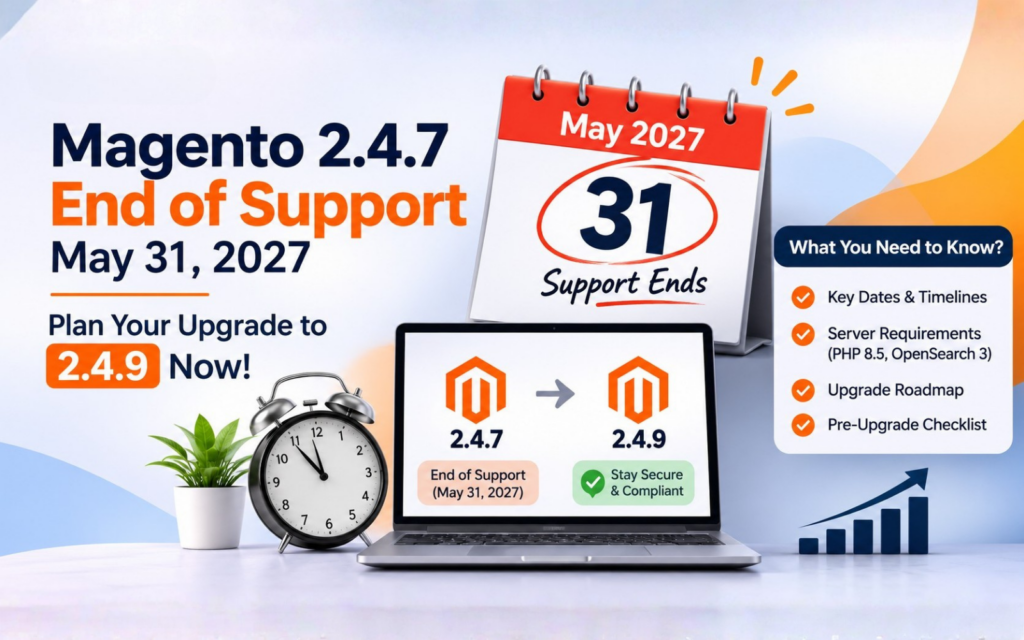
Short answer: Regular support for the Magento 2.4.7 line ends on May 31, 2027. Extended support runs to May 31, 2028, but Adobe frames it for Adobe Commerce customers. If you run Open Source, plan to be on 2.4.8 or 2.4.9 before spring 2027, and start in the first quarter.
If your store is on 2.4.7, the clock is already running. It isn’t an emergency today, but May 2027 is closer than it feels, and an upgrade that touches PHP, search and the database takes longer than a patch. This post walks through what the date really means, what the move to 2.4.9 asks of your server, and how to work backwards from the deadline so you aren’t scrambling in April.
What Magento 2.4.7 end of support actually means
Let’s start with the dates, because everything else hangs off them. Magento 2.4.7 came out on April 9, 2024. According to Adobe’s release page (last updated October 14, 2026), the 2.4.7 line gets regular support until May 31, 2027. The most recent patch release for it is 2.4.7-p10, which shipped on May 12, 2026.
“Regular support” is the period when Adobe ships fixes and security patches for that line. When it ends, new patches stop for 2.4.7. Your store won’t stop working that day. Orders will still come in and the checkout will still load. What changes is that if a new vulnerability turns up, there’s no fix coming for your version.
That matters more for a shop than for most software. You’re handling customer data, payment flows and admin logins. Running a version that no longer gets security fixes is the sort of thing a payment auditor or a cautious enterprise buyer will ask about.
For context, here are the neighbouring versions, all from the same Adobe page:
| Version | Regular support ends |
|---|---|
| 2.4.6 | Ended August 11, 2026 |
| 2.4.7 | May 31, 2027 |
| 2.4.8 | May 31, 2028 |
| 2.4.9 | May 31, 2029 |
Magento 2.4.9 was released on May 12, 2026, the same day as 2.4.8-p5. There’s also a 2.4.10-alpha1, released October 13, 2026, but Adobe says its support end date hasn’t been set yet. More on that near the end.
Regular vs extended support: who gets which
This is where people get tripped up. The 2.4.7 line has a second date: extended support ends May 31, 2028. That sounds like a comfortable extra year. Before you build a plan on it, read how Adobe words it.
On Adobe’s system requirements page, the note about extended support says it’s for Adobe Commerce customers. In other words, it’s tied to having an Adobe Commerce relationship, not to running the code. If you’re on Magento Open Source, don’t assume the 2028 date applies to you. Check with Adobe or with whoever holds your licence before you rely on it.
We covered the 2.4.6 version of this story in more detail in our Magento 2.4.6 end-of-life upgrade guide. There, regular support ended August 11, 2026, with extended support running to late August 2027 and extra security fixes to May 31, 2028. The pattern is similar for 2.4.7, but the dates are different, so don’t copy one plan onto the other.
One more point for Adobe Commerce Cloud users. Adobe’s notes mention that cloud customers need to upgrade, or move to Adobe Commerce as a Cloud Service, ahead of security deadlines in June 2028. That note sits in the 2.4.6 context, so read the current wording for your own contract before you plan around it.
What 2.4.7 stores need to change to reach 2.4.9
Here’s the part that most date-only articles skip. Moving from 2.4.7 to 2.4.9 isn’t just a version bump in Composer. The supported stack moves too, and Adobe only supports the combinations it lists. If your server runs something outside the list, you’re on your own when something breaks.
Here’s what Adobe’s system requirements page says for each version:
| Component | 2.4.7-p10 | 2.4.8-p5 | 2.4.9 |
|---|---|---|---|
| PHP | 8.3 or 8.2 | 8.4 or 8.3 | 8.5 |
| Search | OpenSearch 2 or 3 | not listed here | OpenSearch 3 |
| Database | MariaDB 10.11 or 11.8 | MariaDB 11.4 or 11.8 | MariaDB 12.3 (recommended) or 11.8 |
| Cache | Valkey 8.1 | not listed here | Valkey 9 |
Magento 2.4.9 is also tested with Composer 2.10, RabbitMQ 4.3 and nginx 1.30.
Read that table as a to-do list for your hosting team. Going from PHP 8.3 (or 8.2) to PHP 8.5 is the biggest change for most stores, because every extension and every piece of custom code has to run cleanly on it. Search needs to be on OpenSearch 3. The database has to move too: Adobe’s own example on that page says to upgrade to MariaDB 12.3 before you upgrade to 2.4.9.
That “before” is worth underlining. The order of operations matters. You often prepare the server first, confirm the current store still runs, and only then move Magento itself.
If you’d like the background on why 2.4.9 and PHP 8.5 go together, we wrote about it in our PHP 8.5 and Magento 2.4.9 readiness post.
Staying on 2.4.7 until 2028: when it makes sense and its limits
Is there ever a good reason to stay put? Sometimes, yes.
If you’re an Adobe Commerce customer, extended support to May 31, 2028 gives you a longer runway. A store that’s about to be replatformed, or a site with a heavily customised build that needs a long testing cycle, may reasonably choose to stay on 2.4.7 for a while and spend the effort elsewhere.
But there are limits, and you should be honest with yourself about them:
- It’s not the same as regular support. Extended support isn’t the same thing as regular support, and Adobe’s wording is narrower. Read the terms before you count on it.
- It depends on your licence. As covered above, Adobe frames it for Adobe Commerce customers. Open Source stores shouldn’t count on it.
- Your stack ages around you. PHP 8.2 and 8.3 won’t stay current forever. Hosts, security scanners and extension vendors move on, and you’ll feel that before 2028.
- Extensions get harder to find. As vendors target newer versions, older ones get less attention.
The short version: extended support buys time, and it doesn’t make the upgrade go away. It just moves the same work to a later date, often with less room to manage it.
Upgrade timing: why not to leave it to spring 2027
If you’ve decided to move, the next question is when. The tempting answer is “closer to the deadline, when we know more.” The better answer is “early enough that a surprise doesn’t hurt.”
Work backwards from May 31, 2027. Here’s a sensible shape, using months rather than promises:
- Now to January: audit. List every extension, the theme, and all custom code. Check each against PHP 8.5 and the Magento version you’re targeting.
- January to February: prepare the server stack on staging: PHP, OpenSearch, MariaDB, cache, queue. Get a copy of the store running on it.
- February to March: run the Magento upgrade on staging. Fix what breaks. Test checkout, payments, shipping rules, emails, admin workflows and integrations.
- March to April: final regression pass, content freeze, go-live window, rollback plan.
- May: breathing room. This is your buffer, not your plan.
We haven’t included any hour or cost figures because they vary too much between stores to quote honestly. A simple store with a handful of well-maintained extensions is a very different job from a store with years of custom modules. What we can say is that the audit step tells you which of those you are, and it’s the cheapest step to do early.
There’s a second reason not to wait: your own calendar. Most stores have a busy season. If your peak runs through the holidays, you won’t want to change the platform underneath it. Planning the upgrade for the quiet months after the new year keeps it away from your highest-revenue weeks.
A simple pre-upgrade checklist
Before anyone touches production, get through this list. Most of it is spreadsheet work, not coding.
Extensions
- List every third-party and in-house extension, with its current version.
- Ask each vendor whether they support the Magento version and PHP version you’re targeting.
- Mark anything abandoned. Those need a replacement or a rewrite.
- Look for extensions that overlap with core features that are now built in. Removing one can shrink the upgrade.
Theme
- Note whether you’re on Luma, a custom theme, or something else.
- Check which theme overrides exist. Each override is a place where core changes can cause a clash.
Custom code
- Identify modules written for your store and who owns them.
- Run a PHP compatibility scan against the target PHP version.
- Look for direct database queries and anything that depends on specific table structures.
Infrastructure
- Confirm your host can offer the exact PHP, OpenSearch, MariaDB and cache versions from Adobe’s list.
- Check backup and restore procedures. Test a restore, don’t just assume it works.
- Set up a staging environment that matches production as closely as possible.
Business side
- Pick a go-live window away from campaigns and sales.
- Agree who signs off on testing: usually someone from sales or operations, not just the developer.
- Decide what “done” means before you start.
If you’d rather not own the audit alone, our Magento 2 update service covers this kind of work, and our Magento support and maintenance plans keep a store current once it’s there.
2.4.10 alpha: why you shouldn’t target it yet
You might have noticed that 2.4.10-alpha1 came out on October 13, 2026, and wondered whether to skip ahead. We’d say no.
An alpha is an early preview. Adobe’s page says its support end date hasn’t been set yet, which tells you plenty about where it sits in the lifecycle. You can’t plan a business around a version with no support date. Extension vendors haven’t caught up either, and nobody can promise you a stable path through it.
Your realistic targets are 2.4.8 and 2.4.9. Of the two, 2.4.9 gives you the longest runway, with regular support to May 31, 2029. For more on what’s in it, our Magento 2.4.9 release overview covers the changes.
2.4.8 is a fair choice if your extensions aren’t ready for PHP 8.5. It’s supported on PHP 8.4 or 8.3, and its regular support runs to May 31, 2028. Just keep in mind that you’d be taking on another upgrade sooner.
How WebbyTroops handles the upgrade
We start with the audit, because it tells us what kind of project this is. From there we build the target stack on staging, run the upgrade there, and fix issues in extensions, themes and custom code before anything near production moves. We agree a go-live window with you, with a rollback plan written down in advance.
If your store has outgrown its current setup altogether, that’s a different conversation. But for most stores on 2.4.7, a planned move to 2.4.9 is the cleanest answer.
FAQ
When does Magento 2.4.7 support end?
Regular support for the 2.4.7 line ends on May 31, 2027. Extended support runs until May 31, 2028, but Adobe describes extended support as being for Adobe Commerce customers.
What happens to my store after May 31, 2027?
It keeps running. What stops is new security patches and fixes for 2.4.7 under regular support. If a vulnerability is found afterwards, you won’t get a standard patch for your version.
Can I upgrade straight from 2.4.7 to 2.4.9?
Many stores do, but the server stack has to move first. Adobe lists PHP 8.5, OpenSearch 3 and MariaDB 12.3 (recommended) or 11.8 for 2.4.9, so your hosting must support those before the upgrade starts.
Should I wait for 2.4.10?
No. 2.4.10-alpha1 is an early preview released on October 13, 2026, and Adobe hasn’t set a support end date for it. Target 2.4.8 or 2.4.9 for now.
How much will the upgrade cost?
It depends on your extensions, theme and custom code, so we won’t quote a number here. An audit is the quickest way to get an honest estimate for your own store.
Conclusion
May 31, 2027 isn’t far off, and the 2.4.7 to 2.4.9 jump involves your whole server stack, not just Magento. Audit early, build the new stack on staging, and aim to be live well before the date. If you’d like a second pair of eyes on your timeline, talk to WebbyTroops. We’re happy to look at your store and tell you what the move would involve.