


All Features & Screenshots
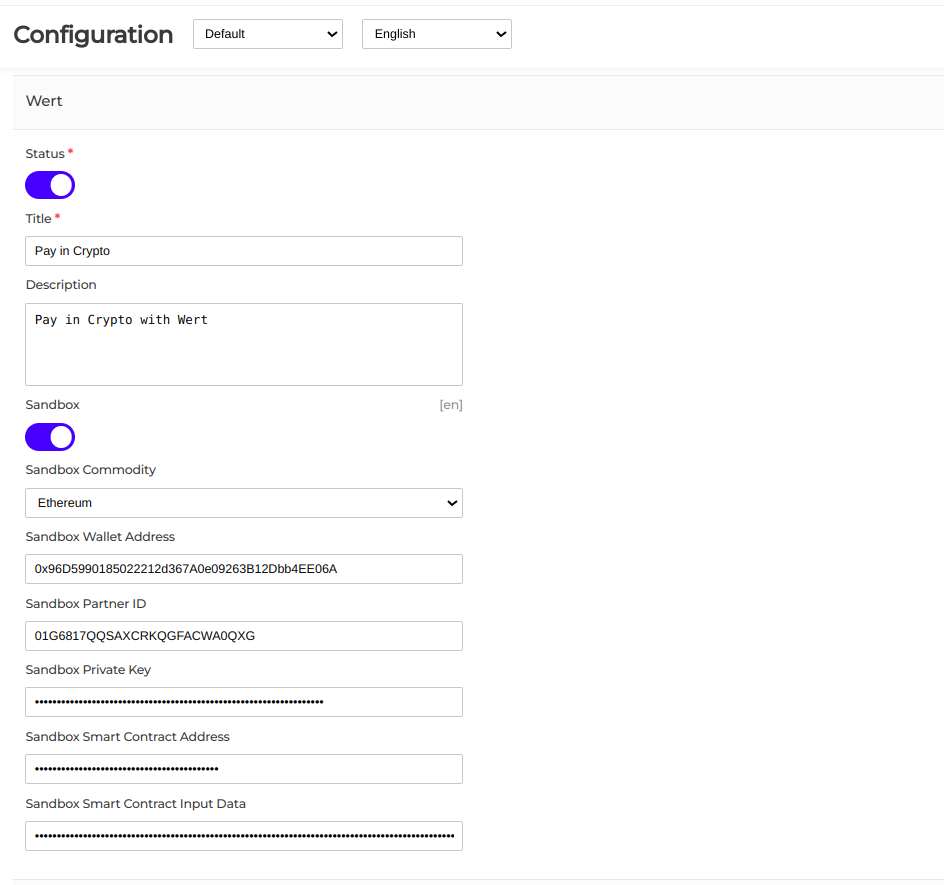
Enable option easily with store configuration.
To use the Wert payment method, locate the Wert module in the list of payment methods and enable it by toggling it on, then save the changes. You must have a Wert partner account to obtain the partner ID and private key. Additionally, configure the payment by selecting the cryptocurrency to accept, providing the wallet address for receiving payments, and adding the smart contract address along with any required input data.
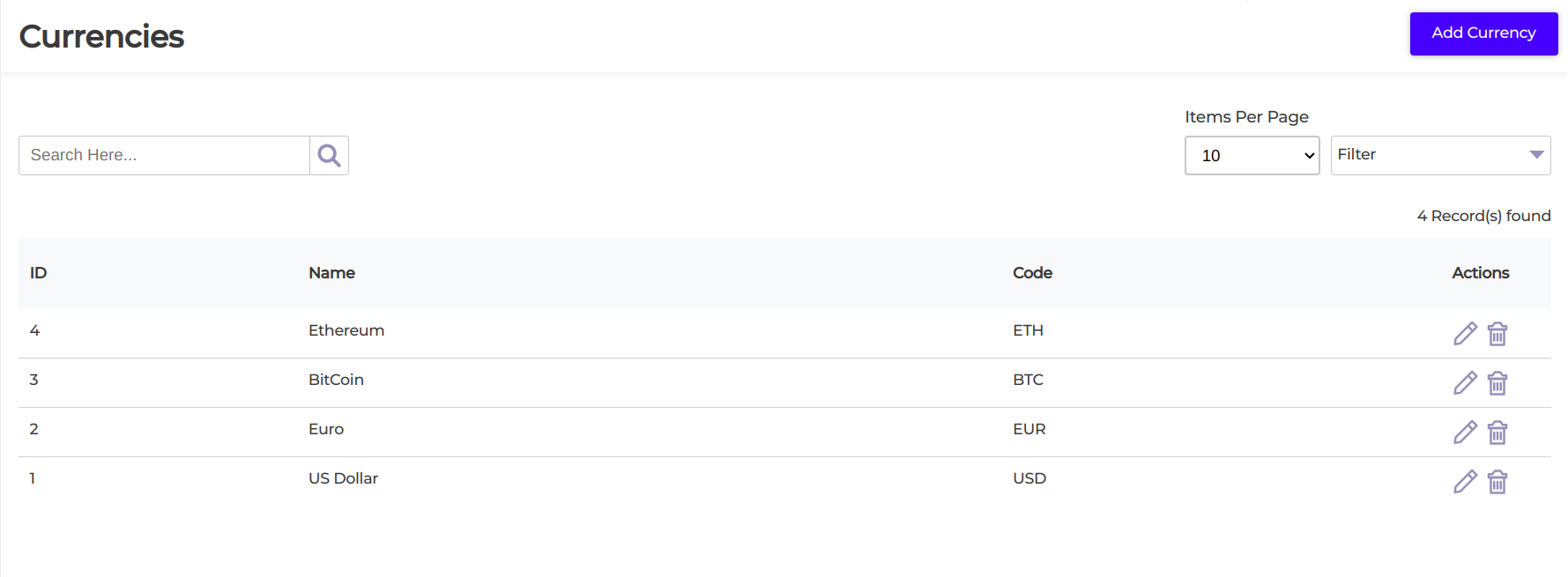
Add Currencies
To display prices in cryptocurrencies such as BTC or ETH, you need to add these currencies in the backend. Navigate to Settings > Wert Crypto Payment > Currencies and add the new currency. This allows your store to show prices in the selected cryptocurrencies.
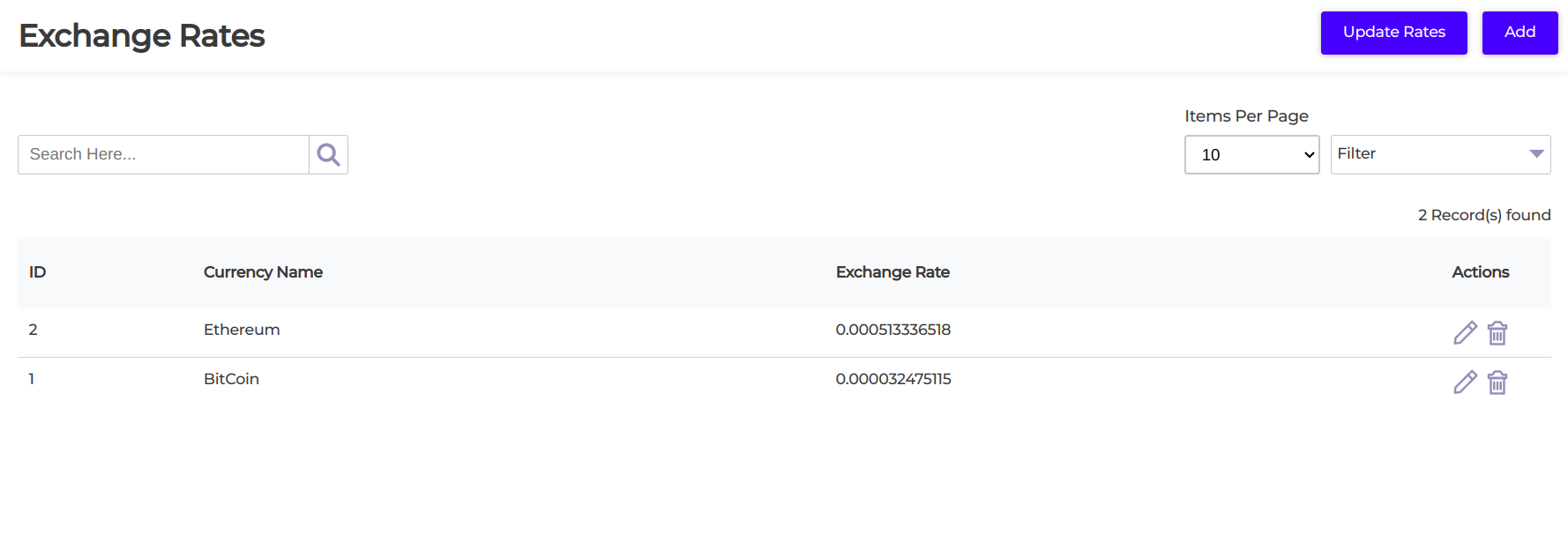
Exchnage Rates
After adding currencies, you can fetch the latest rates by going to Settings > Exchange Rates and clicking Update Rates. A scheduled job also runs every 15 minutes to automatically update crypto and non-crypto currency rates.
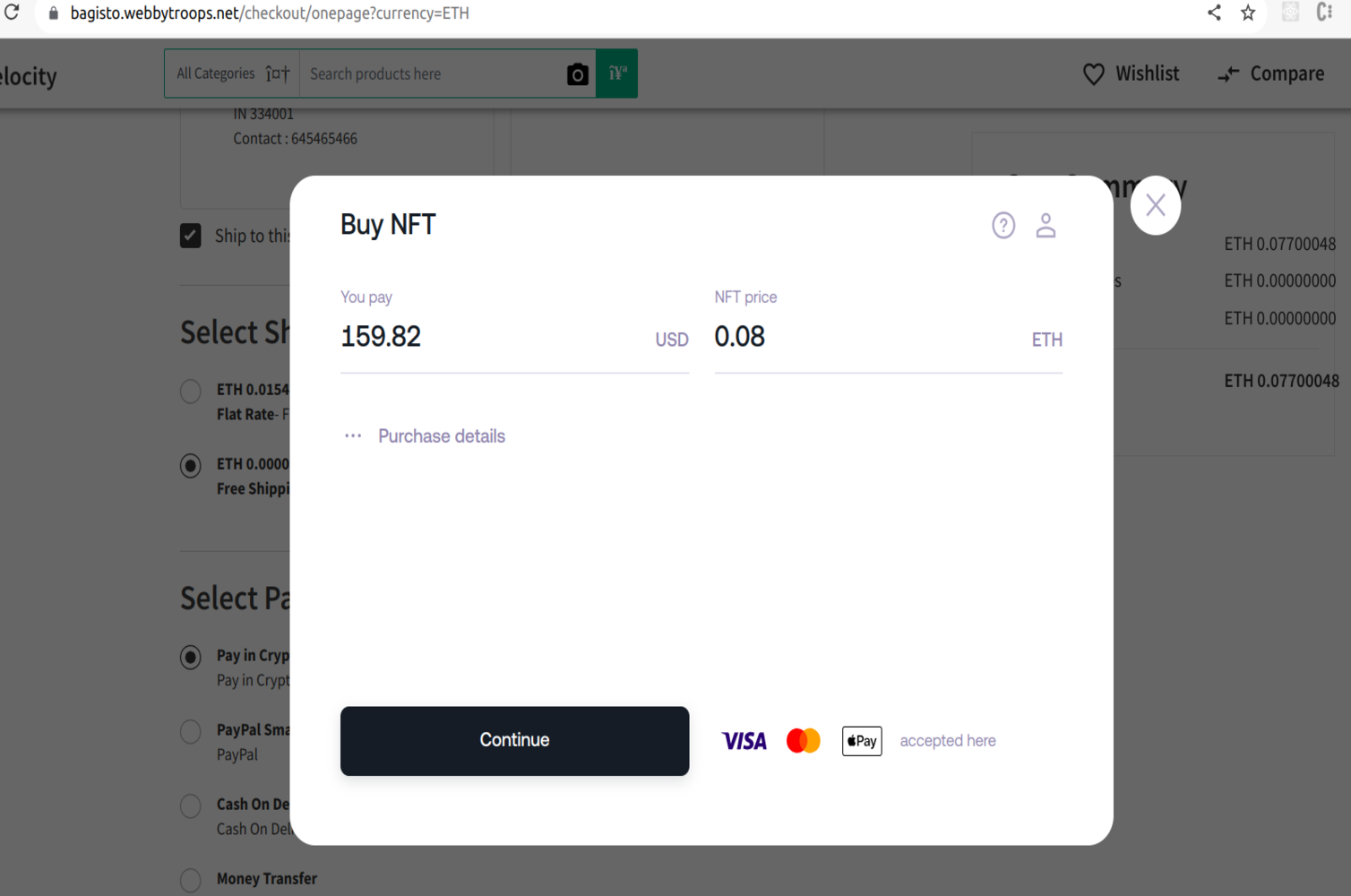
Show wert popup and place order
The Wert payment popup during checkout allows customers to complete their payment and successfully place the order.
Description
The Wert Crypto Payment module empowers merchants to seamlessly accept payments in various cryptocurrencies, offering customers a modern and flexible checkout experience. In addition to processing crypto transactions, the module enables merchants to display product prices directly in digital currencies, making it easy for customers to view and understand costs without manual conversion. Leveraging real-time cryptocurrency exchange rates, the system ensures that prices and conversions are always accurate and up to date. This not only reduces the risk of price fluctuations but also builds trust and transparency between merchants and customers. By integrating this module, businesses can expand their payment options, tap into the growing community of crypto users, and stay ahead in the evolving digital economy with a secure, efficient, and customer-friendly payment solution.