


Feature Highlights
All Features & Screenshots
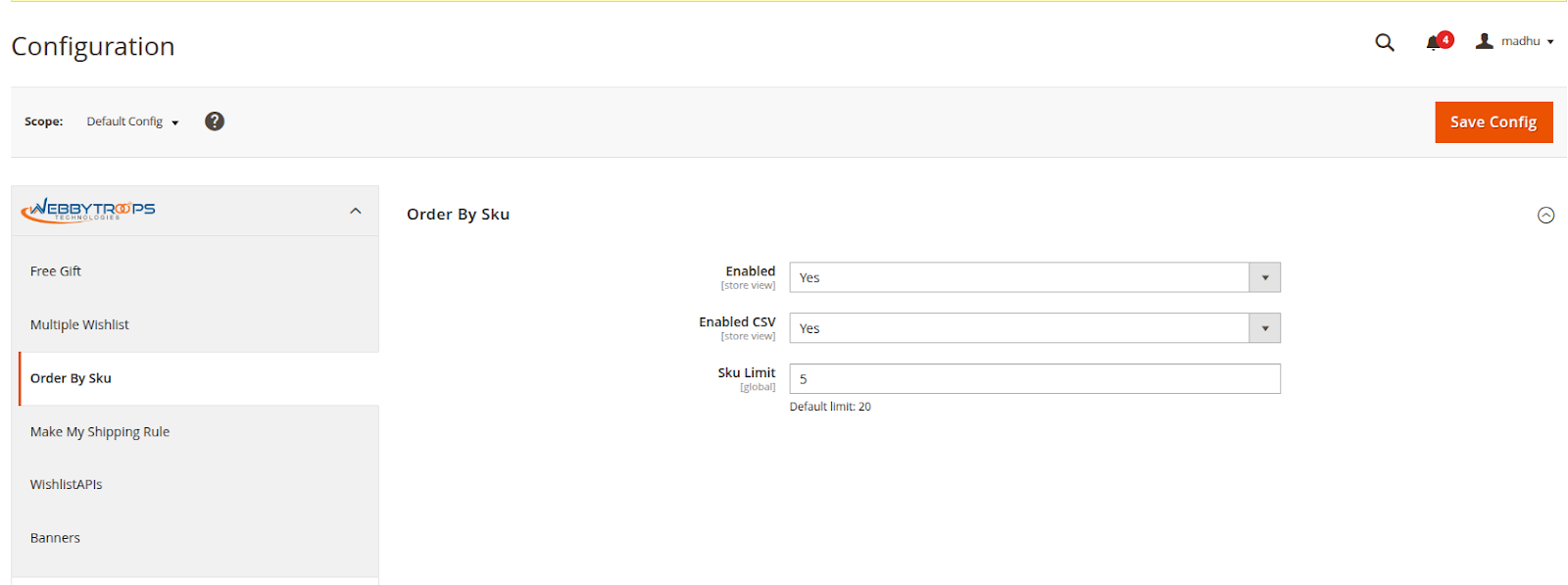
Enable option easily with store configuration.
To activate the module, you need to navigate to Stores > Configuration > WebbyTroops > Order By SKU > General and switch the Enable option to Yes, which turns the module on for your store.
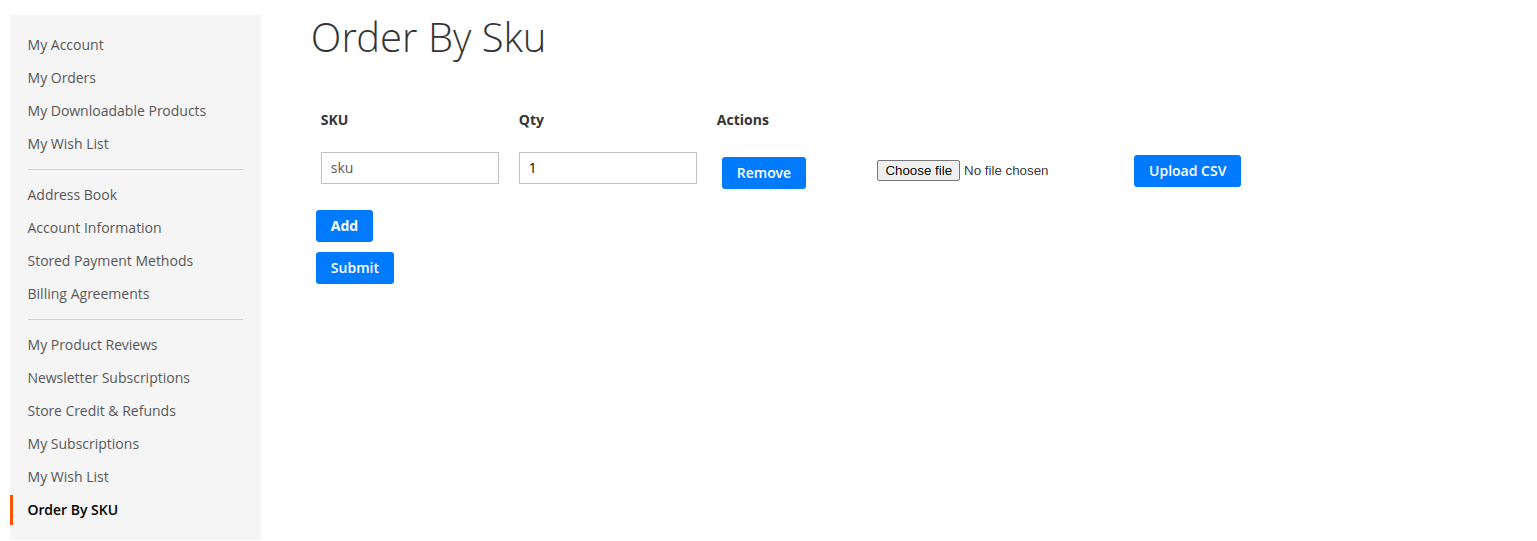
Customer account page
The Order by SKU tab is available in the sidebar of the Customer Account page. Clicking it opens an interface with dynamic SKU entry rows and a CSV upload option, allowing customers to quickly add multiple products to the cart.
Order by SKU page
The Add Bulk Products feature allows customers to quickly add multiple products to their cart in a single action. Instead of adding items one by one, users can enter multiple SKUs and quantities using dynamic rows or upload a CSV file containing product details.
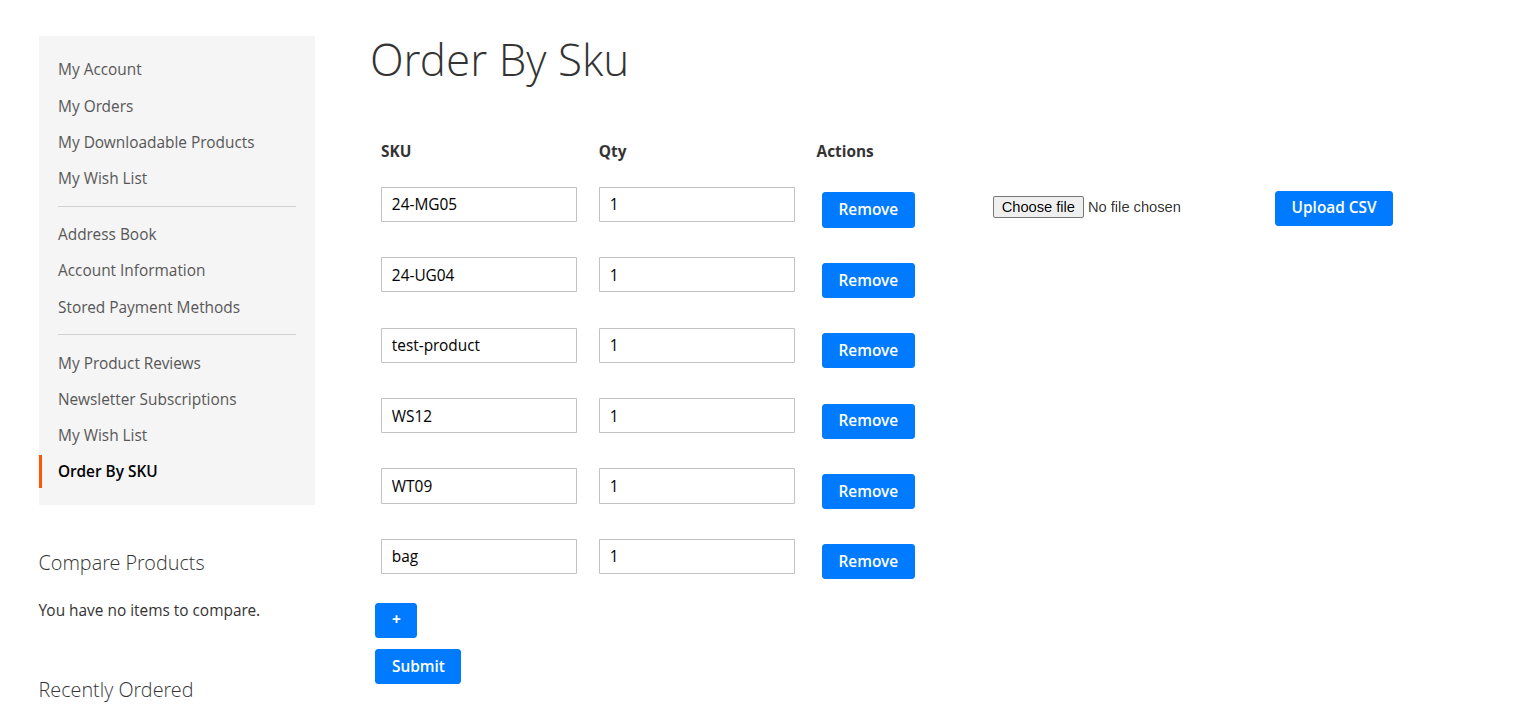
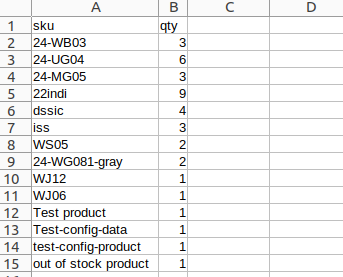
Upload via CSV
The Upload via CSV feature lets customers add bulk products by uploading a CSV file with SKU and Qty columns. Valid products are added to the cart, while invalid or unavailable items are listed separately for review and correction.
Show on frontend
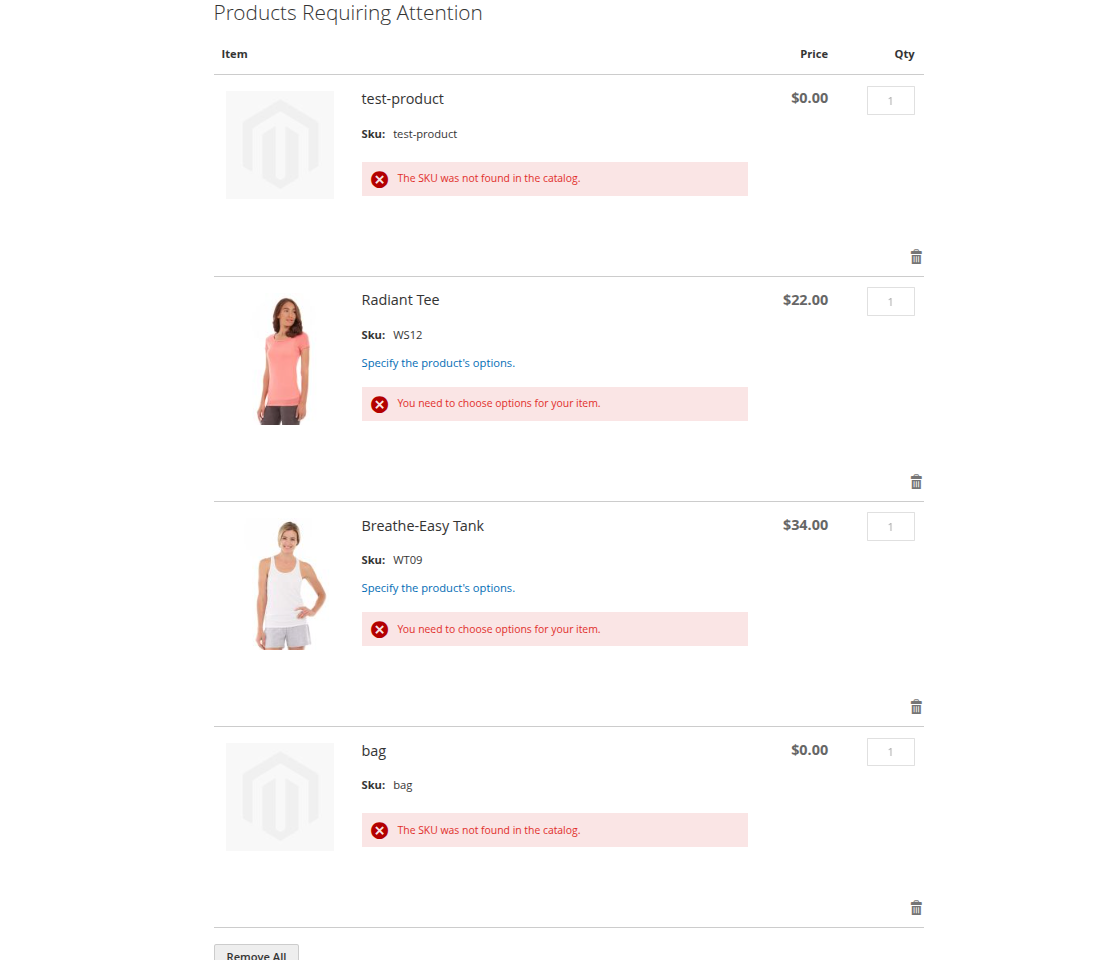
Once products are added to the cart, any failed products are displayed in a separate section below the cart items. This section provides flexibility to manage products that could not be added successfully.
From the Failed Products section, you can:
-
Update products that require additional options or corrections and add them to the cart.
-
Remove individual products from the failed list.
- Remove all failed products at once for quick cleanup
Description
Order By SKU is a powerful module that enables customers to add multiple products to the cart in bulk. It enhances the standard add-to-cart functionality by allowing users to enter SKUs and quantities directly or upload a CSV file containing this information. The module validates product availability during the upload process. Available products are automatically added to the cart, while unavailable or invalid items are listed in a Failed Products section. Users can easily review, update, or remove failed products as needed, ensuring a smooth and efficient bulk ordering experience.
Benefits:
- Bulk ordering through SKU entry or CSV upload significantly reduces the time required to place large orders.
- Perfect for distributors, wholesalers, and repeat buyers who frequently order products in large quantities.
- Automatic SKU validation minimizes mistakes caused by incorrect product selection.
- Clear separation of successful and failed products helps users quickly identify and fix issues.
- Failed products can be edited, retried, or removed without affecting successfully added items.
- By adding all required products at once, customers can move to checkout more quickly.
- Less manual effort, more control, and clear feedback result in a smoother shopping journey.
Support & Discussion:
We are continuously working on enhancing and updating this module and will have updates in the future. For support or questions, please contact us at any time: [email protected].