


Feature Highlights
All Features & Screenshots
Enable option easily with store configuration.
The purpose of this module is to create Multiple Wishlist for each customer. Customers can create Multiple Wishlist as per requirements and add product into particular wishlist. Also
customers can move products into another wishlist . Customers can Update wishlist name and also set type of wishlist it can be Public, Private and Specific . In public wishlist type they can share wishlist to anyone. Private wishlists can’t share and specific wishlists share only with multiple email addresses.
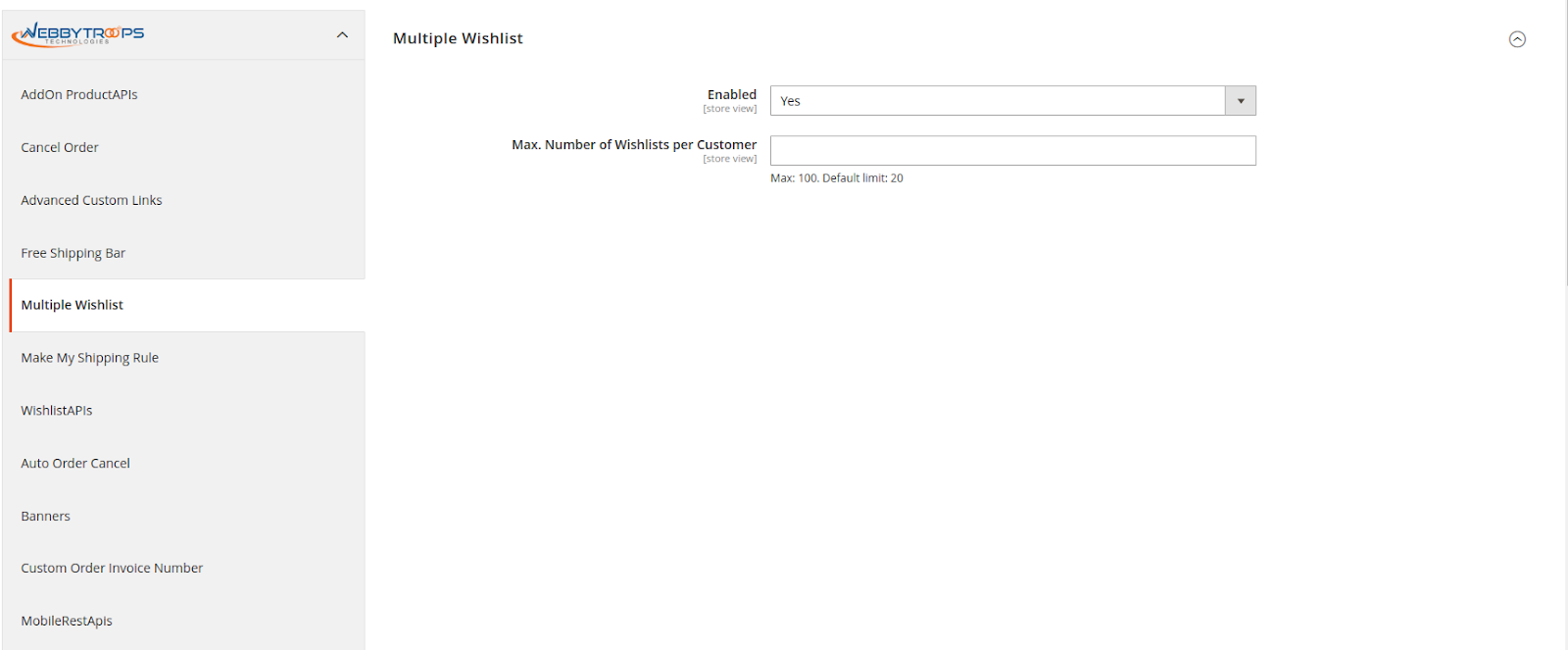
How to enable extension?
Once you get the license key (refer to installation guide) you need to navigate to the Multiple Wishlist section under Stores > Configuration > WebbyTroops.
Create Multiple Wishlist
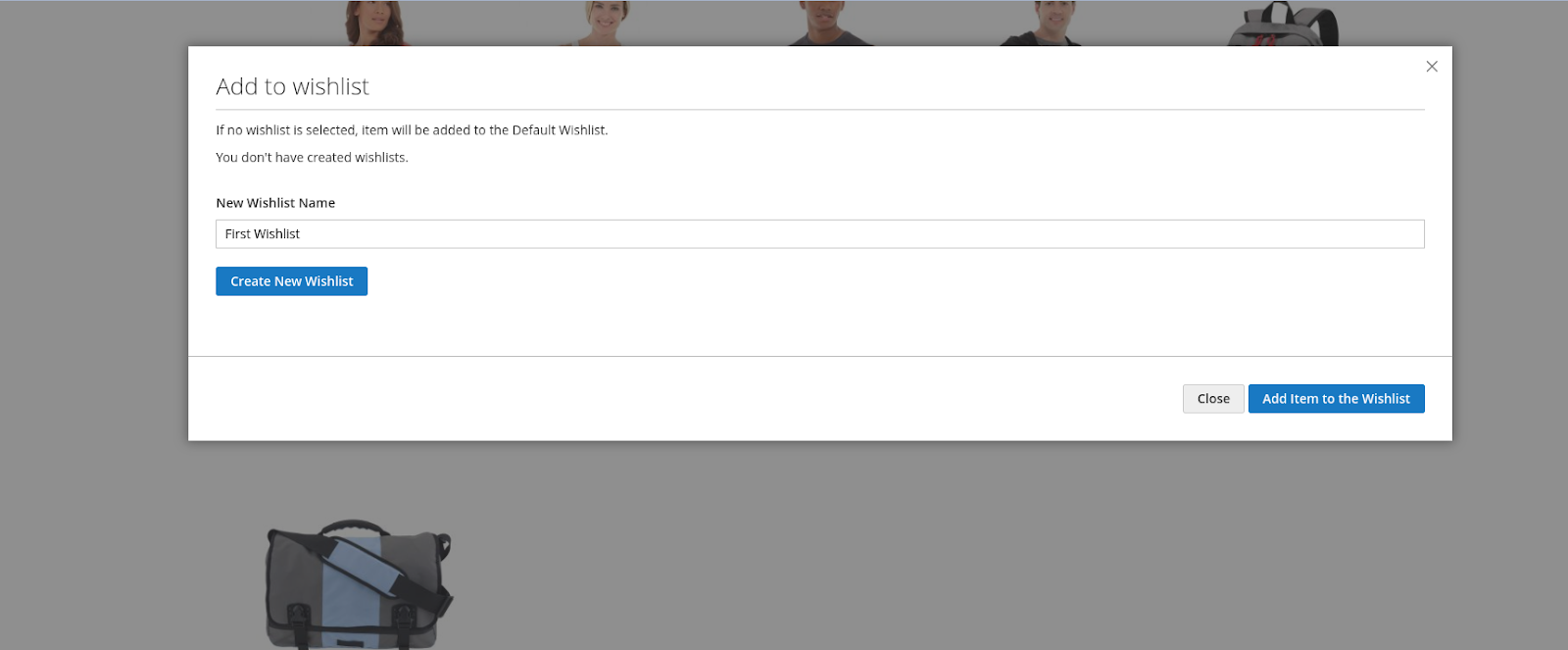
When a customer clicks the wishlists icon, a popup opens where they can create a new wishlist if none exists, or select an existing wishlist to add the product. Customers can also create wishlists and add products from the PDP.
Add Item into Multiple Wishlist
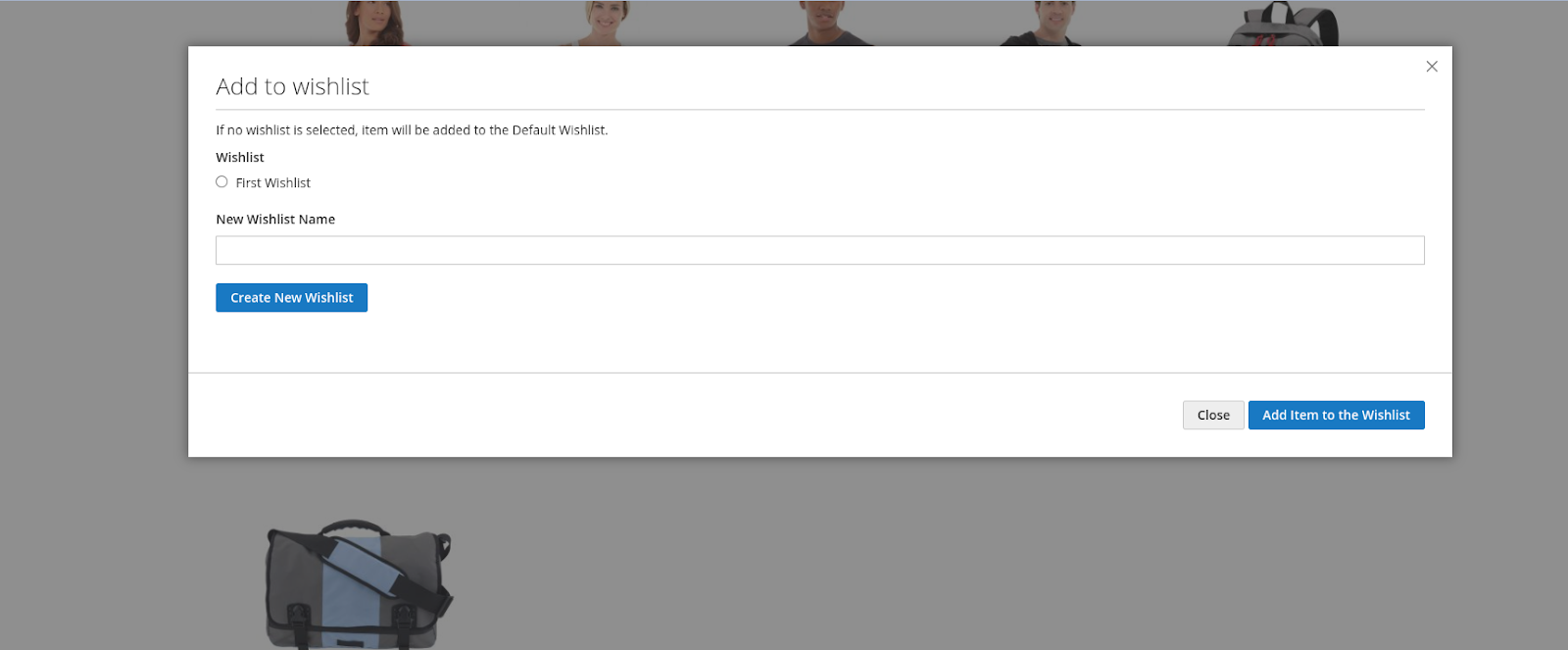
Add Product into wishlist if you have a wishlist it will popup and you can add product into your selected wishlist. Also you can create a new wishlist and add products into that wishlist.
Move Item Cart to Wishlist
Customer can only move cart product to selected wishlist
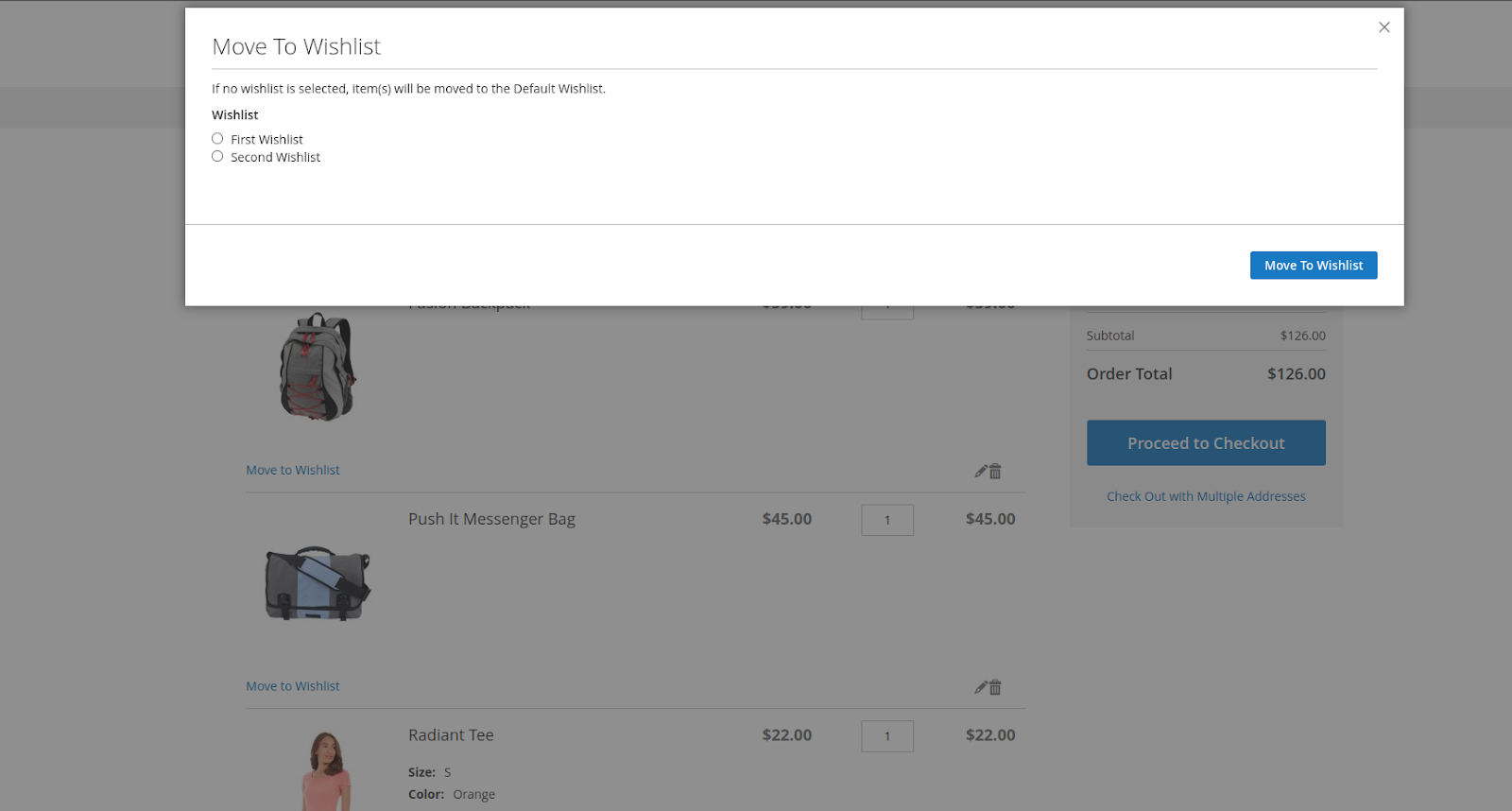
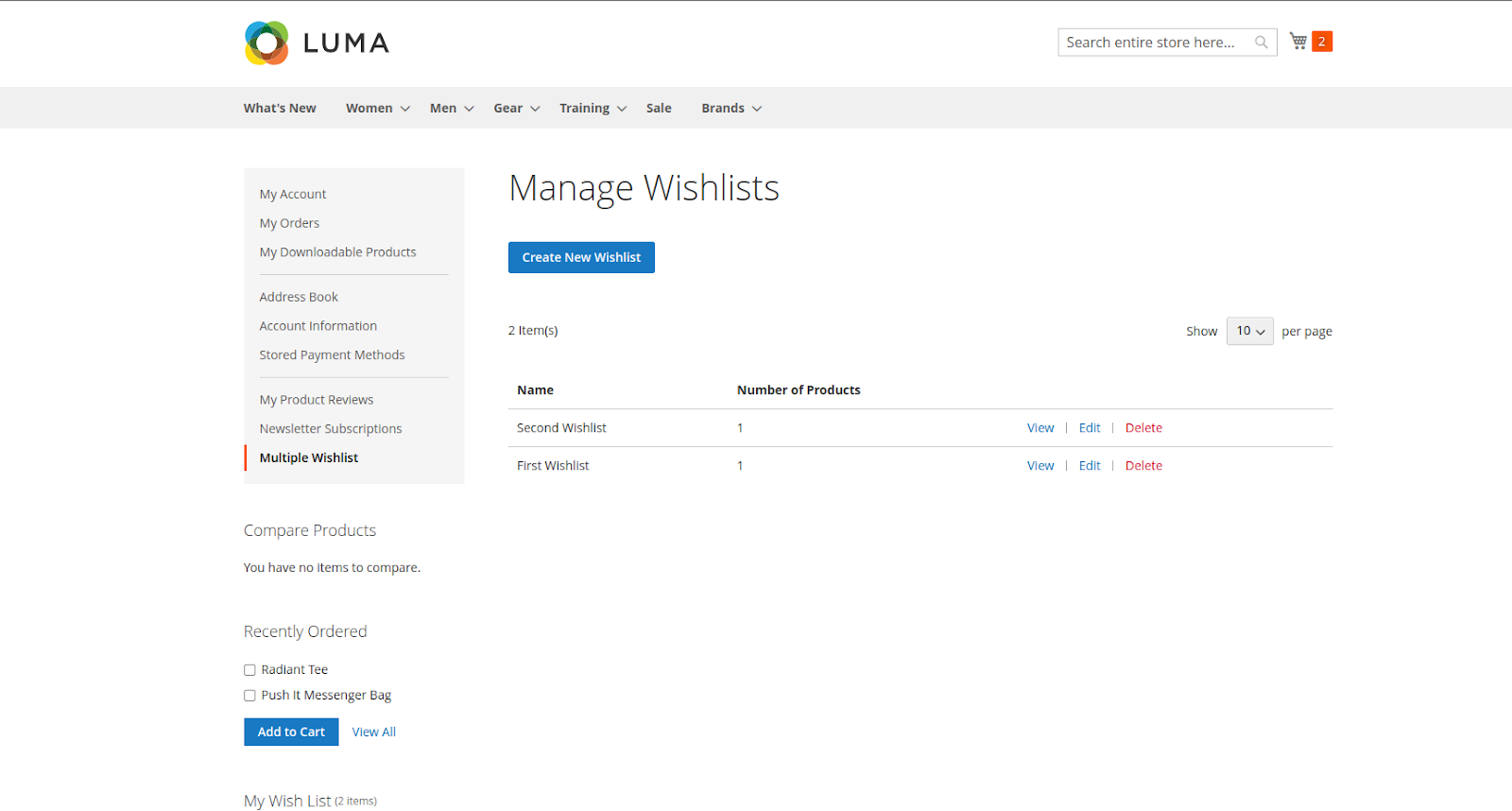
Manage Multiple Wishlist
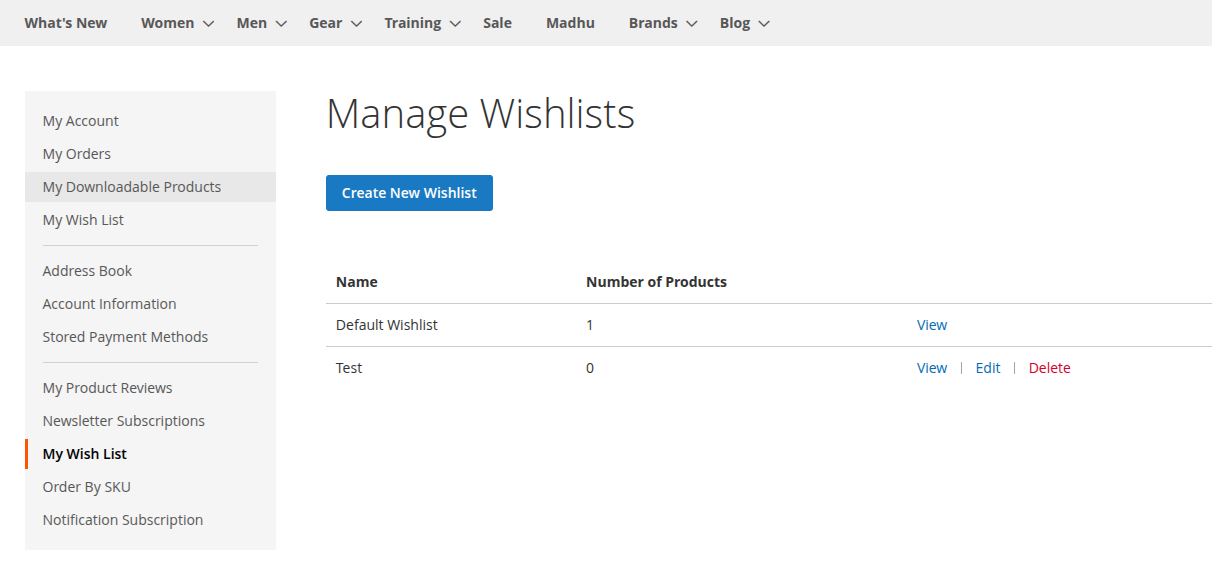
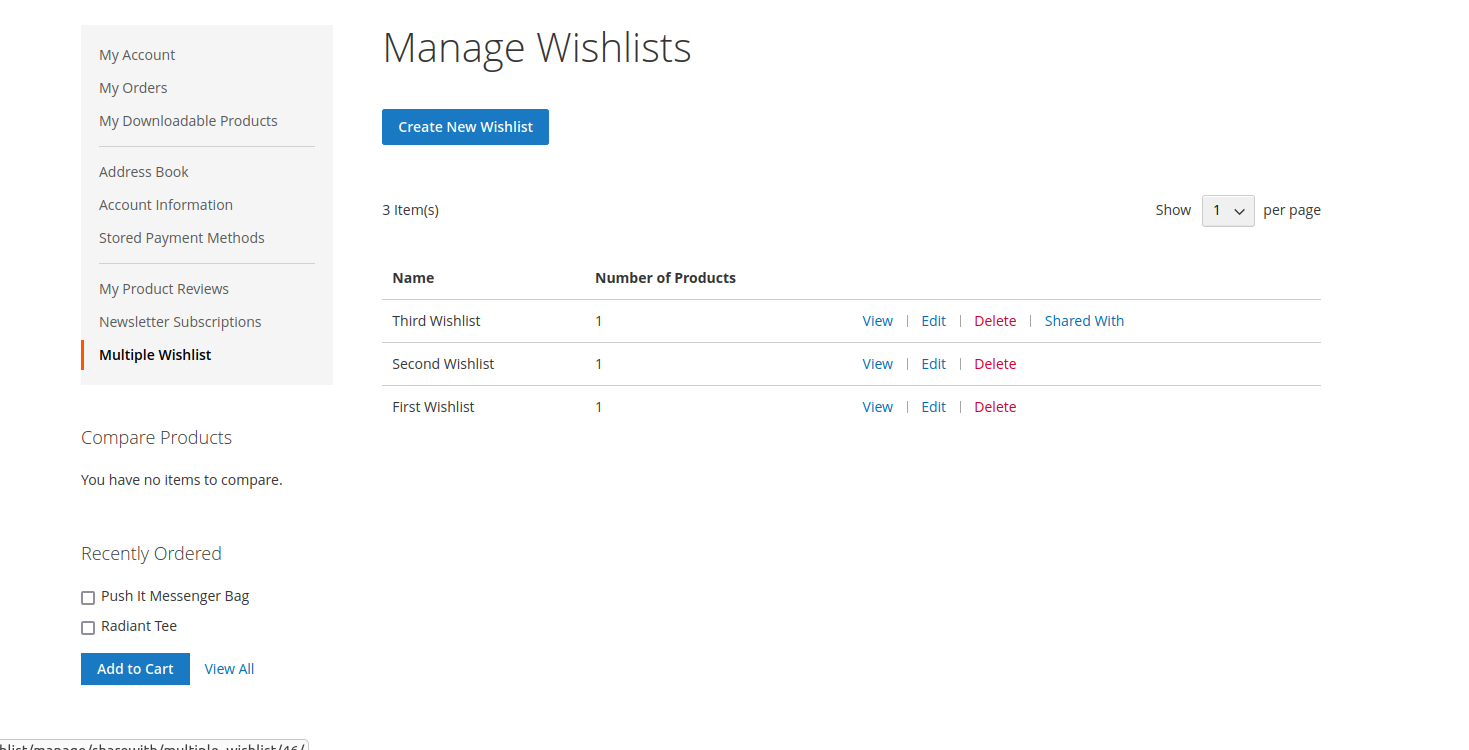
All the wishlists you have created are displayed on the Customer Account page. From the Multiple Wishlist tab, you can open the Manage Wishlist page to view, create, edit, and delete your wishlists as per your requirements.
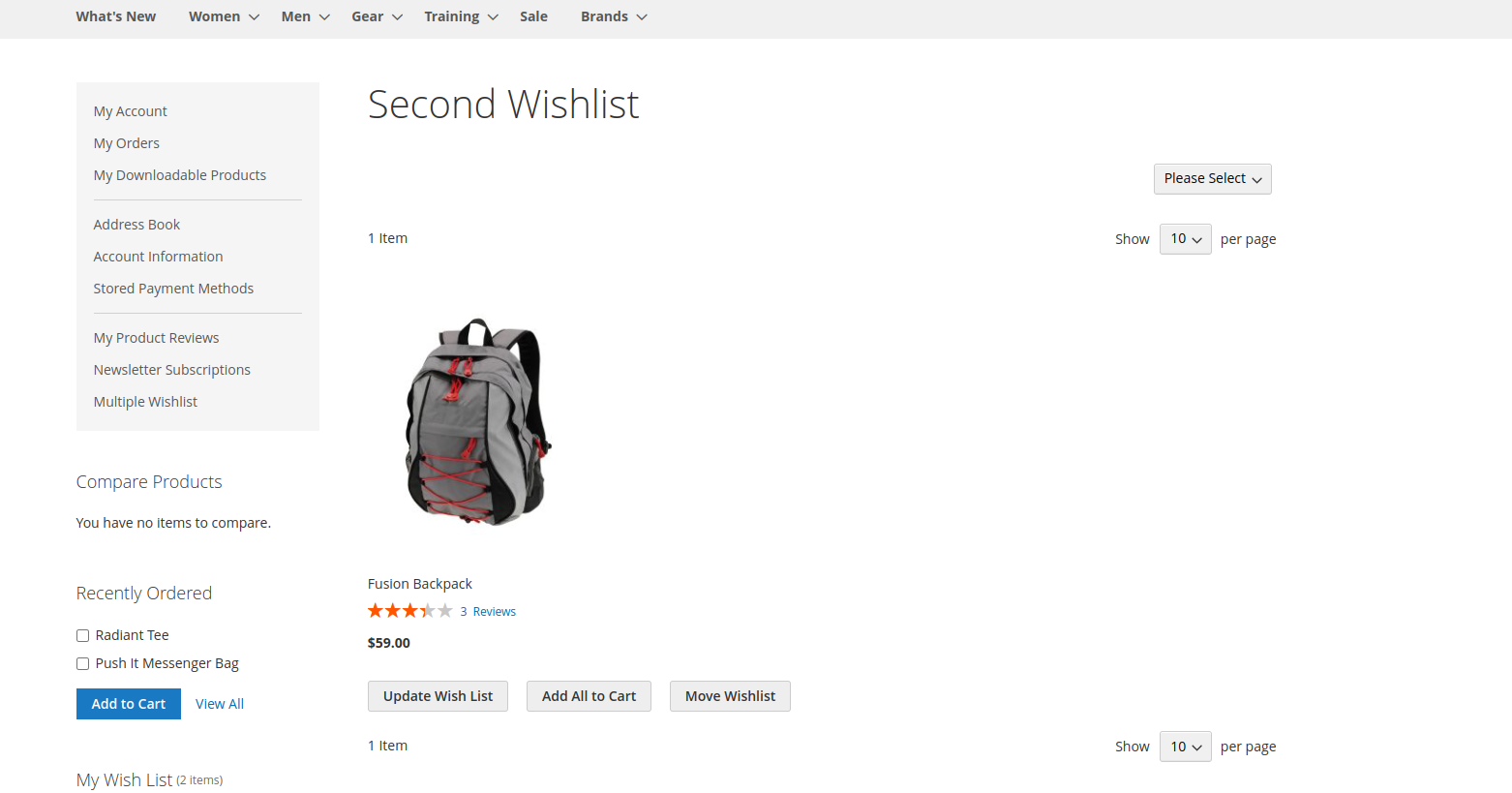
View your wishlist
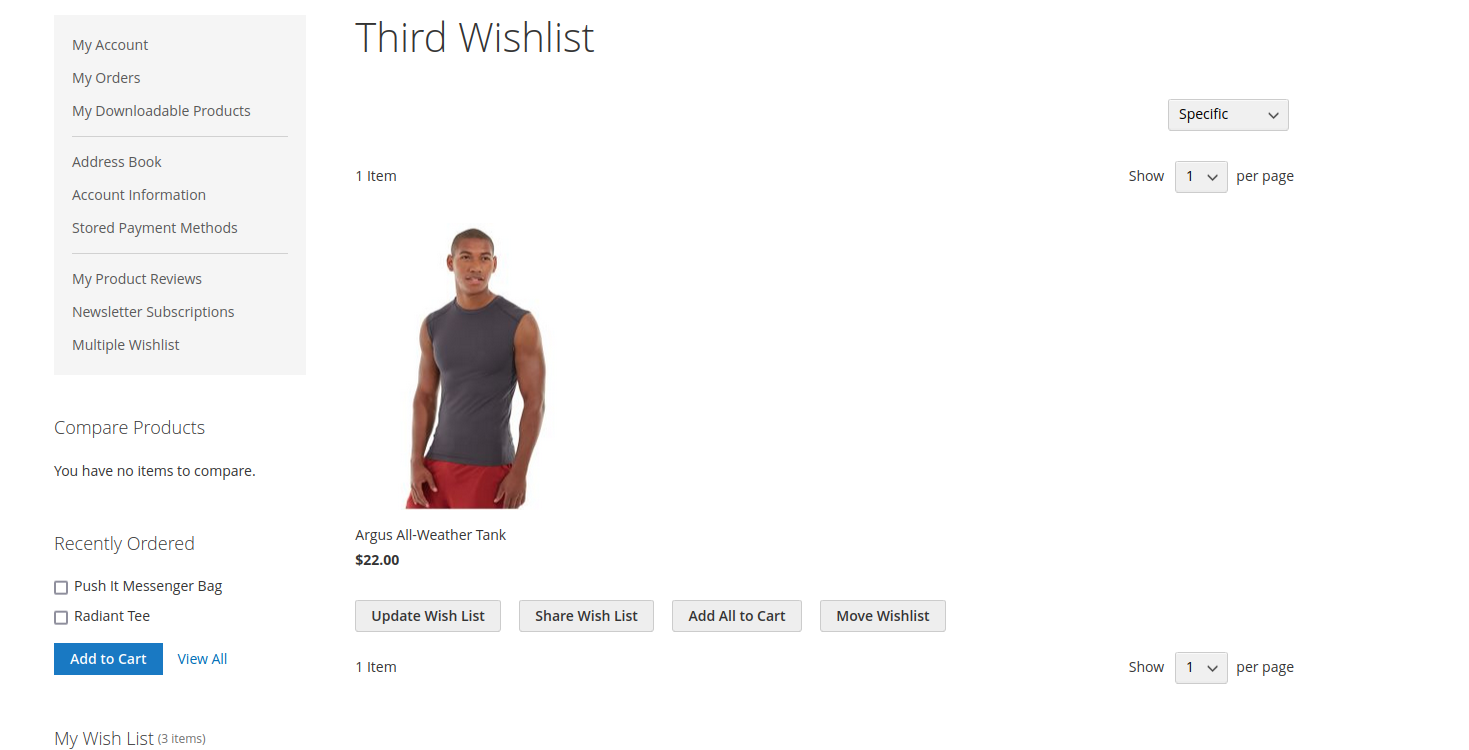
You can view your specific wishlist where you can see your wishlist wishlist items.
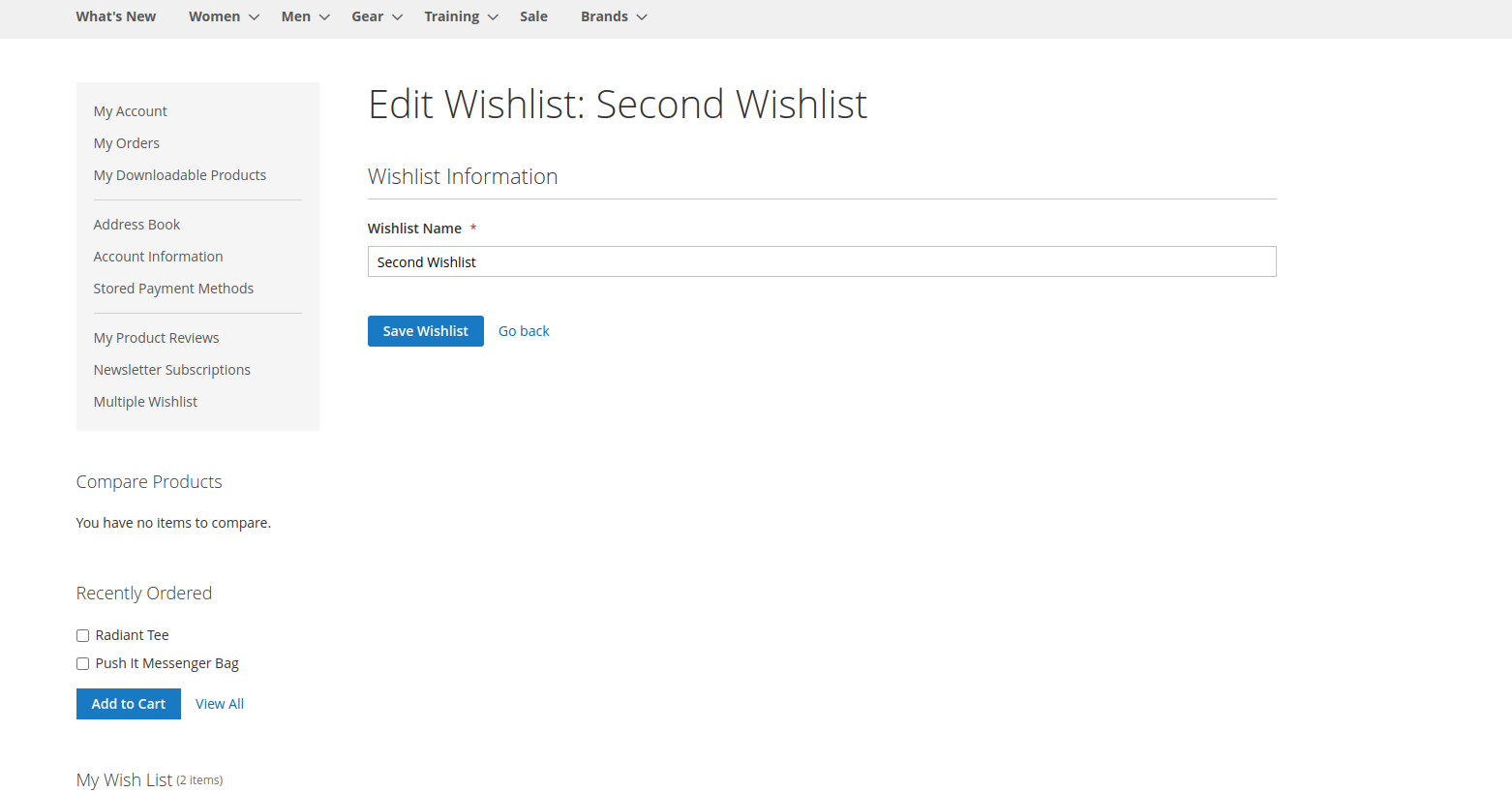
Edit your wishlist
You can edit your wishlist name here.
Delete your wishlist
Also you can delete your wishlist. By clicking on the Delete link.
Move Item One wishlist to another wishlist
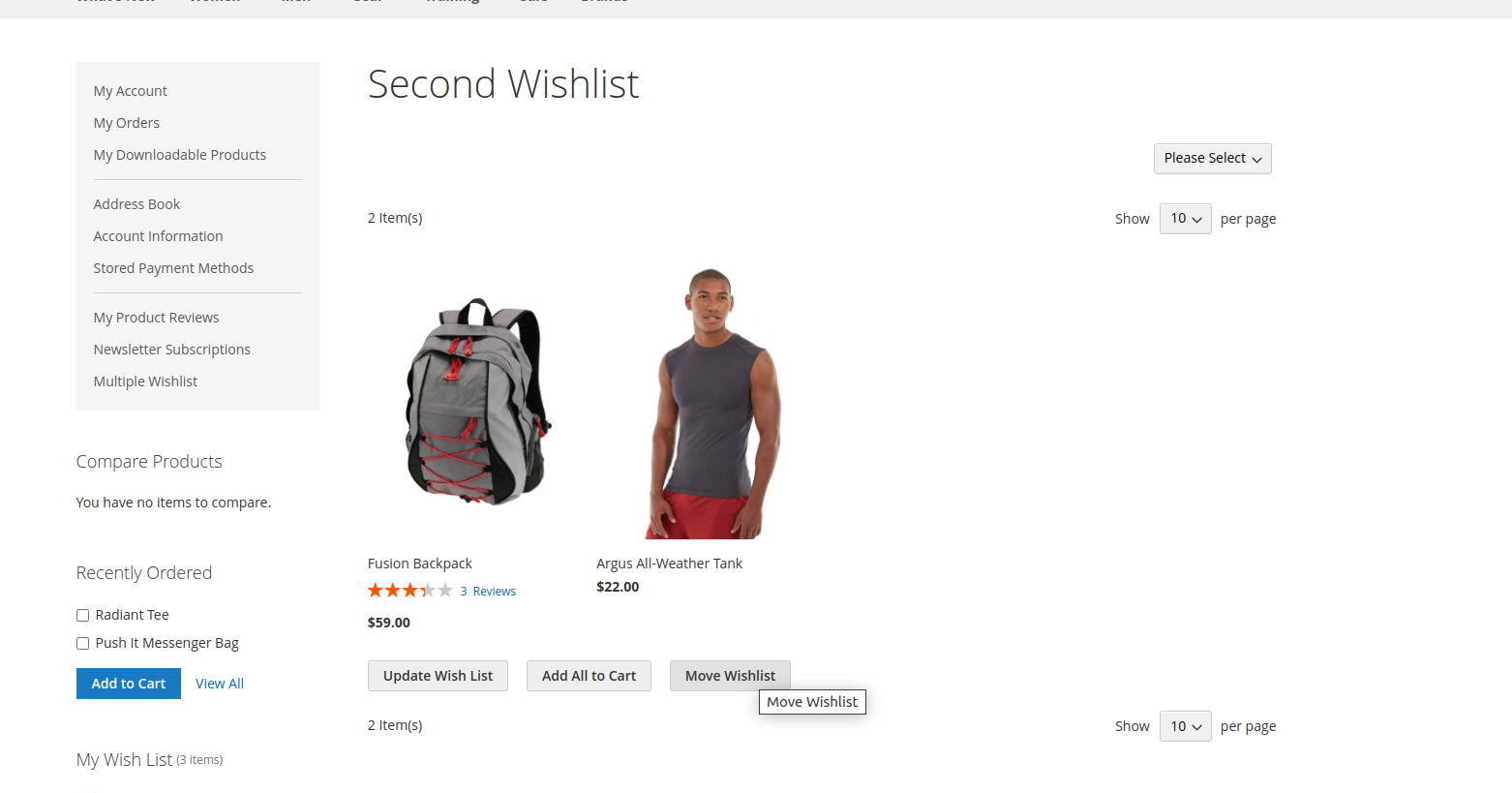
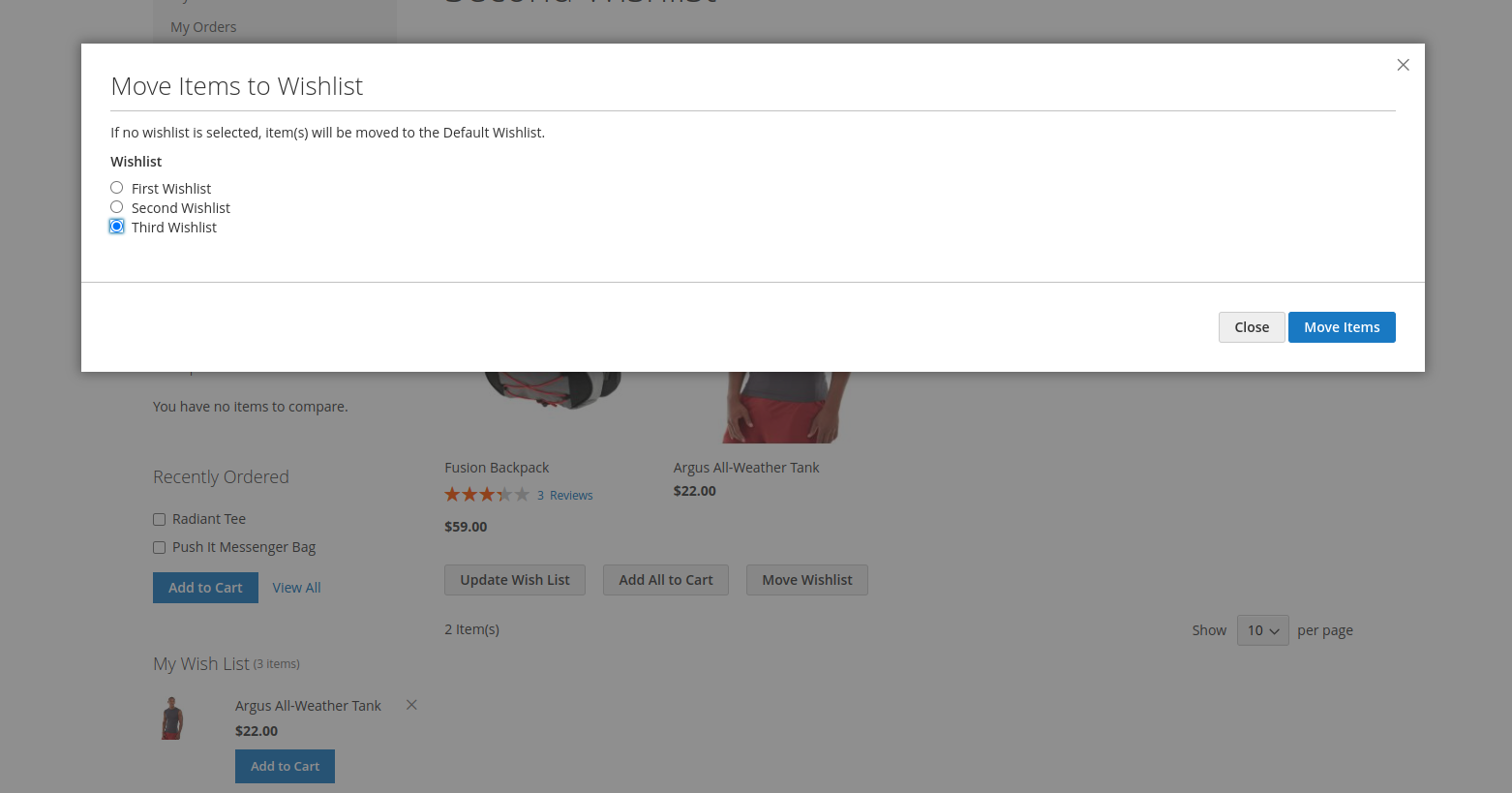
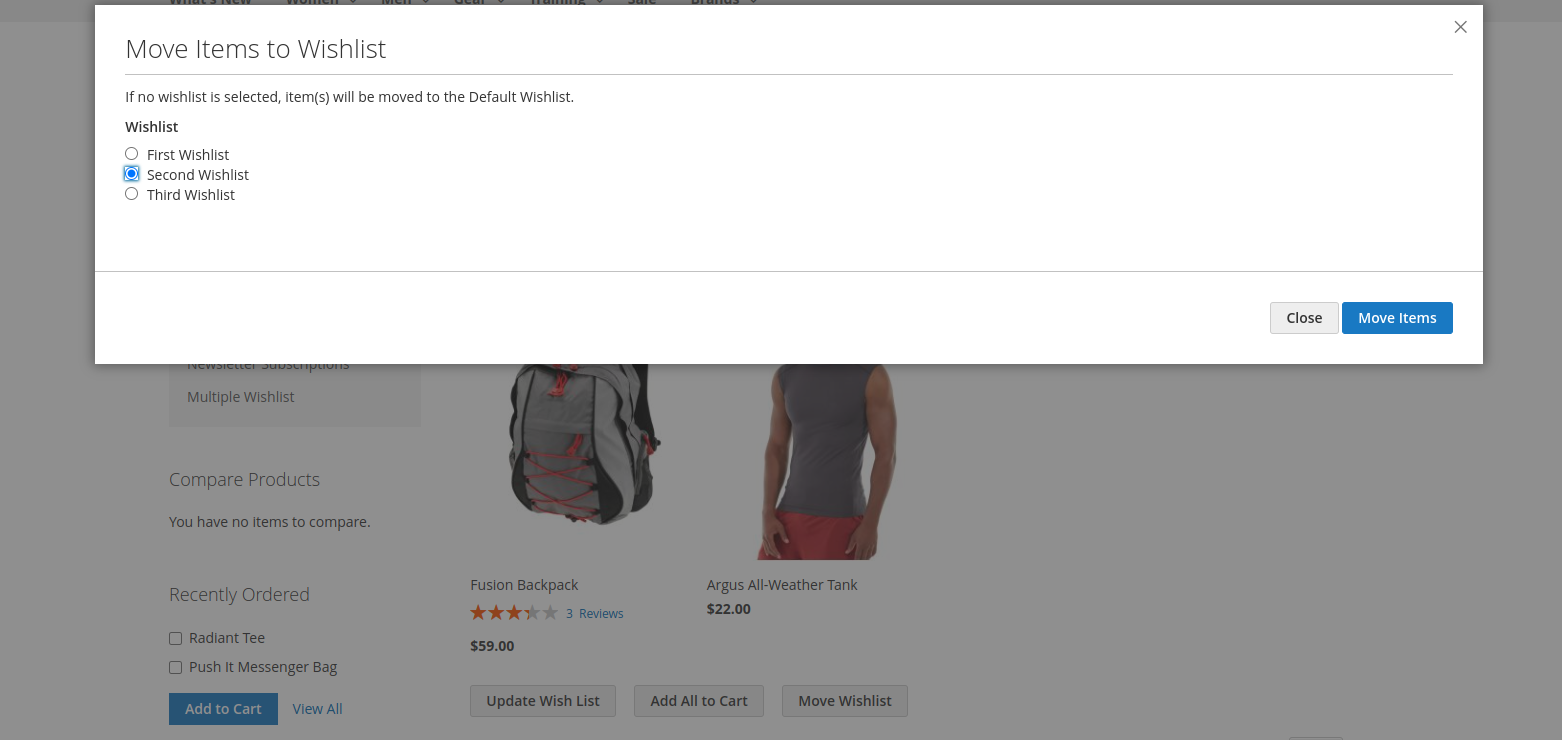
On the view page, you can move items from one wishlist to another. When you click the Move Wishlist button, a popup opens where you can move all items to another wishlist.
Move one wishlist to another wishlist
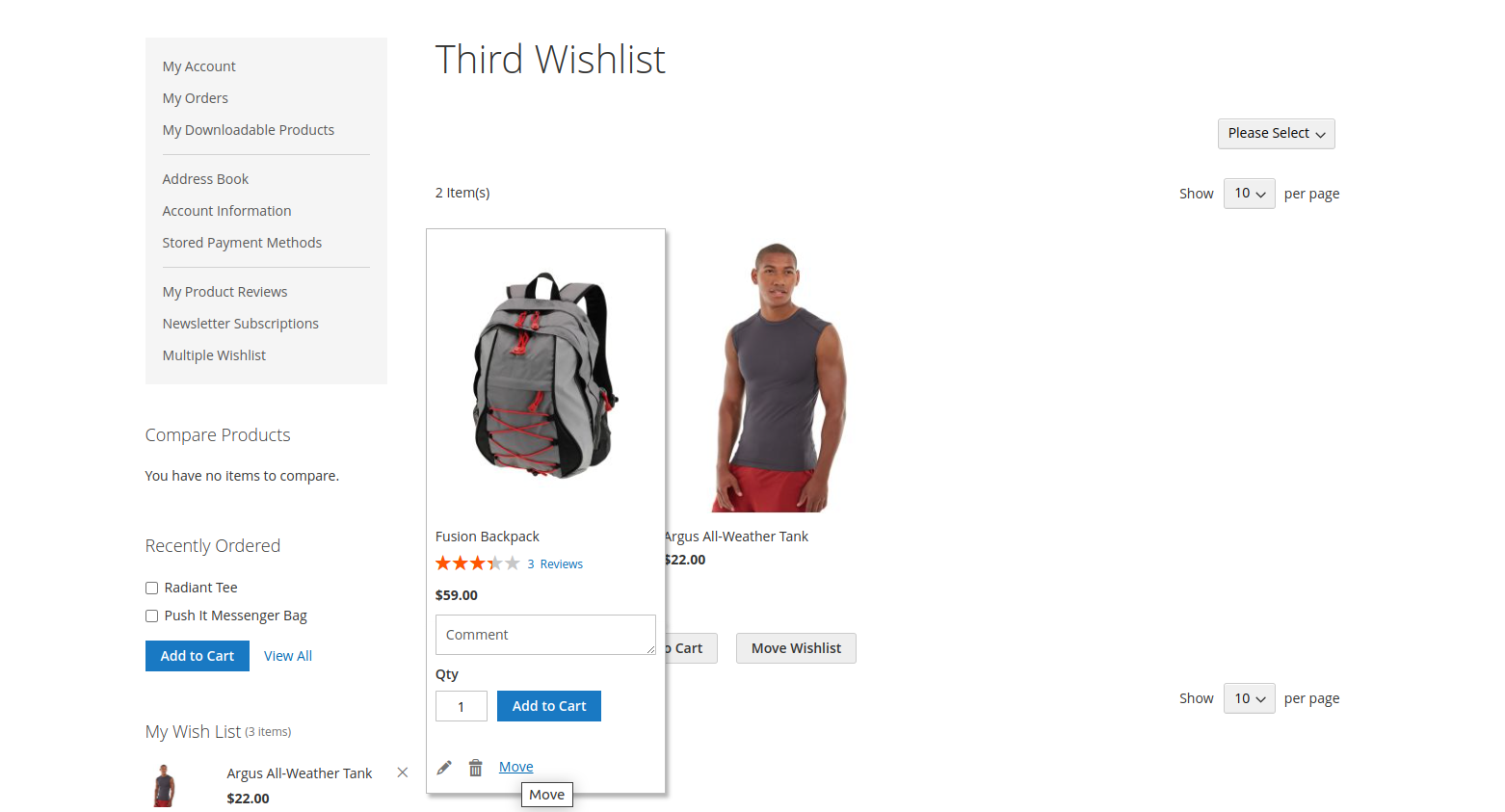
You can also move a specific item to another wishlist. When you hover over a wishlist product and click the Move link, a popup opens where you can select a wishlist and move the item to it.
Manage Type of wishlist
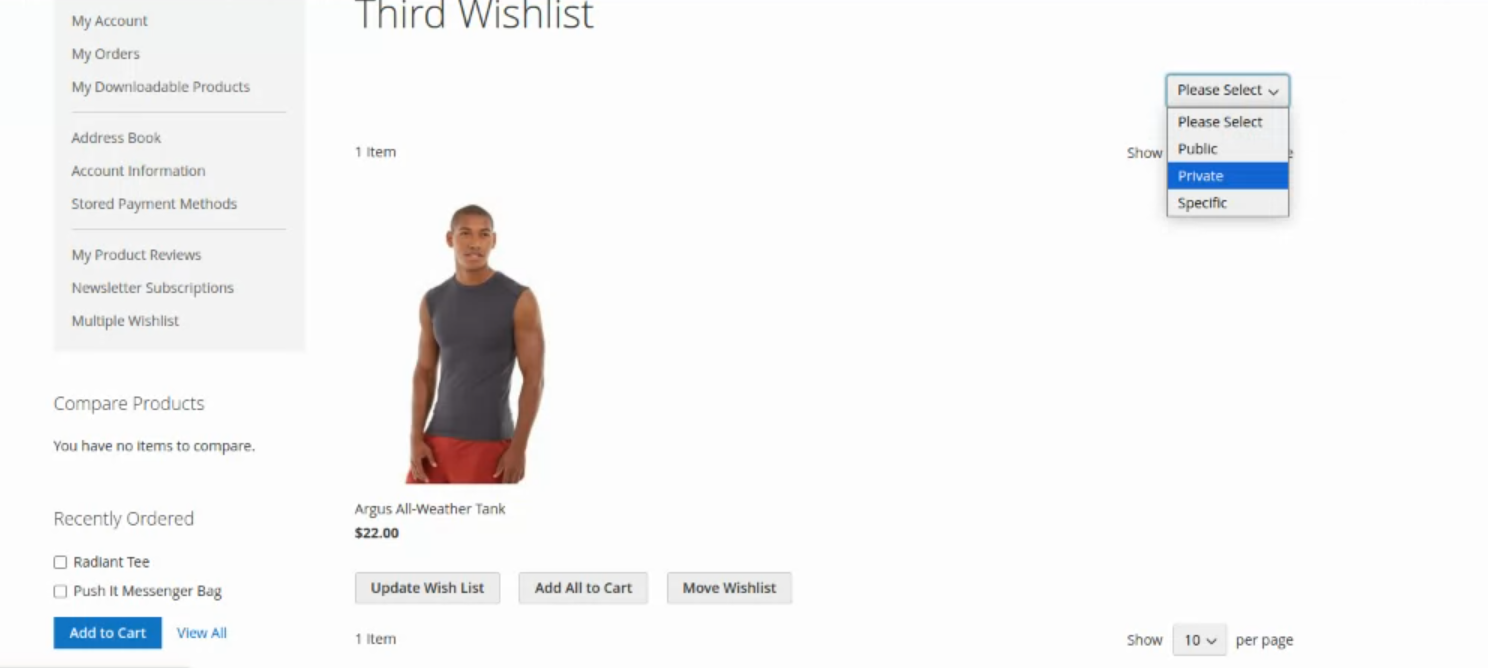
Customers also can set Wishlist type Public, Private and Specific type.
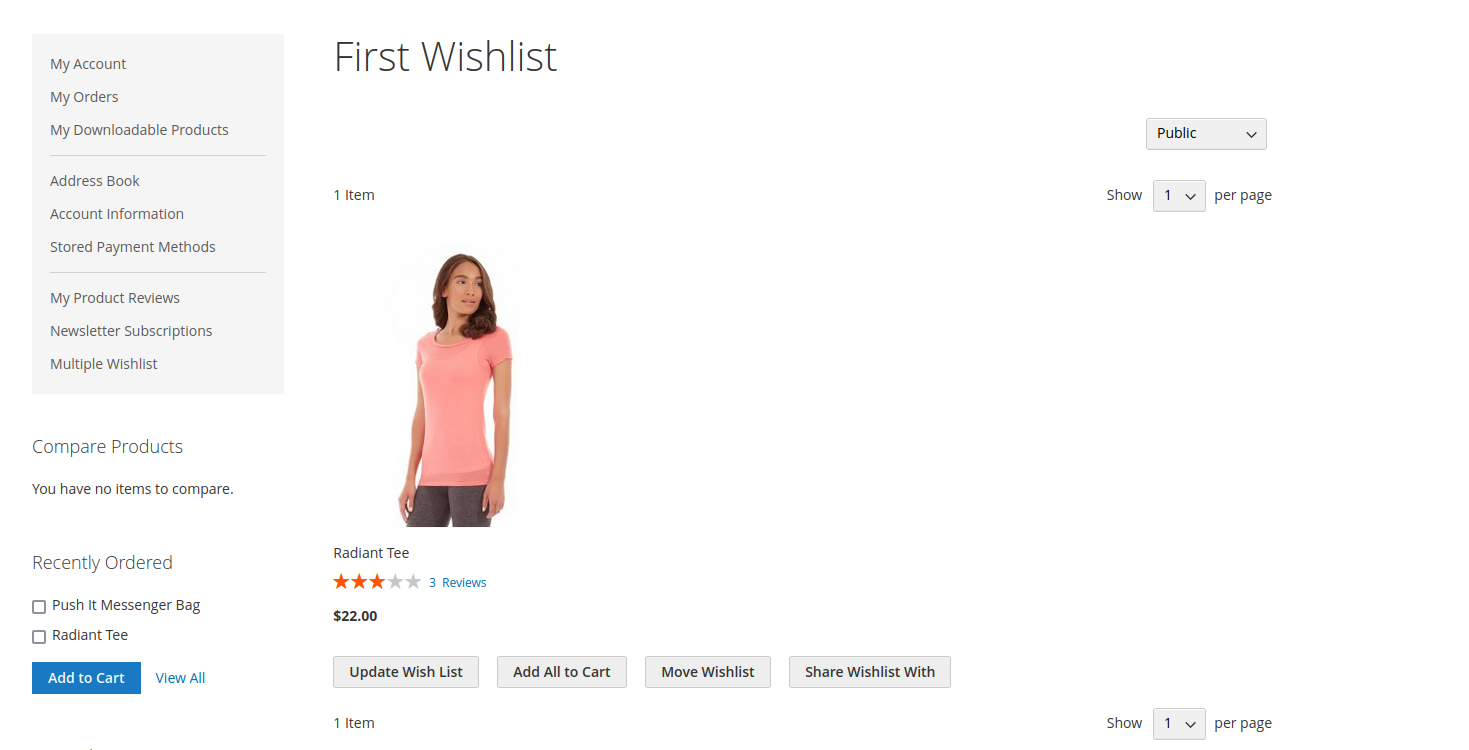
Public
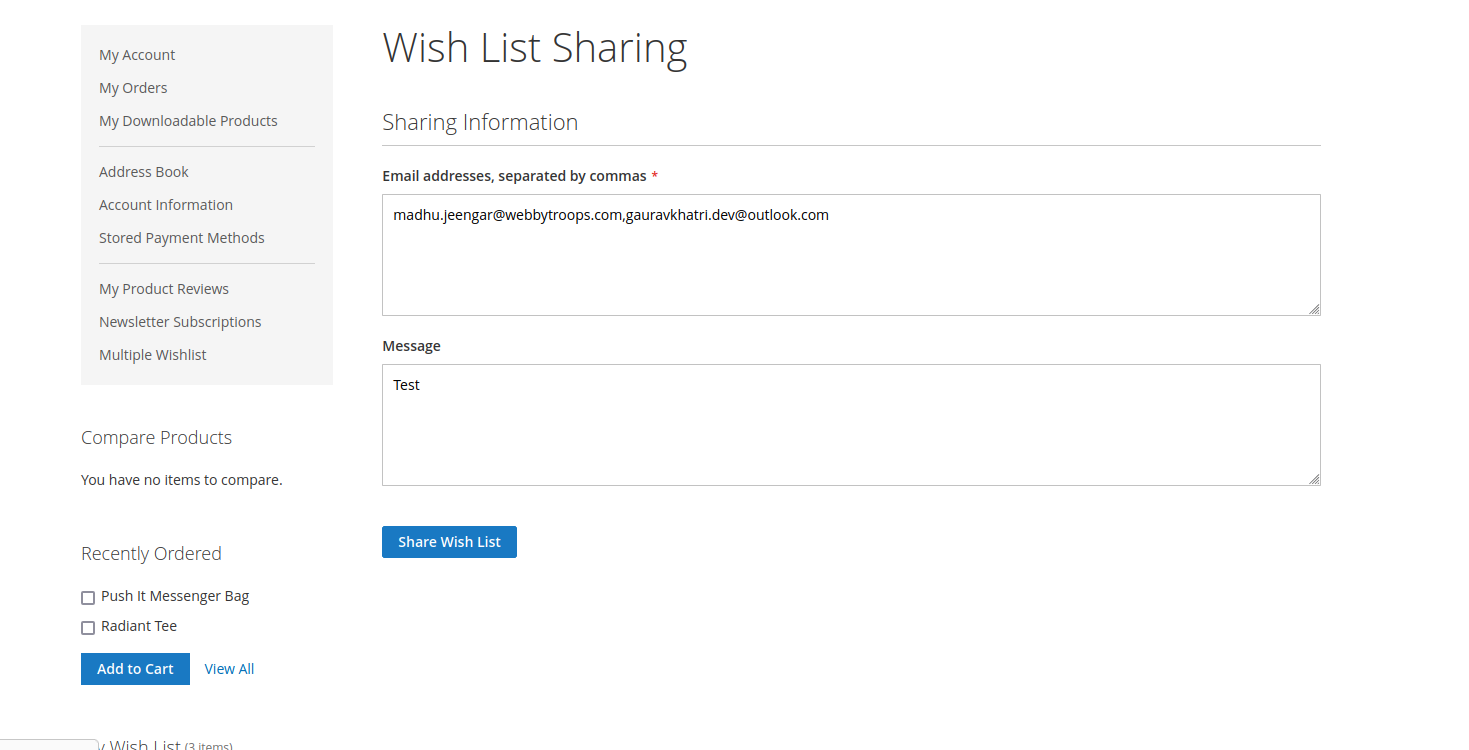
You can set the wishlist type to Public from the left corner of the View Wishlist page. When selected, the Share Wishlist button appears, allowing you to share the wishlist with anyone and copy the wishlist link.
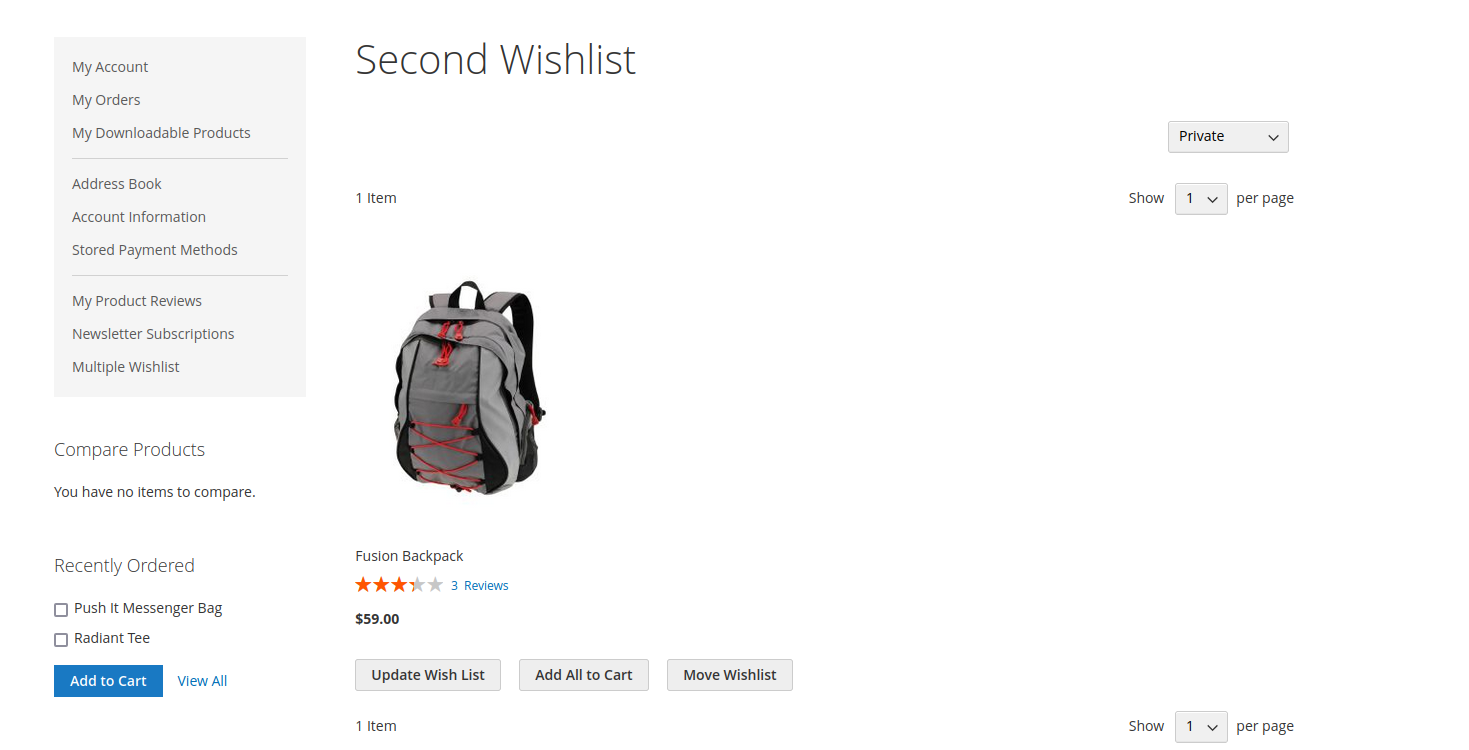
Private
You can set the wishlist type to Private from the left corner of the View Wishlist page, and a Private wishlist cannot be shared with anyone else.
Specific
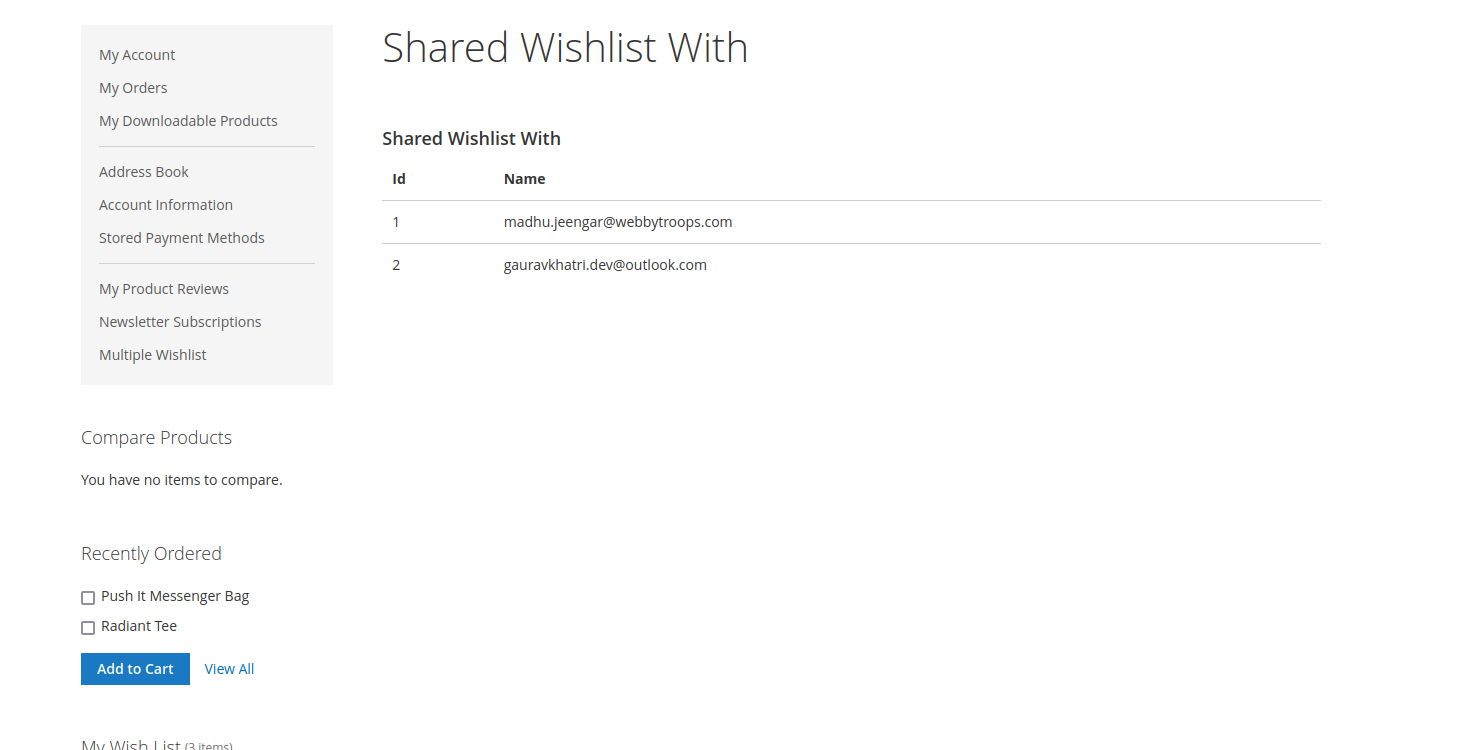
You can set the wishlist type to Specific from the left corner of the View Wishlist page. When selected, the Share Wishlist button appears, allowing you to share the wishlist with specific people via email and view the list of shared email addresses.
Description
The Multiple Wishlist module allows customers to create and manage several wishlists instead of being limited to just one. Customers can add products to different wishlists based on their needs, such as clothes, accessories, or gifts. They can move items between wishlists, edit wishlist names, and set the wishlist type as Public, Private, or Specific.
The Multiple Wishlist module enables customers to create and manage multiple wishlists instead of just one. Customers can add products to different wishlists for better organization, move items between wishlists, and update wishlist names.
Benefits:
- By default magneto provides only one wishlist option. By using this module you can create multiple wishlists according to your requirements.
- You can manage multiple products for different wishlists. Like one wishlist for clothes, another for hair accessories, another for makeup items. So you can manage your wishlist for your different requirements.
- Also you can set your wishlist type by selecting public,private and specific.
- Easy sharing of wishlists via link or email
- Better shopping experience and product organization
- Enhanced Shopping Experience: Helps customers organize, track, and plan purchases efficiently.