


Feature Highlights
All Features & Screenshots
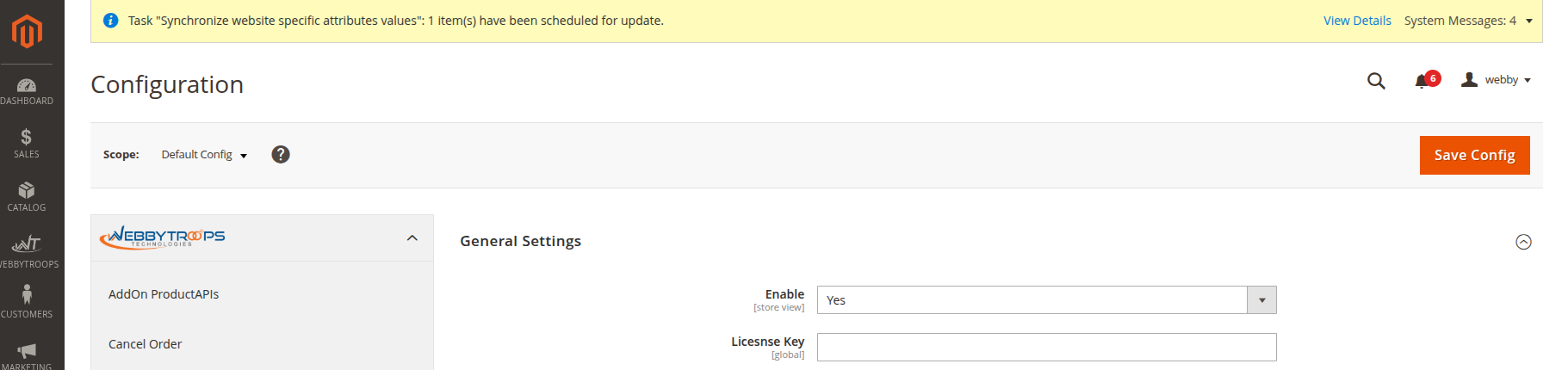
Enable option easily with store configuration.
The Extension is managed via Stores → Configuration → WebbyTroops → Free Shipping Bar. The Enable option allows you to activate or deactivate the extension.
Show a simple free shipping bar
When the progress bar is set to none in the configuration, the free shipping bar will display only a simple text message.

Show Progress Bar with Message
The free shipping bar displays a visual progress bar along with a message indicating how much more the customer needs to spend to get free shipping.

Show progress bar inside bar
The message is displayed inside the progress bar itself, rather than above or below it, so the text appears within the filling bar as it progresses.

Show progress bar inside bar with percentage
The progress bar not only displays the message inside the bar but also shows the percentage of progress toward free shipping within the same bar, giving a visual and numerical indicator together.

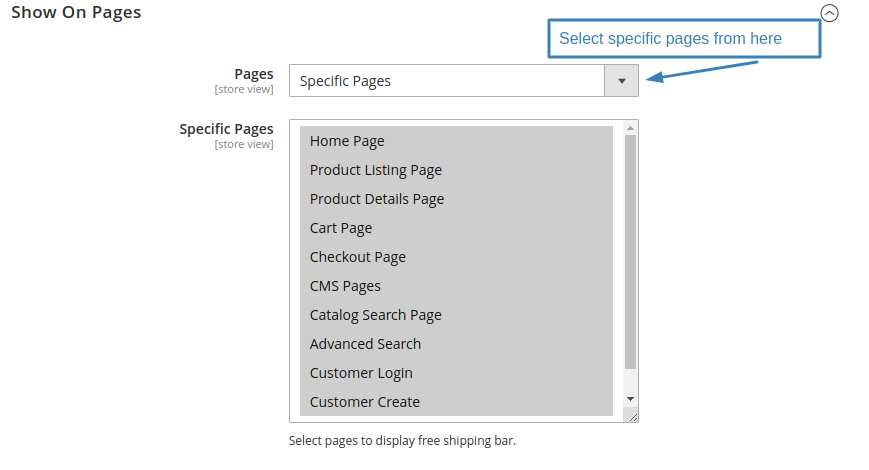
Show where you want to show pages
The “Show where you want to show pages” option in the configuration lets you select specific pages (like home page, category page, product page, or cart page) where the free shipping bar should appear. This way, you can control exactly on which pages the bar is visible.
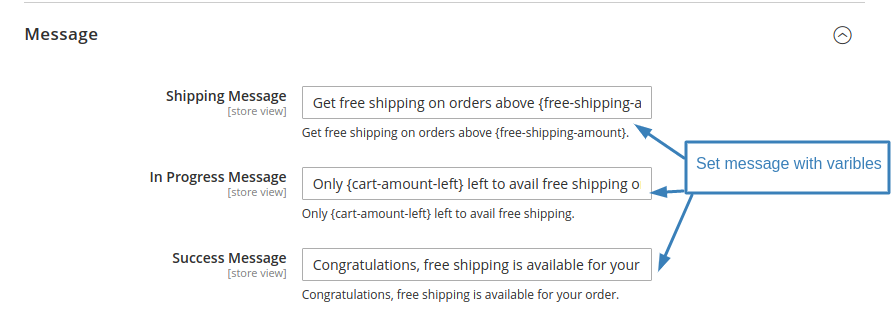
Free Shipping bar messages
You can set up and configure the text that will be displayed in the free shipping bar.
Api for freeshipping bar
In Swagger, you can view your custom Free Shipping API with its endpoints, parameters, and responses, allowing you to test it directly from the interface.

Description
Free Shipping Bar extension for Magento displays an attractive bar to remind customers that they can achieve free shipping by adding products of a certain value to their cart. This module will show attractive bars with a message that can be easily customised in the Magento store configuration. It also shows the progress bar to the customers to highlight how far they are from achieving free shipping on their order. This module provides various options in store configuration to select the style of progress bar to show on the frontend. All the things displayed on the bar can be customised easily from Magento configuration which makes it easy for store owners to customise it as per their needs. Once the customer’s cart has crossed the Free Shipping method Minimum Order Amount threshold, then a success message will be shown.
Free Shipping Bar module will help store owners boost their sales by encouraging customers to purchase more products to avail free shipping on their order. It can also increase the average order value of customers.
Support & Discussion:
We are continuously working on enhancing and updating this module and will have updates in the future. For support or questions, please contact us at any time: [email protected].