



Feature Highlights
All Features & Screenshots
Enable option easily with store configuration.
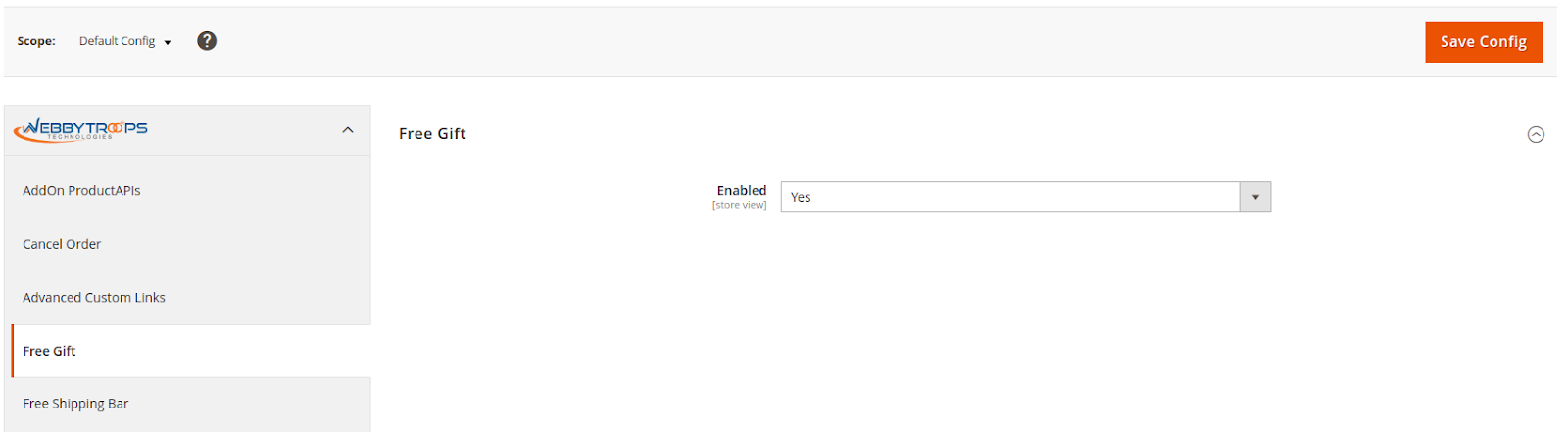
To activate the module, you need to navigate to Stores > Configuration > WebbyTroops > Free Gift > General and switch the Enable option to Yes, which turns the module on for your store.
Create a Cart price rule (without coupon)
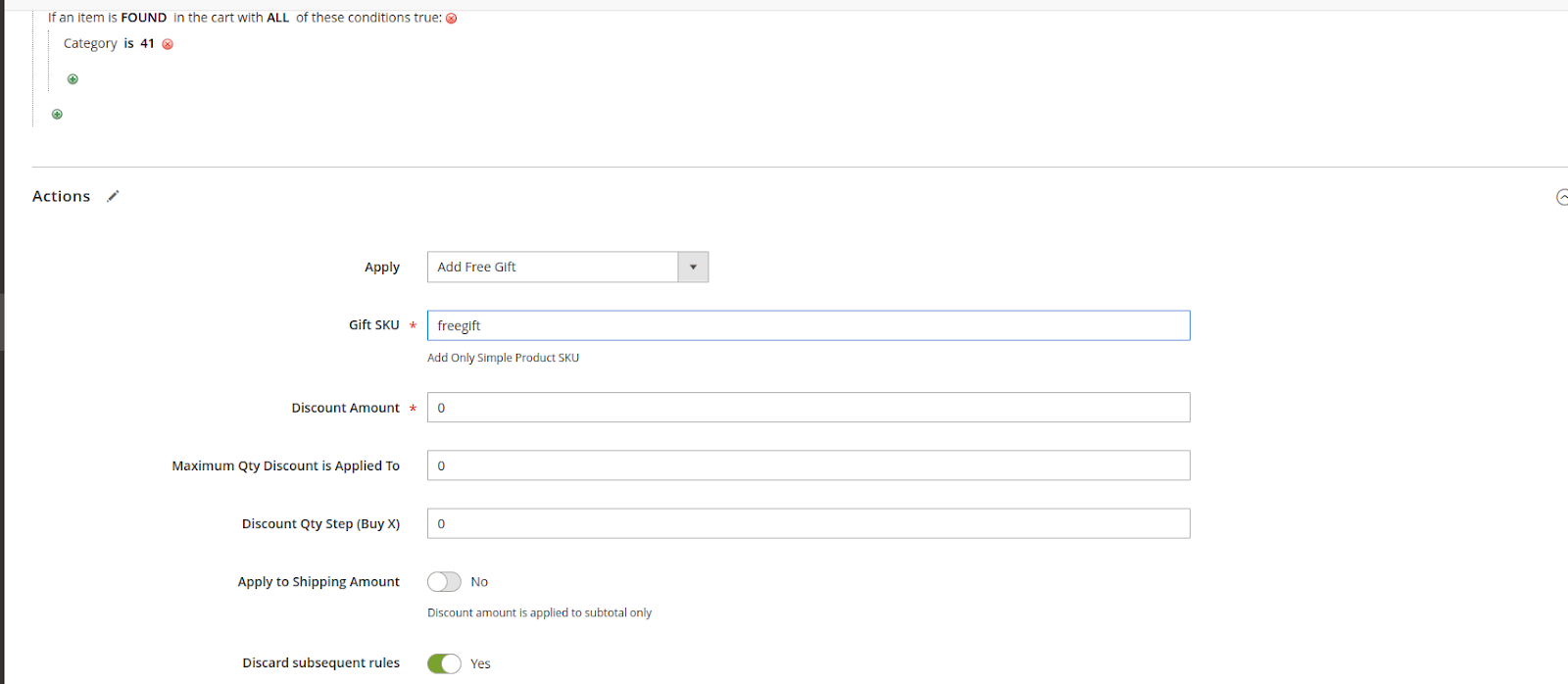
To configure a free gift promotion, navigate to Marketing > Promotions > Cart Price Rules in the admin panel and create a new rule. Add the required conditions for the promotion, then select Apply Free Gift from the Apply dropdown. Enter the SKU of a simple product only in the Gift SKU field. Once saved and activated, the cart price rule will automatically add the free gift to the cart when the defined conditions are met.
Create a Cart price rule (with coupon)
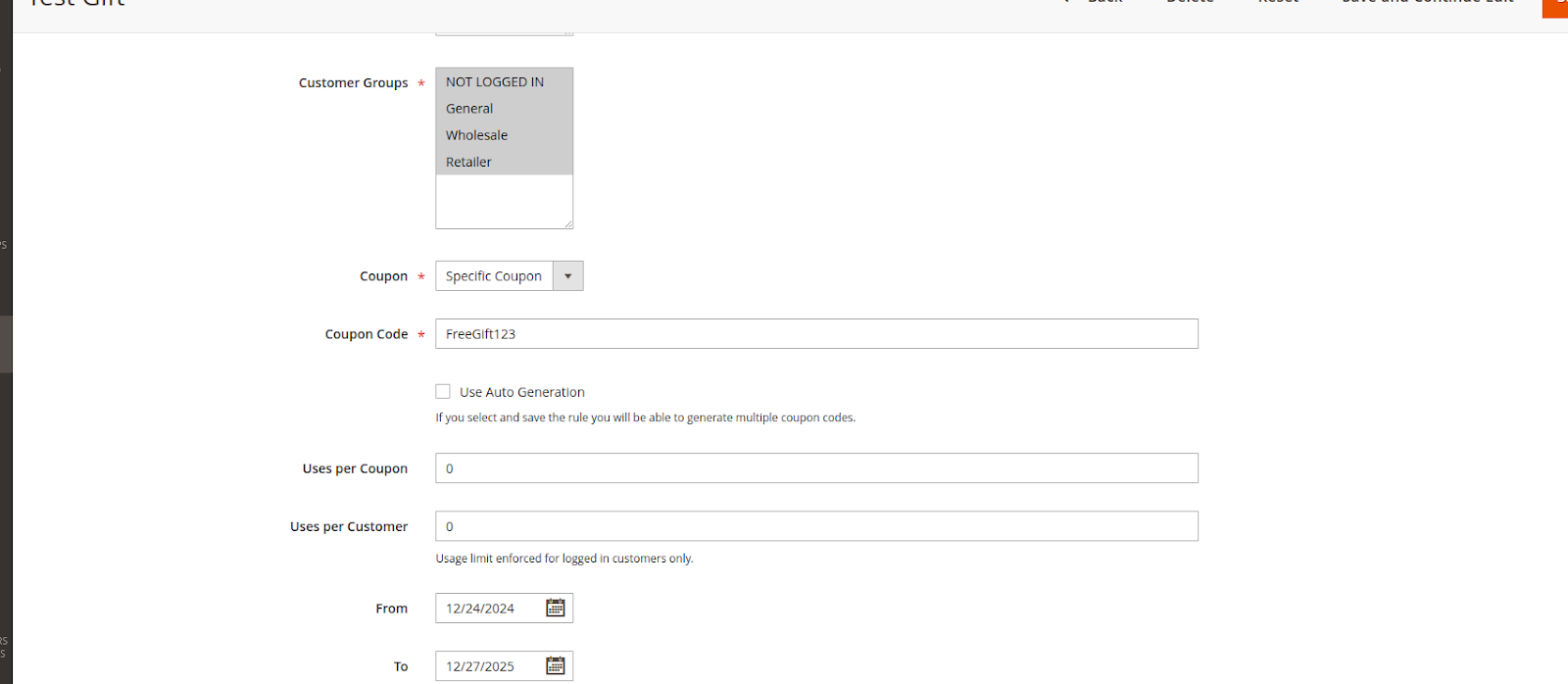
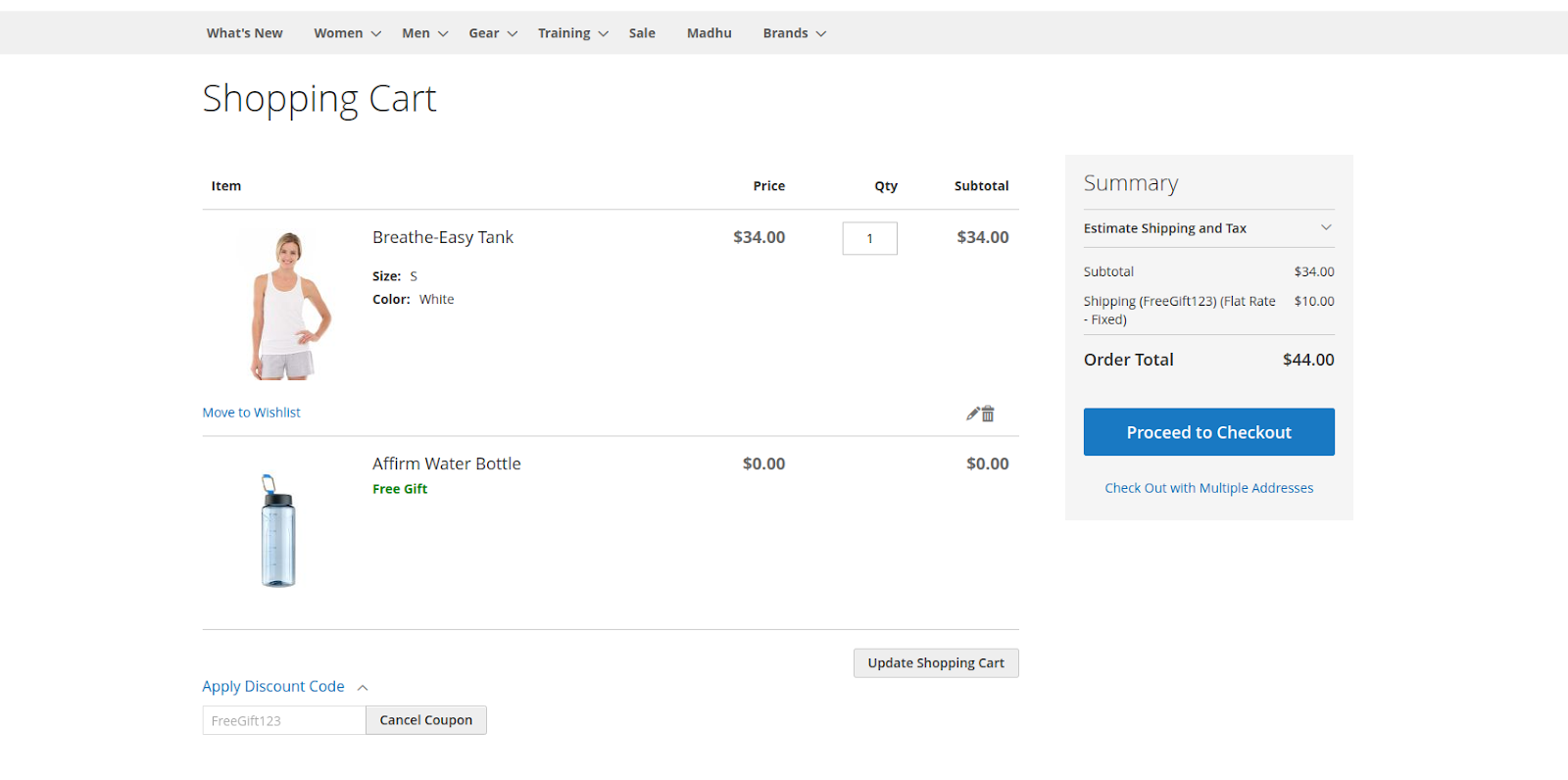
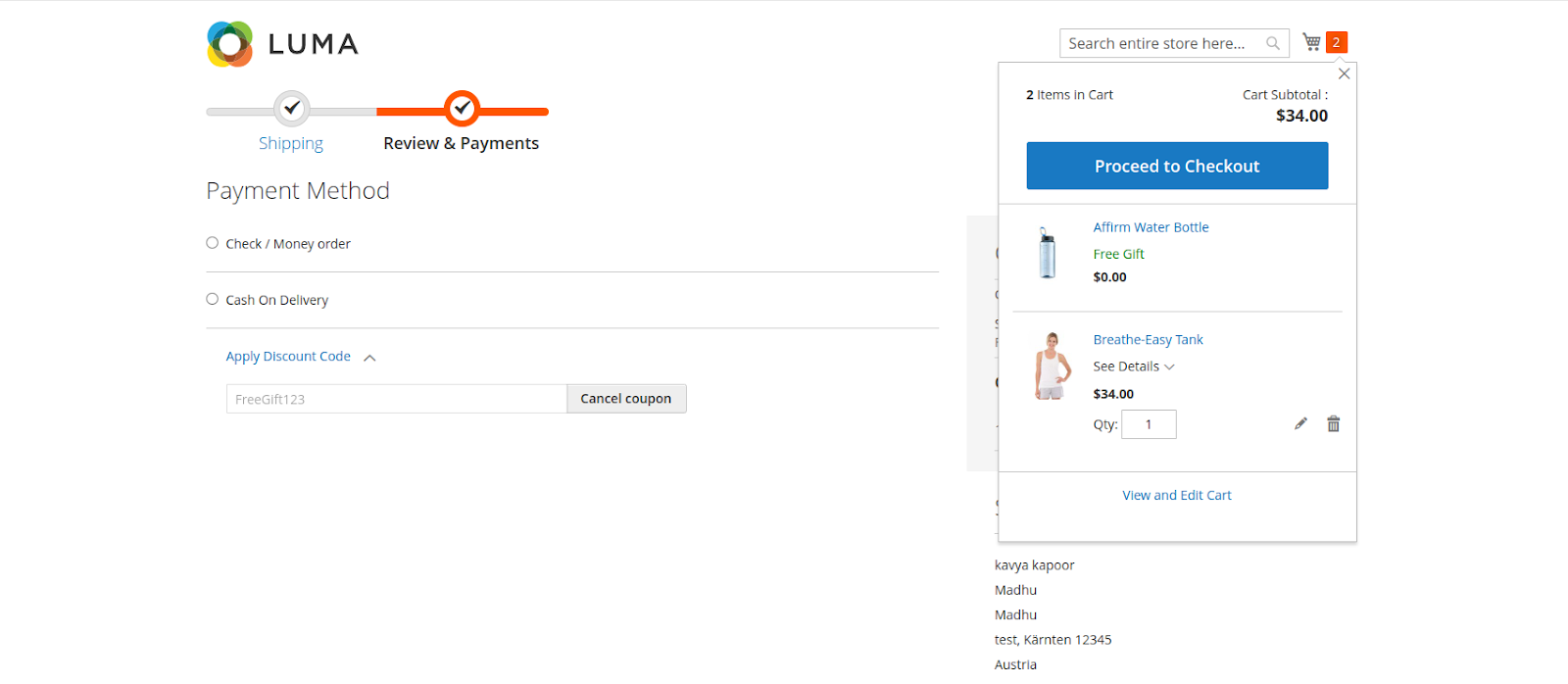
To apply a free gift using a coupon code, select the Specific Coupon option in the Cart Price Rule configuration and define the required coupon code. When the customer applies this coupon code to the cart, the free gift is automatically added. If the coupon code is removed, the free gift is automatically removed from the cart, ensuring accurate and consistent promotion behavior.
Show on frontend
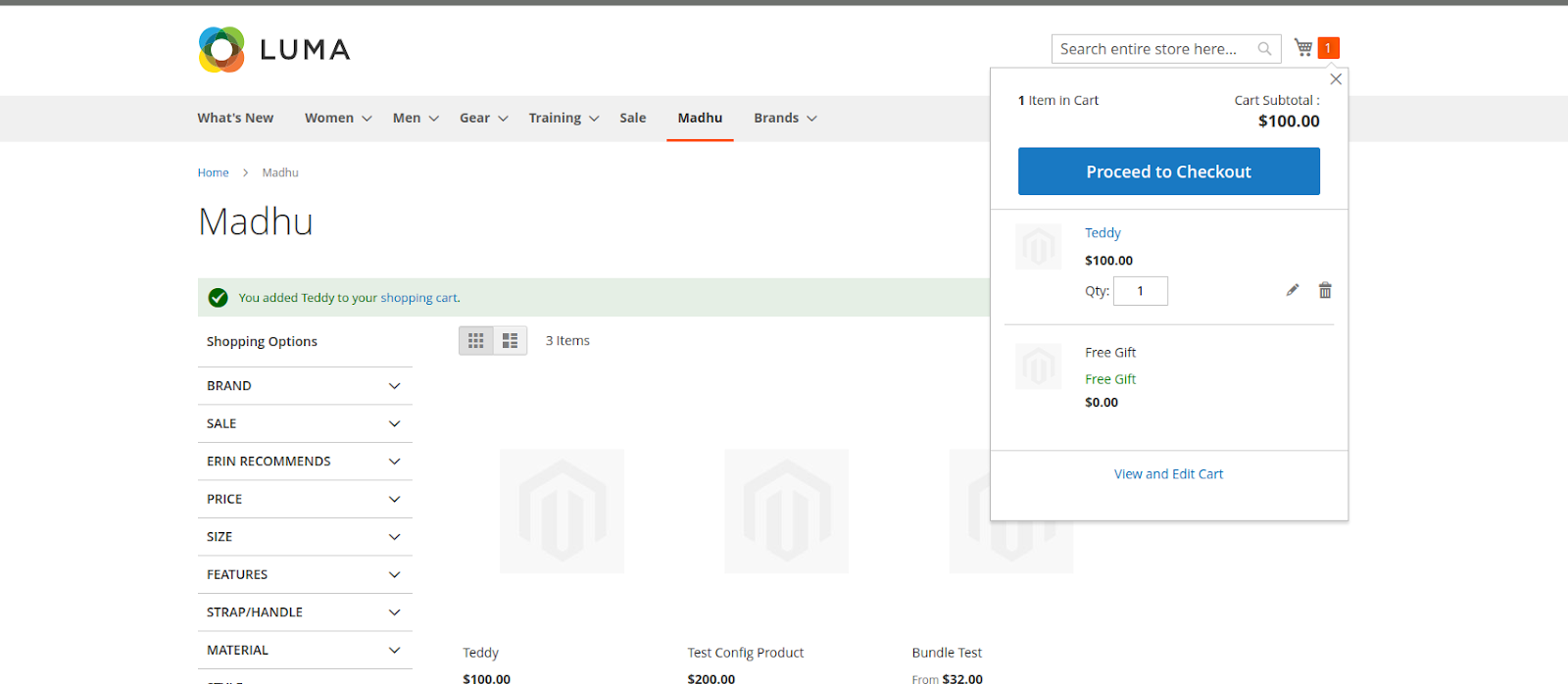
After creating the Cart Price Rule with or without a coupon code, the Free Gift is displayed on both the mini cart and cart page. The Free Gift product cannot be edited to ensure promotion integrity. If the main qualifying product is removed from the cart, the associated Free Gift is automatically removed as well, maintaining accurate cart behavior.
Description
The Free Gift module is designed to enhance the shopping experience and drive sales by allowing customers to receive free gifts when certain conditions are met. Free gifts can be added to the cart automatically when products are added or by applying a specific coupon code during checkout.This module helps businesses incentivize purchases, encourage repeat orders, and increase average order value, ultimately contributing to higher sales and revenue. By offering free gifts, you can improve customer satisfaction and loyalty while promoting specific products or campaigns.
Benefits:
- Encourage customers to purchase more to qualify for free gifts.
- Drive higher average order value through promotional incentives.
- Add free gifts automatically or via coupon codes.
- Reward customers and create a positive shopping experience.
- Highlight and promote specific products by including them as free gifts.
- Configure rules and gifts directly from the admin panel without coding.
Support & Discussion:
We are continuously working on enhancing and updating this module and will have updates in the future. For support or questions, please contact us at any time: [email protected].