
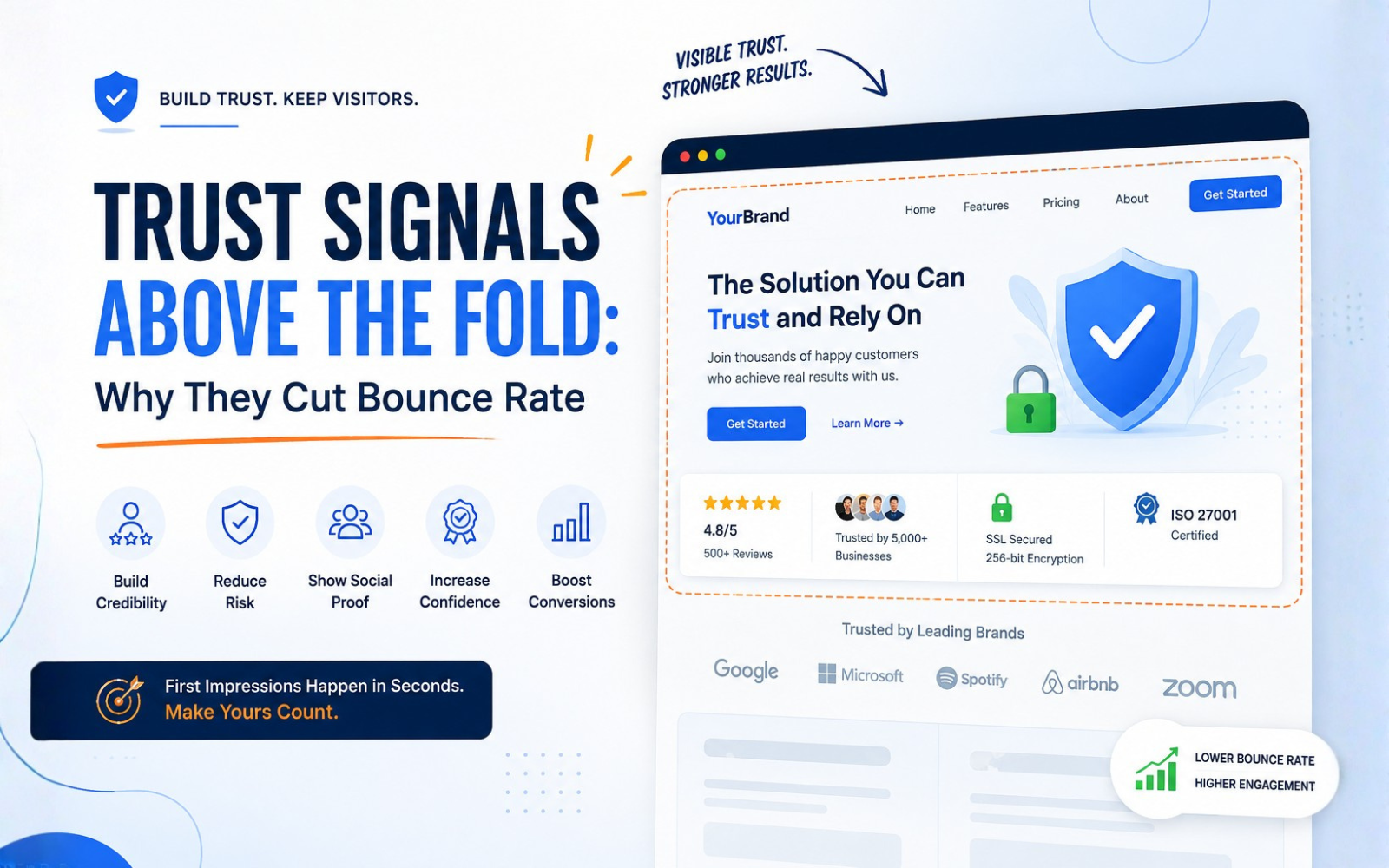
Trust Signals Above the Fold: Why They Cut Bounce Rate
Visitors judge a website in seconds. Before reading a single sentence, they're scanning for signs the site is legitimate, relevant, and safe to engage with. This snap judgment happens above the fold — the content visible before any scrolling — and it often decides whether someone stays or leaves.
Trust signals above the fold — testimonials, security badges, reviews, client logos, guarantees — give visitors fast answers to unspoken questions: Is this real? Is this safe? Is this for me? When those questions go unanswered, uncertainty rises, and so does bounce rate.
TL;DR: Why Trust Signals Above the Fold Matter
Trust signals above the fold can reduce bounce rate by addressing visitor concerns about credibility, security, legitimacy, and relevance before users decide whether to leave the page.
They work best when they are:
- Relevant to the visitor's intent
- Visible without scrolling
- Authentic and verifiable
- Specific rather than generic
- Easy to understand at a glance
- Backed up by the rest of the site
Trust signals are not a guaranteed fix. Their impact depends on placement, design quality, page speed, and how well they match visitor intent.
What Are Trust Signals on a Website?
Trust signals are visual or written cues that communicate credibility, safety, and legitimacy to a visitor. They reduce perceived risk — the visitor's sense that something might go wrong by engaging further.
| Trust Signal | What It Communicates | Example |
|---|---|---|
| Testimonials | Customer satisfaction | Client testimonial |
| Reviews | Independent validation | Google reviews |
| Client logos | Established relationships | Recognizable brands |
| Security badges | Transaction/security confidence | SSL/security indicator |
| Certifications | Expertise and standards | Industry certification |
| Case studies | Proven results | Customer success story |
| Contact information | Business legitimacy | Phone, email, address |
| Guarantees | Reduced perceived risk | Money-back guarantee |
What Does "Above the Fold" Mean?
"Above the fold" refers to whatever content a visitor sees without scrolling. It's not a fixed pixel measurement — it changes across desktop monitors, laptops, tablets, and phones, and it shifts with responsive design.
What matters is the first viewport: the headline, value proposition, and any early trust cues a visitor sees the instant the page loads. This is the window where most stay-or-leave decisions begin forming.
Why Trust Signals Above the Fold Can Reduce Bounce Rate
1. They Create a Strong First Impression
A credible, well-designed opening signals competence before a visitor reads any copy.
2. They Reduce Perceived Risk
Security badges, guarantees, and clear policies lower the sense that engaging could go badly.
3. They Confirm Website Legitimacy
Contact details, real client names, and verifiable claims reassure visitors the business is genuine.
4. They Reinforce Relevance
When a trust signal matches the visitor's need (e.g., "Trusted by healthcare clinics" on a healthcare tool), it confirms they're in the right place.
5. They Provide Social Proof
Seeing that others have used and trusted a product lowers the psychological barrier to doing the same.
6. They Increase Confidence Before the CTA
A trust cue placed near the call-to-action can reduce hesitation right when a decision is being made.
7. They Help Users Decide Faster
Clear, upfront credibility cues shortcut the evaluation process, so visitors don't need to dig for reassurance elsewhere.
How Trust Signals Influence User Behavior
The typical visitor journey looks like this:
Visitor arrives → evaluates relevance → evaluates credibility → evaluates risk → develops confidence → explores page → takes action
When trust cues are missing at the credibility and risk stages, visitors often fill the gap with doubt rather than benefit of the doubt — and leave.
Most Effective Trust Signals to Place Above the Fold
- Customer ratings and review counts
- Testimonials (ideally with names, photos, or roles)
- Client or partner logos
- Security indicators (SSL, payment security)
- Certifications and industry memberships
- Awards
- Case study statistics
- Money-back or satisfaction guarantees
- Free consultation or demo offers
- Transparent pricing
- Contact information
- Years in business or customers served
The right mix depends on the industry — a healthcare site needs different proof than an ecommerce store.
Trust Signals by Business Type
| Business Type | Useful Above-the-Fold Trust Signals |
|---|---|
| SaaS | Customer logos, user count, security certifications, testimonials |
| Ecommerce | Reviews, ratings, secure payment badges, guarantees |
| Healthcare | Credentials, certifications, patient reviews, privacy/security info |
| Financial Services | Regulatory info, security credentials, testimonials |
| Digital Agencies | Client logos, case studies, results, awards |
| Local Businesses | Google reviews, location, ratings, testimonials |
| Professional Services | Credentials, case studies, certifications, client results |
Trust Signals vs. Social Proof
The two overlap but aren't identical. Trust signals are broad credibility markers — security badges, certifications, guarantees. Social proof is a subset: evidence that other people have used and approved of something, like reviews, testimonials, and user counts.
Authority signals (awards, credentials) and risk-reduction signals (guarantees, refund policies) sit alongside both, each addressing a different visitor concern.
Trust Signals vs. Website Design
Trust signals can't fix a slow, cluttered, or confusing site. If page speed is poor, navigation is unclear, or the CTA is buried, no badge will offset the friction. Trust signals work as reinforcement for solid UX — strong typography, visual hierarchy, mobile responsiveness, and fast load times — not as a substitute for it.
How to Design an Effective Above-the-Fold Section
A reliable framework:
Headline → Value proposition → Supporting proof → Trust signal → CTA
This structure adapts across SaaS, ecommerce, service businesses, B2B sites, and local businesses — only the specific proof and signal change.
Example of a Strong Above-the-Fold Section
Headline: "Manage Your Physiotherapy Clinic From One Platform"
Supporting message: "Appointments, patient records, treatment plans, billing, and reports in one system."
Trust signals:
- "Trusted by 200+ clinic professionals" [EXAMPLE/PLACEHOLDER]
- "4.8/5 customer rating" [EXAMPLE/PLACEHOLDER]
- "Secure cloud platform"
- "Book a free demo"
This combination answers relevance, credibility, and safety together, lowering uncertainty before the visitor scrolls further.
Common Mistakes When Adding Trust Signals
- Overcrowding the fold with too many badges
- Using fake or unverifiable testimonials
- Vague, generic claims with no specifics
- Statistics that can't be substantiated
- Poorly designed or pixelated badges
- Irrelevant certifications
- Excessive client logos that dilute focus
- Reviews hidden below the fold
- Signals with no context (a number with no explanation)
- Trust elements competing visually with the CTA
- Broken mobile layouts
- Slow-loading third-party review widgets
- Outdated awards or expired certifications
How to Measure Whether Trust Signals Reduce Bounce Rate
Track the change, don't assume it:
- Bounce rate and engagement rate
- Average engagement time
- Conversion rate and CTA click-through rate
- Scroll depth
- Session recordings and heatmaps
- A/B test results
Compare performance before and after implementation, and isolate variables where possible rather than assuming a single change caused the shift.
A/B Testing Trust Signals Above the Fold
| Test | Comparison | Metric to Watch |
|---|---|---|
| A | No testimonial vs. testimonial | Bounce rate, engagement time |
| B | Client logos vs. review rating | Scroll depth, conversion rate |
| C | Security badge vs. guarantee | CTA click-through rate |
| D | Trust statement beside CTA vs. below CTA | Conversion rate |
| E | One strong trust signal vs. multiple signals | Bounce rate, time on page |
Mobile vs. Desktop Trust Signals
Mobile screens compress the fold significantly, so prioritization matters more. Keep the CTA visible, use compact review snippets instead of full widgets, size badges for small screens, and avoid layouts that push trust cues off-screen. Page speed is especially critical — slow-loading badges or widgets can undo their own benefit.
How Trust Signals Affect Different Stages of the Customer Journey
| Customer Stage | Main Concern | Useful Trust Signal |
|---|---|---|
| Awareness | Is this relevant? | Clear value proposition |
| Consideration | Can I trust this business? | Reviews/testimonials |
| Evaluation | Does it actually work? | Case studies/results |
| Decision | Is it safe to proceed? | Security/guarantee |
| Conversion | What happens next? | Clear CTA and reassurance |
Trust Signals and SEO
Trust signals aren't a direct Google ranking factor, but they support the broader goals search engines optimize for: helpful, trustworthy content and a strong user experience. Genuine reviews, transparent business information, and demonstrable expertise align with E-E-A-T principles and can indirectly support engagement metrics that matter to both users and search systems.
How Trust Signals Support AI Search and Google AI Overviews
AI answer engines favor content with clear entities and verifiable claims. Explicit business identity, author credentials, organizational details, and concrete customer evidence make it easier for AI systems to understand and accurately summarize a page. Trust signals should always be genuine and contextually relevant — fabricated or vague claims undermine both user trust and machine interpretability.
People Also Ask
Does adding trust signals reduce bounce rate?
It can, when signals are relevant, authentic, and well-placed — but results depend on design, page speed, and audience fit.
What are examples of trust signals on a website?
Testimonials, reviews, security badges, certifications, client logos, guarantees, and contact information.
What should be above the fold on a website?
A clear headline, value proposition, one or two relevant trust signals, and a visible CTA.
How do testimonials improve website conversions?
They provide social proof that reduces perceived risk and builds confidence before a decision.
Are trust badges effective?
Yes, when they're relevant, authentic, and not overused — irrelevant or excessive badges can lose impact.
How can I make my website look more trustworthy?
Combine authentic social proof, transparent information, fast load times, and clean, professional design.
What is the difference between trust signals and social proof?
Social proof is a type of trust signal focused specifically on evidence from other customers or users.
How many trust signals should a landing page have? /
Enough to address key objections without clutter — often two to four above the fold is sufficient.
Should testimonials be above the fold?
Yes, when relevant to the offer, since they reduce hesitation early in the decision process.
How do you reduce bounce rate on a landing page?
Combine relevant trust signals with strong messaging, fast page speed, and a clear, uncluttered layout.
Frequently Asked Questions
Q: Do trust signals guarantee a lower bounce rate?
No. They reduce uncertainty and perceived risk, but effectiveness depends on relevance, placement, authenticity, and overall page quality. Poor UX or slow load times can offset their benefit entirely.
Q: Where exactly should trust signals go above the fold?
Near the headline or CTA, wherever the visitor's attention naturally lands first. Avoid crowding; one or two well-placed signals typically outperform a cluttered row of badges.
Q: Can too many trust signals hurt conversions?
Yes. Overcrowding the fold with badges, logos, and claims can create visual clutter, dilute focus, and compete with the CTA for attention.
Q: Do trust signals affect SEO rankings directly?
Not directly. They support broader UX and credibility signals that align with E-E-A-T principles, but they are not a confirmed direct ranking factor.
Final Conclusion
Trust signals above the fold work by answering a visitor's unspoken questions — about legitimacy, safety, and relevance — before those doubts turn into an exit. They're not a standalone fix; they work best paired with strong messaging, relevant content, solid UX, fast page speed, clear CTAs, authentic social proof, transparent business information, and ongoing testing.
For website owners, the practical takeaway is simple: audit what's currently above the fold, identify the objections visitors likely have, and test whether addressing those objections early keeps more of them on the page.
Download The Free E-book & Launch Your Brand Strategically

Download The Free E-book & Launch Your Brand Strategically
Share this post



