

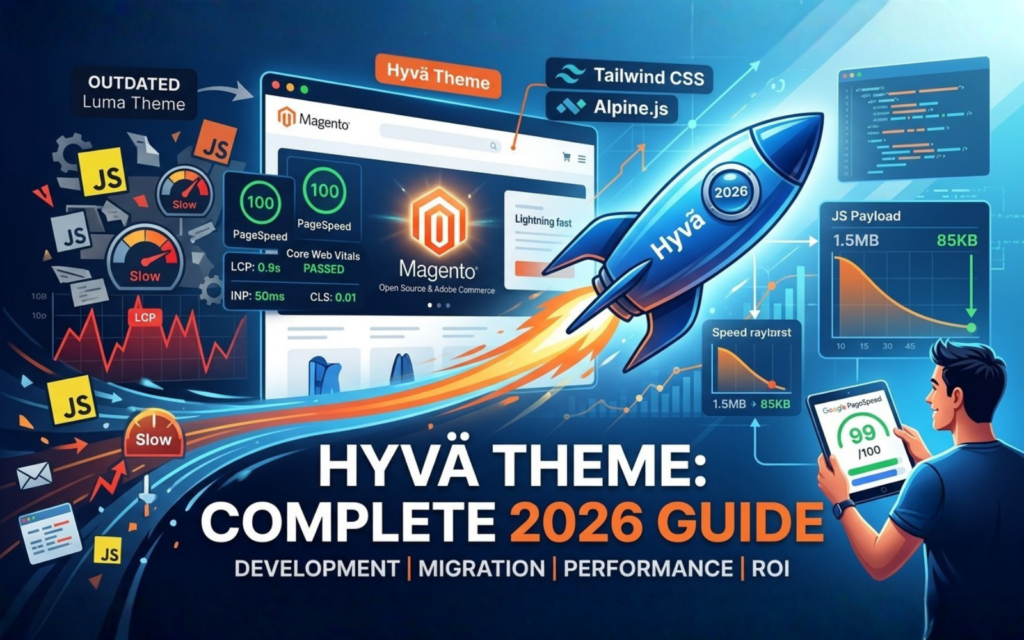
Hyvä Theme Development & Migration: Complete 2026 Guide
Introduction
In 2026, eCommerce success is defined by speed, efficiency, and user experience. For businesses running Magento Open Source or Adobe Commerce, the traditional frontend architecture has long been a bottleneck. Legacy systems like the Luma theme rely on outdated tech stacks that struggle to meet modern performance standards.
Enter the Hyvä Theme. By fundamentally rewriting the Magento frontend ecosystem, Hyvä has shifted from an alternative option to the modern standard for fast enterprise eCommerce. This comprehensive guide outlines the strategic steps, technical benefits, and development workflows required to execute a successful Hyvä theme migration.
What is Hyvä Theme?
Hyvä Theme is a modern, high-performance frontend framework built specifically for Magento Open Source and Adobe Commerce. It replaces Magento’s legacy, complex layout system with a streamlined tech stack built on Tailwind CSS and Alpine.js. By eliminating hundreds of thousands of lines of bloated JavaScript and CSS, Hyvä enables eCommerce stores to achieve near-perfect Google PageSpeed Insights scores and excellent Core Web Vitals right out of the box.
TL;DR Summary
- Performance First: Hyvä swaps out RequireJS, Knockout.js, and jQuery for Tailwind CSS and Alpine.js, drastically reducing page asset sizes.
- Core Web Vitals: Stores migrating to Hyvä routinely see Largest Contentful Paint (LCP) and Interaction to Next Paint (INP) scores shift firmly into the green.
- Streamlined Migrations: A migration is a frontend rebuild, but your backend logic, database, and catalog data remain intact.
- Lower TCO: Simpler code architectures mean faster development cycles, easier maintenance, and reduced total cost of ownership (TCO).
- Comprehensive Ecosystem: With thousands of Hyvä compatibility modules and the robust Hyvä UI Library, complex enterprise features deploy smoothly.
Why Hyvä Has Become the Preferred Magento Frontend
For years, the Magento ecosystem struggled with frontend optimization. The default Luma theme relies on an intricate, multi-layered architecture of RequireJS, Knockout.js, and heavy UI Components. This setup generates bloated payloads that delay rendering, hurt mobile user experiences, and impact organic search rankings.
Hyvä resolves this by resetting the foundation. Instead of attempting to patch a flawed system with aggressive minification and complex bundling strategies, Hyvä removes the legacy stack entirely.
[Traditional Frontend (Luma)] -> Heavy JS (Knockout/RequireJS) -> Poor Core Web Vitals
[Hyvä Frontend Framework]    -> Ultra-Lightweight (Alpine/Tailwind) -> 100/100 Mobile Scores
By leveraging GraphQL and lightweight client-side scripts, it minimizes browser processing requirements. In 2026, where search engines heavily weigh immediate interactivity, Hyvä provides a competitive edge for technical SEO and conversion rate optimization (CRO).
Key Benefits of Hyvä Theme Development
1. Superior Core Web Vitals & Technical SEO
Hyvä directly addresses Google’s critical user experience metrics:
- Largest Contentful Paint (LCP): Lightweight HTML structures allow hero images and primary content to render quickly.
- Interaction to Next Paint (INP): Replacing heavy JavaScript frameworks ensures the main thread stays unblocked, making interactions feel instant.
- Cumulative Layout Shift (CLS): Utility-first styling with Tailwind CSS prevents unpredictable visual jumps during asset loading.
2. Accelerated Development Lifecycles
The simplicity of working with Tailwind CSS and Alpine.js allows a Hyvä developer to build, style, and launch new features much faster than under the legacy Luma architecture. Less boilerplate code means fewer regressions and more straightforward code reviews.
3. Lower Total Cost of Ownership (TCO)
While the initial setup requires an upfront investment, the long-term maintenance costs drop considerably. Upgrades are smoother, debugging requires fewer hours, and dependency management through Composer remains straightforward.
Hyvä Theme vs Luma: Head-to-Head Comparison
| Performance Metric / Feature | Legacy Luma Theme | Hyvä Frontend Framework |
| Primary JavaScript Tech Stack | RequireJS, Knockout.js, jQuery | Alpine.js |
| CSS Framework | LESS (Magento UI library) | Tailwind CSS |
| Average Mobile PageSpeed Score | 25 – 45 / 100 | 85 – 100 / 100 |
| Average Base JS Payload Size | > 1.5 MB | < 100 KB |
| Development Complexity | High (Steep learning curve) | Low (Developer-friendly) |
| Core Web Vitals Compliance | Requires extensive, ongoing tuning | Fast out-of-the-box |
| Long-Term Maintenance Overhead | High | Low |
The Hyvä Theme Migration Process: Step-by-Step
A Magento Hyvä migration is a frontend transformation. Your database, orders, products, and backend integrations remain securely intact, while the presentation layer is entirely modernized.
[Phase 1: Audit] ➔ [Phase 2: UI/UX Design] ➔ [Phase 3: Development] ➔ [Phase 4: Compatibility] ➔ [Phase 5: Launch]
Phase 1: Pre-Migration & Extension Audit
Before writing any code, conduct a thorough inventory of your current store setup.
- Identify Legacy Modules: Remove extensions that are no longer in use or redundant.
- Check Hyvä Compatibility Modules: Cross-reference your essential third-party extensions with Hyvä’s compatibility directory.
- Assess Custom Code: Map out unique backend logic that must expose data to the new frontend via GraphQL or clean layout XML.
Phase 2: UI/UX Design & Hyvä UI Integration
Hyvä provides a robust layout, but your brand identity requires customization.
- Utilize the Hyvä UI Library to accelerate prototyping.
- Ensure designs prioritize a mobile-first approach.
- Incorporate accessibility guidelines directly into your Tailwind components.
Phase 3: Core Theme Development
Your Hyvä development agency will construct the customized theme environment.
- Install the base Hyvä license via Composer.
- Configure Tailwind compilation pipelines.
- Rebuild structural layouts (headers, footers, navigation, product detail pages).
Phase 4: Module Compatibility & Checkout Integration
- Install community-supported compatibility modules for your third-party extensions.
- For proprietary or highly customized extensions, write targeted Alpine.js scripts to connect with backend PHP logic.
- Deploy Hyvä Checkout, an ultra-fast checkout solution built on Magewire, to maximize conversion rates.
Phase 5: Testing, QA & Go-Live Strategy
- Validate all critical user pathways: checkout flows, payment processing, customer account creation, and search functions.
- Conduct load testing using setups like Redis, Varnish, and OpenSearch to ensure caching functions as intended.
- Deploy via your standard CI/CD pipeline, clear your CDN cache, and monitor real-time user metrics.
Managing Third-Party Extension Compatibility
A common point of discussion during a Hyvä implementation is third-party extensions. Standard Magento extensions often ship with built-in scripts designed for the Luma theme, which will not run on Hyvä.
How to Handle Extensions:
- Official Compatibility Modules: The Hyvä community has created hundreds of free compatibility modules for popular extensions (e.g., Amasty, Mirasvit, Aheadworks).
- Native Re-writes: If a compatibility module doesn’t exist, a developer can quickly recreate the frontend behavior using Alpine.js.
- Backend Integrity: The core backend PHP execution, database schemas, and admin configurations remain completely unaffected.
Business Value & ROI of a Hyvä Migration
Migrating to Hyvä is a strategic business decision that delivers measurable financial outcomes.
- Higher Conversion Rates: Faster page loads reduce friction, leading to a direct increase in revenue for the same volume of traffic.
- Better Search Rankings: Superior Core Web Vitals scores help improve your positioning in organic search results.
- Reduced Infrastructure Costs: Because Hyvä places a lighter computing load on browsers and servers, your hosting infrastructure can process more concurrent users with fewer resources.
Common Migration Mistakes to Avoid
- Migrating Dead Weight: Do not spend time adapting legacy extensions you no longer need. Use the migration as an opportunity to declutter your store.
- Skipping the Pre-Migration Audit: Failing to check extension compatibility early can lead to unexpected delays during development.
- Overcomplicating the Frontend: Resist adding heavy, non-essential third-party tracking scripts immediately after launching a clean, fast framework.
Future of Hyvä in 2026 and Beyond
As we move through 2026, Hyvä continues to establish itself as a primary frontend standard for Adobe Commerce and Magento Open Source. Its architecture integrates smoothly with headless approaches and microservices via refined GraphQL performance, avoiding the high cost and complexity of complete decoupled setups. With expanding support for enterprise B2B features, Hyvä offers scalable, long-term stability for growing brands.
People Also Ask
Is Hyvä Theme worth it?
Yes. For most merchants, the reduction in monthly development hours, lower maintenance overhead, and clear improvements in Core Web Vitals offer a strong return on investment within the first year.
Does Hyvä improve SEO?
Yes. Hyvä dramatically improves page speed, reduces time-to-interactive, and ensures compliance with Core Web Vitals metrics, all of which are key factors in search engine ranking algorithms.
How long does a Hyvä migration take?
A standard migration typically takes between 8 to 16 weeks, depending on the store’s structural complexity, the number of third-party extensions, and custom design requirements.
Frequently Asked Questions
Does Hyvä support Adobe Commerce B2B features?
Yes, Hyvä offers dedicated compatibility packages for Adobe Commerce features, including enterprise B2B workflows like shared catalogs, quick requisitions, and company accounts.
Can I keep my existing checkout during migration?
Yes. You can run the standard Magento checkout alongside a Hyvä frontend, though migrating to Hyvä Checkout or a streamlined one-page checkout is recommended to ensure optimal performance throughout the entire customer journey.
Architectural Deep Dive
To understand why Hyvä is efficient, it helps to look at how asset delivery changes compared to the legacy framework.
Luma Frontend Layout:
[Layout XML] ➔ [RequireJS Config] ➔ [Dozens of JS Dependencies] ➔ [Knockout Bindings] ➔ [Browser Render]

Hyvä Frontend Layout:
[Layout XML] ➔ [Alpine.js Script] ➔ [Tailwind Utility Compilation] ➔ [Instant Browser Render]
By bypassing structural layers that require serial network requests, Hyvä minimizes main-thread work. This allows the browser to process layouts almost immediately upon receiving the initial HTML payload.
Architectural Blueprint & Development Standards
When embarking on a Hyvä frontend development project, establishing clear engineering patterns ensures your code remains performant, maintainable, and upgrade-resilient. Below is an architectural blueprint for overriding layouts and structuring custom components.
1. Stripping Legacy Assets
To ensure no legacy script blocks execution, completely purge default layout handles within your custom theme’s Magento_Theme/layout/default.xml:
XML
2. Standardized Alpine.js Component Pattern
Avoid mixing inline JavaScript inside PHTML templates. Instead, isolate state logic into reusable, declarative components initialized via clean UI hooks.
HTML
Conclusion
Migrating to the Hyvä Theme is a reliable way to modernize your Magento or Adobe Commerce store. By replacing outdated frontend code with a streamlined stack of Tailwind CSS and Alpine.js, it directly addresses performance bottlenecks, improves Core Web Vitals, and lowers long-term development costs.
If you are ready to improve your store's user experience and search visibility, planning a structured Hyvä migration is an excellent next step. Contact an experienced Hyvä development agency today to audit your current store framework and build an effective migration strategy.