
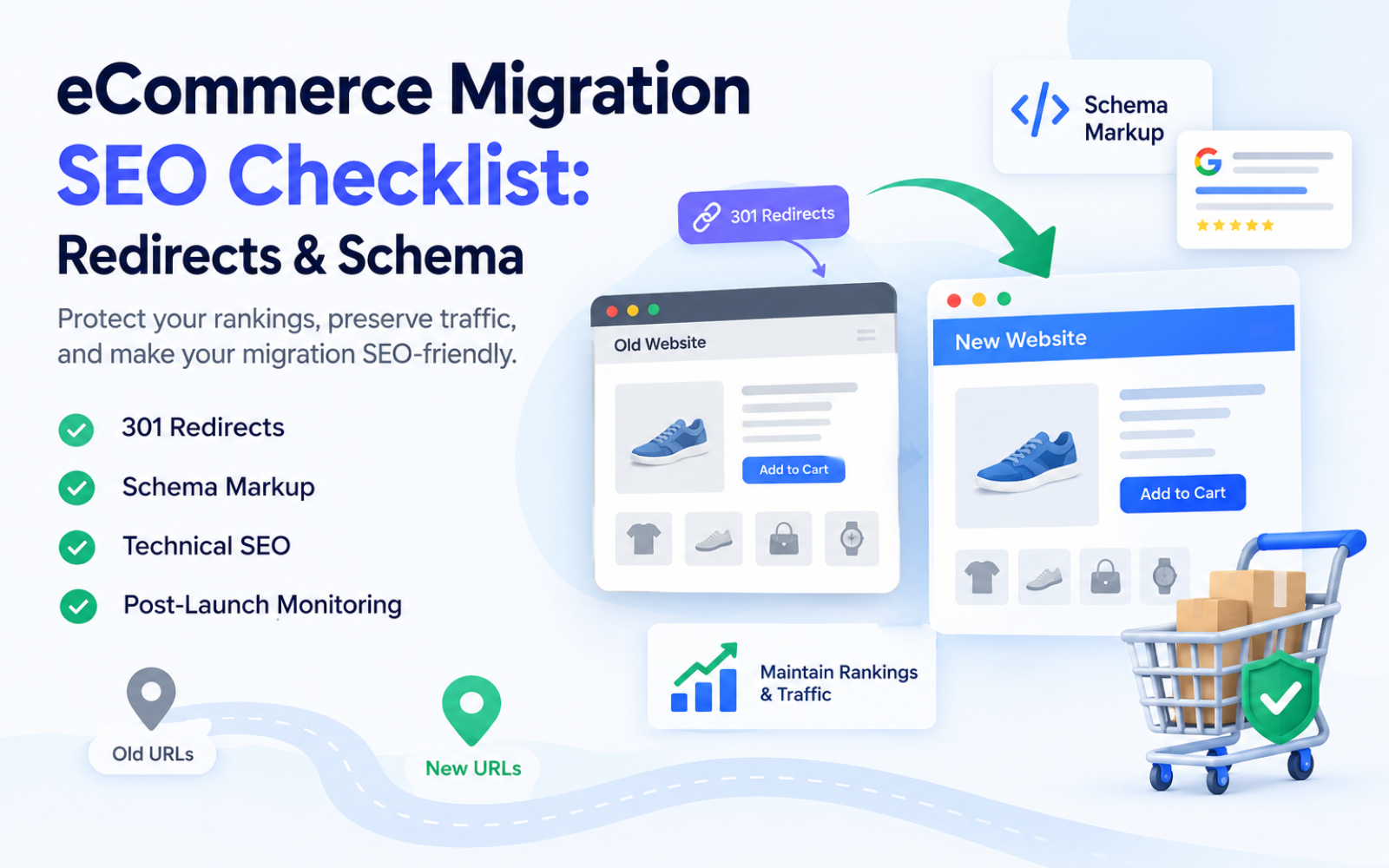
eCommerce Migration SEO Checklist: Redirects & Schema
An eCommerce migration — a replatform, redesign, domain change, or URL restructure — is one of the highest-risk events in a site's SEO lifecycle. Done carelessly, it can wipe out years of accumulated rankings, backlinks, and indexed pages within days. Done correctly, it's an opportunity to fix technical debt and grow organic revenue.
Migrations affect organic rankings, indexed URLs, backlink equity, crawlability, internal linking, canonicalization, structured data, and rich-result eligibility all at once. That's why SEO planning has to start before development begins — not after the new site is already built. Retrofitting redirects and schema onto a finished migration is far more expensive and error-prone than planning them in from day one.
This guide is a practical, step-by-step checklist covering the two pillars that make or break migration SEO: 301 redirects and schema markup — plus everything that connects them.
What Is eCommerce Migration SEO?
Direct answer: eCommerce migration SEO is the process of preserving search rankings, organic traffic, and indexed pages when a store changes platform, domain, URL structure, or design. It relies on 301 redirect mapping, canonical tag updates, structured data validation, and post-launch monitoring to transfer search equity from old URLs to new ones.
Ecommerce sites are harder to migrate than typical websites because they often have thousands or millions of URLs — products, categories, filters, search results, and paginated listings — each of which needs a redirect decision, a canonical strategy, and (where relevant) structured data.
Why eCommerce Website Migrations Are Risky for SEO
Every URL change is a potential rankings signal reset. Search engines have to re-crawl, re-evaluate, and re-index the new URL, and if that process fails at any step, visibility drops.
| Migration Issue | SEO Impact | Risk Level | Recommended Action |
|---|---|---|---|
| Missing 301 redirects | Lost rankings, 404 errors | Critical | Full redirect map before launch |
| Redirect chains | Slower crawling, diluted equity | High | Redirect directly to final URL |
| Mass homepage redirects | Loss of page relevance | High | Map to closest equivalent page |
| Broken internal links | Poor crawlability, orphaned pages | Medium | Update all internal links |
| Canonical errors | Duplicate content, wrong page ranks | High | Audit canonicals post-launch |
| Noindex left on production | Deindexing | Critical | Remove staging noindex tags |
| Missing product schema | Lost rich results | Medium | Validate schema post-launch |
| Blocked robots.txt rules | Pages can't be crawled | Critical | Review robots.txt before launch |
| Lost backlinks | Reduced authority | High | Redirect linked URLs individually |
Pre-Migration SEO Checklist
Crawl the Existing Website
Before anything changes, crawl the live site to capture URLs, HTTP status codes, canonical tags, meta titles and descriptions, H1s, indexability status, internal link structure, structured data, and current XML sitemaps. This crawl becomes your baseline — the only accurate record of what existed before migration.
Export Google Search Console Data
Pull performance data covering at least 12–16 months to identify top-performing pages, pages generating impressions and clicks, important ranking queries, and URLs with strong backlink signals. These are the pages that need the most careful redirect and content mapping.
Analyze GA4
Identify organic landing pages, revenue-generating pages, high-converting product and category pages, and traffic trends. Pages driving revenue deserve individual review, not automated bulk mapping.
Analyze Backlinks
Run a backlink audit to find high-authority referring domains and which specific URLs receive external links. If a strong backlink points to /old-product-url and that URL isn't redirected, that link equity is lost the moment the old page returns a 404.
Build the URL Inventory
Categorize every URL type separately: product pages, category pages, CMS pages, blog posts, landing pages, filter/faceted URLs, internal search URLs, pagination, and image URLs. Each category often needs a different redirect and indexing strategy.
The 301 Redirect Checklist
What Is a 301 Redirect?
Direct answer: A 301 redirect is a permanent HTTP status code that tells browsers and search engines a URL has permanently moved to a new location, transferring most of its ranking signals to the destination URL.
Why 301 Redirects Matter During Migration
Without a 301, a search engine treats an old URL as removed, eventually dropping it from the index along with any accumulated authority. A 301 tells Google to consolidate signals — including backlinks and relevance — onto the new URL instead of starting from zero.
How to Build a Redirect Map
| Old URL | New URL | Redirect Type | Status | Notes |
|---|---|---|---|---|
| /product-a.html | /products/product-a | 301 | Tested | High organic traffic |
| /category/shoes | /collections/shoes | 301 | Tested | Preserve filters separately |
| /old-blog-post | /blog/old-blog-post | 301 | Pending | Update internal links |
Redirects should point to the closest relevant equivalent page — not automatically to the homepage. A shoe category page redirected to the homepage loses all topical relevance and typically loses rankings for its target queries.
301 Redirect Best Practices
- Map redirects one-to-one wherever possible
- Redirect to a genuinely relevant destination, not the nearest convenient page
- Avoid redirect chains (A → B → C); redirect directly to the final URL
- Avoid redirect loops that trap crawlers
- Never mass-redirect discontinued products to the homepage — use a relevant category instead
- Preserve the original search intent of the page
- Test every redirect on staging before launch
- Update internal links to point directly at new URLs rather than relying on the redirect
- Monitor Search Console for redirect errors after launch
301 vs 302 Redirects
| Feature | 301 | 302 |
|---|---|---|
| Purpose | Permanent move | Temporary move |
| Permanent move | Yes | No |
| Temporary move | No | Yes |
| Migration usage | Standard choice | Rarely appropriate |
| SEO implications | Transfers ranking signals | Signals may not transfer |
Schema Markup During eCommerce Migration
Structured data is easy to lose during a migration because it's often generated by platform-specific templates that don't carry over automatically. Review Product, Offer, Review/AggregateRating, BreadcrumbList, Organization, and WebSite schema on every migrated template type — not just a sample of pages.
JSON-LD (a script-based structured data format defined by Schema.org) is Google's recommended implementation and should be checked template-by-template, since one broken template can affect thousands of URLs at once.
Product Schema Migration Checklist
Confirm the following are present and accurate after migration:
- Product name matches the visible page title
- Description reflects actual page content
- Image URL resolves correctly
- SKU and brand are populated
- Offers include price, currency, and availability
- The schema's URL field matches the live, canonical URL
- Review data is only included where genuinely supported on the page
Structured data must accurately represent what's visible and supported on the page — mismatched or fabricated schema is a common cause of manual actions and rich-result suppression.
Breadcrumb Schema
BreadcrumbList markup tells search engines how a page fits into the site hierarchy, and it often controls the breadcrumb trail shown in search results. After migration, breadcrumbs should reflect the actual new site structure — not the old category tree — or they'll misrepresent navigation to both users and search engines.
Schema Validation Checklist
After migration, validate structured data for:
- Syntax errors and warnings
- Missing required properties
- Incorrect or broken URLs
- Invalid values (e.g., wrong currency codes)
- Mismatches between schema and visible content
Redirects + Schema Working Together
Redirects and structured data are separate tasks, but they must align. For example:
- Old:
/old-product-url - New:
/products/new-product-url
After migration: the old URL returns a 301, the new URL returns 200, the canonical tag points to the new URL, internal links point directly to the new URL, the sitemap lists the new URL, and Product schema on the new page references that same new URL. If any of these five elements is inconsistent, search engines receive conflicting signals about which URL is authoritative.
Complete eCommerce Migration SEO Checklist
30 Days Before Migration
- Full site crawl and baseline export
- Search Console and GA4 data export
- Backlink audit
- URL inventory by category
- Redirect map drafted
7 Days Before Migration
- Redirect map finalized and reviewed by a human
- Staging environment crawled
- Schema validated on staging
- Canonical tags verified on staging
Migration Day
- Redirects deployed
- Robots.txt reviewed for accidental blocks
- Staging noindex tags removed
- New XML sitemap submitted
First 24 Hours
- Spot-check high-value redirects
- Confirm site is crawlable
- Check for server errors
First 7 Days
- Monitor Search Console coverage report
- Fix broken internal links
- Check indexing status of priority pages
First 30 Days
- Track rankings and organic traffic trends
- Resolve any remaining crawl errors
- Confirm rich results are reappearing
Technical SEO Checks After Migration
Review HTTP status codes, 404 and 5xx errors, canonical tags, indexability and noindex directives, robots.txt, XML sitemap accuracy, internal linking, hreflang (if international), structured data, pagination, faceted navigation, JavaScript rendering, mobile usability, and Core Web Vitals.
Google Search Console Monitoring
Watch pages indexed vs. not indexed, 404 and server errors, redirect errors, crawl statistics, sitemap processing status, and search performance (queries, clicks, impressions, CTR, average position). Some short-term fluctuation is normal in the first 1–2 weeks as Google re-crawls; sustained drops in indexed pages or rankings beyond that window need urgent investigation.
Common eCommerce Migration SEO Mistakes
- Launching without a redirect map
- Redirecting every old URL to the homepage
- Using 302 instead of 301 for permanent moves
- Creating redirect chains
- Forgetting to update internal links
- Blocking important pages in robots.txt
- Leaving staging noindex directives on production
- Forgetting to update canonical tags
- Forgetting to update the XML sitemap
- Losing product structured data
- Publishing incorrect Product schema
- Ignoring backlink-heavy URLs
- Changing URL structure unnecessarily
- Not crawling the new website before launch
- Not monitoring Search Console after launch
Platform-Specific Considerations
Magento / Adobe Commerce: Complex URL rewrites, store views, and layered navigation require careful canonical configuration, especially for large catalogs with many product attribute combinations.
Shopify: URL structure is partly fixed by the platform (e.g., /products/ and /collections/ prefixes), so migrations from other platforms often require redirect rules to fit Shopify's structure, plus manual canonical review since customization is more limited.
WooCommerce: Runs on WordPress URL structures and often relies on plugins for redirects and schema, so plugin conflicts and taxonomy changes are common migration risks.
BigCommerce: Similar platform-level URL conventions apply; redirect and schema implementation should be reviewed against the platform's own documentation before assuming parity with the previous platform.
Emergency: What to Do If Organic Traffic Drops After Migration
Within hours: Check robots.txt, noindex tags, server errors, DNS, HTTPS configuration, and redirect functionality.
Within days: Check indexing status, canonical tags, sitemap submission, redirect coverage, internal links, and structured data.
Within weeks: Check for content changes, shifts in search intent, site architecture problems, lost backlinks, ranking volatility, and competitor changes.
How to Choose an SEO Migration Strategy
Migration complexity scales with the number of URLs, products, and categories; existing organic traffic and backlink profile; whether the domain or URL structure is changing; and whether international SEO, multiple languages, currencies, or faceted navigation are involved. A 500-product single-language store needs far less oversight than a 50,000-SKU multi-region catalog.
Best Practices for a Successful eCommerce SEO Migration
Crawl before and after migration, maintain a living URL map, preserve high-value pages individually, keep site architecture logical, implement and test redirects, update internal links, maintain canonical consistency, validate structured data, submit a fresh sitemap, and monitor Search Console, GA4, rankings, and organic revenue for at least 30 days. Document every change made.
How AI Is Changing eCommerce SEO Migrations
AI tools can accelerate redirect mapping by matching old and new URLs based on content similarity, classify large URL sets automatically, flag schema errors at scale, and detect anomalies in crawl or ranking data faster than manual review. However, automated redirect suggestions still need human validation — an algorithm matching two pages by title similarity doesn't guarantee search intent alignment, and misclassified high-value URLs are costly mistakes.
Future Trends in eCommerce Migration SEO
Google AI Overviews, entity-based and semantic search, and generative engine optimization are increasing the importance of clean structured data and clear entity relationships between products, categories, and organizations. Headless and JavaScript-heavy commerce platforms are making rendering and crawlability checks more important during migrations. These are emerging considerations layered on top of — not replacements for — the core fundamentals of redirects, canonicalization, and crawlability.
Conclusion
Successful eCommerce migration SEO comes down to preserving what already works: URL equity, search intent, crawlability, indexability, internal linking, canonical signals, structured data, backlinks, and site architecture. Redirects and schema markup are the two technical pillars that carry the most risk — and the most opportunity — during any migration.
If you're planning a replatform, redesign, or domain change, the safest approach is to build the redirect map and schema plan before development starts, not after. If you'd like a second pair of eyes on your migration plan, our team has handled these projects across Magento, Shopify, WooCommerce, and BigCommerce, and can review your redirect map and structured data before you launch.
FAQ
What is an SEO migration?
A structured process of preserving search rankings and traffic when a website changes domain, platform, URL structure, or design.
How do I migrate an ecommerce website without losing SEO?
Crawl the existing site, build a complete redirect map, preserve canonical tags and internal links, validate structured data, and monitor Search Console closely after launch.
Are 301 redirects necessary for website migration?
Yes, for any URL that changes and previously had organic traffic, backlinks, or indexing value.
How many 301 redirects can a website have?
There's no fixed limit, but each redirect adds minor overhead; avoid redirect chains and keep the map as direct as possible.
Do 301 redirects hurt SEO?
No — a single, direct 301 redirect preserves most ranking signals. Redirect chains and irrelevant destinations are what cause harm.
Should I redirect old product pages?
Yes, especially if they have traffic, backlinks, or rankings; redirect to the closest relevant replacement or category.
Should deleted product pages be redirected?
Redirect to a relevant category or replacement product; if none exists, a 410 status can be more accurate than a redirect to an unrelated page.
What happens if I don't use 301 redirects?
Old URLs return 404 errors, losing accumulated rankings, backlink equity, and indexed status.
How long should 301 redirects remain?
Indefinitely for high-value URLs with external backlinks; at minimum 12 months for most migrated URLs.
What schema markup should an ecommerce website use?
Product, Offer, BreadcrumbList, Organization, and WebSite schema are the core types most ecommerce sites need.
Does schema markup improve ecommerce rankings?
It doesn't directly boost rankings but enables rich results, which can improve visibility and click-through rate.
How do I check schema markup after migration?
Validate JSON-LD on each template type using structured data testing tools, checking for errors, warnings, and content mismatches.
How long does SEO recovery take after a website migration?
Well-executed migrations often stabilize within 4–8 weeks; larger or poorly planned migrations can take several months.
Why did my rankings drop after migration?
Common causes include missing redirects, canonical errors, blocked robots.txt rules, or leftover staging noindex tags.
How do I monitor SEO after an ecommerce migration?
Track Search Console indexing and crawl data, GA4 traffic, keyword rankings, and organic revenue for at least 30 days.
What is the difference between 301 and 302 redirects?
A 301 signals a permanent move and transfers ranking signals; a 302 signals a temporary move and is not appropriate for permanent migrations.
Can I migrate Magento to Shopify without losing SEO?
Yes, with a complete redirect map, canonical review, and structured data validation adapted to Shopify's URL conventions.
Can I migrate Shopify to Magento without losing rankings?
Yes, following the same redirect mapping, canonical, and schema validation process adapted to Magento's URL rewrite system.
Download The Free E-book & Launch Your Brand Strategically

Download The Free E-book & Launch Your Brand Strategically
Share this post



