
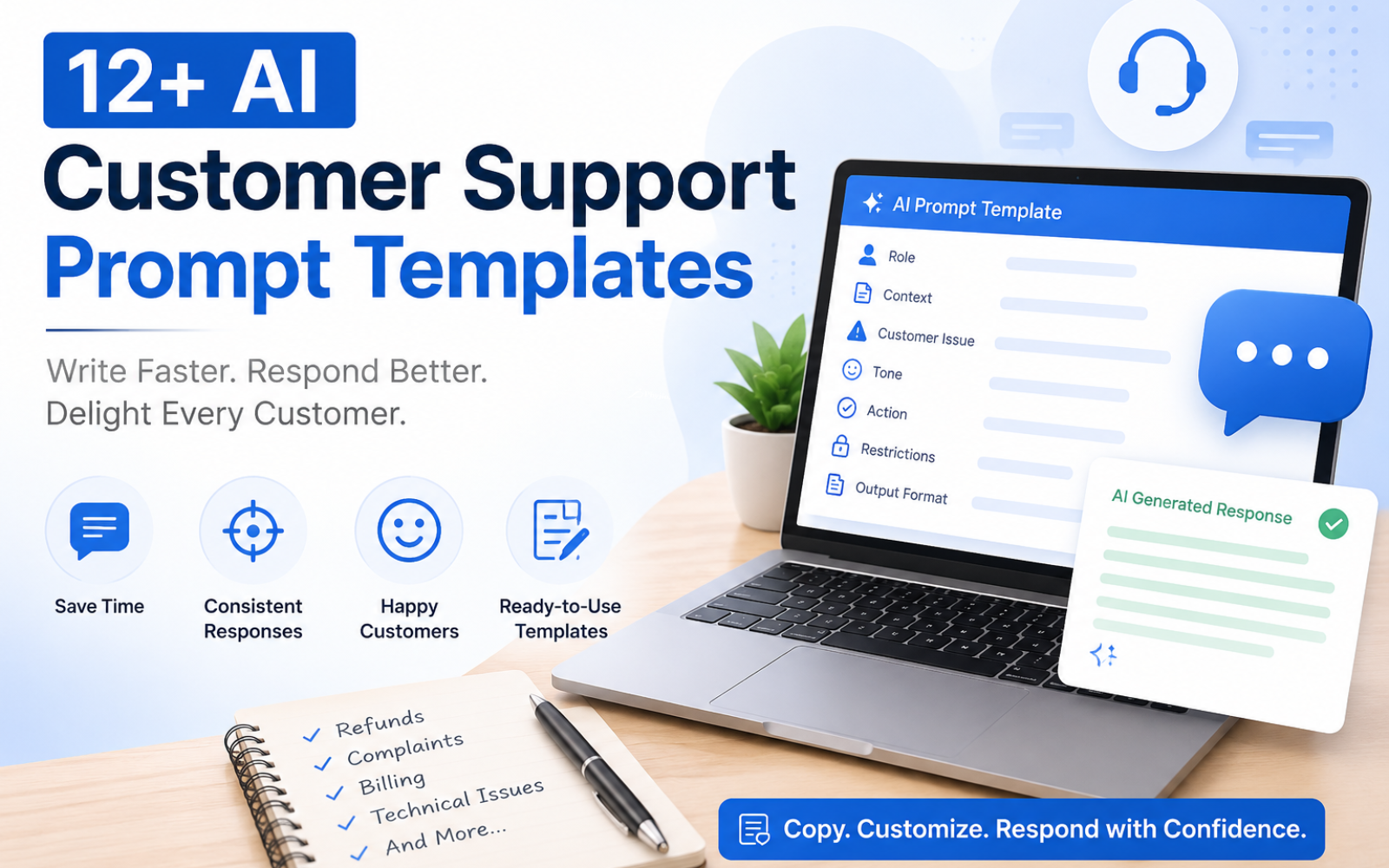
Prompt Templates You Can Use to Write Better Customer Support Scripts
A customer support script prompt is a reusable set of written instructions that tells an AI system how to draft a customer service response — specifying the customer's situation, the tone to use, relevant policy details, and the format the reply should take. Support teams use these prompts to generate faster, more consistent replies to refunds, complaints, technical issues, and routine questions, while still allowing a human agent to review and personalize the final message before it's sent.
TL;DR: Prompt Templates for Better Customer Support
Customer support prompts are structured instructions — not finished scripts — that guide an AI model toward a specific kind of response. A good prompt tells the AI who the customer is, what happened, what tone to use, and what the reply needs to accomplish. Businesses use prompt libraries to standardize how agents handle refunds, complaints, technical issues, and escalations across email, live chat, and help desk tickets. The most effective prompts include real context (order details, policy limits, customer history) rather than vague instructions like "write a nice response." Even well-written AI output still benefits from human review, especially for refund disputes, account security, and emotionally charged conversations — AI accelerates drafting, but judgment calls remain a human responsibility.
What Are Customer Support Script Prompts?
A customer support script prompt is the input you give an AI tool (such as Claude, ChatGPT, or Gemini) to generate a customer service response. Instead of writing every email or chat reply from scratch, agents fill in a prompt template with the specific details of a ticket, and the AI drafts a response that fits the brand's tone and policies.
Prompts sit between raw AI output and a finished support script: the prompt is the instruction, the AI-generated draft is the intermediate result, and the human-reviewed reply is the final customer-facing script.
Why Use AI Prompts for Customer Support?
Prompt templates help teams address problems that come up constantly in high-volume support environments:
- Consistency — every agent draws from the same starting structure, so tone and policy language don't drift between reps.
- Speed — agents spend less time typing similar replies to refunds, delays, and login issues.
- Personalization at scale — a well-built prompt still adapts to each customer's specific order, complaint, or account details.
- Tone control — prompts can lock in a brand voice (formal, casual, empathetic) so responses feel on-brand even when drafted by AI.
- Faster onboarding — new agents can produce policy-accurate responses sooner, without memorizing every script variant.
What Makes a Good Customer Support Prompt?
A strong prompt includes eight components:
- Role — who the AI is acting as ("a senior customer support representative").
- Context — what happened, and background on the customer.
- Customer intent — what the customer actually wants resolved.
- Relevant information — order numbers, policy limits, account details, troubleshooting steps.
- Tone — friendly, formal, apologetic, reassuring, concise.
- Action — what the response needs to accomplish (resolve, apologize, escalate, clarify).
- Restrictions — what the AI must not promise, guess, or disclose.
- Output format — email, live chat message, internal note, or step-by-step guide.
Prompt Formula for Customer Support
Role + Context + Customer Issue + Relevant Information +
Desired Tone + Action + Restrictions + Output Format
Example:
Act as a professional customer support representative for an online electronics retailer. A customer's order (#48213) arrived two days late due to a courier delay. The customer is frustrated but has not requested a refund. Write a short, empathetic email that acknowledges the delay, offers a $10 store credit, and does not promise future delivery dates we can't guarantee. Keep it under 120 words.
This single prompt produces a personalized, policy-safe draft an agent can review in seconds rather than write from scratch.
Copy-and-Paste Prompt Templates
Each template below follows the formula above. Swap the bracketed details for the real ticket information.
1. General Customer Support Response
Act as a customer support representative for [company]. A customer asked: "[customer question]." Write a clear, friendly reply that answers their question directly, references [relevant policy or product detail], and invites a follow-up if needed. Keep it under 100 words.
2. Angry Customer Response
Act as an experienced support agent handling an upset customer. The customer is angry because [issue]. Acknowledge their frustration without being defensive, apologize sincerely, avoid over-promising, and explain the next concrete step you'll take. Do not use dismissive language. Tone: calm, empathetic, professional.
3. Customer Complaint
Act as a support representative responding to a formal complaint. The complaint is: "[complaint details]." Acknowledge the issue, take ownership where appropriate, outline the resolution steps, and give a realistic timeline. Do not admit legal liability. Format: email.
4. Refund Request
Act as a support agent processing a refund request under [refund policy summary]. The customer's order is [order details]. If the request qualifies, confirm the refund amount and timeline. If it doesn't qualify, explain why clearly and offer an alternative (store credit, exchange). Tone: helpful, non-defensive.
5. Cancellation Request
Act as a customer support agent handling a cancellation request for [subscription/order]. Confirm the cancellation, state the effective date, mention any final charges, and briefly note what the customer will lose access to. Do not attempt to upsell aggressively. Tone: respectful, brief.
6. Delayed Order
Act as a support agent explaining a shipping delay for order [order number]. Apologize for the inconvenience, give the best available updated delivery estimate, and offer [compensation, if applicable]. Do not guarantee delivery windows you cannot confirm.
7. Wrong or Damaged Product
Act as a support agent responding to a customer who received [the wrong item / a damaged item]. Apologize, confirm you're sending a replacement or refund, and explain the return process in 2–3 simple steps. Tone: reassuring, solution-focused.
8. Technical Support / Troubleshooting
Act as a technical support agent helping a customer resolve [issue]. Provide a numbered, step-by-step troubleshooting guide using plain language, avoid jargon, and include what to do if the steps don't fix the problem. Format: numbered list, live chat length.
9. Billing Issue
Act as a billing support agent addressing a customer's concern about [incorrect charge / failed payment]. Explain what likely caused the issue in plain terms, outline the fix, and specify any timeline for a correction to appear. Do not speculate about causes you can't confirm.
10. Account Access Issue
Act as a support agent helping a customer who is locked out of their account. Provide clear, secure steps to regain access, remind them not to share verification codes, and note when to contact support directly if steps fail. Tone: patient, security-conscious.
11. Escalation Note (Internal)
Summarize the following customer issue for escalation to a senior agent: "[ticket details]." Include: customer sentiment, issue summary, steps already taken, and why escalation is needed. Format: internal note, under 80 words.
12. Negative Review Response
Act as a customer experience manager responding publicly to a negative review: "[review text]." Acknowledge the experience without being defensive, avoid disclosing private account details, and invite the reviewer to continue the conversation privately. Tone: professional, brand-safe.
Prompt Templates by Support Channel
| Channel | Best Prompt Style | Response Length | Main Consideration |
|---|---|---|---|
| Live Chat | Short, conversational | Short | Speed |
| Structured, professional | Medium | Clarity | |
| Help Desk / Ticketing | Detailed, actionable | Medium | Resolution |
| Social Media | Concise, public-safe | Short | Brand reputation |
| Phone (talking points) | Natural, spoken tone | Short | Sounding human |
A prompt written for email will feel stiff in live chat, and a live-chat-style prompt will feel underdeveloped in an email. Always specify the channel and length in the prompt itself.
Before and After: Script Examples
Scenario: Late delivery
- Before: "Sorry for the delay. Your order will arrive soon."
- After: "I'm sorry order #48213 arrived later than expected — that's frustrating, especially when you're waiting on it. I've applied a $10 credit to your account, and your tracking shows delivery by Thursday."
Scenario: Refund denial
- Before: "We can't refund this because it's past the 30-day window."
- After: "Your order is just outside our 30-day return window, so I can't process a full refund — but I can offer store credit for the full amount, or a repair if the issue is a defect. Which would work better for you?"
Scenario: Angry customer, login issue
- Before: "Please reset your password using the link we sent."
- After: "I can see why being locked out is frustrating, especially with a deadline coming up. I've sent a secure reset link to your email — it's valid for 30 minutes. I'll stay on this chat until you're back in."
How to Customize AI Customer Support Prompts
Generic prompts produce generic responses. Strengthen prompts by feeding in:
- Brand voice guidelines
- Refund, shipping, and cancellation policies
- Product or service details
- Knowledge base and FAQ content
- Customer history or account tier
- Sentiment detected from the customer's message
- Escalation rules (when a human must take over)
Building a Prompt Library
Group prompts by category so agents can find the right one quickly:
- General inquiries
- Billing and refunds
- Technical support
- Complaints and escalations
- Cancellations and retention
- Follow-ups
AI Prompts vs. Traditional Scripts
| Factor | Traditional Scripts | AI Prompt Templates |
|---|---|---|
| Flexibility | Low — fixed wording | High — adapts to each ticket |
| Personalization | Limited | Strong, when context is provided |
| Speed | Fast but rigid | Fast and adaptable |
| Consistency | High | High, if prompts are standardized |
| Scalability | Manual updates needed | Easier to update centrally |
| Agent control | Full | Requires review step |
AI prompts don't replace scripts outright — they make existing scripts more adaptable to each customer's specific situation.
Common Mistakes to Avoid
- Too little context — vague prompts produce vague, generic replies.
- No tone instruction — leaves the AI to guess, causing inconsistent responses.
- Asking AI to invent information — always restrict the AI from guessing policy details it wasn't given.
- One prompt for every channel — email and live chat need different lengths and styles.
- Skipping human review — especially for refunds, disputes, and sensitive complaints.
Human Review Still Matters
AI-generated drafts speed up writing, but a person should still review responses involving refund disputes, account security, legal questions, or highly emotional customers. This "human-in-the-loop" approach keeps AI as an assistant rather than the final decision-maker on sensitive cases.
Frequently Asked Questions
What is a customer support prompt? A written instruction given to an AI tool that specifies the customer's situation, tone, and format needed to draft a support response.
How do I write a prompt for customer service? Include the AI's role, the customer's issue, relevant policy details, desired tone, the action needed, and the output format.
Can AI write customer service scripts? Yes — AI can draft responses for common scenarios like refunds, delays, and complaints, though human review is recommended for sensitive cases.
Can AI handle angry customers? AI can draft empathetic, de-escalating responses when the prompt specifies a calm, non-defensive tone, but a human agent should still monitor the exchange.
How do I make AI responses sound more human? Provide specific customer details, avoid overly formal instructions, and edit the output for natural phrasing before sending.
Should agents review AI-generated responses before sending them? Yes, particularly for refunds, complaints, and any message involving account or billing details.
Download The Free E-book & Launch Your Brand Strategically

Download The Free E-book & Launch Your Brand Strategically
Share this post



