


All Features & Screenshots
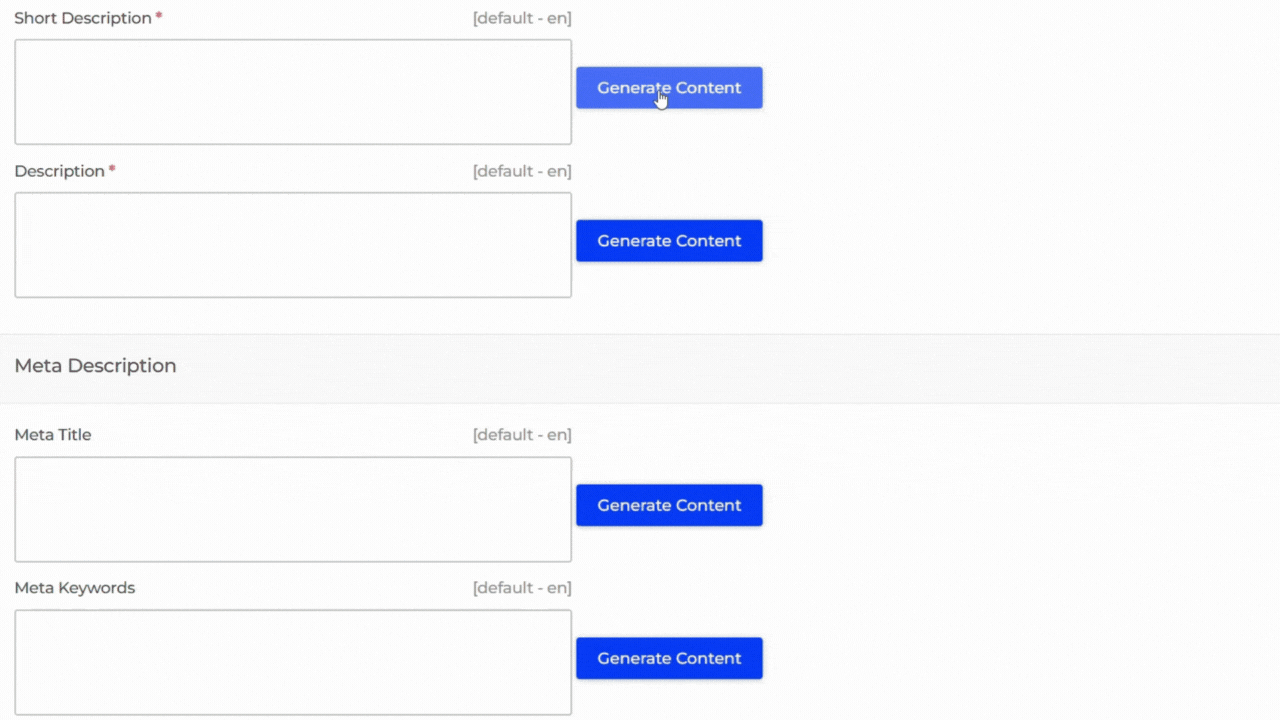
Show form with details and Genearte Content
This feature displays a form where you can enter required information and then use it to generate content automatically using the extension.
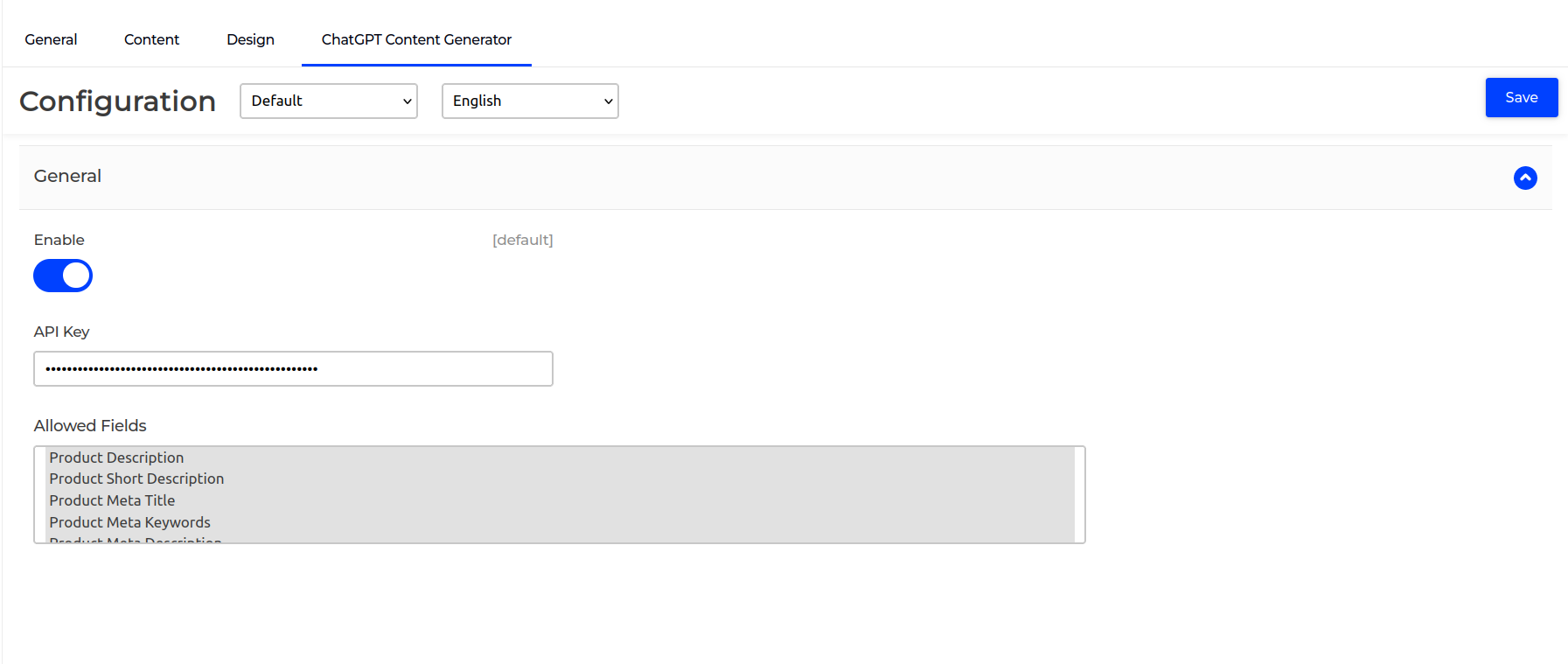
Enable option easily with store configuration.
To enable this extension, go to Configuration > General > ChatGPT Content Generator > General and set Enable to Yes. After enabling, you must enter your ChatGPT API key to activate the functionality. You can select which you want to generate a description using AI.
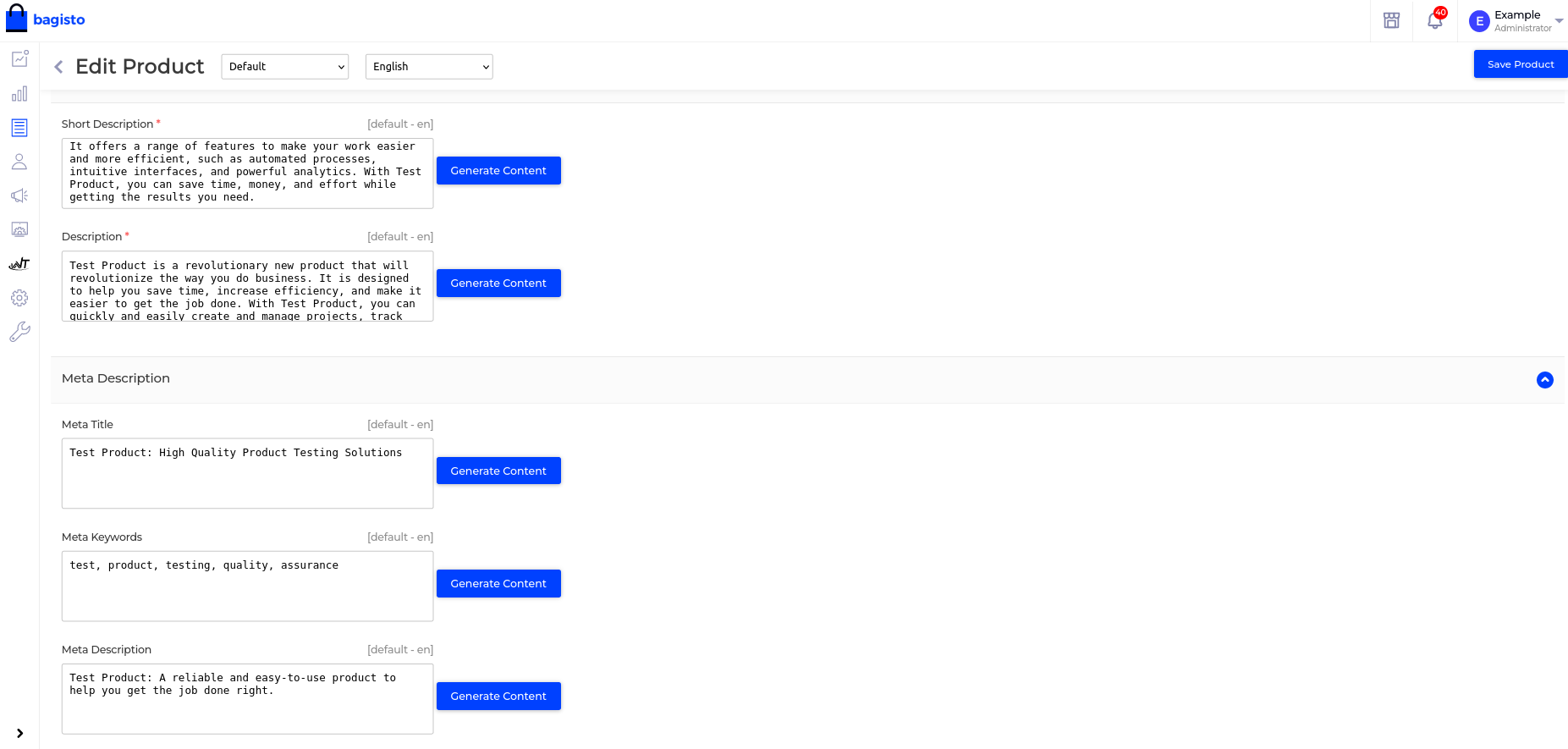
Show Genearted Content
You can start using this plugin by simply selecting the fields where you want to generate the AI content. In the above screenshot we have selected a product description, short description, and meta fields for content generation. As you can see in In the below screenshot, it is showing the Generator content button for selected fields.
Description
The AI Content Generator module for Bagisto allows store administrators to instantly create high-quality, SEO-friendly content for products and CMS pages directly from the admin panel using OpenAI’s ChatGPT. It supports generating descriptions, short descriptions, meta titles, meta keywords, and meta descriptions, with the flexibility for admins to choose which specific fields to generate. A “Generate Content” button appears next to each supported field, and upon clicking, the system uses the product name or page title as context to create relevant and optimized content instantly. This streamlines content creation, ensures consistency in tone and style, saves time, and helps maintain strong SEO performance without requiring advanced copywriting skills.